
ESP-IDF Extension for VS Code
ESP-IDF Extension for VS Code brings Espressif chip development into Visual Studio Code.
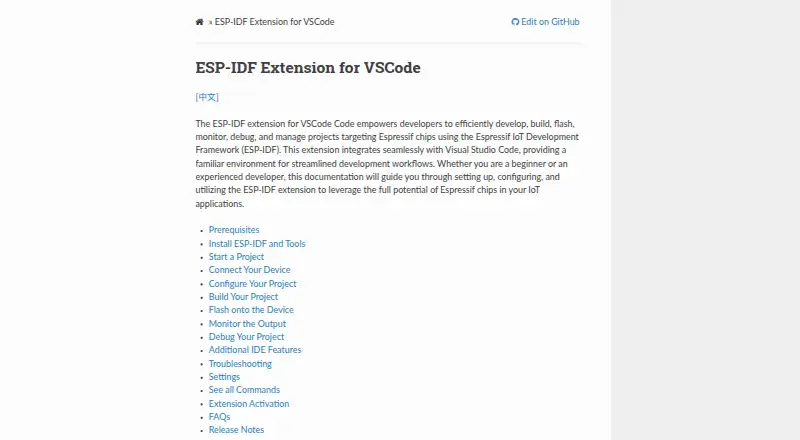
What ESP-IDF Extension for VS Code is
ESP-IDF Extension for VS Code brings Espressif chip development into Visual Studio Code. It supports creating ESP-IDF projects from examples or configured framework templates, then building them with CMake and Ninja and flashing devices over UART, DFU, or JTAG. Developers can monitor projects and use integrated device debugging or postmortem debugging with a core dump or GDB stub. Additional tools cover code coverage, heap tracing, application-level tracing, binary size analysis, and eFuse viewing. The extension can install components from the ESP Component Registry and add Arduino as an ESP-IDF component. QEMU can emulate debugging and monitor output. Its documented environments include Docker, WSL, SSH, Dev Containers, Codespaces, and browser-based VS Code. It also exposes ESP-IDF commands through MCP servers for language-model integrations such as Copilot. Visual Studio Code is required; the extension is free and open source under Apache License 2.0, for Windows, macOS, and Linux.
Good
- Free and open source under Apache License 2.0.
- Builds with CMake and Ninja.
- Flashes over UART, DFU, or JTAG.
- Includes device and postmortem debugging.
- Can install registry components and add Arduino as a component.
Watch out
- Requires Visual Studio Code.
- macOS and Linux have linked system prerequisites.
- Targets Espressif chips rather than general-purpose development.
Who it suits
It suits developers building for supported ESP32-family targets who want project, build, flashing, monitoring, and debugging tools in Visual Studio Code. It requires Visual Studio Code, and macOS and Linux users should consult the linked system prerequisites.
Verdict
ESP-IDF Extension for VS Code combines project setup, build, flashing, and debugging workflows for Espressif development. Its no-cost availability and range of documented environments may suit developers who already work in Visual Studio Code.
Plans and prices
From ESP-IDF Extension for VS Code's own pricing page, checked 2 Oct 2026.
| Plan | Price | What it gives you |
|---|---|---|
| Free | Free | VS Code extension for ESP-IDF development |
The facts
Each one read from ESP-IDF Extension for VS Code's own pages, with the date it was checked.
What it does
- AI and MCP integration
- The extension contributes MCP servers and exposes ESP-IDF commands to language-model integrations such as Copilot.checked 2 Oct 2026
- Analysis tools
- Listed tools include code coverage, heap tracing, application-level tracing, binary size analysis, and an eFuse viewer.checked 2 Oct 2026
- Build and flash
- It builds projects with CMake and Ninja and can flash devices over UART, DFU, or JTAG.checked 2 Oct 2026
- Component integration
- The extension can install ESP components from the ESP Component Registry and add Arduino as an ESP-IDF component.checked 2 Oct 2026
- Debugging
- It supports device debugging and postmortem debugging with a core dump or GDB stub.checked 2 Oct 2026
- Development environments
- The documentation describes using the extension in Docker containers, WSL, SSH, Dev Containers, Codespaces, and browser-based VS Code environments.checked 2 Oct 2026
- Emulation
- It can use QEMU to emulate debugging and monitor output.checked 2 Oct 2026
- License
- The marketplace listing says the extension is licensed under Apache License 2.0.checked 2 Oct 2026
- Project creation
- Its new project wizard creates projects from ESP-IDF examples and configured framework templates.checked 2 Oct 2026
- Purpose
- The extension lets developers develop, build, flash, monitor, debug, and manage ESP-IDF projects targeting Espressif chips within Visual Studio Code.checked 2 Oct 2026
- Requirements
- Visual Studio Code is required; the documentation says no additional prerequisites are required beyond the installation steps.checked 2 Oct 2026
- Support
- For help, the documentation directs users to the EIM GitHub repository or the extension’s GitHub repository.checked 2 Oct 2026
The company
- Founded
- 2008checked 28 Sep 2026
- Headquarters
- Shanghai, Chinachecked 28 Sep 2026
- Maker
- Espressif Systems describes itself as a global semiconductor innovator developing IoT and edge AI platforms.checked 2 Oct 2026
Where it runs
- Platform notes
- The marketplace instructions link to system prerequisites for macOS and Linux and state that Windows has no additional prerequisites.checked 2 Oct 2026
The full review of ESP-IDF Extension for VS Code
ESP-IDF Extension for VS Code is an editor extension that gathers Espressif firmware project creation, compilation, device programming, monitoring, and diagnostics in one Visual Studio Code workflow. It suits developers targeting ESP32-family chips who already use VS Code and want ESP-IDF tooling close to their source code. The main reason to choose it is the breadth of Espressif-specific work it covers at no software cost; the main qualification is that Visual Studio Code remains mandatory.
Overview
Espressif Systems positions itself as a semiconductor company focused on IoT and edge-AI platforms, and this extension is correspondingly focused rather than a universal embedded IDE. It supports ESP32, ESP32-S2, ESP32-S3, ESP32-C2, ESP32-C3, ESP32-C5, ESP32-C6, ESP32-C61, ESP32-H2, ESP32-H21, ESP32-H4, and ESP32-P4 targets. Integrated flashing, integrated debugging, RTOS support, and support for both hardware-probe approaches make it a practical central workspace for projects built on those devices.
Key features
The new-project wizard can create a project from ESP-IDF examples or configured framework templates. That is useful when a team wants a known Espressif structure and configuration from the outset, although it does not turn the extension into a general project generator for unrelated microcontrollers.
Builds use CMake and Ninja. Devices can be flashed through UART, DFU, or JTAG, so the deployment path can match the board and probe already in use. Monitoring and debugging remain in the same environment: live device debugging is joined by postmortem analysis through a core dump or GDB stub. For teams diagnosing crashes or timing-sensitive firmware, that is substantially more capable than an extension limited to compile-and-upload commands.
Analysis tools include code coverage, heap tracing, application-level tracing, binary-size analysis, and an eFuse viewer. These tools help investigate resource use, execution behavior, image growth, and chip configuration without switching to a separate utility. QEMU can emulate debugging and monitor output, giving developers a software-based route for some checks when hardware access is inconvenient; emulation does not replace validation on the target board.
Component management reaches the ESP Component Registry, and Arduino can be added as an ESP-IDF component. The documentation also covers Docker, WSL, SSH, Dev Containers, Codespaces, and browser-based VS Code environments, which is valuable for remote or reproducible setups. MCP servers expose ESP-IDF commands to language-model integrations such as Copilot, an optional productivity layer rather than the extension's core reason to adopt it.
Pricing
The Free plan costs nothing and is open source. It is the complete stated VS Code extension for ESP-IDF development, with no paid tier, seat charge, usage quota, trial clock, or renewal term identified. That makes it suitable for individual developers, students, and teams that need Espressif tooling without a subscription; there is no cheaper plan that trades away capability, and no commercial tier described for additional entitlements.
Platforms
The extension runs on Windows, macOS, and Linux as a Visual Studio Code extension. Visual Studio Code is required, while the installation documentation says no additional prerequisites are required beyond its steps. macOS and Linux instructions link to system prerequisites, whereas Windows is stated to need no additional prerequisites. The documented container, WSL, SSH, Dev Container, Codespaces, and browser-based environments make it workable across local and remote development patterns.
Who it's for
Choose it if your firmware targets a supported Espressif chip and your daily work already happens in VS Code. It is especially well matched to developers who need an integrated edit-build-flash-debug loop, RTOS-aware work, component packages, tracing, and crash investigation. It is a weaker choice for teams standardizing on another editor, targeting non-Espressif silicon, or seeking a vendor-neutral embedded environment. Help is directed to the EIM GitHub repository or the extension's GitHub repository, and the marketplace listing uses the Apache License 2.0.
Pros and cons
- Pro: One free workflow covers project setup, CMake/Ninja builds, UART/DFU/JTAG flashing, monitoring, and debugging.
- Pro: Core-dump and GDB-stub postmortem debugging, tracing, coverage, heap inspection, size analysis, and eFuse viewing support serious diagnosis.
- Pro: Registry components, Arduino-as-a-component, QEMU, and remote/container documentation extend its usefulness beyond a basic uploader.
- Con: Visual Studio Code is a hard requirement, so it is unsuitable for developers committed to another IDE.
- Con: Its tooling is expressly ESP-IDF-centric; it is not a broad solution for unrelated MCU families.
Alternatives
nRF Connect for VS Code is the more natural pick for Nordic Semiconductor development while retaining a free VS Code extension model. Choose PlatformIO IDE when a broader multi-platform embedded workflow and community-oriented free plan are more important than an Espressif-specific toolchain. Arduino IDE fits developers who want a free, open-source Arduino environment with autocompletion, code navigation, and live debugging. Arm Keil MDK is worth considering for Cortex-M work and Keil Studio or μVision access, with freemium licensing. C2000Ware is the focused free choice for C2000 microcontrollers, while MPLAB X IDE targets most Microchip microcontrollers and digital signal controllers at no cost. CS+ suits Renesas development where its free IDE and compiler-evaluation limits are acceptable. e² studio is another free Renesas-oriented IDE; separate compiler packages may carry their own terms.
For broader category browsing, see Embedded Development IDEs, IoT Development Tools, and Embedded Systems Toolchains.
Verdict
ESP-IDF Extension for VS Code is the right recommendation for Espressif developers who want project creation, builds, flashing, debugging, and analysis consolidated in VS Code at no cost. Its strongest advantage is the depth of ESP-IDF integration, from component packages to postmortem diagnostics and supported remote environments. Look elsewhere if you need a different editor, a vendor-neutral toolchain, or primary support for chips outside the ESP32 family.
Alternatives to ESP-IDF Extension for VS Code
- 1

Arduino IDE
Free planOpen sourceAndroidiOSWebAPI8.0Free plan - 2

Arm Keil MDK
Free planWebAPIExtensionLinux7.9From 82.39 CHF a month - 3

PlatformIO IDE
Free planExtensionLinuxmacOSSelf-hosted7.0Free plan - 4

IAR Embedded Workbench
Free planExtensionLinuxWindows6.9Free plan - 5
CS+
Free planLinuxmacOSWindows6.4Free plan - 6

Eclipse IDE
Free planLinuxmacOSWindows6.4Free plan