
Infineon ModusToolbox
Infineon ModusToolbox is a development ecosystem for building embedded applications with Infineon microcontrollers.
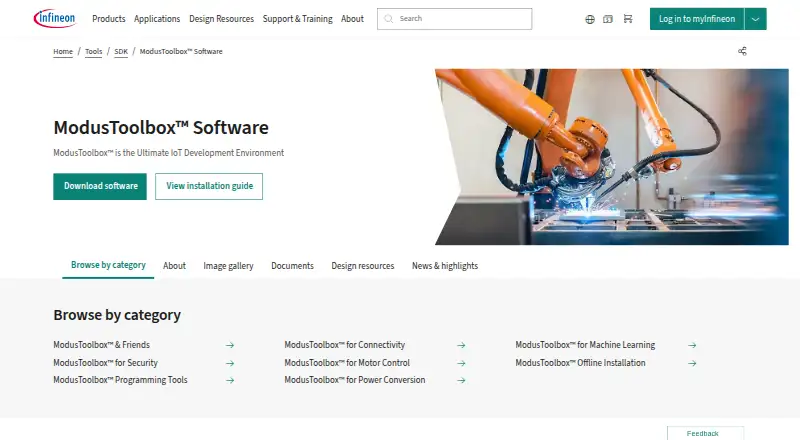
What Infineon ModusToolbox is
Infineon ModusToolbox is a development ecosystem for building embedded applications with Infineon microcontrollers. Its desktop applications cover software component management, peripheral and middleware configuration, compiling, programming, and local debugging. Supported device families include PSOC, TRAVEO T2G, XMC, AIROC Wi-Fi and Bluetooth, and USB-C Power Delivery microcontrollers. The ecosystem includes libraries and embedded assets such as board support packages, drivers, middleware, and code examples. Board targets can be customized or redirected to another device, and runtime software is available through GitHub-hosted repositories that the tools access directly.
The GNU make build system supports work in a desktop IDE, a command-line terminal, or a continuous integration workflow. Named IDE integrations include Eclipse, Microsoft Visual Studio Code, IAR Embedded Workbench, and Arm MDK with µVision IDE. It supports Windows, Linux, and macOS, with an offline installation option. The free software includes security-focused resources such as Trusted Firmware-M, cryptographic libraries, secure boot, firmware updates, and secure communication protocols.
Good
- Free software for Windows, Linux, and macOS
- Supports a range of Infineon microcontroller families
- GNU make supports IDE, terminal, and CI workflows
- Board targets can be customized or retargeted
- Includes security-focused software resources
Watch out
- Designed for Infineon microcontrollers
- Free and open-source packages are supplied as is without warranty
Who it suits
ModusToolbox suits developers creating embedded applications for Infineon microcontrollers. Its IDE, command-line, and continuous integration support can accommodate different development workflows.
Verdict
ModusToolbox combines embedded development tools, libraries, and runtime assets in a free ecosystem for Infineon devices. Its build and IDE options support multiple workflows, while the device focus is specific to Infineon microcontrollers.
Plans and prices
From Infineon ModusToolbox's own pricing page, checked 7 Oct 2026.
| Plan | Price | What it gives you |
|---|---|---|
| ModusToolbox™ Software | Free | Infineon microcontroller development ecosystem · Windows, Linux, macOS |
The facts
Each one read from Infineon ModusToolbox's own pages, with the date it was checked.
What it does
- Board support
- Board support packages are part of the build system and can be customized or retargeted to another device.checked 5 Oct 2026
- Build and CI
- Its GNU make build system supports development in desktop IDEs, a command-line terminal, and continuous integration workflows.checked 5 Oct 2026
- Build and workflow
- It uses a GNU make build system and supports development through a desktop IDE, command-line terminal, or continuous integration workflow.checked 7 Oct 2026
- Components
- It includes development tools, libraries, and embedded runtime assets.checked 5 Oct 2026
- Development tasks
- Its desktop tools support creating embedded applications, managing software components, configuring peripherals and middleware, compiling, programming, and debugging.checked 7 Oct 2026
- FOSS terms
- Infineon says its free and open-source software packages are provided under the applicable license included in each download archive and are supplied as is without warranty.checked 7 Oct 2026
- IDE integrations
- ModusToolbox supports embedded application development in Eclipse IDE, Microsoft Visual Studio Code, IAR Embedded Workbench, and Arm MDK with µVision IDE.checked 7 Oct 2026
- Offline installation
- Infineon lists an offline installation option for ModusToolbox.checked 7 Oct 2026
- Operating systems
- The development tools installation package supports Windows, Linux, and macOS.checked 5 Oct 2026
- Purpose
- ModusToolbox is a development ecosystem for building embedded applications for Infineon microcontrollers and devices.checked 7 Oct 2026
- Release
- The page states that ModusToolbox Software v3.8 is available and can be updated through the ModusToolbox Setup program.checked 5 Oct 2026
- Runtime repositories
- Runtime middleware, device drivers, and code examples are provided through GitHub-hosted repositories that the development tools access directly.checked 7 Oct 2026
- Runtime software
- Middleware, device drivers, and code examples are provided through GitHub-hosted repositories.checked 5 Oct 2026
- Security certifications
- Infineon states that PSOC 64 has PSA Certified Level 2 and PSOC 62 has PSA Certified Level 1 certification.checked 7 Oct 2026
- Security features
- The security offering includes Trusted Firmware-M, Mbed TLS support, cryptographic drivers, secure boot, and device firmware update middleware.checked 7 Oct 2026
- Software assets
- Embedded assets include board support packages, peripheral drivers, middleware, and code examples, with board targets that can be customized or retargeted.checked 7 Oct 2026
- Support
- The product page directs users to Infineon’s Developer Community to find answers, ask questions, and connect with engineers.checked 7 Oct 2026
- Support resources
- Infineon lists training videos, documents, code examples, and libraries as ModusToolbox development resources.checked 5 Oct 2026
The company
- Founded
- 1999checked 28 Sep 2026
- Headquarters
- Neubiberg, Germanychecked 28 Sep 2026
- Maker founded
- Infineon says it became independent on April 1, 1999.checked 5 Oct 2026
- Maker headquarters
- Infineon Technologies AG lists its headquarters in Neubiberg, Germany.checked 5 Oct 2026
Where it runs
- Supported devices
- Supported devices include PSOC, TRAVEO T2G, XMC, AIROC Wi-Fi and Bluetooth, and USB-C Power Delivery microcontrollers.checked 7 Oct 2026
The full review of Infineon ModusToolbox
Infineon ModusToolbox is a development ecosystem for building and maintaining embedded applications on Infineon microcontrollers. It is best suited to developers and teams committed to those devices who want configuration, software assets, and build workflows under one roof. Its free price and flexible build options are compelling; its narrow hardware focus is the deciding constraint.
Overview
The desktop applications cover creating embedded applications, managing software components, configuring peripherals and middleware, compiling, programming, and local debugging. Supported targets include PSOC, TRAVEO T2G, XMC, AIROC Wi-Fi and Bluetooth, and USB-C Power Delivery microcontrollers. That is useful breadth within Infineon’s portfolio, but it does not make ModusToolbox a general-purpose embedded environment.
GNU make underpins builds, which can run through a desktop IDE, a command-line terminal, or continuous integration. Teams can keep a consistent build workflow across local development and automation rather than depend on a single editor. Runtime middleware, drivers, and code examples are supplied through GitHub-hosted repositories accessed by the tools; an offline installation option is also offered.
Key features
Flexible development workflow
Infineon names Eclipse IDE, Microsoft Visual Studio Code, IAR Embedded Workbench, and Arm MDK with µVision IDE as application-development options. Supported compiler toolchains include GNU Arm Embedded Compiler, Arm compiler, IAR Embedded Workbench, and LLVM ARM. This selection accommodates established embedded workflows, while the GNU make build system also gives command-line and CI users a route that need not be centered on a desktop IDE.
Device software and board support
Board support packages are integrated into the build system and can be customized or retargeted to another device. Alongside peripheral drivers, middleware, and code examples, they offer a practical starting point for supported targets and room to adapt board configuration. Their value is tied to the Infineon ecosystem, so projects centered on other vendors will not benefit from this device-specific software base.
Security resources
ModusToolbox for Security includes Trusted Firmware-M, cryptographic libraries, secure boot, firmware updates, and secure communication protocols. Infineon also says its PSOC 64 Secured MCU line has PSA Level 2 certification and its PSOC 62 Performance line has PSA Level 1 certification. These resources are relevant for teams developing on those lines, but the certifications apply to the named MCU lines, not to every ModusToolbox project.
Help and release upkeep
Infineon provides training videos, documents, examples, and libraries, and points developers to its community to ask questions and connect with engineers. ModusToolbox Software v3.8 can be updated through the Setup program. That gives users formal learning and community routes alongside update management, though resolving a project issue still depends on the relevant resources and community support.
Pricing
ModusToolbox Software costs free. The free plan is the development ecosystem for Infineon microcontrollers on Windows, Linux, and macOS; there are no paid tiers or seat, quota, or trial terms to weigh. Infineon’s free and open-source software packages are provided under the applicable license included in each download archive and supplied as is without warranty, so users should review the package license and account for that warranty limitation.
Platforms
The installation package supports Windows, Linux, and macOS. Local debugging is supported, and the GNU make workflow extends across IDE, terminal, and CI use. This range is practical for teams with varied development environments, but it does not change the ecosystem’s Infineon-only target focus.
Who it's for
Choose ModusToolbox if your project uses a supported Infineon microcontroller and you want component configuration, board support, runtime software, and build tooling in one free ecosystem. It is particularly suitable for teams that need both IDE and automated build options, or that want Infineon’s security software resources for supported devices. Look elsewhere if your hardware target is outside Infineon’s listed families or if a vendor-neutral toolchain is the priority.
Pros and cons
- Pro: The free plan spans Windows, Linux, and macOS, lowering the cost of adopting it for Infineon development.
- Pro: GNU make supports IDE, terminal, and CI workflows, making it easier to fit builds into different team practices.
- Pro: Board packages, drivers, middleware, and examples provide a device-focused software base that can be customized or retargeted.
- Con: The toolset is for Infineon microcontrollers, so it is not a fit for projects committed to other chip vendors.
- Con: Open-source packages are supplied without warranty, putting license and software-risk review on the adopting team.
Alternatives
Arm Keil MDK is worth considering when its freemium model and Keil Studio or µVision options better suit your workflow; its Community plan is for non-commercial use and includes Cortex-M device support.
C2000Ware is a free alternative for C2000 microcontrollers, with an installer that requires export approval. Choose RISC-V GNU Toolchain instead for a free C and C++ cross-compiler targeting bare-metal or Linux ELF toolchains.
CS+ is another free option, with compiler evaluation limits applying when using an evaluation compiler. MPLAB X IDE is a free IDE download for most Microchip microcontrollers and digital signal controllers.
PlatformIO Core is a free, open-source option. Renesas Flexible Software Package is available free of charge on Renesas devices, while Arm GNU Toolchain is free to download and use and community supported.
For broader discovery, browse Embedded Systems Toolchains or C++ IDEs.
Verdict
ModusToolbox is a strong free choice for embedded developers building on supported Infineon microcontrollers: its device software, multiple IDE and compiler options, and IDE-to-CI build workflow make a coherent package. Choose it when Infineon is the target; look elsewhere when hardware flexibility beyond that ecosystem matters more.
Getting started
- Open the ModusToolbox website and download the Windows, Linux, or macOS package
- Use the Setup program or the offline installation option
- Select an Infineon microcontroller family and board target
- Choose a supported IDE, command-line terminal, or CI workflow
- Configure peripherals, middleware, and software components
- Compile, program, and locally debug the embedded application
Questions
Is ModusToolbox free?
Yes. The ModusToolbox Software plan is free at no cost.
Which operating systems are supported?
The development tools installation package supports Windows, Linux, and macOS.
Which IDEs can I use?
Named options are Eclipse IDE, Microsoft Visual Studio Code, IAR Embedded Workbench, and Arm MDK with µVision IDE.
What devices does it support?
Listed families include PSOC, TRAVEO T2G, XMC, AIROC Wi-Fi and Bluetooth, and USB-C Power Delivery microcontrollers.
Does it support command-line and CI development?
Yes. Its GNU make build system supports desktop IDEs, command-line terminals, and continuous-integration workflows.
What security capabilities are included?
ModusToolbox for Security lists Trusted Firmware-M, cryptographic libraries, secure boot, firmware updates, and secure communication protocols.
Alternatives to Infineon ModusToolbox
- 1

Arm Keil MDK
Free planWebAPIExtensionLinux7.9From 82.39 CHF a month - 2
C2000Ware
Free planWebLinuxmacOSWindows7.1Free plan - 3

PlatformIO IDE
Free planExtensionLinuxmacOSSelf-hosted7.0Free plan - 4

IAR Embedded Workbench
Free planExtensionLinuxWindows6.9Free plan - 5
RISC-V GNU Toolchain
Free planLinuxmacOSWindows6.5Free plan - 6
Buildroot
Free planLinuxSelf-hosted6.4Free plan