Pizazoo Screenshot Editor
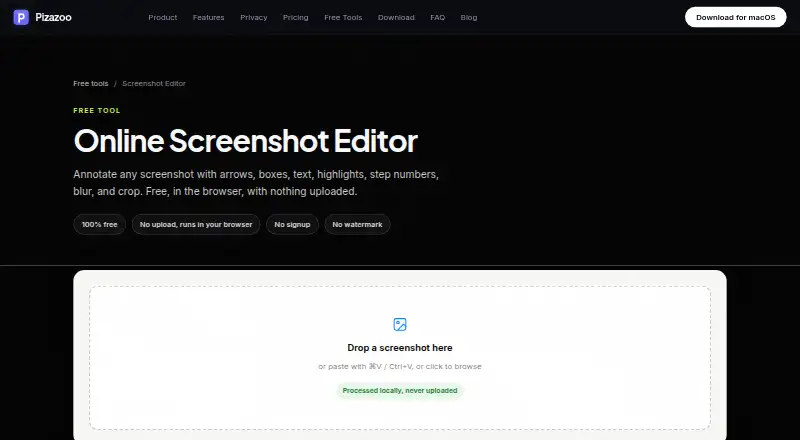
The facts below are what the maker publishes about Pizazoo Screenshot Editor, checked and dated. Our editors have not written about it yet.
Plans and prices
From Pizazoo Screenshot Editor's own pricing page, checked 9 Oct 2026.
| Plan | Price | What it gives you |
|---|---|---|
| Free | Free | Core private screenshot workflow · 1 device activation · Forever |
| Online Screenshot Editor | Free | No signup · No watermark · Runs in browser · No upload · 100% free |
| Pro · 1 Mac | $15, paid once | Everything in Free · 1 Mac activation · Tags · Saved searches · Unlimited custom categories · One-time purchase |
| Pro · 3 Macs | $25, paid once | Everything in Pro · Up to 3 Macs · Tags · Saved searches · Unlimited custom categories · One-time purchase |
| Pro · 5 Macs | $35, paid once | Everything in Pro · Up to 5 Macs · Tags · Saved searches · Unlimited custom categories · One-time purchase |
The facts
Each one read from Pizazoo Screenshot Editor's own pages, with the date it was checked.
Where it runs
- App features
- The macOS app can search screenshot text on-device, categorize a library, and edit screenshots with annotations, redaction, watermarking, and signatures.checked 9 Oct 2026
- macOS app
- The maker says its macOS app includes a native markup editor plus automatic screenshot organization, OCR search, and redaction, with offline operation.checked 9 Oct 2026
What it does
- Editing controls
- The toolbar includes arrow, box, ellipse, pen, highlighter, text, step number, blur, and crop tools, with undo and redo, adjustable colors, and stroke widths.checked 9 Oct 2026
- Export
- Users can download an annotated screenshot as a PNG or copy it to the clipboard, and exports render at the screenshot’s original pixel resolution.checked 9 Oct 2026
- Export formats
- PNGchecked 20 Sep 2026
- Integration
- On iPhone and iPad, screenshot text search can surface in Spotlight and Siri, and images can be imported through the share sheet.checked 9 Oct 2026
- iPhone and iPad
- The maker offers an iPhone and iPad organizer with on-device text search, categorization, markup, widgets, and optional private iCloud sync.checked 9 Oct 2026
- Local processing
- The editor runs in the browser and processes images locally without uploading them.checked 9 Oct 2026
- No account required
- The editor requires no signup and adds no watermark.checked 9 Oct 2026
- Privacy
- The core organization workflow does not require uploads, accounts, or cloud sync, and the maker says its library, review, and search work offline.checked 9 Oct 2026
- Redaction tools
- Yeschecked 20 Sep 2026
- Sensitive information
- The maker cautions that light blur may be reversible and recommends high-strength pixelation, a solid box, or its dedicated redaction tool for sensitive details.checked 9 Oct 2026
- Support
- The maker says its small independent team answers support email.checked 9 Oct 2026
- What it does
- The online editor annotates screenshots with arrows, boxes, text, highlights, step numbers, blur, and crop.checked 9 Oct 2026
Money
- Free plan
- Yeschecked 20 Sep 2026
The company
- Maker
- Pizazoo describes itself as made by a small, independent team of Mac developers.checked 9 Oct 2026
Alternatives to Pizazoo Screenshot Editor
- 1

Awesome Screenshot
Free planiOSWebExtensionmacOS8.3From $5 a month - 2

Monosnap
Free planWebExtensionLinuxmacOS8.1From $2.50 a month - 3
Usersnap
AndroidiOSWebAPI7.9From €49 a month - 4

Greenshot
Free planWindows7.8$1.99 one-time - 5
ShareX
Free planOpen sourceWindows7.6Free plan - 6
Markup Hero
Free planExtensionmacOSWindows7.6From $3 a month