
PingPlotter
PingPlotter monitors network performance continuously, tracking latency, jitter, and packet loss while showing network paths to help locate connection proble…
What PingPlotter is
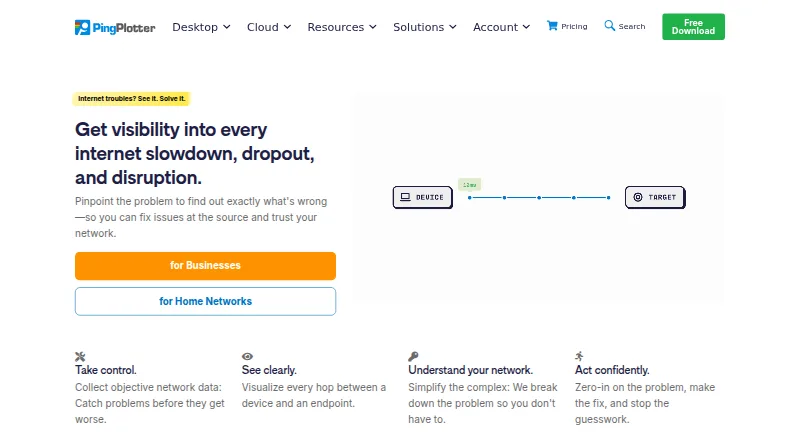
PingPlotter monitors network performance continuously, tracking latency, jitter, and packet loss while showing network paths to help locate connection problems. Its desktop editions monitor connections from one Windows or macOS computer. PingPlotter Cloud adds a centralized online dashboard for remote connections, and Insights analyzes network data to identify incidents, potential causes, and possible fixes. Cloud alert actions can make REST calls to services such as Slack, Microsoft Teams, Google Chat, and JIRA. Webhooks can notify users about agent status or connection-quality changes and connect to compatible apps through services such as Zapier or Power Automate. Desktop editions have a 14-day trial; afterward, the free version supports one connection, has no remote collection, and keeps 10 minutes of monitoring history. Cloud trials last seven days. It is listed for Windows, macOS, Linux, web, and iOS.
Good
- Tracks latency, jitter, and packet loss.
- Visualizes network paths.
- Cloud supports remote connection monitoring.
- Alerts can call Slack, Teams, Google Chat, and JIRA.
- Free version follows a 14-day desktop trial.
Watch out
- Free version supports one connection.
- Free version has no remote collection.
- Free version keeps only 10 minutes of history.
- Cloud trial lasts seven days.
Who it suits
PingPlotter suits people troubleshooting home or small-office networks, as well as remote teams monitoring connections. Its maker presents Standard for home use, Professional for small offices, and Cloud for remote teams.
Verdict
PingPlotter covers single-computer monitoring and remote connection monitoring, with network-path visualization and analysis features. The free desktop option is limited to one connection and a short history, while paid plans start at $6.99/mo.
Plans and prices
From PingPlotter's own pricing page, checked 15 Oct 2026.
| Plan | Price | What it gives you |
|---|---|---|
| Free | Free | 1 target · Windows/macOS · 10-minute history · no remote collection · Forever |
| Standard | $6.99 a month | 2 targets from one computer · Windows/macOS · 14-day trial · Starting at $6.99/mo. |
| Professional | $29 a month | Up to 250 targets · Windows/macOS · 14-day trial · Starting at $29/mo. |
| Professional Edition | $29 a month | Unlimited targets on one computer · Windows, macOS · Starting at $29/mo. |
| PingPlotter Cloud | $90 a month | Thousands of remote devices · Windows/macOS/Linux agents · 7-day trial · Starting at $90/mo.; yearly and volume discounts available |
| Standard Edition | — | 2 targets from one computer · Windows, macOS · Starting at $6.99/mo. |
The facts
Each one read from PingPlotter's own pages, with the date it was checked.
What it does
- Alerts and integrations
- PingPlotter Cloud alert actions can make REST calls to services such as Slack, Microsoft Teams, Google Chat, and JIRA.checked 29 Sep 2026
- Analysis features
- PingPlotter Insights analyzes network data to identify incidents, potential causes, and possible fixes.checked 29 Sep 2026
- API documentation
- API documentation includes agents, sessions, trace data, LiveShares, users, settings, examples and rate limits.checked 15 Oct 2026
- Cloud alerts
- Cloud provides intelligent alerts, customizable dashboards and role-based permissions.checked 15 Oct 2026
- Cloud dashboard
- PingPlotter Cloud centralizes monitoring of remote connections in a web dashboard.checked 15 Oct 2026
- Cloud live sharing
- Cloud lets users share selected graphs, periods and network insights live with others.checked 15 Oct 2026
- Cloud use
- PingPlotter Cloud provides a centralized online dashboard for monitoring and troubleshooting remote connections.checked 29 Sep 2026
- Data handling
- Pingman Tools says Microsoft Azure stores PingPlotter CloudConnect and Cloud trace data collected by remote agents, and that payment information is handled by third-party processors.checked 29 Sep 2026
- Desktop metrics
- Desktop editions measure latency, packet loss, jitter and MOS scores.checked 15 Oct 2026
- Desktop use
- PingPlotter for Desktop tracks connections from a single Windows or macOS computer.checked 29 Sep 2026
- Developer experiment
- The October 2026 release notes describe an invite-only MCP and command-line integration test for AI assistants.checked 15 Oct 2026
- Documentation
- The knowledge base contains long-running technical articles, manuals, troubleshooting guides and deployment documentation.checked 15 Oct 2026
- Integrations
- REST-call alerts can post to Slack, Microsoft Teams or Google Chat and create Jira tickets.checked 15 Oct 2026
- Intended users
- The maker presents Standard for home network troubleshooting, Professional for small office networks, and Cloud for remote teams.checked 29 Sep 2026
- Licence
- The desktop licence agreement restricts reproduction, publication, transmission and translation, indicating proprietary commercial software.checked 15 Oct 2026
- Limit: advanced analysis
- TrustRadius reviewers request multi-port tracing, automated summaries, pattern detection, better guidance and stronger exports.checked 15 Oct 2026
- Limit: interface and export
- G2 reviewers mention an older or complicated interface, a learning curve and difficulty exporting reports for others.checked 15 Oct 2026
Where it runs
- Apple app capabilities
- The iOS app graphs latency and packet loss, supports IPv4/IPv6 targets, audio alerts, reports and loading desktop-collected data.checked 15 Oct 2026
- Apple app complaint
- An App Store reviewer requests higher iPad resolution, landscape window arrangement and background operation.checked 15 Oct 2026
- Cloud cross-platform
- Cloud agents monitor Windows, macOS and Linux devices from one dashboard.checked 15 Oct 2026
The company
- Company facts
- LinkedIn lists PingPlotter as a privately held computer-networking company with 11–50 employees, headquartered in Boise, Idaho, and founded in 1998.checked 15 Oct 2026
- Founded
- 1998checked 23 Sep 2026
- Headquarters
- Boise, Idaho, USAchecked 28 Sep 2026
Money
- Limit: free tier
- A Capterra reviewer says the free option supports only one host, preventing simultaneous internal and external monitoring.checked 15 Oct 2026
The full review of PingPlotter
PingPlotter monitors network performance over time, tracking latency, jitter and packet loss while visualizing network paths. It is best suited to people troubleshooting connections on a computer or teams monitoring remote connections. Its strongest case is pairing ongoing path visibility with analysis tools; the main trade-off is that the free desktop edition is tightly capped.
Overview
PingPlotter helps narrow down connection problems by showing both how a network connection performs and the path it takes. Desktop monitoring runs from one Windows or macOS computer, while PingPlotter Cloud brings remote connections into a centralized online dashboard. PingPlotter Insights analyzes network data to flag incidents, potential causes and possible fixes.
The hybrid approach suits troubleshooting that spans local and remote connections. CloudConnect and Cloud trace data collected by remote agents are stored by Microsoft Azure, while third-party processors handle payment information.
For broader category browsing, see Network Diagnostic Software, Network Testing Software and Network Performance Monitoring Software.
Key features
- Connection and path monitoring: Latency, jitter and packet-loss tracking paired with path visualization gives users a way to follow connection quality and investigate where trouble may lie. Synthetic network tests are also included among its capabilities.
- Insights analysis: PingPlotter Insights examines network data for incidents, likely causes and possible fixes, which can help turn monitoring into a more focused troubleshooting process.
- Cloud alerts and integrations: Cloud alert actions can make REST calls to services such as Slack, Microsoft Teams, Google Chat and JIRA. Webhooks can report agent-status or connection-quality changes, and connect with compatible apps through services such as Zapier or Power Automate.
- Access controls: The product comparison includes two-factor authentication and SAML single sign-on; SSO is an add-on for PingPlotter Cloud.
Pricing
PingPlotter has a free tier and paid plans. Desktop editions include a 14-day trial; afterward, the free version is limited to one connection, no remote collection and a 10-minute monitoring history. That is enough for a brief, single-connection check, but not sustained monitoring or remote oversight. Cloud trials last 7 days.
- Free: free. One connection, no remote collection and 10-minute monitoring history. Best for occasional, local troubleshooting rather than ongoing analysis.
- Standard Edition: Billed Starting at $6.99/mo.; price is custom pricing. It covers 2 targets from one Windows or macOS computer, fitting home network troubleshooting where a small target count is sufficient.
- Professional Edition: $29 a month, billed Starting at $29/mo. It supports unlimited targets on one Windows or macOS computer, making it the stronger desktop fit for small office networks. It does not provide the remote-device scale of Cloud.
- PingPlotter Cloud: $90 a month, billed Starting at $90/mo. It supports thousands of targets across remote devices, with customizable capacity and Windows, macOS and Linux support. This is the fit for remote teams that need centralized monitoring; its higher starting cost is difficult to justify for a single home connection.
Platforms
PingPlotter lists iOS, Linux, macOS, web and Windows availability. Desktop monitoring is for Windows and macOS; Cloud supports Windows, macOS and Linux. The download page lists an iOS version, numbered 1.4.1. PingPlotter directs users to its support team for help with downloads, licenses and product questions.
Who it's for
Choose Standard for home troubleshooting when two targets cover the connections you need to watch. Professional makes more sense for small offices that need unlimited targets from one computer. Remote teams are the clearest fit for Cloud, especially when they need thousands of targets, centralized visibility and alert integrations. Users who need only a one-time check may find the free edition too limited for tracking changes beyond a short window.
Pros and cons
- Pro: Combines latency, jitter and packet-loss monitoring with path visualization, giving troubleshooters several useful views of connection quality.
- Pro: Cloud supports large-scale remote monitoring and alert integrations, a meaningful advantage for teams rather than single-computer use.
- Con: The free edition’s one-connection cap and 10-minute history rule out longer-term monitoring without a paid plan.
- Con: Standard is limited to two targets, while Professional monitoring is confined to one computer; broader remote coverage requires Cloud.
- Con: Cloud starts at $90/mo., a substantial step up for users who do not need remote-device scale.
Alternatives
SoftPerfect Bandwidth Manager is a better fit when the priority is managing bandwidth rules and usage: its free Lite plan allows 5 rules/streams and includes usage reports, a live usage monitor and penalties for heavy downloads or uploads.
NetSpot is worth considering for users who want a freemium option spanning Android, iOS, macOS and Windows; its free edition is for personal and evaluation use on macOS and Windows.
DNSViz is a free, GPL-2.0-licensed web analysis tool for readers whose needs center on DNS analysis.
Globalping is a freemium alternative whose components are described by its maker as open source and actively developed with its community and users.
Nmap is a free option for users seeking a network utility under its end-user license, which does not allow redistribution within commercial software or hardware products.
Buddi is free GPLv2 budgeting software, not a direct substitute for network monitoring.
RIPE Atlas suits readers seeking access to public measurement data for free; custom measurements require credits.
iperf3 is a free, three-clause BSD-licensed option for users comfortable with source distributions; ESnet does not distribute binary packages.
Verdict
PingPlotter is a strong choice for people who need continuing visibility into connection quality and a way to inspect network paths, particularly small offices and remote teams that can use its higher-capacity plans. The combination of monitoring, Insights and Cloud alerts gives troubleshooting more depth than a short spot check. Look elsewhere if you need a free tool for long-term monitoring, or if remote scale does not justify Cloud’s $90/mo. starting price.
Getting started
- Visit https://www.pingplotter.com/.
- Choose desktop monitoring for Windows or macOS, or Cloud for remote connections.
- Start a desktop 14-day trial or a Cloud 7-day trial.
- After the desktop trial, use the free version for one connection without remote collection.
- Choose a listed paid plan if its target capacity fits your monitoring needs.
Limits worth knowing
After the 14-day desktop trial, the free version is limited to one connection, no remote collection and 10 minutes of monitoring history. The Cloud trial lasts seven days; Cloud SSO is an add-on.
Questions
Is PingPlotter free?
Yes. Its free desktop version follows a 14-day trial and supports one connection, no remote collection and 10 minutes of monitoring history.
How much do the plans cost?
The free plan is free.
Which platforms are listed?
PingPlotter is listed for iOS, Linux, macOS, web and Windows. Desktop monitoring is described for Windows or macOS computers.
What does PingPlotter Cloud do?
Cloud provides a centralized online dashboard for monitoring and troubleshooting remote connections. Its alerts can make REST calls, and its webhooks can report agent status or connection quality changes.
Does PingPlotter support SSO?
The product comparison lists SAML single sign-on. SSO is an add-on for PingPlotter Cloud.
Who makes PingPlotter?
The maker is Pingman Tools, headquartered in Boise, Idaho, USA.
Alternatives to PingPlotter
- 1
iPerf2
Free planOpen sourceAndroidiOSLinuxmacOS7.8Free plan - 2

GitHub CodeQL
Free planWebExtensionLinuxmacOS7.5From $30 a month - 3
Avidemux
Free planOpen sourceWebLinuxmacOSWindows7.3Free plan - 4

EVE-NG
Free planWebLinuxmacOSSelf-hosted7.0Free plan - 5

Netpicker
Free planWebAPILinuxSelf-hosted6.8From $7,500 a year - 6
TRex
Free planWebAPILinuxmacOS6.8Free plan