iPerf2
iPerf2 measures network traffic performance, including throughput, latency, link capacity, and responsiveness.
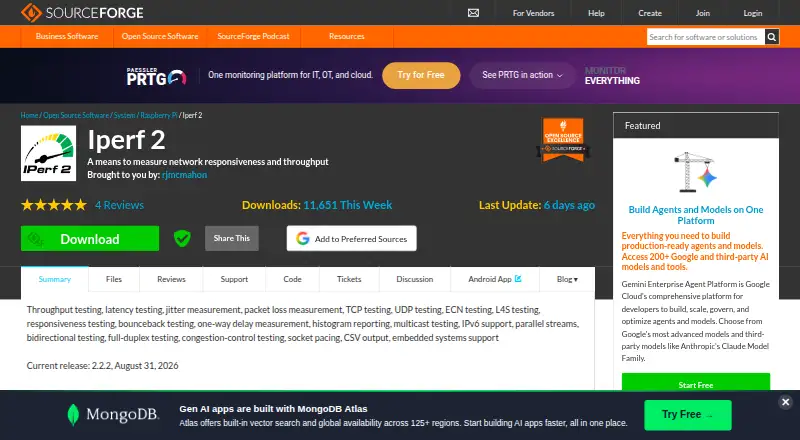
What iPerf2 is
iPerf2 measures network traffic performance, including throughput, latency, link capacity, and responsiveness. A test pairs a client that sends traffic with a server that receives it. It can exercise TCP and UDP in one-way, two-way, full-duplex, and simultaneous multi-stream setups, with measurements such as one-way delay, round-trip time, jitter, packet loss, and throughput. Network support includes IPv4, IPv6, and multicast, including source-specific multicast joins. Reports can include enhanced metrics and be saved as CSV. The project manual describes an Android client with live meters for throughput, latency, and congestion signals. iPerf2 is free, with Community and Professional feature sets listed as free. Professional features include server access gating and server-side latency histograms; its source is available to inspect and build. The manual also describes timestamped HMAC-SHA256 permit-key authentication with a configurable replay window. Measurements are taken at socket-level reads and writes, so protocol-header overhead below that level is excluded. iPerf2 and iPerf3 are separate implementations that do not interoperate.
Good
- Measures throughput, delay, jitter, and packet loss.
- Tests TCP and UDP in multiple traffic modes.
- Supports IPv4, IPv6, and multicast.
- Reports can be written in CSV.
- Free Community and Professional feature sets.
Watch out
- Socket-level metrics omit lower-level protocol-header overhead.
- Does not interoperate with iPerf3.
Who it suits
It suits people who need to measure TCP or UDP network behavior across supported platforms, including self-hosted setups. The socket-level measurement limit and lack of interoperability with iPerf3 matter when choosing it.
Verdict
iPerf2 offers a broad set of active network measurements, protocol options, and reporting formats at no listed cost. Check its socket-level measurement boundary and iPerf3 incompatibility against your requirements.
Plans and prices
From iPerf2's own pricing page, checked 7 Oct 2026.
| Plan | Price | What it gives you |
|---|---|---|
| Community edition | Free | TCP and UDP testing · throughput and latency metrics · multicast and IPv4/IPv6 support |
| Iperf 2 open-source edition | Free | Requires separate client and server instances · command-line operation · socket-level measurements exclude protocol-header overhead |
| Professional edition | Free | Compile-time feature set · permit-key access gating · server-side latency histograms · UDP L4S support |
The facts
Each one read from iPerf2's own pages, with the date it was checked.
Where it runs
- Android app
- The project manual describes an Android client with live meters for throughput, latency, and congestion signals.checked 7 Oct 2026
- Limit: Android usability
- Google Play reviewers complain about a weak interface, difficult command entry and failures when changing options without restarting.checked 14 Oct 2026
- Limit: iOS interface
- Apple App Store reviews describe a cryptic interface aimed at experienced users and request easier parameter entry.checked 14 Oct 2026
- Limit: paid app workflow
- Reviews of the Banana Studio app complain that users must type options manually and ask for a command builder or saved presets.checked 14 Oct 2026
What it does
- Bounceback testing
- The bounceback mode measures request/reply responsiveness and responses per second.checked 14 Oct 2026
- Current release
- The project page identifies version 2.2.2 as the current release dated September 29, 2026.checked 14 Oct 2026
- Documentation depth
- The manual includes installation, configure flags, general/server/client options, examples, diagnostics, troubleshooting notes and an Android appendix.checked 14 Oct 2026
- Download formats
- SourceForge provides source archives, Windows executables, Android APKs and SHA-256 checksums for the 2.2.2 release.checked 14 Oct 2026
- Homebrew packaging
- Homebrew distributes iperf 2.2.1 with BSD-3-Clause metadata and binary bottles for macOS Intel, Apple Silicon and Linux ARM64 or x86_64.checked 14 Oct 2026
- Installation
- Source builds use GNU Autotools with configure, make and make install; packaged builds are commonly named iperf.checked 14 Oct 2026
- Integration limits
- iPerf2 and iPerf3 are independent implementations and do not interoperate.checked 7 Oct 2026
- Interoperability limit
- Iperf 2 and iperf3 are separate implementations and cannot interoperate during tests.checked 14 Oct 2026
- Jitter and loss
- UDP tests report jitter and total or lost packets, with enhanced reporting options.checked 14 Oct 2026
- L4S and ECN
- The tool supports UDP L4S testing, ECN marking statistics and near-congestion measurements.checked 14 Oct 2026
- Latency metrics
- It reports round-trip time, one-way delay, packet latency and latency histograms.checked 14 Oct 2026
- Licence
- The core iperf2 source is distributed under the BSD 3-Clause licence, with some ancillary files using other open-source licences.checked 14 Oct 2026
- Limit: command line
- Softpedia says the lack of a standard graphical interface makes the program more suitable for experienced users.checked 14 Oct 2026
- Limit: two-endpoint setup
- Softpedia notes that testing requires both a client and a server, adding setup work.checked 14 Oct 2026
- Measurements
- Supported measurements include one-way delay, round-trip time, jitter, packet loss, and throughput.checked 7 Oct 2026
- Multicast
- It supports multicast and source-specific multicast traffic over IPv4 and IPv6.checked 14 Oct 2026
- Network support
- It supports multicast, including source-specific multicast joins, and IPv4 and IPv6.checked 7 Oct 2026
- Notable limitation
- The manual says its metrics are measured at socket-level reads and writes and do not include lower-level protocol-header overhead.checked 7 Oct 2026
The company
- Company association
- Umber Networks identifies Bob McMahon as its founder and says he created and maintains iperf2; the company lists Saratoga, California.checked 14 Oct 2026
- Maker identity
- The SourceForge project is maintained under the rjmcmahon account and was registered on February 6, 2014.checked 14 Oct 2026
The full review of iPerf2
iPerf2 is a self-hosted active network-testing utility for engineers, operators, and labs that control both ends of a connection. It is the right fit when you need deliberately shaped TCP or UDP traffic and measurements beyond a simple speed check. Its broad protocol and reporting controls are balanced by socket-level measurement boundaries and a separate ecosystem from iPerf3.
Overview
Every test uses a server to receive traffic and a client to generate and send it. That architecture gives you repeatable control over direction, protocol, stream count, and load, but it also requires hosts you can configure and reach. iPerf2 therefore suits managed networks, development labs, and troubleshooting work better than casual users looking for an instant public internet test.
The project is free and self-hosted across Android, Linux, macOS, and Windows. SourceForge ticket and discussion pages are the support channels. The Android client described in the manual adds live meters for throughput, latency, and congestion signals, making a phone usable as one endpoint when that is practical.
Key features
Traffic patterns and protocols
TCP and UDP tests can run in one direction, both directions, full duplex, or as simultaneous multi-stream traffic. This lets an engineer distinguish asymmetric behavior from contention between concurrent flows and choose a pattern that mirrors the workload under investigation. The flexibility is valuable, but meaningful results depend on selecting a test arrangement that answers a specific diagnostic question.
IPv4, IPv6, and multicast are supported, including source-specific multicast joins. That makes iPerf2 useful for networks where multicast delivery or dual-stack behavior matters, not just ordinary point-to-point links. UDP L4S support is part of the professional feature set.
Measurements and reporting
Measurements cover throughput, one-way delay, round-trip time, jitter, packet loss, link capacity, and responsiveness. Reports can include enhanced metrics and can be written as CSV, which helps retain runs for later processing or compare results across environments. The important qualification is that metrics come from socket-level reads and writes; lower-level protocol-header overhead is outside the measurement boundary, so these figures should not be treated as a complete wire-level accounting.
Access controls
Permit-key HMAC authentication uses a timestamped HMAC-SHA256 value, with replay limited by a configurable time window. Professional builds add server access gating and remotely enabled server-side latency histograms. The manual describes the professional source as freely available to inspect and build, which favors teams comfortable compiling and operating their own tooling.
iPerf2 and iPerf3 are independent implementations and do not interoperate. A team standardizing on iPerf3 endpoints cannot assume an iPerf2 client or server will join those tests.
Pricing
| Plan | Price | What it includes |
|---|---|---|
| Community edition | free | TCP and UDP testing, throughput and latency metrics, multicast, and IPv4/IPv6 support. |
| Professional edition | free | Compile-time feature set, permit-key access gating, server-side latency histograms, and UDP L4S support. |
Both editions are free, with no paid tier or seat and quota terms presented. Community is the straightforward choice for standard active testing; Professional is for operators who need gated server access, histogram output, or UDP L4S and can manage compile-time features. The free price does not remove the operational work of deploying and maintaining both endpoints.
Platforms
iPerf2 runs on Android, Linux, macOS, and Windows, with self-hosted deployment. Its active model is platform-agnostic only after you have a reachable client/server pair; endpoint setup remains part of the job.
Who it's for
Choose iPerf2 for network operators validating links, developers reproducing transport behavior, and labs investigating delay, loss, jitter, multicast, or dual-stack performance under controlled traffic. It is also suitable when CSV output or custom traffic direction matters. Look elsewhere if you need passive monitoring, a hosted measurement service, or guaranteed interoperability with iPerf3.
Pros and cons
- Pros: Broad TCP and UDP traffic modes expose directional, duplex, and multi-stream behavior.
- Pros: One-way delay, RTT, jitter, loss, throughput, multicast, IPv4, and IPv6 cover demanding diagnostic cases.
- Pros: CSV and enhanced reporting support repeatable analysis outside the tool.
- Pros: Free professional controls add HMAC-based gating and latency histograms without a license charge.
- Cons: Both a generating client and receiving server are required, adding deployment overhead.
- Cons: Socket-level measurements exclude lower-layer protocol-header overhead.
- Cons: iPerf2 cannot exchange tests with iPerf3.
Alternatives
Network Testing Software is the broader category for comparing tools. Pick OpenSpeedTest instead when a free HTML5 test, web access, or an embeddable widget matters more than iPerf2's protocol control. LibreSpeed is another free, self-hosted option with no paid plans listed, suited to a simpler browser-oriented deployment.
PingPlotter is the better choice for ongoing path monitoring: its free tier allows one connection and 10 minutes of history, while Professional Edition costs $29 a month. Choose TRex for open-source Linux traffic generation when its hardware and NIC requirements fit. EVE-NG suits virtual network labs, with a free tier capped at 7 nodes per instance and 63 per lab; paid Base licensing uses custom pricing.
Mininet is preferable for emulated networks when Linux is available and one server's CPU and bandwidth are sufficient. GNS3 is a free, open-source choice for broader network emulation. Netperf fits readers wanting source distribution under the MIT license, accepting that some platform and test features require configuration.
Verdict
iPerf2 is a strong choice for technical users who can operate both endpoints and need free, active TCP/UDP diagnostics across IPv4, IPv6, and multicast. Choose it for controlled traffic patterns and detailed delay, loss, jitter, and throughput data; look elsewhere when wire-level accounting, passive monitoring, hosted simplicity, or iPerf3 compatibility is essential.
Alternatives to iPerf2
- 1

PingPlotter
Free planiOSWebAPILinux8.2From $6.99 a month - 2

GitHub CodeQL
Free planWebExtensionLinuxmacOS7.5From $30 a month - 3
Avidemux
Free planOpen sourceWebLinuxmacOSWindows7.3Free plan - 4

EVE-NG
Free planWebLinuxmacOSSelf-hosted7.0Free plan - 5

Netpicker
Free planWebAPILinuxSelf-hosted6.8From $7,500 a year - 6
TRex
Free planWebAPILinuxmacOS6.8Free plan