Photini
Photini is a free graphical application for editing digital photograph metadata in Exif, IPTC, and XMP formats on Linux, macOS, and Windows.
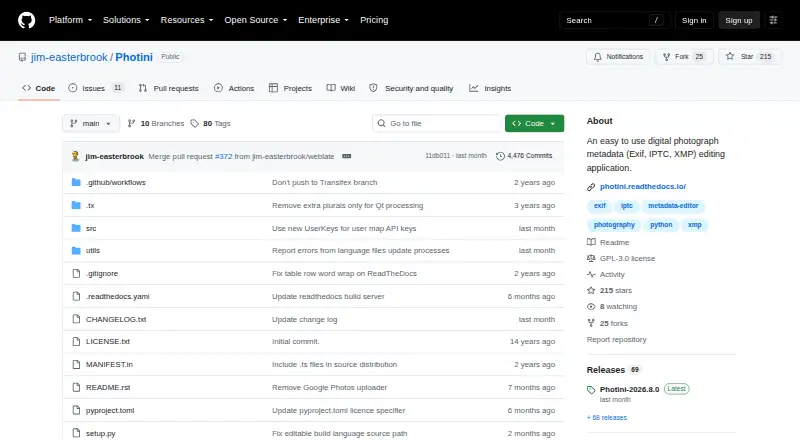
What Photini is
Photini is a free graphical application for editing digital photograph metadata in Exif, IPTC, and XMP formats on Linux, macOS, and Windows. It can edit multiple images at once and adjust dates, times, and time zones. Metadata can be written into image files or XMP sidecars, including across all three formats for compatibility. Map tabs support Google, Azure, and Mapbox/OpenStreetMap, with place search, satellite imagery, and tools to set photo locations. Map access is free within usage limits, while address lookup carries a small per-lookup charge. Photini can copy photos from a camera or computer directory; direct camera import requires python-gphoto2, which is unavailable on Windows. It can upload to Flickr, Ipernity, and Pixelfed, and supports labeling regions in photos. The project says it does not directly collect user information, though map and uploader services may collect information. The developer warns that bugs may damage photographs and recommends making backups before editing.
Good
- Edits Exif, IPTC, and XMP metadata
- Applies metadata changes to multiple images
- Supports map-based photo location tools
- Uploads to Flickr, Ipernity, and Pixelfed
Watch out
- Direct camera import is unavailable on Windows
- Address lookup has a per-lookup charge
- Bugs may damage photographs
Who it suits
Photini suits desktop users who need to edit or geotag photo metadata in Exif, IPTC, or XMP formats. It may also suit photographers who manage metadata across multiple images or upload to supported services.
Verdict
Photini brings batch metadata editing, geotagging, and selected photo-service uploads into a free desktop application. Back up images first, and note that some online features rely on commercial services.
Plans and prices
From Photini's own pricing page, checked 30 Sep 2026.
| Plan | Price | What it gives you |
|---|---|---|
| Free | Free | Free software under GPL-3.0-or-later |
The facts
Each one read from Photini's own pages, with the date it was checked.
What it does
- Batch editing
- It can set metadata for multiple images simultaneously and adjust their dates, times and time zones.checked 30 Sep 2026
- Flickr integration
- The Flickr uploader reuses Photini’s descriptive metadata for titles, descriptions and tags, and can synchronize metadata with Flickr.checked 30 Sep 2026
- Geotagging
- Its map tabs support Google, Azure and Mapbox/OpenStreetMap, place search, satellite imagery and setting photo locations.checked 30 Sep 2026
- Image regions
- Users can mark and label regions of a photo, with region data stored in IPTC, MWG and Microsoft Photo formats within XMP.checked 30 Sep 2026
- Limitations
- The project warns that bugs may damage photographs and recommends backing them up before use.checked 30 Sep 2026
- Metadata storage
- Photini writes metadata to image files or XMP sidecar files and can write Exif, IPTC and XMP to maximize compatibility.checked 30 Sep 2026
- Online service requirements
- Map and address lookup features rely on commercial online services; map access is free up to usage limits and address lookup has a small per-lookup charge.checked 30 Sep 2026
- Photo import
- Photini can copy photos from a camera or computer directory, while direct camera import requires python-gphoto2, which is unavailable on Windows.checked 30 Sep 2026
- Purpose
- Photini is a graphical application for editing digital photograph metadata in Exif, IPTC and XMP formats.checked 30 Sep 2026
- Security and privacy
- Photini says it does not directly collect user information; map and uploader services may collect information, and uploader OAuth tokens are stored locally using Python keyring.checked 30 Sep 2026
- Social integrations
- Photini supports uploading to Flickr, Ipernity and Pixelfed using photo metadata.checked 30 Sep 2026
- Support
- The developer lists email support, a Google Groups forum and GitHub issues for problems and bug reports.checked 30 Sep 2026
The full review of Photini
Photini is a free desktop app for editing photo metadata across Exif, IPTC and XMP. It suits photographers managing batches, locations and descriptive data on Linux, macOS or Windows. Its broad toolkit is appealing, but map services can incur charges and the developer warns that bugs may damage photos.
Overview
Photini brings metadata editing, location tagging and selected photo-service uploads into one graphical application. It can write data into image files or XMP sidecars, and supports RAW files. Writing Exif, IPTC and XMP together is useful when compatibility across different software matters. The trade-off is a workflow with both local-file risks and some online-service dependencies; keep backups before editing.
For more options, browse Photo Metadata Editors.
Key features
Batch editing and templates
Photini can apply metadata to multiple images and adjust their dates, times and time zones. That makes it a stronger fit for correcting or organizing a group of photos than for someone who only needs to edit an occasional single image. Metadata templates are also supported, though the available facts do not establish a particular template workflow.
Geotagging
Map tabs support Google, Azure and Mapbox/OpenStreetMap, with place search, satellite imagery and tools for setting photo locations. These capabilities can make location tagging part of the same desktop workflow, but they depend on commercial online services. Map access is free up to usage limits; address lookup has a small per-lookup charge, so frequent lookups may add cost.
Import, uploads and image regions
Photini can copy photos from a camera or computer directory. Direct camera import needs python-gphoto2, which is unavailable on Windows, so Windows users should expect to import through a directory instead. Uploads are supported for Flickr, Ipernity and Pixelfed. The Flickr uploader reuses descriptive metadata for titles, descriptions and tags, and can synchronize metadata with Flickr.
Users can mark and label regions within a photo. Region data is stored in XMP using IPTC, MWG and Microsoft Photo formats, which is useful when image-area annotations matter alongside ordinary photo metadata.
Privacy and support
Photini says it does not directly collect user information, but map and uploader services may collect information. Uploader OAuth tokens are stored locally using Python keyring. The developer offers email support, a Google Groups forum and GitHub issues for problems and bug reports.
Pricing
Free — free. Photini is free software under GPL-3.0-or-later, with no free trial needed. It is the straightforward choice for anyone who wants desktop metadata editing without a software purchase. There are no paid tiers or seat limits described; the cost caveat is that map access has usage limits and address lookup carries a small per-lookup charge.
Platforms
Photini is a desktop application for Linux, macOS and Windows. It supports RAW files and GPS metadata tools. Windows users lose direct camera import because python-gphoto2 is unavailable on that platform, though copying from a directory remains supported.
Who it's for
Photini is best for photographers who need batch metadata changes, date and time corrections, geotagging, region labels or selected service uploads in a free desktop tool. It is less suitable for anyone unwilling to back up originals before editing, or who needs direct camera import on Windows. Those relying heavily on address lookup should also account for its per-lookup charge.
Pros and cons
- Pros: Batch editing and date, time and time-zone adjustments help bring sets of images into order.
- Pros: Exif, IPTC and XMP support, sidecar writing and RAW support give it a wide metadata scope.
- Pros: Geotagging, region annotations and uploads to Flickr, Ipernity and Pixelfed extend it beyond basic metadata fields.
- Cons: The developer warns that bugs may damage photographs, making backups an important precaution.
- Cons: Map and address functions rely on commercial services; map usage is capped and address lookup has a per-use charge.
- Cons: Direct camera import is unavailable on Windows because its required python-gphoto2 dependency is not available there.
Alternatives
ExifTool is a free alternative for readers who prefer a tool available across Linux, macOS, Windows and self-hosted environments, including API use.
GeoSetter is another free option for Windows users; it has no usage restrictions, but is Windows-only and requires Internet Explorer 10 or later.
Exif Pilot is worth considering for Windows users looking for a freemium EXIF editor; its free Basic plan covers EXIF editing.
EXIF Studio suits readers seeking a paid macOS or Windows option with full feature access and premium live support; its Month by Month plan is $9.99 a month.
MetaImage is a paid macOS alternative for readers who want a Mac-specific option; it offers a free plan.
SetEXIFData may suit readers seeking a cross-platform paid option, with a one-time price of 12.94 EUR and an initial limit of up to three activations.
TagSmith is another freemium option for Windows users.
Verdict
Choose Photini if you want a free desktop application that combines batch metadata editing, geotagging, region labels and selected uploads across Linux, macOS and Windows. Its main advantage is the breadth of work it handles without a software fee; its main reasons to look elsewhere are the risk of file damage, online-service charges and Windows' lack of direct camera import.
Alternatives to Photini
- 1
Metadata Stripper
Free planOpen sourceLinuxmacOSWindows7.1Free plan - 2
Exif Lens
Free planiOS6.6From $0.99 a month - 3

ExifTool
Free planAPILinuxmacOSSelf-hosted6.6Free plan - 4
Photo Metadata Editor
Free planWindows6.6Free plan - 5

Exif Pilot
Free planWindows6.5€79.95 one-time - 6

EXIF Magic
Free planAndroidiOSmacOS6.4Free plan