
TagSmith
TagSmith is a free Windows desktop app for viewing and batch-editing photo and video metadata, including dates, GPS, keywords, and location fields.
What TagSmith is
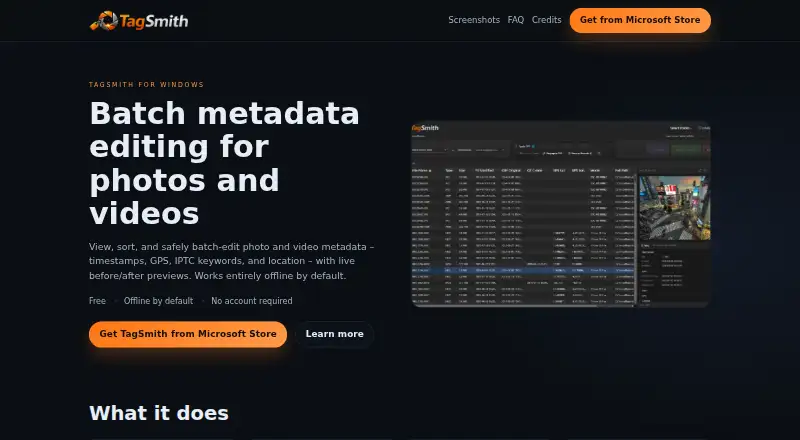
TagSmith is a free Windows desktop app for viewing and batch-editing photo and video metadata, including dates, GPS, keywords, and location fields. It previews proposed changes before writing them. Timestamp tools cover EXIF, XMP, QuickTime, and filesystem data, and the app can recover capture dates from structured filenames. Location tools include offline city lookup from a database of about 68,000 cities, GPS propagation from phone photos by timestamp, and reverse geocoding. Keyword and structured location edits are written to both XMP and legacy IPTC groups for compatibility with tools such as Lightroom and Capture One. Scanning and ordinary metadata edits happen locally, and the app works offline by default. Optional landmark identification uses Google Gemini and Google Places, is off by default, and requires an internet connection. The maker says this feature sends a downsized preview of the selected photo rather than the original file and stores no copy afterward. TagSmith requires 64-bit Windows 10 or 11 and is distributed through the Microsoft Store. Its FAQ lists common image and video formats, including RAW formats from major camera brands.
Good
- Previews metadata changes before writing
- Batch edits timestamps, keywords, and location fields
- Offline city lookup across about 68,000 cities
- Works offline by default
- Supports common image, video, and RAW formats
Watch out
- Requires 64-bit Windows 10 or 11
- Optional landmark identification requires internet access
- AI landmark identification uses paid credits or a personal API key
Who it suits
TagSmith may suit photographers, video creators, stock photographers, archivists, and people restoring dates to scans or WhatsApp exports. It is a fit for users who want batch metadata edits on Windows and may prefer to keep ordinary work offline.
Verdict
TagSmith combines batch metadata changes with a preview step and offline tools for location data. The optional landmark feature is separate from its ordinary offline workflow and requires internet access.
Plans and prices
From TagSmith's own pricing page, checked 7 Oct 2026.
| Plan | Price | What it gives you |
|---|---|---|
| TagSmith | Free | Free Windows app; no trial limits or feature gating; optional paid credits for AI landmark identification |
The facts
Each one read from TagSmith's own pages, with the date it was checked.
What it does
- AI feature
- Optional landmark identification uses Google Gemini and Google Places; users can provide their own Google API key or use TagSmith Credits.checked 7 Oct 2026
- Distribution
- The maker says official releases are distributed through the Microsoft Store and describes the app as free.checked 7 Oct 2026
- GPS and location
- It supports offline city lookup using a database of about 68,000 cities, GPS propagation from phone photos by timestamp, and reverse geocoding.checked 7 Oct 2026
- Intended users
- The maker identifies photographers, video creators, stock photographers, archivists, and people restoring dates to scans or WhatsApp exports as intended users.checked 7 Oct 2026
- Keywords and IPTC
- Batch keyword and structured location edits are written to both XMP and legacy IPTC groups for compatibility with tools such as Lightroom and Capture One.checked 7 Oct 2026
- Metadata preview
- It previews proposed metadata changes before writing them to files.checked 7 Oct 2026
- Offline use
- The app works offline by default; the maker says the optional AI features require an internet connection and are off by default.checked 7 Oct 2026
- Privacy
- Scanning and ordinary metadata edits happen locally; AI identification sends only a downsized preview of the selected photo, not the original file, and the maker says it stores no copy afterward.checked 7 Oct 2026
- Purpose
- TagSmith is a Windows desktop app for viewing and batch-editing photo and video metadata, including dates, GPS, keywords, and location fields.checked 7 Oct 2026
- Support
- The maker offers email support and directs users to GitHub for bug reports, feature requests, or discussions.checked 7 Oct 2026
- Supported formats
- The FAQ lists common image and video formats plus RAW formats from major camera brands.checked 7 Oct 2026
- Supported systems
- The stated system requirements are 64-bit Windows 10 or 11.checked 7 Oct 2026
- Timestamps
- It batch-edits EXIF, XMP, QuickTime, and filesystem timestamps, and can recover capture dates from structured filenames.checked 7 Oct 2026
Alternatives to TagSmith
- 1
Metadata Stripper
Free planOpen sourceLinuxmacOSWindows7.1Free plan - 2
Exif Lens
Free planiOS6.6From $0.99 a month - 3

ExifTool
Free planAPILinuxmacOSSelf-hosted6.6Free plan - 4
Photo Metadata Editor
Free planWindows6.6Free plan - 5

Exif Pilot
Free planWindows6.5€79.95 one-time - 6

EXIF Magic
Free planAndroidiOSmacOS6.4Free plan