
MetaImage
MetaImage is a Mac app for reading and editing image, video and audio metadata.
What MetaImage is
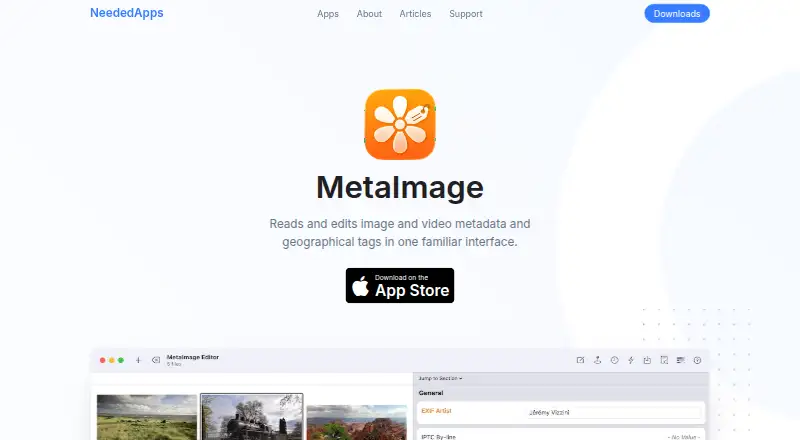
MetaImage is a Mac app for reading and editing image, video and audio metadata. It supports more than 5,000 tags, including EXIF, IPTC, XMP, MakerNotes, QuickTime and ID3, and more than 90 image formats, including PNG, JPEG, TIFF and RAW. It can edit multiple files at once, apply preset changes in batches, and edit GPS locations and directions on a map, find coordinates from addresses, and handle altitude information. The app can read, write, synchronize, import and export sidecars in formats such as EXIF, EXV, ICC, MIE, VRD and XMP. It can browse and import files from the Photos library, but its Photos workflow edits a copy for import back into the library. Maker notes can be edited but not created or deleted. The listed plan is $24.99 per year, and all versions require macOS 26 or later. The maker also says it offers a free website download. Apple's listing says the developer indicated that device ID linked to the user may be collected for app functionality; Apple has not verified that disclosure.
Good
- Supports over 5,000 metadata tags
- Works with more than 90 image formats
- Can edit multiple files and apply batch presets
- Includes GPS and sidecar tools
Watch out
- Requires macOS 26 or later
- Maker notes cannot be created or deleted
- Photos workflow edits a copy for reimport
Who it suits
MetaImage suits Mac users who need to inspect or edit metadata across image, video and audio files, including batch and GPS workflows. It requires macOS 26 or later.
Verdict
MetaImage brings broad metadata editing, batch actions and GPS tools to macOS. Check the system requirement and Photos and MakerNotes limitations before choosing it.
Plans and prices
From MetaImage's own pricing page, checked 3 Oct 2026.
| Plan | Price | What it gives you |
|---|---|---|
| MetaImage | $24.99 a year | Mac only · macOS 26.0 or later · Yearly $24.99 |
The facts
Each one read from MetaImage's own pages, with the date it was checked.
What it does
- Batch editing
- MetaImage can edit multiple files simultaneously and apply preset changes to multiple files.checked 3 Oct 2026
- Download and try
- The maker says MetaImage can be downloaded free from its website and is also available on the Mac App Store and Setapp; MetaImage Lite is available on the App Store.checked 3 Oct 2026
- File formats
- The product page says MetaImage supports more than 90 image formats, including PNG, JPEG, TIFF, and RAW files.checked 3 Oct 2026
- GPS tools
- The app can edit GPS locations and directions on a map, find coordinates from addresses, and support altitude information.checked 3 Oct 2026
- Metadata limitation
- Maker notes can be edited but cannot be created or deleted, a restriction the maker says avoids compatibility problems with OEM software.checked 3 Oct 2026
- Metadata tags
- The App Store listing says MetaImage supports over 5,000 tags, including EXIF, IPTC, XMP, MakerNotes, QuickTime, and ID3.checked 3 Oct 2026
- Privacy disclosure
- Apple's listing says the developer indicated the app may collect device ID linked to the user for app functionality, and that Apple has not verified the disclosure.checked 3 Oct 2026
- Purpose
- MetaImage is a Mac app for reading and editing image, video, and audio metadata.checked 3 Oct 2026
- Sidecars
- MetaImage can read and write sidecar formats including EXIF, EXV, ICC, MIE, VRD, and XMP, and can synchronize, import, and export sidecars.checked 3 Oct 2026
- Support
- The maker offers an in-app feedback form and links to contact support, tutorials, and a support forum.checked 3 Oct 2026
- System requirement
- The product page says all versions require macOS 26 or later.checked 3 Oct 2026
The company
- Founded
- 2012checked 28 Sep 2026
- Headquarters
- French Alpschecked 28 Sep 2026
- Maker
- NeededApps describes itself as a small independent software company whose story began in Grenoble in 2012; it says the team became location-independent at the end of 2025.checked 3 Oct 2026
Where it runs
- Photos extension limitation
- Metadata cannot be edited directly from a Photos extension; the app instead edits a copy and lets users import that file back into Photos.checked 3 Oct 2026
- Photos library
- The app can browse and import files from the Photos library and has a separate window for remotely batch editing files stored in Photos.checked 3 Oct 2026
Alternatives to MetaImage
- 1
Metadata Stripper
Free planOpen sourceLinuxmacOSWindows7.1Free plan - 2
Exif Lens
Free planiOS6.6From $0.99 a month - 3

ExifTool
Free planAPILinuxmacOSSelf-hosted6.6Free plan - 4
Photo Metadata Editor
Free planWindows6.6Free plan - 5

Exif Pilot
Free planWindows6.5€79.95 one-time - 6

EXIF Magic
Free planAndroidiOSmacOS6.4Free plan