PairSoft AP Automation
PairSoft AP Automation is an AI-powered accounts payable tool that connects with an ERP to manage invoice processing, purchase orders, approvals, and AP visi…
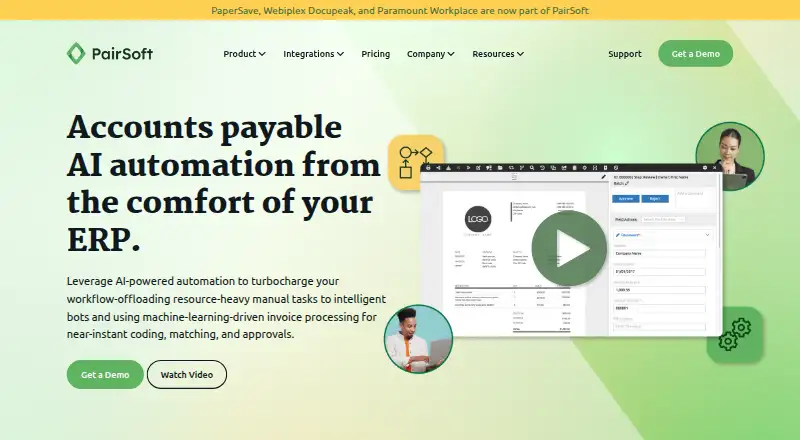
What PairSoft AP Automation is
PairSoft AP Automation is an AI-powered accounts payable tool that connects with an ERP to manage invoice processing, purchase orders, approvals, and AP visibility. Its machine-learning-driven processing supports invoice coding, matching, and approvals, while OCR can capture invoices by email or upload. The software extracts financial information from paper and electronic documents and validates it against the ERP database. Matching supports two-way and three-way workflows, and duplicate detection is included. Teams can set up conditional approval rules with routing, user tracking, and escalations, as well as supplier payments. Listed integrations include NetSuite, Microsoft Dynamics, Microsoft Dynamics 365, Blackbaud, Oracle Financials, Sage Intacct, Infor, and Plex. PairSoft offers on-premises servers or cloud services. The company says it uses encryption at rest and in transit, permission controls, and multi-factor authentication, and completes an annual SOC 2 audit with reports available on request. Pricing is by personalized quote; the pricing page lists unlimited users and storage without storage-based overage penalties. Pricing includes ongoing upgrades and unlimited technical support. PairSoft describes its software as serving mid-size and enterprise businesses and accounting, procurement, and fundraising teams.
Good
- Supports invoice coding, matching, and approvals
- Conditional workflows include routing and escalations
- Includes duplicate detection and supplier payments
- Offers cloud and on-premises deployment
- Pricing includes unlimited users and storage
Watch out
- Pricing requires a personalized quote
- SOC 2 report is available upon request
- Designed for ERP-connected accounts payable workflows
Who it suits
PairSoft AP Automation suits mid-size and enterprise organizations, particularly accounting, procurement, and fundraising teams that need ERP-connected invoice and approval workflows. It may fit teams that want either cloud or on-premises deployment.
Verdict
PairSoft AP Automation brings invoice capture, matching, approvals, and payments into ERP-connected workflows. Organizations should request a quote and confirm that its listed integrations and deployment options meet their needs.
Plans and prices
From PairSoft AP Automation's own pricing page, checked 15 Oct 2026.
| Plan | Price | What it gives you |
|---|---|---|
| Enterprise | $10,000 a year | Professional features · smart forms · AP analytics dashboard · Starting at $10,000.00 / 2,250,000 Documents Per Year |
| Essentials | $10,000 a year | unlimited storage and user licenses · native ERP integration · unlimited technical support · Starting at $10,000.00 / 2,250,000 Documents Per Year |
| Premier | $10,000 a year | Enterprise features · procurement · Starting at $10,000.00 / 2,250,000 Documents Per Year |
| Professional | $10,000 a year | Essentials features · OCR auto-entry · full workflow engine · forms recapture · Starting at $10,000.00 / 2,250,000 Documents Per Year |
| PairSoft AP Automation | Priced on request | Personalized quote · unlimited users · unlimited storage |
| Personalized PairSoft quote | Priced on request | unlimited users · unlimited storage · free ERP/CRM integration · ongoing upgrades · unlimited technical support |
The facts
Each one read from PairSoft AP Automation's own pages, with the date it was checked.
What it does
- AI invoice processing
- Its machine-learning and OCR functions extract invoice data, perform coding and matching, and validate records against the ERP database.checked 15 Oct 2026
- Compliance
- PairSoft says it completes an annual SOC 2 audit and makes its up-to-date report available upon request.checked 5 Oct 2026
- Customer footprint
- PairSoft says more than 1,500 accounting and procurement teams use its products.checked 15 Oct 2026
- Custom scripting
- A PairSoft customer testimonial says the workflow system allows custom scripting to fit specialized processes.checked 15 Oct 2026
- Deployment
- PairSoft's acceptable-use policy covers both cloud-based and on-premise software solutions.checked 15 Oct 2026
- Documentation and support
- The pricing page promises ongoing upgrades, free ERP/CRM integration and unlimited technical support, while support requests are handled through a ticket portal.checked 15 Oct 2026
- Document capture
- The software extracts financial data from electronic and paper documents and validates it against the ERP database.checked 5 Oct 2026
- ERP integrations
- PairSoft lists integrations for NetSuite, Microsoft Dynamics, Dynamics 365, Blackbaud, Oracle Financials, Sage Intacct, Infor and Plex.checked 15 Oct 2026
- Infor integration
- Nimbello by PairSoft supports Infor CloudSuite Industrial and Infor GovCloud, including line-level three-way matching and multilingual OCR.checked 15 Oct 2026
- Integrations
- Listed integrations include NetSuite, Microsoft Dynamics, Microsoft Dynamics 365, Blackbaud, Oracle Financials, Sage Intacct, Infor, and Plex.checked 5 Oct 2026
- Invoice intake
- Invoices can enter through scanners, email or web forms, after which OCR extracts data and creates an ERP transaction.checked 15 Oct 2026
- Invoice processing
- Machine-learning-driven processing supports near-instant invoice coding, matching, and approvals.checked 5 Oct 2026
- Licence terms
- The master agreement grants a non-exclusive, non-transferable subscription licence for on-premise installations and prohibits copying, modification and reverse engineering.checked 15 Oct 2026
- Limit: performance
- Some G2 reviewers report lag, slow loading under high workloads, inefficient downloads and occasional missing scanned attachments.checked 15 Oct 2026
- Limit: pricing
- Reviewers on G2 and Capterra describe the product as expensive or difficult to justify for smaller organizations.checked 15 Oct 2026
- Limit: reliability
- Capterra reviewers report dated screens, slow processing and historical outages that required workarounds.checked 15 Oct 2026
- Limit: setup
- TrustRadius commentary says implementation can be challenging and requires business-process and workflow expertise.checked 15 Oct 2026
Where it runs
- Approval access
- Approvers can review invoices through a browser or mobile device, with email notifications generated by the workflow.checked 15 Oct 2026
The company
- Company headquarters
- LinkedIn lists PairSoft headquarters in Miami, Florida, with 51–200 employees.checked 15 Oct 2026
- Company history
- PairSoft's About page says PaperSave, Webiplex DocuPeak and Paramount WorkPlace were combined under PairSoft in 2020.checked 15 Oct 2026
- Company legal name
- PairSoft's privacy policy identifies the operating legal entity as Paramount Technologies, Inc. doing business as PairSoft.checked 15 Oct 2026
- Company ownership
- Crunchbase lists PairSoft as a private Miami company acquired by TA Associates, with an estimated 101–250 employees.checked 15 Oct 2026
- Founded year
- A G2 company profile lists PairSoft as serving customers since 1997.checked 15 Oct 2026
- Headquarters
- Miami, Florida, United Stateschecked 28 Sep 2026
The full review of PairSoft AP Automation
PairSoft AP Automation is an accounts-payable system for organizations that want invoice work tied to their ERP. It is best suited to mid-size and enterprise accounting and procurement teams with layered approval needs. Its broad workflow and unlimited-user terms stand out, though custom pricing makes costs harder to compare.
Overview
PairSoft brings invoice capture, coding, matching, approvals, and supplier payments into ERP-connected workflows. It extracts data from paper and electronic documents, then validates that information against the ERP database. Machine-learning-driven processing supports near-instant coding, matching, and approvals, while duplicate detection helps flag repeat invoices.
That end-to-end scope can reduce handoffs between invoice intake and payment, particularly when purchase orders and ERP records need to inform review. Conditional, rule-based workflows can route approvals, track users, and escalate outstanding steps. This is useful for teams with varied approval paths; a smaller organization with a simple invoice process may not need the configuration overhead.
Key features
- Invoice capture and matching: OCR, email, and upload handle intake, with two-way and three-way matching for purchase-order checks. Data validation against the ERP connects captured documents to existing financial records.
- Approval workflows: Conditional rules, user tracking, and escalations support more controlled approval paths. Teams with several approval layers can encode them in the workflow rather than rely solely on manual routing.
- Supplier payments and duplicate detection: Payments are part of the AP workflow, and duplicate detection adds a check before repeated invoices progress.
- ERP connections: Integrations include NetSuite, Microsoft Dynamics, Microsoft Dynamics 365, Blackbaud, Oracle Financials, Sage Intacct, Infor, and Plex. The specific ERP version and connection requirements should be confirmed before choosing it.
- Security and deployment: PairSoft says it uses encryption at rest and in transit, permission controls, and multi-factor authentication. It describes annual SOC 2 audits, with the current report available upon request. Cloud services and on-premises servers are both offered, with consistent system and organization controls across deployments.
- Support: Ongoing upgrades and unlimited technical support are included in pricing; customers can also open a support ticket.
Pricing
PairSoft AP Automation: custom pricing, with a personalized quote. The plan includes unlimited users and unlimited storage, so teams can grow without per-user additions or storage-based overage penalties. That is a useful cost structure for expanding organizations, but the absence of a stated price makes initial budget comparisons less straightforward. No lower-priced tier is described.
Platforms
PairSoft supports Android, iOS, Linux, macOS, Windows, and web access, along with API and extension options. Its on-premises and cloud deployment choices give organizations alternatives for where the system runs.
Who it's for
PairSoft is aimed at mid-size and enterprise businesses, particularly accounting, procurement, and fundraising teams that need ERP validation, purchase-order matching, and configurable approval controls. It is a stronger fit for organizations with established ERP systems and multiple approval paths than for small teams seeking a basic, low-cost invoice tool.
Pros and cons
- Pros: Capture, matching, conditional approvals, duplicate detection, and supplier payments cover several AP steps in one workflow.
- Pros: Unlimited users and storage avoid growth-related seat charges and storage overages.
- Pros: Both cloud and on-premises deployment are offered, with security controls described for each.
- Cons: Custom pricing requires a quote, making costs harder to assess before a sales conversation.
- Cons: Its broad workflow and enterprise focus may be unnecessary for teams with uncomplicated AP needs.
Alternatives
Nanonets Accounts Payable Automation is worth considering for teams that want a freemium option, a free plan, and a free trial; its Starter plan is limited to up to 3 users.
Noxus may suit readers looking for a freemium option with a free plan and API, self-hosted, and web platforms.
BILL Accounts Payable is an alternative for buyers who prefer a paid service with a free trial and Android, iOS, API, and web platforms.
Comarch Accounts Payable Automation is another paid, custom-pricing option.
Esker Accounts Payable Automation is a paid alternative with pricing available by contacting Esker or requesting a demo, and no free trial.
Tungsten Power PDF is a paid PDF editing option for readers whose need is PDF creation, editing, and conversion rather than an AP workflow.
Vic.ai APSuite offers an AP module at $25,000 a year on a 12-month contract.
Medius Contract Management is a quote-required add-on to AP Essentials or AP 360 subscriptions.
For broader comparisons, see AI Invoice Processing Software, Accounts Payable Automation Software, and Accounts Payable Software.
Verdict
PairSoft AP Automation is a strong candidate for mid-size and enterprise teams that need ERP-connected invoice processing, configurable approvals, and room to add users and storage without overage charges. Choose it when that workflow breadth and deployment flexibility justify requesting a personalized quote; look elsewhere if upfront pricing or a simpler, more lightweight AP setup matters more.
Getting started
- Open the PairSoft AP Automation website
- Request a personalized quote
- Choose cloud service or on-premises server deployment
- Connect a supported ERP such as NetSuite, Microsoft Dynamics, Sage Intacct or Plex
- Configure invoice capture, matching and conditional approval workflows
- Provide users access through supported desktop, mobile, web, API or extension channels
Limits worth knowing
Pricing is provided through a personalized quote. The listed plan includes unlimited users and unlimited storage, while ERP integration and workflow configuration are part of the platform’s operating model.
Questions
How is PairSoft AP Automation priced?
Pricing is by personalized quote. The listed plan includes unlimited users and unlimited storage.
Which ERP systems integrate with it?
Listed integrations include NetSuite, Microsoft Dynamics, Microsoft Dynamics 365, Blackbaud, Oracle Financials Cloud, Sage Intacct, Infor SyteLine and Plex.
Does it support on-premises deployment?
Yes. PairSoft offers the software on on-premises servers or as a cloud service.
What invoice capture methods are available?
OCR supports invoices received by email or upload, and the software extracts data from electronic and paper documents.
What security controls does PairSoft cite?
PairSoft cites encryption at rest and in transit, permission controls and multi-factor authentication. It also says it completes an annual SOC 2 audit.