
PacketSafari
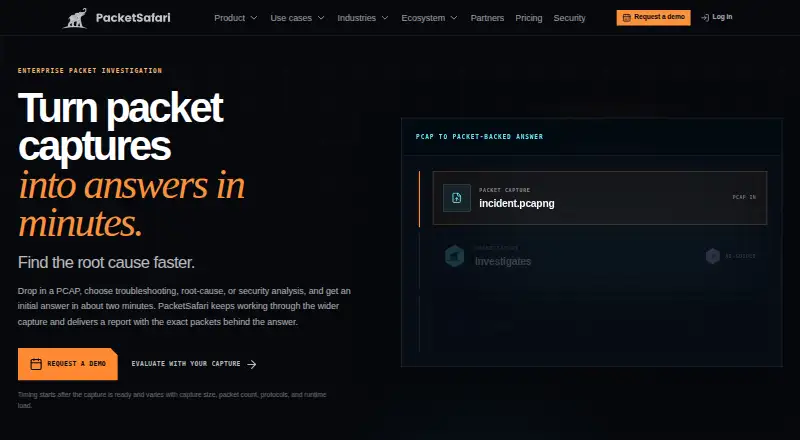
PacketSafari examines packet captures to investigate root-cause, performance, and security questions, then presents findings tied to packet-level evidence.
What PacketSafari is
PacketSafari examines packet captures to investigate root-cause, performance, and security questions, then presents findings tied to packet-level evidence. Its site says an initial analysis takes about two minutes once a capture is ready, although capture size, packet count, protocols, and runtime load affect timing. Reports can point reviewers to frames, filters, streams, timestamps, decoded fields, uncertainty, and possible next actions. RCA workflows compare healthy and failing traffic and investigate service paths; security workflows examine suspicious traffic and affected peers or protocols. Deployment options include managed SaaS in the EU or US, isolated managed SaaS, and customer-controlled on-premises use. For on-premises deployments, the maker says captures and saved investigation outcomes remain in customer-controlled storage, with bounded evidence routed through an approved endpoint and explicit egress policy. Listed controls include MFA, roles, capture authorization, session controls, TLS, and audit-event persistence. A free evaluation covers one qualified RCA or security case. Teams SaaS, Dedicated Enterprise SaaS, and Enterprise On-Prem require contacting sales; capture targets are up to 1 GB for SaaS and qualified profiles.
Good
- Reports can cite exact frames, streams, and timestamps.
- Includes RCA and security investigation workflows.
- Offers managed and customer-controlled deployment options.
- Free evaluation includes one qualified case.
- CLI output supports multiple formats.
Watch out
- Free evaluation covers one case.
- Capture target is up to 1 GB for SaaS and qualified profiles.
- Paid plans require contacting sales.
- On-premises infrastructure controls remain customer responsibilities.
Who it suits
PacketSafari is intended for network, support, engineering, security, and assurance teams that need reviewable packet-level findings. Its managed and on-premises options may suit teams with different deployment and data-boundary requirements.
Verdict
PacketSafari focuses on investigations that link conclusions to packet evidence for review. The free evaluation is limited to one qualified case, and paid options have no listed price.
Plans and prices
From PacketSafari's own pricing page, checked 15 Oct 2026.
| Plan | Price | What it gives you |
|---|---|---|
| Free Evaluation | Free | one representative qualified RCA or security case · one qualified case |
| Dedicated Enterprise SaaS | Priced on request | up to 1 GB qualified profile · isolated managed environment · reserved capacity · annual contract |
| Enterprise On-Prem | Priced on request | deployment-qualified profile · customer infrastructure · customer-operated private AI · annual contract |
| Teams SaaS | Priced on request | up to 1 GB per capture · managed SaaS EU or US · shared capacity · annual package |
The facts
Each one read from PacketSafari's own pages, with the date it was checked.
What it does
- Agent
- PacketSafari Agent plans investigation tasks, examines bounded packet evidence, forms hypotheses, and produces persisted report milestones.checked 15 Oct 2026
- AI data flow
- When enabled, selected bounded packet context, prompts, results, and outputs may be sent to OpenAI or an approved OpenRouter-backed provider; whole large captures are not sent as one prompt.checked 15 Oct 2026
- AI limitation
- PacketSafari warns that AI output can be incomplete, inaccurate, inconsistent, or overconfident and requires verification against cited evidence.checked 15 Oct 2026
- Analyzer
- The browser analyzer includes Wireshark-style filters, packet lists, decode and hex views, stream following, timelines, graphs, statistics, security, DNS, TLS, files, OT, telco, VoIP, Wi-Fi, multicast, and export tools.checked 15 Oct 2026
- Anonymization
- Anoncap creates anonymized sibling captures with deterministic identity mappings, metadata sanitization, payload controls, and protocol-aware rewriting.checked 15 Oct 2026
- Anonymization limitation
- Unsupported or encrypted values may remain in anonymized captures, especially when application payload is retained.checked 15 Oct 2026
- API
- The on-prem HTTP streaming API uses POST /api/v2/ai/agent/run with bearer authentication and supports cli, tshark, and standard modes.checked 15 Oct 2026
- Capture limit
- The pricing page lists a target of up to 1 GB per capture for SaaS and qualified profiles, with supported profiles confirmed against representative captures and deployment.checked 30 Sep 2026
- Capture-size limitation
- Hosted SaaS ceilings are 1 MB for Analyzer Free, 200 MB for Copilot Pro and individual Agent Pro, and 1 GB for qualified enterprise workspaces.checked 15 Oct 2026
- CLI
- The native CLI supports login, PCAP upload, status checks, analysis, combined upload-and-analysis, SSE, NDJSON, JSON, and Markdown output.checked 15 Oct 2026
- Compliance posture
- PacketSafari states that it does not currently have a SOC 2 Type I or Type II report, certification, or audit attestation.checked 15 Oct 2026
- Copilot
- Copilot provides conversational answers about captures and derived evidence.checked 15 Oct 2026
- Deployment options
- PacketSafari offers managed SaaS in the EU or US, isolated managed SaaS, and customer-controlled on-premises deployment.checked 30 Sep 2026
- Documentation
- Public documentation covers getting started, uploads, analyzer features, anonymization, security, settings, on-prem deployment, API, CLI, and troubleshooting.checked 15 Oct 2026
- Evidence
- Reports can include exact frames, filters, streams, timestamps, decoded fields, uncertainty, and next actions for review by another engineer.checked 30 Sep 2026
- Identity support
- SAML or OIDC browser SSO and SCIM provisioning are available in on-premises deployments, according to the security page.checked 30 Sep 2026
- Independent background
- TÜV Rheinland's interview says Oliver-Tobias Ripka has more than 15 years of network-analysis experience and developed PacketSafari Analyzer on Wireshark.checked 15 Oct 2026
- Independent collaboration
- Wireshark Labs announced a training-lab collaboration involving Oliver Ripka of PacketSafari and Packet Pioneer’s Chris Greer.checked 15 Oct 2026
- Independent feature mention
- PacketSafari's LinkedIn showcase describes Agent workflows with Suricata ET Open scans, telephony visibility, forensic file extraction, and cited packet evidence.checked 15 Oct 2026
The company
- Company founder
- The company page identifies Oliver Ripka as the founder associated with PacketSafari's packet-analysis work.checked 15 Oct 2026
- Company headquarters
- The company lists Calle Peris Brell 7 Trip Bajo, 46022 Valencia, Spain.checked 15 Oct 2026
- Company legal name
- PacketSafari is operated by Ripka Technologies S.L., a Spanish limited company with VAT ID ESB02732717.checked 15 Oct 2026
- Headquarters
- Valencia, Spainchecked 28 Sep 2026
Where it runs
- Desktop app
- PacketSafari Desktop is a private-alpha macOS application that captures traffic locally, supports decryption, and cites findings to frames.checked 15 Oct 2026
The full review of PacketSafari
PacketSafari turns packet captures into investigations for network, engineering, support, and security teams that need findings another engineer can examine. Its strongest case is evidence-linked analysis across both root-cause and security work; the trade-off is that the free evaluation covers only one qualified case and ongoing plans require custom pricing.
Overview
PacketSafari is designed to go beyond packet inspection by tying conclusions to specific frames, filters, streams, timestamps, and decoded fields. Reports can also identify uncertainty and propose next actions, making the output more useful for peer review and handoffs than an unsupported diagnosis.
The maker says an initial analysis takes about two minutes after a capture is ready, but capture size, packet count, protocols, and runtime load affect timing. Treat that as an approximate starting point, not a dependable completion time for every case.
Key features
Root-cause analysis workflows compare healthy and failing traffic and examine service-path issues. Security workflows focus on suspicious traffic and affected peers or protocols. That breadth suits teams sharing investigation work across operations and security, though it is less compelling for someone who only needs a conventional packet viewer.
It accepts .pcap, .pcapng, and .cap files, with protocol dissectors, traffic decryption, and a command-line tool. The headless Agent API and CLI output in SSE, NDJSON, JSON, or Markdown support automation and downstream review; service accounts and scoped ingestion keys help control automated access. Available OEM or protocol integration may suit embedded or specialized deployments.
The target is up to 1 GB per capture for SaaS and qualified profiles. Supported profiles are confirmed against representative captures and deployment, so teams with large or unusual traffic should establish suitability before committing.
Deployment choices include managed SaaS in the EU or US, isolated managed SaaS, and customer-controlled on-premises. In on-premises deployments, full captures and persisted investigation outcomes stay in customer-controlled storage; bounded evidence is routed only through an approved endpoint and explicit egress policy. Security controls include MFA, roles, capture authorization, session controls, TLS for browser and API traffic, and audit-event persistence. On-premises infrastructure controls remain the customer's responsibility. Browser SAML or OIDC SSO and SCIM provisioning are available for on-premises deployments. Provenance inventory and release evidence manifests exist, while signed attestation outputs are still pending.
Pricing
PacketSafari is freemium, but the free option is an evaluation rather than a continuing general-purpose tier. There is no free trial separate from that plan.
- Free Evaluation — free: one qualified RCA or security case. It is a way to assess a single suitable investigation, not an ongoing allowance for a team.
- Teams SaaS — custom pricing: annual package, with RCA and Security, up to 1 GB per capture, managed SaaS in the EU or US, and shared managed capacity. This fits teams wanting a managed deployment without reserved isolated capacity.
- Dedicated Enterprise SaaS — custom pricing: annual contract, RCA and Security, up to 1 GB per qualified profile, an isolated managed environment, and reserved, contracted capacity. It is the stronger fit where isolation and capacity planning matter.
- Enterprise On-Prem — custom pricing: annual contract, RCA and Security, deployment-qualified capacity, customer infrastructure, and shared responsibility. It suits organizations requiring customer-controlled deployment and able to operate its infrastructure.
The paid options require sales contact and annual commitments; no per-seat allowance is stated. The free evaluation's one-case cap is the key limit for anyone comparing it with continuing free tools.
Platforms
PacketSafari supports API, Linux, macOS, self-hosted, web, and Windows. Its SaaS and customer-controlled deployment choices make it relevant to both cloud-oriented teams and organizations that need on-premises operation. The maker, Ripka Technologies S.L., is based in Valencia, Spain.
Who it's for
Choose PacketSafari when network, support, engineering, security, or assurance teams need packet-level conclusions that can be reviewed, handed off, or incorporated into automated workflows. Its combination of RCA and security investigations is useful when those teams need a common evidence trail. Look elsewhere if the requirement is simply free packet capture and inspection, or if a one-case evaluation cannot establish fit for the traffic and deployment you need.
Pros and cons
- Pro: Findings can be traced to frames, streams, timestamps, decoded fields, and filters, supporting review instead of asking colleagues to accept a bare conclusion.
- Pro: RCA and security workflows cover distinct investigation needs, while API and CLI outputs support automation.
- Pro: Managed, isolated, and on-premises deployment options address different control and capacity requirements.
- Con: The free evaluation is limited to one qualified case, which is too little for sustained team use.
- Con: Paid plans use custom pricing and annual terms, so buyers must engage sales and assess commitment before budgeting.
- Con: The 1 GB target depends on qualified profiles and deployment; larger or atypical captures may require qualification.
- Con: On-premises customers retain infrastructure responsibilities, and signed attestation outputs remain pending.
Alternatives
For a broader comparison, see Network Packet Analyzer Software.
- Scapy is a free GPLv2 option for readers who want a Python-oriented tool rather than PacketSafari's paid, evidence-linked investigation plans.
- NETCAP offers a free-forever open-source CLI with 66+ audit record types and community support; choose it when those CLI audit records matter more than PacketSafari's review-oriented RCA and security workflows.
- NetworkMiner is a freemium alternative for readers who prefer its free edition and GPLv2 source code in managed C# on the .NET Framework.
- Sniffnet is fully free and open source under MIT or Apache-2.0, a fit for readers prioritizing a no-cost tool over PacketSafari's qualified investigation workflow.
- tcpdump is a free BSD-licensed alternative for readers seeking a command-line capture tool; capture permission depends on operating system and configuration.
- TShark is a free option from the Wireshark project for readers who want that project's tool rather than PacketSafari's investigation service.
- Wireshark is a free full version with no license fee, suited to readers who want a free packet-analysis option.
- Arkime is free, open source, self-hosted, and has no paid-only features or license fees; pick it when those terms are preferable to PacketSafari's custom-priced plans.
Verdict
PacketSafari is the right choice for teams that need packet-backed findings to survive peer review across root-cause and security investigations. The evidence trail and deployment options are its clearest reasons to choose it; the one-case evaluation and custom-priced annual plans are the reasons to look elsewhere if you need an ongoing free tool or predictable upfront pricing.
Getting started
- Visit the PacketSafari website.
- Choose the free evaluation or contact sales about a paid plan.
- Select managed SaaS in the EU or US, isolated managed SaaS, or customer-controlled on-premises deployment.
- Prepare a supported .pcap, .pcapng, or .cap capture.
- Use the command-line tool or listed Agent API and CLI output options to work with investigations.
Limits worth knowing
The Free Evaluation allows one qualified RCA or security case. SaaS plans target up to 1 GB per capture, with supported profiles confirmed against representative captures and deployment; Dedicated Enterprise SaaS uses a qualified profile, while On-Prem capacity is deployment-qualified.
Questions
Is PacketSafari free?
It has a Free Evaluation plan at no cost for one qualified RCA or security case. The pricing model is freemium.
How much do the paid plans cost?
Teams SaaS, Dedicated Enterprise SaaS, and Enterprise On-Prem prices are available by contacting sales. Teams SaaS is an annual package; the other two are annual contracts.
Which platforms does it support?
Listed platforms are API, Linux, macOS, self-hosted, web, and Windows. The listed operating systems are Linux, macOS, and Windows.
Can it run on premises?
Yes. Enterprise On-Prem uses customer infrastructure. The maker says captures and persisted outcomes stay in customer-controlled storage, with bounded evidence routed under an approved endpoint and explicit egress policy.
Does it support live capture?
No. PacketSafari does not offer live capture.
Who makes PacketSafari?
It is built by Ripka Technologies S.L., a Spanish limited company registered in Spain with an address in Valencia.
Alternatives to PacketSafari
- 1

NETCAP
Free planOpen sourceWebAPILinuxmacOS8.1From €49 a month - 2

A-Packets
Free planWebAPILinuxSelf-hosted7.5From $99 a year - 3
Wireshark
Free planOpen sourceAPILinuxmacOSSelf-hosted7.5Free plan - 4
Colasoft Capsa
Free planWindows7.4$295 one-time - 5
PcapAI
Open sourceWebAPILinuxmacOS7.4From $114 a year - 6
Sniffnet
Free planOpen sourceLinuxmacOSWindows7.4Free plan