PcapAI
PcapAI analyzes PCAP and PCAPNG network captures and turns its findings into downloadable security reports.
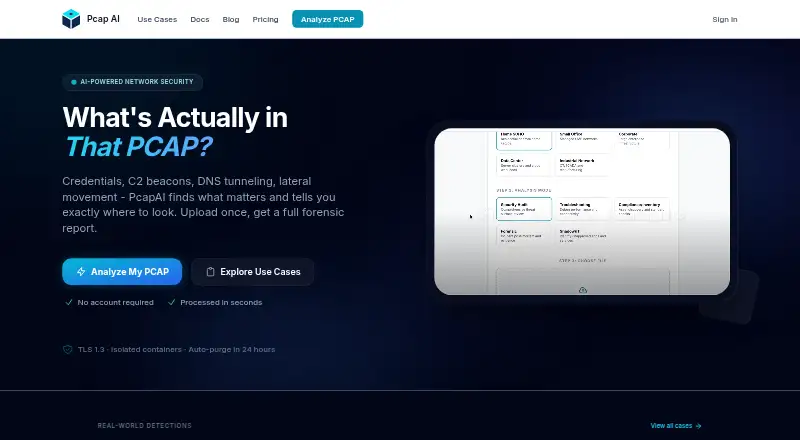
What PcapAI is
PcapAI analyzes PCAP and PCAPNG network captures and turns its findings into downloadable security reports. Its machine-learning models examine packet context and map findings to MITRE ATT&CK techniques. Reports include risk scores, packet evidence, findings, and remediation steps. The platform can detect plaintext credentials, NTLM hashes, Kerberos tickets, and session tokens, then mask discovered credentials in reports. It also identifies retransmissions, per-flow latency, TCP Zero Window events, and ARP conflicts. The homepage offers free uploads without an account; paid choices include one-time reports and credit packs as well as monthly and annual plans. File-size limits vary by plan, and compressed archives are not accepted. The Advanced plan includes REST API access, with the maker describing integrations that send findings to Splunk, Elastic SIEM, or Microsoft Sentinel. PcapAI has web, API, self-hosted, Windows, macOS, and Linux options, plus an open-source MCP Server for local analysis with AI assistants. The maker says packet data stays on-device with that server. The maker also describes TLS 1.3 transfers, encryption at rest during processing, and isolated analysis containers.
Good
- Analyzes PCAP and PCAPNG captures.
- Reports include packet evidence and remediation steps.
- Masks detected credentials in reports.
- Free homepage uploads do not require an account.
- Advanced plan includes REST API access.
Watch out
- Compressed archives are unsupported.
- File-size limits depend on the plan.
- Live capture is not available.
Who it suits
PcapAI is aimed at SecOps and SOC analysts, DevOps and NetOps engineers, and security consultants and pentesters. It can also suit users who want local PCAP analysis through its MCP Server.
Verdict
PcapAI combines security findings and network-performance details in reports built from packet captures. Check the plan-dependent file limits and archive restriction against your capture needs; local analysis is available through its MCP Server.
Plans and prices
From PcapAI's own pricing page, checked 14 Oct 2026.
| Plan | Price | What it gives you |
|---|---|---|
| Single Report | $9, paid once | 25MB max file · 1 PCAP upload · 1 PDF report · one-time |
| Starter | $19 a month | 25MB max file · 5 reports/month · monthly |
| Starter pack | $35, paid once | 25MB max file · 5 uploads · 5 PDF reports · credits never expire · one-time |
| Pro | $49 a month | 50MB max file · 20 reports/month · monthly |
| Standard pack | $83, paid once | 25MB max file · 15 uploads · 15 PDF reports · credits never expire · one-time |
| Advanced | $99 a month | 50MB max file · 50 reports/month · API access · monthly |
| Starter yearly | $114 a year | 25MB max file · 60 reports/year · yearly |
| Starter (yearly) | $114 a year | 25MB max size · 60 reports / year · $114 /year · Just $9.50/mo, billed annually |
| Pro pack | $135, paid once | 25MB max file · 30 uploads · 30 PDF reports · credits never expire · one-time |
| Pro (yearly) | $294 a year | 50MB max size · 240 reports / year · $294 /year · Just $24.50/mo, billed annually |
| Pro yearly | $294 a year | 50MB max file · 240 reports/year · yearly |
| Advanced yearly | $594 a year | 50MB max file · 600 reports/year · API access · yearly |
| Advanced (yearly) | $594 a year | 50MB max size · 600 reports / year · API access · $594 /year · Just $49.50/mo, billed annually |
The facts
Each one read from PcapAI's own pages, with the date it was checked.
What it does
- Analysis speed
- The about page says a full report is typically produced in under two minutes.checked 14 Oct 2026
- API authentication
- API requests require a Bearer token and API access is restricted to Advanced subscribers.checked 14 Oct 2026
- API modes
- Uploads can specify security, troubleshooting, compliance, forensic or shadow-it analysis modes.checked 14 Oct 2026
- Audience
- The maker identifies SecOps and SOC analysts, DevOps and NetOps engineers, and security consultants and pentesters as its primary audiences.checked 7 Oct 2026
- Credential exposure
- It searches captures for cleartext passwords, NTLM hashes, Kerberos tickets and session tokens, then masks discovered secrets in reports.checked 14 Oct 2026
- Credential masking
- Cleartext credentials and sensitive payloads are mathematically masked in generated reports rather than printed.checked 14 Oct 2026
- Credentials
- The product detects plaintext credentials, NTLM hashes, Kerberos tickets, and session tokens, and masks discovered credentials in reports.checked 7 Oct 2026
- Developer documentation
- Official developer documentation covers MCP setup, REST authentication, upload polling, report download and automation examples.checked 14 Oct 2026
- File limits
- PcapAI accepts PCAP and PCAPNG files; compressed archives are unsupported, and file-size limits depend on the plan.checked 7 Oct 2026
- GitHub prerequisites
- The repository lists Rust 1.75 or newer, an optional PcapAI API key and Claude Desktop or another MCP-compatible client as prerequisites.checked 14 Oct 2026
- GitHub protocol
- The MCP server communicates using JSON-RPC 2.0 over standard input/output and uses reqwest with rustls plus Tokio.checked 14 Oct 2026
- GitHub repository status
- The public pcap-ai/mcp-server repository shows one star, zero forks and five commits when crawled.checked 14 Oct 2026
- GitHub size error
- The repository documents HTTP 413 errors when an uploaded capture exceeds the service limit.checked 14 Oct 2026
- GitHub workflow
- The repository documents a flow that reads a local capture, uploads it to the REST API, polls completion and saves the generated PDF beside the capture.checked 14 Oct 2026
- Integrations
- The maker describes use with SIEM systems, CI/CD pipelines, ticketing workflows and custom backend scripts.checked 14 Oct 2026
- Limit: capture scope
- The homepage says Wi-Fi monitor-mode, USB and Bluetooth captures are unsupported, and compressed archives are not accepted.checked 14 Oct 2026
- Limit: file size
- The free analyzer accepts files up to 20 MB; Starter allows 25 MB and Pro or Advanced allow 50 MB.checked 14 Oct 2026
- Limit: larger deployments
- Custom file-size limits, higher volumes and on-premise deployment require contacting sales.checked 14 Oct 2026
- Local analysis
- The maker offers an open-source MCP Server for local PCAP analysis with AI assistants such as Claude Desktop; it says packet data stays on the device.checked 7 Oct 2026
- MCP cloud dependency
- Although the MCP binary runs locally, it uploads the capture to PcapAI over TLS for server-side analysis and therefore does not operate offline.checked 14 Oct 2026
- MCP integration
- The MCP server lets AI clients such as Claude Desktop invoke PCAP analysis and MITRE mapping from a local file path.checked 14 Oct 2026
- MCP licence
- The MCP server is released as open-source Rust software under the MIT licence.checked 14 Oct 2026
Money
- Free use
- Users can upload a PCAP without an account and receive a free threat summary; the full forensic PDF costs $9.checked 14 Oct 2026
Where it runs
- GitHub macOS limitation
- The repository warns that its unsigned binary triggers macOS Gatekeeper and may require removing the quarantine attribute.checked 14 Oct 2026
Alternatives to PcapAI
- 1

NETCAP
Free planOpen sourceWebAPILinuxmacOS8.1From €49 a month - 2

PacketSafari
Free planOpen sourceWebAPILinuxmacOS7.6Free plan - 3

A-Packets
Free planWebAPILinuxSelf-hosted7.5From $99 a year - 4
Wireshark
Free planOpen sourceAPILinuxmacOSSelf-hosted7.5Free plan - 5
Colasoft Capsa
Free planWindows7.4$295 one-time - 6
Sniffnet
Free planOpen sourceLinuxmacOSWindows7.4Free plan