tcpdump
tcpdump is a free tool for network monitoring and data acquisition.
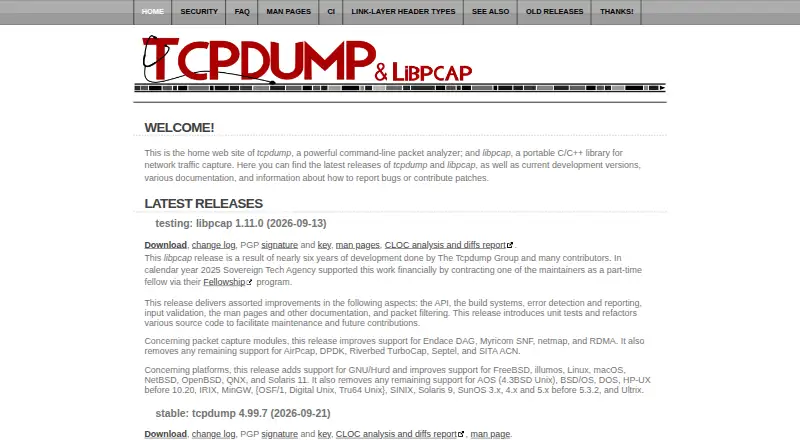
What tcpdump is
tcpdump is a free tool for network monitoring and data acquisition. It captures packets through libpcap, a system-independent interface for user-level packet capture, and provides command-line tools and PCAP support. The project lists AIX, several BSD systems, GNU/Linux, macOS, Solaris, QNX, and Windows among systems where it compiles and works. Building tcpdump requires libpcap and a C99-compliant compiler. Windows builds additionally require WinPcap or Npcap and Visual Studio with CMake. Source code is available through the project’s public Git repository, and native packages or ports are available on many systems. The license permits redistribution and use in source and binary forms subject to its conditions. Capture access depends on operating system and configuration, and the project cautions that permitted users may be able to capture traffic including passwords. Native packages can sometimes lag behind, while a newer snapshot can be built from source.
Good
- Free software with source code in a public Git repository.
- Uses libpcap for packet capture.
- Listed for Linux, macOS, Windows, and other systems.
- PCAP support and remote capture are listed.
Watch out
- Building requires libpcap and a C99-compliant compiler.
- Windows builds require additional tools.
- Capture permissions depend on operating system and configuration.
- Native packages may be a few versions behind.
Who it suits
tcpdump suits users who need a command-line tool for network monitoring or packet capture and are comfortable with its system-specific installation requirements. It can also suit developers who want source code or native packages.
Verdict
tcpdump provides a free, source-available option for command-line network monitoring and packet capture. Users should account for build requirements and the security implications of capture permissions.
Plans and prices
From tcpdump's own pricing page, checked 3 Oct 2026.
| Plan | Price | What it gives you |
|---|---|---|
| tcpdump | Free | BSD-licensed software · capture permission depends on operating system and configuration |
The facts
Each one read from tcpdump's own pages, with the date it was checked.
What it does
- Build requirement
- Building tcpdump requires libpcap and a C99-compliant compiler.checked 3 Oct 2026
- Capture library
- tcpdump uses libpcap, a system-independent interface for user-level packet capture.checked 3 Oct 2026
- Capture permissions
- The installation notes say whether a user can capture traffic depends on the operating system and its configuration.checked 3 Oct 2026
- Distribution
- The project provides source code through its public Git repository and describes native operating system packages or ports as available on many systems.checked 3 Oct 2026
- Intended users
- The README describes tcpdump as a tool for network monitoring and data acquisition, and notes its origin in research on TCP and Internet gateway performance.checked 3 Oct 2026
- License
- The project license permits redistribution and use in source and binary forms subject to its listed conditions.checked 3 Oct 2026
- Package versions
- The project notes that native packages are sometimes a few versions behind and that a newer snapshot can be compiled from source.checked 3 Oct 2026
- Purpose
- tcpdump is a tool for network monitoring and data acquisition.checked 3 Oct 2026
- Security consideration
- The installation notes caution that users able to capture traffic may capture network traffic including passwords.checked 3 Oct 2026
- Security reporting
- The project asks users to report security issues by email to [email protected].checked 3 Oct 2026
- Support and contributions
- The project directs users to its source tree contribution guidelines for bugs, patches, feature requests, and general feedback.checked 3 Oct 2026
- Supported systems
- The project lists AIX, several BSD systems, GNU/Linux, macOS, Solaris, QNX, and Windows among platforms on which tcpdump compiles and works.checked 3 Oct 2026
Where it runs
- Windows requirement
- The project says Windows builds require WinPcap or Npcap and Visual Studio with CMake.checked 3 Oct 2026
The full review of tcpdump
tcpdump is a command-line utility for monitoring networks and acquiring packet data. It fits administrators, developers, and researchers who can work in a shell and manage operating-system capture permissions. Its zero-cost, portable capture foundation is compelling, but users seeking visual exploration should look elsewhere.
Overview
tcpdump builds on libpcap, a system-independent interface for user-level packet capture. That separation helps the same tool operate across varied environments, including GNU/Linux, macOS, Windows, AIX, BSD systems, Solaris, QNX, and other supported platforms. PCAP support, traffic decryption, remote capture, and both local and remote capture sources cover the essential work of collecting network evidence.
The command-line design is its defining advantage and its principal limitation. Shell-based operation is efficient for repeatable capture and automation, but interpreting extensive traces or following protocol relationships is less approachable than in a graphical analyzer. tcpdump is therefore strongest as a dependable collector and first-pass diagnostic tool, not as a complete visual investigation desk.
Many systems offer native packages or ports, although package versions can trail the project by a few releases. Compiling a newer snapshot is an option when current code matters, but building requires libpcap and a C99-compliant compiler. Capture authorization is determined by the operating system and its configuration. A user granted that access may record sensitive traffic, including passwords, so permissions and captured files require careful control.
Key features
- Libpcap capture interface: The system-independent library gives tcpdump a consistent foundation across supported operating systems. That portability benefits teams managing mixed fleets, while platform-specific permissions can still affect what a user is allowed to capture.
- Command-line workflow: A CLI makes scripted and remote operation practical and keeps the tool lightweight. It favors technically experienced users; people who need visual filtering, charts, or guided protocol navigation will need another application.
- PCAP and remote capture: Support for PCAP, remote capture, and local or remote sources suits troubleshooting and data-collection workflows that span hosts. It is a strong fit for gathering evidence before deeper analysis in a dedicated analyzer.
- Traffic decryption: Decryption support can help turn collected traffic into useful diagnostic data when the necessary context and permissions exist. It also increases the sensitivity of captures, reinforcing the need for controlled access and storage.
- Source availability and redistribution: The project publishes its source in a public repository, and its license permits redistribution and use in source and binary forms subject to its conditions. That is useful for organizations that need inspectable software or packaged internal deployments.
- Security and contribution channels: Security issues are directed to [email protected], while bugs, patches, feature requests, and feedback go through the source-tree contribution guidance.
Pricing
| Plan | Price | What it includes |
|---|---|---|
| tcpdump | free | BSD-licensed software with packet capture governed by operating-system permissions and configuration. |
There is one free plan, with no trial or paid tier to compare. It is appropriate for individuals, labs, and organizations that can supply their own hosts, permissions, and operational controls. The absence of a subscription removes seat or renewal costs, but it does not remove the work of installing packages, compiling when newer code is needed, or securing captured data.
Platforms
tcpdump supports Linux, macOS, and Windows, alongside AIX, several BSD variants, Solaris, QNX, and other systems on which the project compiles and works. Windows builds require WinPcap or Npcap plus Visual Studio with CMake, making Windows setup more involved than using a native package on many Unix-like systems. Native packages and ports are widely available, though they may be behind the latest project versions.
Who it's for
Choose tcpdump if you need a free, scriptable packet collector for administration, development, research, or performance troubleshooting and are comfortable with terminal tools. It is particularly practical in mixed operating environments or on remote systems where a graphical interface is inconvenient.
It is a weaker fit for beginners, analysts who depend on visual protocol exploration, or teams unable to grant and govern capture permissions. Those users should pair collection with a graphical analyzer or choose software designed around a guided interface.
Pros and cons
Pros
- No license fee: The sole plan costs nothing, making broad deployment financially straightforward.
- Wide portability: Support across Linux, macOS, Windows, BSD, AIX, Solaris, and QNX helps standardize collection across varied systems.
- Flexible collection: PCAP, remote capture, traffic decryption, and local or remote sources cover core acquisition scenarios.
- Inspectable code: Public source and permissive redistribution terms suit auditable or customized deployments.
Cons
- Terminal-first operation: The CLI is efficient for experts but offers no visual workspace for exploring complex traces.
- Build and packaging overhead: Newer snapshots may require compiling with libpcap and a C99 compiler, while packaged versions can lag.
- Permission risk: Capture rights depend on host configuration and can expose passwords and other sensitive traffic.
- Windows prerequisites: WinPcap or Npcap and Visual Studio with CMake are required for Windows builds.
Alternatives
Termshark is a free option across Android, Linux, macOS, and Windows for users who want a terminal interface around tshark; it requires tshark 1.10.2 or newer and does not expose every tshark feature.
Malcolm is a free, Apache-licensed, self-hosted choice spanning API, web, and desktop-oriented environments when you need a broader self-managed platform rather than a focused collector.
NetworkMiner offers a free edition and a freemium model on Linux, macOS, and Windows, with GPLv2 open-source C# code for readers who prefer that ecosystem.
Sniffnet is fully free and open source under MIT or Apache-2.0 on Linux, macOS, and Windows, making it a better pick for users who want a more approachable monitoring application.
TShark is another free Linux, macOS, and Windows choice from the Wireshark project for readers who want its project ecosystem and GNU GPL v2 licensing.
Wireshark is free on Linux, macOS, and Windows and is the clearer choice when graphical packet inspection matters more than a minimal command-line collector.
Arkime is free, open source, self-hosted software for API, web, and Linux deployments when you need a larger capture-management environment with no license fees.
PCAPdroid targets Android. Its free tier covers core monitoring and capture, while paid one-time features add firewall, malware detection, and PCAPng capabilities.
For broader comparisons, see Network Packet Capture Software, Network Protocol Analyzers, and Network Packet Analyzer Software.
Verdict
tcpdump is the right choice for technically confident users who need a free, portable, scriptable way to capture network traffic. Its libpcap foundation, remote-capture support, and broad platform reach are the main reasons to choose it. Look elsewhere if you need visual analysis, simpler Windows setup, or an environment where capture permissions and sensitive-data handling cannot be tightly controlled.
Alternatives to tcpdump
- 1
Fing Security
Free planAndroidiOSWebAPI8.2From $79.99 a year - 2

PingPlotter
Free planiOSWebAPILinux8.2From $6.99 a month - 3
Wireshark
Free planOpen sourceAPILinuxmacOSSelf-hosted7.5Free plan - 4
Colasoft Capsa
Free planWindows7.4$295 one-time - 5
Nmap
Free planLinuxmacOSSelf-hostedWindows7.0From $9,980 a month - 6

CommView
Windows6.4From $149 a year