OWASP ZAP
OWASP ZAP, now identified as ZAP or ZAP by Checkmarx, is a free, open-source web application scanner and proxy for security testing.
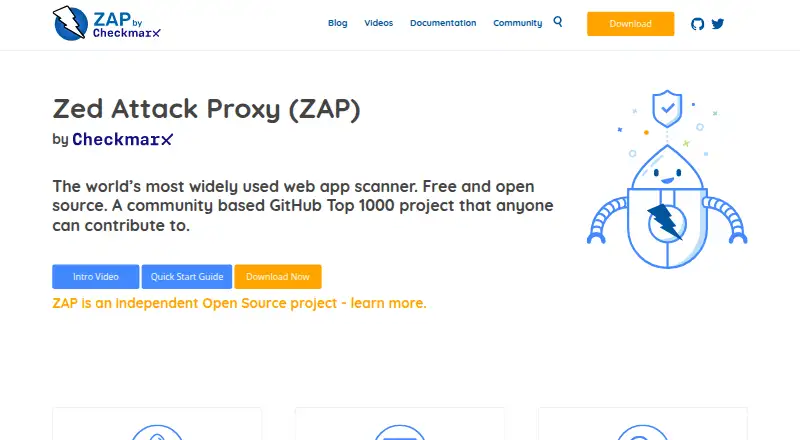
What OWASP ZAP is
OWASP ZAP, now identified as ZAP or ZAP by Checkmarx, is a free, open-source web application scanner and proxy for security testing. Its scanner includes active and passive scanning, a spider, alerts, and scan policies. Users can add extensions through an online Marketplace; add-ons are typically installed or removed without restarting the application. The Automation Framework runs from YAML plans and supports work such as scans, spidering, API imports, and report generation. GitHub Actions are available for baseline, full, and API scans through Docker-packaged scans. API definitions in OpenAPI, GraphQL, SOAP, and Postman formats can be imported through framework jobs or add-ons. ZAP publishes Docker images, including a minimal image described as suitable for CI. It supports Linux, macOS, Windows, API use, and self-hosted deployment. Windows and Linux installers need Java 17 or later; the macOS installer includes Java 17. The project says it can support only its latest full release, and current releases are unsigned, with checksums provided for downloads.
Good
- Free and open source.
- Active and passive scanning are included.
- YAML automation plans support scans and reports.
- GitHub Actions support baseline, full, and API scans.
- API definitions can be imported in four formats.
Watch out
- Windows and Linux installers require Java 17 or higher.
- Only the latest full release is supported by the team.
- Current releases are unsigned.
- macOS installer bundles Java 17; other installers do not.
Who it suits
ZAP is intended for developers, testers new to security testing, and security testing specialists. Its automation and Docker options also suit teams incorporating scans into CI workflows.
Verdict
ZAP offers scanning, extensibility, and automation in a free, open-source package. Check the Java requirements for Windows or Linux and verify downloads with the provided checksums.
Plans and prices
From OWASP ZAP's own pricing page, checked 15 Oct 2026.
| Plan | Price | What it gives you |
|---|---|---|
| Free / open source | Free | full ZAP functionality · desktop, command line, Docker and API use |
| ZAP | Free | Free and open source · add-ons available in the Marketplace |
The facts
Each one read from OWASP ZAP's own pages, with the date it was checked.
What it does
- Active scanning
- The feature set includes active scanning that sends attack requests to identify vulnerabilities.checked 15 Oct 2026
- Add-ons
- Add-ons can be installed dynamically from the online Marketplace, and are typically added or removed without restarting ZAP.checked 29 Sep 2026
- API
- The API and daemon mode provide programmatic control over ZAP, including scanner and spider operations.checked 15 Oct 2026
- API formats
- The Automation Framework supports importing OpenAPI, GraphQL, SOAP, and Postman definitions through jobs or add-ons.checked 29 Sep 2026
- Audience
- ZAP says it is designed for developers, testers new to security testing, and security testing specialists.checked 29 Sep 2026
- Authentication
- Authentication features include browser-based, script-based, header-based and OAuth2 methods through the Authentication Helper add-on.checked 15 Oct 2026
- Automation
- The Automation Framework controls ZAP with a YAML plan and supports jobs including active scanning, passive scanning, spidering, API imports, and report generation.checked 29 Sep 2026
- Automation integrations
- Automation options include Docker packaged scans, GitHub Actions, the Automation Framework, command line, ZAPit and API/daemon mode.checked 15 Oct 2026
- CI integration
- ZAP provides GitHub Actions for baseline, full, and API scans through its Docker packaged scans.checked 29 Sep 2026
- Current release
- Release 2.17.0 is described as a bug-fix and enhancement release with alert deduplication, systemic alerts, an Insights tab and improved disk and memory handling.checked 15 Oct 2026
- Deployment
- ZAP publishes Docker images, including a bare image described as minimal and ideal for CI.checked 29 Sep 2026
- Distribution security warning
- The download page warns that releases are currently unsigned and that browsers or antivirus tools may flag them.checked 15 Oct 2026
- Documentation
- The project publishes getting-started material, a desktop user guide, developer guide, API reference, automation documentation, videos and community resources.checked 15 Oct 2026
- Download security
- The download page warns that current ZAP releases are unsigned and provides checksums for downloads.checked 29 Sep 2026
- Extensibility
- The Marketplace distributes team and community add-ons, and users can publish their own add-ons.checked 15 Oct 2026
- Licence
- The ZAP software package is open source under Apache License 2.0, with separately licensed third-party libraries.checked 15 Oct 2026
- Limit: documentation and interface
- G2 feedback cites documentation gaps, cluttered or dated navigation and a lack of an integrated browser experience.checked 15 Oct 2026
- Limit: false positives
- G2 reviewers repeatedly report false positives that require manual validation or tuning.checked 15 Oct 2026
- Limit: scan duration and documentation sprawl
- Capterra reviewers report that large scans can take a long time, progress estimates can be inaccurate and documentation is spread across locations.checked 15 Oct 2026
- Notable news
- On October 13, 2026, the project said it would continue accepting community contributions while requiring smaller, tested and easier-to-review pull requests, including LLM-assisted submissions.checked 15 Oct 2026
- Open source
- ZAP describes itself as free and open source, and says anyone can contribute to the project.checked 29 Sep 2026
The company
- Company fact: Checkmarx support
- The official ownership page says three ZAP Core Team members are employed by Checkmarx to work on ZAP.checked 15 Oct 2026
- Company fact: OWASP Foundation
- LinkedIn lists the OWASP Foundation as a Wilmington, Delaware nonprofit founded in 2001, with a stated company size of 2–10 employees.checked 15 Oct 2026
- Founded
- 2010checked 23 Sep 2026
The full review of OWASP ZAP
Overview
OWASP ZAP is a self-hosted web application scanner and proxy for security testing, aimed at developers, testers new to security work, and security specialists. Its strongest case is broad, configurable scanning and automation at no software cost; its self-hosted setup and Java requirement on Windows and Linux make it less suitable for teams seeking a managed service.
Key features
Scanning and traffic inspection
Active and passive scanning, a spider, alerts, and scan policies cover discovery and assessment in one tool. The spider helps find application paths, passive scanning checks observed traffic, and active scanning sends tests to the application.
Add-ons and automation
ZAP’s online Marketplace lets users install add-ons dynamically, typically without restarting. This makes it practical to tailor the tool as needs change, though a team must still manage its own setup.
The Automation Framework runs from a YAML plan and supports active and passive scans, spidering, API imports, and report generation. It can import OpenAPI, GraphQL, SOAP, and Postman definitions through jobs or add-ons. GitHub Actions support baseline, full, and API scans through Docker-packaged scans, and a minimal Docker image is available for CI. These options make ZAP a credible fit for repeatable pipeline checks, not just interactive use.
Deployment and project status
ZAP is self-hosted and publishes Docker images. Windows and Linux installers require Java 17 or higher; the macOS installer includes Java 17. The download page says the team can support only the latest full release, and warns that current releases are unsigned while providing checksums. Users should verify downloads against those checksums.
ZAP says it has not been an OWASP project since August 2023 and identifies its current name as ZAP or ZAP by Checkmarx. This is worth knowing when seeking current project information or support. Products and services including DefectDojo, Dradis, and Faraday can import ZAP results.
Pricing
ZAP is free and open source, and anyone can contribute. Its ZAP plan costs nothing and includes access to the Marketplace add-ons. There is no paid tier or trial described; the trade-off is that ZAP is self-hosted rather than a hosted service, so it suits users prepared to handle deployment and upkeep.
Platforms
ZAP supports Linux, macOS, Windows, API workflows, and self-hosted deployment. The platform range accommodates desktop and pipeline use, but the Java requirement on Windows and Linux adds a setup consideration that macOS users avoid because its installer includes Java 17.
Who it's for
ZAP is a strong choice for developers and testers learning application security, as well as specialists who want configurable scans and automation without software fees. API testing, authenticated scanning, browser-based scanning, and CI/CD integration broaden its use across application testing workflows. It is a weaker fit for organizations that want a vendor-managed scanner or support across older full releases.
Pros and cons
- Pros: Free and open source, with Marketplace add-ons that can usually be installed or removed without a restart.
- Pros: YAML-driven automation, Docker scans, and GitHub Actions support make repeatable CI checks practical.
- Pros: Imports OpenAPI, GraphQL, SOAP, and Postman definitions, supporting varied API workflows.
- Cons: Self-hosted deployment means users must manage the runtime and environment themselves.
- Cons: Windows and Linux installers require Java 17 or higher, and only the latest full release is supported by the team.
- Cons: Current releases are unsigned, so users need to verify downloads with checksums.
Alternatives
For a different option, compare Dynamic Application Security Testing Software, Web Application Security Scanners, and Penetration Testing Software.
- Beagle Security may suit readers who want a freemium option with a defined free allowance: one lite test per month, monthly surface scan reports, and SSL and domain-expiry monitoring. Its Essential plan is $99 a month, billed Billed $1188 annual.
- Veracode DAST is a paid alternative with a free trial and a live-demo option for web applications and APIs.
- Bright Security DAST is a paid alternative that offers a demo request.
- Tenable One Attack Surface Management is a paid alternative with demo or quote requests.
- Detectify Surface Monitoring is a paid web platform that also has a free plan.
- Rapid7 Surface Command is a paid option with a free trial, focused on asset discovery, unified inventory, and internal and external attack-surface visibility.
- Safeguard DAST is a freemium web option with a free plan.
- Wapiti is another free option for Windows, macOS, and Linux.
Verdict
Choose ZAP if you want a free, adaptable web application scanner with API coverage and automation that can fit into CI. Its main advantage is the combination of scanning depth and extensibility without a software charge; look elsewhere if you need hosted deployment or do not want to maintain a Java-based setup on Windows or Linux.
Getting started
- Open the ZAP website
- Choose the installer for Linux, macOS or Windows
- Install Java 17 or higher for Windows or Linux
- Install add-ons from the online Marketplace
- Use Docker images or GitHub Actions for automated scans
Limits worth knowing
ZAP is provided as a free plan without a paid tier described here. Windows and Linux installation requires Java 17 or higher, and project support covers only the latest full release.
Questions
Does ZAP cost anything?
ZAP is free and open source. Its listed ZAP plan costs nothing.
Which systems can run ZAP?
ZAP supports Linux, macOS, Windows, API use and self-hosted deployment.
What scans does ZAP provide?
It offers active and passive scanning, spidering, alerts and scan policies, including authenticated and API testing.
Can ZAP run in CI/CD?
Yes. GitHub Actions provide baseline, full and API scans through Docker-packaged scans, and Docker images include a minimal CI-oriented image.
Which API definitions can it import?
The Automation Framework supports OpenAPI, GraphQL, SOAP and Postman definitions through jobs or add-ons.
What Java version is required?
Windows and Linux installers require Java 17 or higher. The macOS installer includes Java 17.
Alternatives to OWASP ZAP
- 1

Beagle Security
Free planWebAPI6.9From $99 a month - 2

ImmuniWeb
AndroidiOSWebAPI6.8From €595 a year - 3

Nuclei
Free planLinuxmacOSSelf-hostedWindows6.8Free plan - 4
ZeroThreat
Free planWebAPI6.7From $100 a month - 5
VAddy
WebAPILinuxmacOS6.6From ¥19,800 a month - 6

Astra Security
WebAPI6.5From $699 a year