Wapiti
Wapiti is a free, open-source command-line tool for auditing websites and web applications.
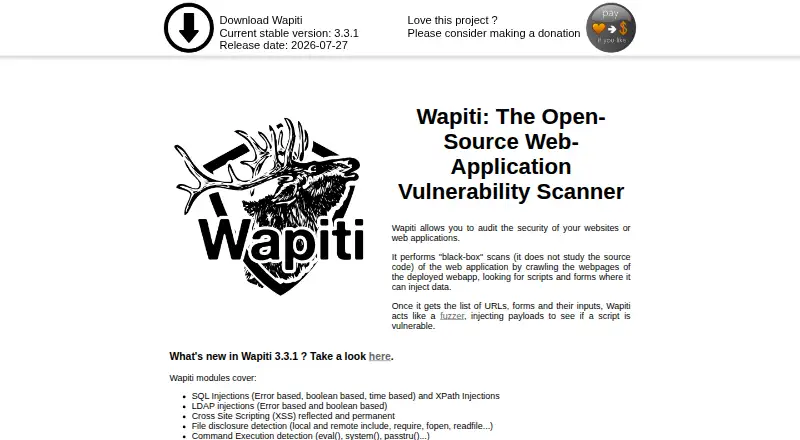
What Wapiti is
Wapiti is a free, open-source command-line tool for auditing websites and web applications. It crawls pages and tests scripts and forms with injected payloads in black-box scans. Its modules cover SQL and LDAP injection, cross-site scripting, file disclosure, command execution, XXE, SSRF, open redirects, file uploads, and TLS misconfiguration. It can scan REST APIs from an OpenAPI file and check HTTP security headers, cookie flags, CSP settings, and TLS configuration. Users can limit scan scope, exclude URLs, adjust crawler behavior, set time limits, and configure concurrent HTTP tasks. Authenticated scanning supports Basic, Digest, and NTLM authentication, login forms, browser cookie import, and custom Python scripts. Wapiti supports HTTP, HTTPS, and SOCKS5 proxies, browser-based exploration through a man-in-the-middle proxy, and headless Firefox crawling. Reports are available in HTML, XML, JSON, TXT, CSV, and Markdown. The command-line application runs on Linux, macOS, and Windows; installation instructions require Python 3.12, 3.13, or 3.14. The project warns scans can cause target malfunctions, crashes, or data loss and requires user consent.
Good
- Free and open-source under GPL version 2
- Scans websites, web applications, and REST APIs
- Supports authenticated scanning and several proxy types
- Reports in six listed formats
- Includes scan scope and crawler controls
Watch out
- Installation instructions require Python 3.12, 3.13, or 3.14
- Windows use is described through WSL
- Scans may cause malfunctions, crashes, or data loss
- Users must obtain target-owner consent
Who it suits
Wapiti suits website and web application operators who want to run vulnerability scans in their own environment. It is a command-line tool for users able to install and operate it with a supported Python version.
Verdict
Wapiti offers configurable black-box scanning, authentication support, API testing, and multiple report formats as self-hosted software. Its warning about possible target impact makes consent and careful scan scope essential.
Plans and prices
From Wapiti's own pricing page, checked 9 Oct 2026.
| Plan | Price | What it gives you |
|---|---|---|
| Wapiti | Free | Open-source web application vulnerability scanner |
The facts
Each one read from Wapiti's own pages, with the date it was checked.
What it does
- API scanning
- It can scan REST APIs using an OpenAPI (Swagger) file.checked 9 Oct 2026
- Attack coverage
- Its modules cover issues including SQL and LDAP injection, XSS, file disclosure, command execution, XXE, SSRF, open redirects, and TLS misconfiguration.checked 8 Oct 2026
- Authentication
- Wapiti supports Basic, Digest, and NTLM HTTP authentication, login forms, browser cookie import, and custom Python authentication scripts.checked 8 Oct 2026
- Authentication and proxies
- It supports Basic, Digest, and NTLM HTTP authentication, login-form authentication, and HTTP, HTTPS, and SOCKS5 proxies.checked 9 Oct 2026
- Command-line tool
- Wapiti is a command-line application written in Python.checked 9 Oct 2026
- Installation
- The recommended installation method is pip install wapiti3, and the project requires Python 3.12, 3.13, or 3.14.checked 9 Oct 2026
- Integrations
- It uses the Wappalyzer database to fingerprint web technologies and report related CVE information, and its SSL/TLS module uses sslscan.checked 9 Oct 2026
- Integrations and data
- The project describes Wappalyzer-based technology fingerprinting with related CVE information and use of the Nikto database to find potentially dangerous server files.checked 8 Oct 2026
- Latest stable version
- The official site lists version 3.3.1, released 2026-07-27, as the current stable version.checked 9 Oct 2026
- License
- Wapiti is released under the GNU General Public License version 2 (GPL).checked 9 Oct 2026
- Limit and disclaimer
- The project warns that scans may cause target malfunctions, crashes, or data loss, and says users are responsible for obtaining prior consent and following applicable laws.checked 8 Oct 2026
- Purpose
- Wapiti audits websites and web applications with black-box scans that crawl deployed pages and test scripts and forms with payloads.checked 9 Oct 2026
- Reports
- It generates reports in HTML, XML, JSON, TXT, CSV, and Markdown formats.checked 9 Oct 2026
- Scanning controls
- It supports scan scope controls, URL exclusions, configurable crawler limits, and a maximum scan time.checked 9 Oct 2026
- Security checks
- Modules check HTTP security headers, cookie Secure and HttpOnly flags, CSP configuration, and TLS configuration.checked 8 Oct 2026
- Support
- The project directs users to its FAQ, wiki, and GitHub issues for help and bug reports.checked 9 Oct 2026
- Supported systems
- The installation instructions describe virtual environment activation for Linux, macOS, and Windows.checked 8 Oct 2026
- Usage limits
- The project warns that scans can cause malfunctions, crashes, or data loss on a target, and says users must have the target owner's consent.checked 9 Oct 2026
- Vulnerability coverage
- Its modules cover issues including SQL injection, XSS, file disclosure, command execution, XXE, SSRF, open redirects, and file upload vulnerabilities.checked 9 Oct 2026
Money
- Price and license
- Wapiti is described as free and open-source software released under the GNU General Public License version 2.checked 8 Oct 2026
Where it runs
- Proxies and browser
- Wapiti supports HTTP, HTTPS, and SOCKS5 proxies, browser-based exploration through a man-in-the-middle proxy, and headless Firefox crawling.checked 8 Oct 2026
- Windows support
- The project README says running Wapiti on Windows can be accomplished using WSL.checked 9 Oct 2026
The full review of Wapiti
Wapiti is a free, open-source command-line scanner for auditing websites, web applications, and REST APIs. It suits technically comfortable users who can run Python tools and control scan scope; its breadth and configurable authentication are useful, but scans can disrupt targets, so consent is essential.
Overview
Wapiti crawls web pages and tests scripts and forms with injected payloads, taking a black-box approach that does not depend on application source code. Its modules cover a broad range of web risks, from injection and cross-site scripting to server-side request forgery and TLS misconfiguration. Because it runs from the command line and is self-hosted, it is best suited to users who can manage their own environment and interpret scan results.
The project warns that scans may cause malfunctions, crashes, or data loss. Obtain the target owner's consent, follow applicable laws, and set a deliberate scope before scanning; Wapiti is not a safe choice for probing systems without authorization.
Key features
Coverage and reporting
Modules test for SQL and LDAP injection, XSS, file disclosure and upload vulnerabilities, command execution, XXE, SSRF, open redirects, and TLS misconfiguration. Checks also cover HTTP security headers, cookie Secure and HttpOnly flags, and CSP configuration. Reports can be generated in HTML, XML, JSON, TXT, CSV, or Markdown, giving teams several formats for review or downstream handling.
Control and authenticated scans
Users can constrain scan scope, exclude URLs, adjust crawler behavior, set time limits, and configure concurrent HTTP tasks. Those controls help keep scans focused, though they also place responsibility on the operator to choose settings that suit the target. Authentication options include Basic, Digest, and NTLM HTTP authentication, login forms, imported browser cookies, and custom Python scripts—useful for testing areas that an unauthenticated crawl cannot reach.
Browser, proxy, and API support
Wapiti supports HTTP, HTTPS, and SOCKS5 proxies, browser exploration through a man-in-the-middle proxy, and headless Firefox crawling. It can also scan REST APIs from an OpenAPI (Swagger) file. Wappalyzer-based technology fingerprinting supplies related CVE information, while the Nikto database helps identify potentially dangerous server files; its SSL/TLS module uses sslscan.
Pricing
Wapiti is free and open-source under the GNU General Public License version 2. The Wapiti plan costs nothing and provides an open-source web application vulnerability scanner. There is no free trial because the software itself is free. Self-hosting avoids a paid plan, but users need to install and operate the command-line tool themselves.
Platforms
Wapiti is a Python command-line application installable with pip install wapiti3. The installation instructions require Python 3.12, 3.13, or 3.14 and describe virtual-environment activation for Linux, macOS, and Windows. The README says Windows use can be accomplished with WSL. It is self-hosted rather than a hosted scanning service.
Who it's for
Wapiti is a strong fit for developers and security practitioners who want a configurable, no-cost scanner they can run against authorized web applications and APIs. Authentication methods, scan controls, and multiple report formats make it adaptable to varied targets. It is a weaker fit for readers seeking a graphical, managed service or a tool that removes the need to configure and oversee scans. Help is directed to the project wiki and FAQ; bug reports go through GitHub issues.
Pros and cons
- Pros: Broad vulnerability coverage, including API testing, authenticated scanning, browser-based crawling, and multiple report formats, makes one free tool useful across varied web targets.
- Pros: Scope exclusions, crawler controls, time limits, and concurrency settings give operators practical ways to tailor a scan.
- Cons: The command-line, Python-based setup requires technical comfort and local operation; it is not a hosted service.
- Cons: Scans can cause target disruption or data loss, so unauthorized or poorly scoped use carries real risk.
Alternatives
For another free, open-source scanner, compare OWASP ZAP; choose w3af if its free web application security scanner better fits your workflow. Readers considering paid or freemium options can also compare Qualys External Attack Surface Management, Beagle Security, Detectify Surface Monitoring, Bright Security DAST, DASTA-AI, and Veracode DAST.
Browse more options in Dynamic Application Security Testing Software.
Verdict
Choose Wapiti if you want a free, self-hosted black-box scanner with configurable scope, authentication support, API scanning, and broad report formats—and are prepared to operate it carefully. Look elsewhere if you need managed deployment or cannot accept the operational risk of scans that may affect a target.
Getting started
- Visit the Wapiti project website.
- Install Wapiti with `pip install wapiti3`.
- Use Python 3.12, 3.13, or 3.14 for installation.
- Activate a virtual environment on Linux, macOS, or Windows; Windows use is described through WSL.
- Obtain the target owner's consent before scanning.
Questions
How much does Wapiti cost?
Wapiti is free, with a free plan, and is released under the GNU General Public License version 2.
Which systems does it support?
The listed platforms are Linux, macOS, self-hosted, and Windows. The project describes Windows use through WSL.
Can Wapiti scan authenticated areas and APIs?
Yes. It supports HTTP authentication, login forms, imported browser cookies, and custom Python authentication scripts. It can scan REST APIs from an OpenAPI (Swagger) file.
What kinds of reports can it produce?
Reports can be generated in HTML, XML, JSON, TXT, CSV, and Markdown.
What should users consider before scanning?
Scans may cause target malfunctions, crashes, or data loss. Users are responsible for obtaining the target owner's consent and following applicable laws.
Alternatives to Wapiti
- 1
OWASP ZAP
Free planOpen sourceAPIExtensionLinuxmacOS7.6Free plan - 2

DASTA-AI
Free planWebAPI7.3From $100 a month - 3

Beagle Security
Free planWebAPI6.9From $99 a month - 4
StackHawk HawkScan
WebAPILinuxmacOS6.8From $10 a month - 5
w3af
Free planWebAPILinuxmacOS6.8Free plan - 6
 6.6From $599 a year