
Operavix
Operavix is a task-mining platform that analyzes business-related computer interactions to produce operational insights.
What Operavix is
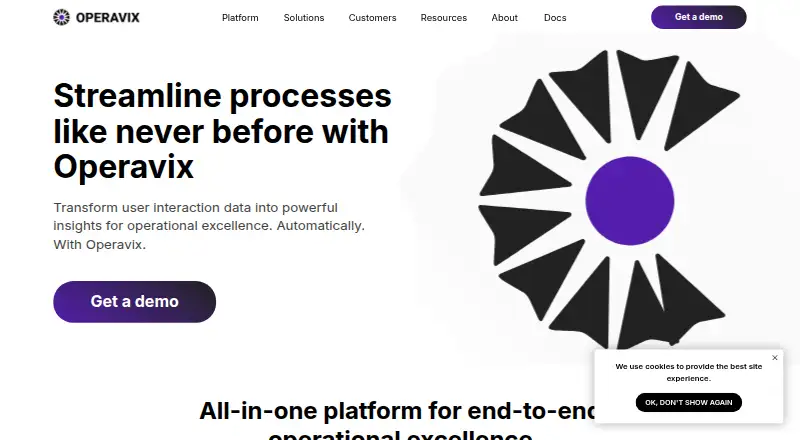
Operavix is a task-mining platform that analyzes business-related computer interactions to produce operational insights. Its desktop client captures actions such as document editing and data entry on employees’ PCs, and AI-driven detection extracts and categorizes tasks from that activity. Analytics are intended to help identify bottlenecks, inefficiencies, automation opportunities, and potential economic impact. Users can customize metrics, review performance across employees, departments, and subsidiaries, and adjust pre-built dashboards. Operavix Digital Employee is presented as a way to automate routine manual tasks identified through task analysis. The maker says captured data is encrypted and stored on the customer company’s own servers. Documentation covers installation on Windows and Linux, server setup, GraphQL, API keys, authentication, and integrations with external systems. The maker lists use cases for shared services, procurement, accounting and finance, customer service, human resources, and supply chain teams. Pricing is available on request, and the maker offers a personal product demo.
Good
- Captures document editing and data entry activity
- AI detection categorizes work tasks
- Dashboards compare employees, departments, and subsidiaries
- Captured data is encrypted and stored on customer servers
- Windows and Linux installation documentation is available
Watch out
- Pricing is available on request
- Capture requires installation of a desktop client
Who it suits
It suits teams seeking visibility into work patterns in areas such as finance, procurement, customer service, or supply chain. It may also fit organizations looking to identify routine tasks for automation.
Verdict
Operavix focuses on turning desktop activity into task-level operational analysis and automation opportunities. Organizations should account for deploying its client and server components on their own infrastructure.
The facts
Each one read from Operavix's own pages, with the date it was checked.
What it does
- Analysis
- The platform visualizes business tasks and helps identify operational bottlenecks and opportunities to optimize.checked 4 Oct 2026
- API and authentication
- The documentation includes GraphQL, API key, OpenID Connect, SAML, and Kerberos configuration topics.checked 3 Oct 2026
- Automation
- Operavix describes prioritizing high impact tasks for automation based on factors including repetitive manual effort, errors, and economic feasibility.checked 4 Oct 2026
- Capture
- The Task Mining Client captures business related actions on employees’ PCs, including document editing and data entry.checked 4 Oct 2026
- Dashboards
- Users can customize metrics and analyze performance across employees, departments, and subsidiaries.checked 4 Oct 2026
- Data storage
- Operavix says captured data is encrypted and stored on the customer’s own servers.checked 4 Oct 2026
- Data storage and encryption
- The maker says captured data is encrypted and stored on the customer company’s own servers.checked 3 Oct 2026
- Deployment
- The maker’s documentation includes installation instructions for Windows and Linux and setup guidance for the server component.checked 3 Oct 2026
- Digital Employee
- Operavix Digital Employee is presented as a solution for executing routine manual tasks identified through task mining.checked 4 Oct 2026
- Documentation
- Operavix provides documentation with installation instructions for Windows and Linux.checked 4 Oct 2026
- Integrations
- The documentation includes external system integration, custom integrations, SMB connections, and Active Directory synchronization topics.checked 3 Oct 2026
- Product
- Operavix is a task mining platform that uses business interaction data to provide operational insights.checked 4 Oct 2026
- Support
- The site lists [email protected] as a contact and offers visitors a demo.checked 4 Oct 2026
- Target users
- The site presents use cases for shared services, procurement, accounting and finance, customer service, supply chain and logistics, and human resources.checked 4 Oct 2026
- Task detection
- Its AI powered algorithm automatically identifies and categorizes business tasks from user interaction data.checked 4 Oct 2026
The company
- Headquarters
- The About page lists Bishkek, Kyrgyzstan.checked 4 Oct 2026
The full review of Operavix
Overview
Operavix is a task-mining platform that analyzes employees’ desktop activity to reveal how work gets done. It best suits organizations seeking operational analysis across teams, especially those able to run software on their own infrastructure. Its promise is a path from observed tasks to automation; the trade-off is deploying both client and server components.
Key features
The Windows and Linux client captures business-related actions such as document editing and data entry. AI-driven detection then extracts and categorizes tasks, with clustering and task-level maps helping teams examine work as repeatable activity rather than isolated clicks. This can expose bottlenecks and inefficiencies, though its usefulness depends on the organization being able to capture and analyze desktop work across the relevant employees.
Customizable analytics let users adjust pre-built dashboards and compare performance across employees, departments, and subsidiaries. Operavix says the analysis can identify automation opportunities and estimate potential economic impact, giving operations teams a basis for deciding what to improve first. Its Digital Employee is positioned as a follow-on for automating routine manual tasks identified through task mining; organizations looking only for analytics need not treat that automation offering as the reason to choose the platform.
Captured data is encrypted and stored on the customer’s own servers. That arrangement is relevant to organizations that want data kept on their infrastructure, but it also makes self-managed deployment part of the operational commitment. Documentation covers Windows and Linux installation, server setup, GraphQL and API key access, OpenID Connect, SAML and Kerberos, as well as external and custom integrations, SMB connections, and Active Directory synchronization.
Pricing
Operavix is paid, with custom pricing. The company offers a personal product demo, a sensible next step for organizations weighing the platform’s deployment and operational fit before committing. No free plan or trial is presented as part of the offer.
Platforms
Operavix supports Windows and Linux desktop clients, with web and API access. It is self-hosted: the client captures activity on employees’ PCs, while the server component is installed on the customer’s infrastructure. Teams should account for both sides of that setup rather than treating it as a hosted desktop utility.
Who it's for
Operavix is aimed at organizations that want to understand and improve work across shared services, procurement, accounting and finance, customer service, human resources, or supply chain teams. It is most compelling where leaders need cross-team analysis and a route from discovered tasks to automation. It is a weaker fit for individuals or small teams seeking a simple activity tracker, or organizations unwilling to deploy and maintain client and server components themselves.
Pros and cons
- Pros: Task detection, clustering, maps, and customizable dashboards connect desktop activity with operational analysis across employees and business units.
- Pros: Encrypted storage on customer servers and Windows/Linux deployment support organizations that prefer to keep captured data on their own infrastructure.
- Pros: Digital Employee is presented as a way to act on insights by automating routine tasks.
- Cons: Self-hosting requires deployment of both desktop clients and a server component, adding infrastructure work.
- Cons: Custom pricing makes it harder to assess cost before speaking with the company.
Alternatives
Task Mining Software is the category directory for comparing task-mining tools. Choose mindzie Desktop Process Mining if a free desktop edition matters: its Free Desktop Edition costs nothing, covers up to 1,000 cases, and includes full functionality without a time-limited trial. Mimica is worth considering for teams seeking AI agents built from discovered process maps, with agent code tested against real examples of work; it offers a free trial and runs on macOS and Windows.
ABBYY Timeline may suit teams that want to evaluate a paid process-mining product through a 30-day trial with unlimited access; it supports API, Linux, self-hosted, web, and Windows use. StereoLOGIC Process Mining is another paid option, available for web, Windows, and Linux.
Knoa Task Mining is an alternative for organizations licensing by the number of named SAP users monitored. screenpipe offers a different, freemium approach: its free plan covers one device and includes screen, audio, and meeting capture, recent-work search, and AI-tool context sharing. Optimus Hive Task Mining is a paid, self-hosted Windows option with a free plan and trial. Soroco Scout is a paid web-based alternative.
Verdict
Choose Operavix if your organization needs task-level analysis across business teams, values keeping captured data on its own servers, and is prepared to deploy client and server components. Its strongest case is the connection between detected work, operational analysis, and potential automation. Look elsewhere if self-hosting is a burden or you need a clear price before engaging with the vendor.
Alternatives to Operavix
- 1
Nintex Process Platform
AndroidiOSWebAPI7.8From $25,000 a year - 2
Microsoft Power Automate
WebWindows6.9From $15 a month - 3
screenpipe
Free planAPILinuxmacOSWindows6.9From $21 a month - 4
mindzie Desktop Process Mining
Free planWebAPISelf-hostedWindows6.4Free plan - 5

Celonis Process Mining Platform
Free planWebAPIWindows6.3Free plan - 6
Pega RPA
WebSelf-hostedWindows6.3