
Open Burning Suite
Open Burning Suite is a free application for burning, reading, building, and verifying CD, DVD, HD DVD, and Blu-ray discs on Linux, macOS, and Windows.
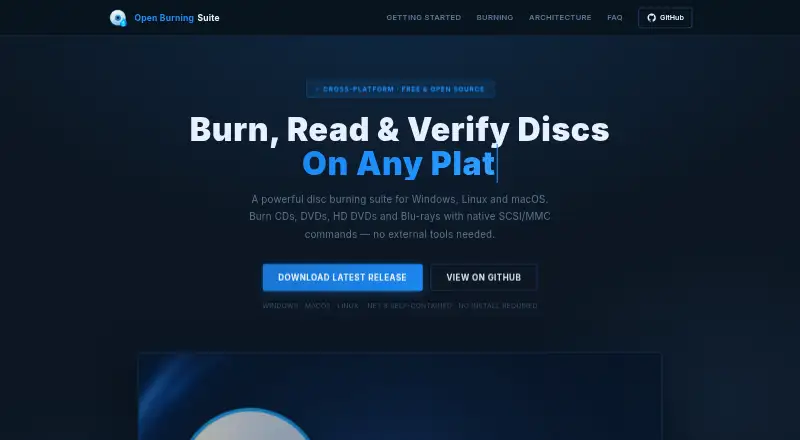
What Open Burning Suite is
Open Burning Suite is a free application for burning, reading, building, and verifying CD, DVD, HD DVD, and Blu-ray discs on Linux, macOS, and Windows. It communicates with optical drives through native SCSI/MMC commands and supports TAO, SAO, DAO, and RAW burning, with simulation, overburn, and multi-copy options. From files and folders, it can create ISO 9660, Joliet, UDF, Rock Ridge, and HFS+ images. Verification checks can use CRC32, MD5, SHA-1, SHA-256, or SHA-512. Presets cover consoles including PlayStation, PSP, GameCube, Wii, Dreamcast, Saturn, and Xbox. The suite can create audio CDs with CD-TEXT and author DVD-Video and Blu-ray discs; video authoring requires FFmpeg. Disc images can be password-protected using AES-256-CBC encryption, PBKDF2 key derivation, and HMAC-SHA256 integrity verification. Burning, reading, and verification require a physical optical drive and platform-specific permissions. Reading and extracting CHD images requires chdman v0.287 or later. The project uses the BSD 2-Clause license and directs users to GitHub to report issues.
Good
- Supports CD, DVD, HD DVD, and Blu-ray.
- Offers multiple burning modes and image formats.
- Verifies several checksum types.
- Free and released under BSD 2-Clause.
Watch out
- Requires a physical optical drive.
- Direct hardware access needs platform permissions.
- Video authoring requires FFmpeg.
- CHD extraction requires chdman v0.287 or later.
Who it suits
It suits users who work with optical discs on Linux, macOS, or Windows and want disc creation, reading, and verification tools. Console presets and audio or video authoring may also suit users preparing those disc types.
Verdict
Open Burning Suite covers optical-disc burning, image creation, and verification across three desktop operating systems. Users should check the required hardware, permissions, and optional tools for the tasks they plan to perform.
Plans and prices
From Open Burning Suite's own pricing page, checked 29 Sep 2026.
| Plan | Price | What it gives you |
|---|---|---|
| Free | Free | Free and open source · BSD 2-Clause license |
The facts
Each one read from Open Burning Suite's own pages, with the date it was checked.
What it does
- Audio and video
- It creates audio CDs with CD-TEXT and authors DVD-Video and Blu-ray discs; FFmpeg is required for video authoring.checked 29 Sep 2026
- Burning features
- Burning supports TAO, SAO, DAO, and RAW modes, plus simulation, overburn, and multi-copy.checked 29 Sep 2026
- Direct drive access
- It communicates with optical drives using native SCSI/MMC commands.checked 29 Sep 2026
- Disc imaging
- It creates ISO 9660, Joliet, UDF, Rock Ridge, and HFS+ images from files and folders.checked 29 Sep 2026
- Encryption
- Disc images can be password-protected with AES-256-CBC encryption, PBKDF2 key derivation, and HMAC-SHA256 integrity verification.checked 29 Sep 2026
- Gaming
- Built-in presets cover consoles including PlayStation, PSP, GameCube, Wii, Dreamcast, Saturn, and Xbox.checked 29 Sep 2026
- Hardware and permissions
- Burning, reading, and verification require a physical optical drive and platform-specific permissions for direct hardware access.checked 29 Sep 2026
- Integrity checks
- Verification supports CRC32, MD5, SHA-1, SHA-256, and SHA-512 checksums.checked 29 Sep 2026
- License
- The application is released under the BSD 2-Clause license.checked 29 Sep 2026
- Optional tools
- FFmpeg is required for video authoring, and chdman v0.287 or later is required to read and extract CHD images.checked 29 Sep 2026
- Purpose
- Open Burning Suite burns, reads, builds, and verifies CD, DVD, HD DVD, and Blu-ray discs.checked 29 Sep 2026
- Support
- The documentation directs users to GitHub to report issues.checked 29 Sep 2026
The full review of Open Burning Suite
Overview
Open Burning Suite is a free, open-source utility for working with optical discs and disc images. It suits users who still burn or read physical media, especially those who need image creation and verification alongside disc writing. Its broad format and workflow coverage is useful, but physical-drive tasks depend on compatible hardware and direct-access permissions.
Key features
Burning and image creation
The suite writes CDs, DVDs, HD DVDs, and Blu-ray discs in TAO, SAO, DAO, and RAW modes, with simulation, overburn, and multi-copy options. That range helps users tailor a burn or prepare several copies; simulation is useful before committing a blank disc. Building images from files and folders supports ISO 9660, Joliet, UDF, Rock Ridge, and HFS+. Image conversion, bootable media, and formats including BIN/CUE, CHD, CCD/IMG/SUB, TOC/BIN, NRG, MDF/MDS, IMG, CDI, XISO, VCD, SVCD, XSVCD, and OBS Encrypted broaden its role beyond straightforward ISO creation.
Verification, console presets, and media authoring
CRC32, MD5, SHA-1, SHA-256, and SHA-512 checksums give users several options for checking disc or image integrity. Built-in presets cover PlayStation, PSP, GameCube, Wii, Dreamcast, Saturn, and Xbox, making the suite a more natural fit for console-disc workflows than a narrowly focused image builder.
It can create audio CDs with CD-TEXT and author DVD-Video and Blu-ray discs. Video authoring requires FFmpeg, while reading and extracting CHD images requires chdman v0.287 or later. These dependencies are manageable for users who already have the tools, but add setup for anyone expecting every workflow to work unaided. Disc images can also be password-protected using AES-256-CBC encryption, PBKDF2 key derivation, and HMAC-SHA256 integrity verification.
Pricing
Open Burning Suite has one Free plan at no cost. It is free and open source under the BSD 2-Clause license, with no paid tier or seat limits stated. The plan includes disc burning, image conversion, bootable media, and checksum verification, so users do not have to trade away those capabilities for a cheaper edition.
Platforms
The application supports Linux, macOS, and Windows. Burning, reading, and verification require a physical optical drive and platform-specific permissions for direct hardware access. It is therefore a poor fit for a device without an optical drive or for users unable to grant the required access.
Who it's for
Choose Open Burning Suite if you need a cross-platform toolkit for physical-disc work, broad image-format handling, checksum verification, or console-related presets. It is less suitable if you only need to create an ISO without a physical-drive workflow, or if you want video authoring without installing FFmpeg.
Pros and cons
- Pro: Burning, image creation, conversion, bootable media, and verification sit in one free, open-source application, reducing the need to choose separate tools for those tasks.
- Pro: Support for multiple recording modes, checksum algorithms, and less common image formats serves varied disc workflows.
- Pro: Linux, macOS, and Windows support gives it a wider desktop reach than Windows-only alternatives.
- Con: Core operations on discs require a physical drive and permissions for direct hardware access, so image-only or restricted-device users will not get the full benefit.
- Con: Video authoring and CHD reading or extraction rely on separate tools, adding setup beyond the suite itself.
Alternatives
ISO Creation Software is a useful place to compare tools when image creation, rather than a full optical-disc workflow, is the priority.
Disc Studio is another free option for Windows users; it offers personal and commercial use without ads, an account, or a trial clock.
AnyBurn is worth considering on Windows if you want a free plan that includes disc burning, audio CD ripping, image-file tools, and bootable USB creation.
SysTools ISO Creator may suit Windows or macOS users focused on ISO work; its free version limits large ISO files and saving edited or bootable ISOs, while the Full Version starts at $29, paid once.
ImgBurn is a free alternative for users considering a Windows disc-burning application, with Linux also listed as a platform.
AnyToISO is another macOS and Windows option, with a Standard Pro License for Windows at $22.95, paid once.
InfraRecorder is a free Windows CD/DVD burning alternative marked as beta.
Express Burn is a freemium alternative for macOS and Windows.
UltraISO is a paid Windows alternative at $29.95, paid once; its unregistered version has a 300MB document limit.
Verdict
Open Burning Suite is a strong fit for users who need a free, cross-platform toolkit for burning, image work, and verification, particularly where console presets or less common formats matter. Its breadth is the main reason to choose it; the need for an optical drive and permissions, plus optional dependencies for some tasks, is the main reason to look elsewhere.
Alternatives to Open Burning Suite
- 1
Alcohol 52%
Free planWindows7.3$27 one-time - 2
Avidemux
Free planOpen sourceWebLinuxmacOSWindows7.3Free plan - 3

AnyBurn
Free planWindows7.1$39.95 one-time - 4
Express Burn
Free planmacOSWindows6.7From $34.99 a year - 5
Active@ ISO Manager
Free planWindows6.6Free plan - 6

SysTools ISO Creator
Free planmacOSWindows6.6$29 one-time