OCR.space
OCR.space converts images and PDF documents into editable text through an online OCR service and API, and can create searchable PDFs.
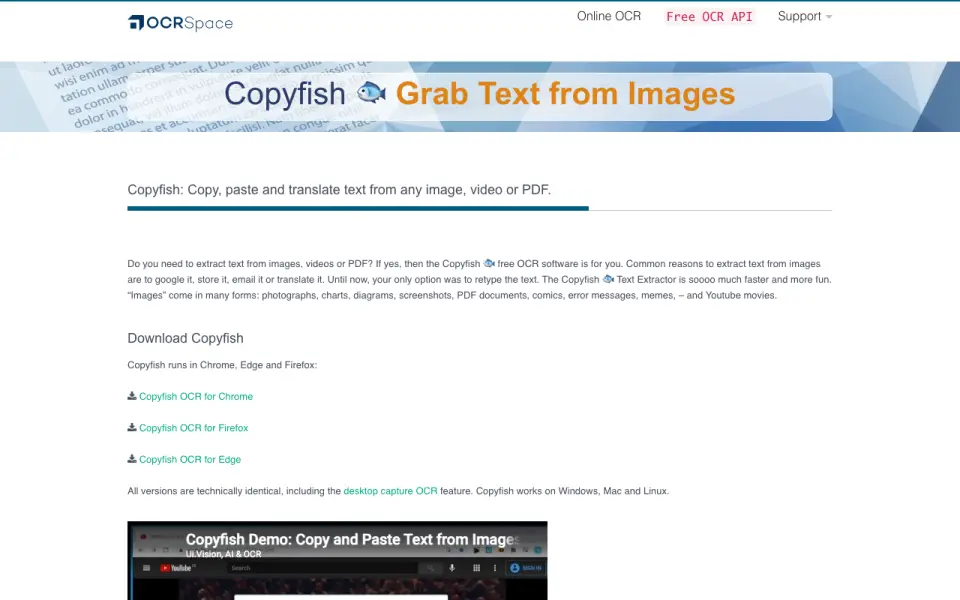
What OCR.space is
OCR.space converts images and PDF documents into editable text through an online OCR service and API, and can create searchable PDFs. Its browser-based OCR accepts JPG, PNG, GIF, and PDF files without registration. The API returns extracted text as JSON and supports images and multi-page PDFs. Three OCR engines are available: Engine 2 is the default, while Engine 3 supports handwriting, tables, and more than 200 languages. An `isTable` option is recommended for receipts, invoices, and other table-structured documents. The free plan costs nothing and allows 25,000 requests per month, with a 1 MB file limit, three PDF pages, and 500 requests per day per IP; searchable PDFs have a watermark. Engine 3 does not create searchable PDFs. OCR.space Local is a self-hosted option that runs offline, with license pricing available from sales.
Good
- Browser OCR accepts several image formats and PDFs
- API returns extracted text in JSON
- Engine 3 supports handwriting and tables
- Local option runs offline
Watch out
- Free plan limits files to 1 MB and three PDF pages
- Free searchable PDFs include a watermark
- Engine 3 cannot create searchable PDFs
- PRO costs $30 a month
Who it suits
OCR.space may suit people who need to extract text from images or PDFs, including handwriting or table content, through a web service or API. Organizations needing offline processing can consider OCR.space Local.
Verdict
OCR.space combines browser-based OCR, API access, and an offline self-hosted option. Compare the free plan's request and file limits with your document needs, especially if searchable PDFs or Engine 3 are important.
Plans and prices
From OCR.space's own pricing page, checked 14 Oct 2026.
| Plan | Price | What it gives you |
|---|---|---|
| Free | Free | 25,000 requests/month · 1 MB files · 3 PDF pages · searchable PDF with watermark |
| PRO | $30 a month | 300,000 requests/month · 5 MB files · 3 PDF pages · 100% uptime SLA or money back · monthly; cancel anytime |
| PRO PDF | $60 a month | 300,000 requests/month · 100 MB+ files · 999+ PDF pages · searchable PDF · monthly; cancel anytime |
| Enterprise | $999 a month | custom requests · 100 MB+ files · 999+ PDF pages · custom OCR fine tuning · starting at; contact sales |
| OCR.space Local | — | Self-hosted on-premise software · same features and API parameters as PRO PDF · runs locally and offline · One-time payment; contact sales for license pricing |
The facts
Each one read from OCR.space's own pages, with the date it was checked.
What it does
- API documentation
- Documentation includes GET and POST endpoints, parameter tables, response formats, searchable-PDF options, Postman collections, and code samples.checked 14 Oct 2026
- API inputs
- The API accepts remote URLs, multipart file uploads, or Base64-encoded images and PDFs.checked 14 Oct 2026
- API output
- The OCR API returns extracted text results in JSON format and supports image and multi-page PDF parsing.checked 30 Sep 2026
- API outputs
- API responses are returned as JSON and can include parsed text, processing status, and word-coordinate overlay data.checked 14 Oct 2026
- Availability
- The FAQ says the service is available 24/7, while the free plan has no uptime guarantee and PRO provides a 100% monthly uptime guarantee.checked 30 Sep 2026
- Cloud data handling
- Uploaded documents are deleted after processing; searchable PDF downloads remain available on OCR servers for 60 minutes before deletion.checked 30 Sep 2026
- Copyfish extension
- The related Copyfish extension extracts text from images, video, and PDFs and runs in Chrome, Edge, and Firefox on Windows, macOS, and Linux.checked 14 Oct 2026
- Copyfish licence
- Copyfish is published under the GPL open-source licence, while it uses OCR.space's API for recognition.checked 14 Oct 2026
- Editorial assessment
- iTechGuides gives OCR.space an editor score of 6.6/10 and positions it as an affordable general-purpose OCR API.checked 14 Oct 2026
- Engine 3 limits
- Engine 3 does not currently produce searchable PDFs, and its free plan includes 2,500 Engine 3 conversions in addition to the 25,000 Engine 1/2 conversions.checked 30 Sep 2026
- Funding information
- Crunchbase shows a9t9 software GmbH as private but does not expose a verified founded year or usable funding total on its public profile.checked 14 Oct 2026
- GDPR
- OCR.space states that its servers are located in the European Union and that the service complies with GDPR; a data-processing agreement is available to PRO PDF and Enterprise customers.checked 14 Oct 2026
- Image preprocessing
- Users can enable orientation detection, automatic rotation, and enlargement for low-DPI images.checked 14 Oct 2026
- Integrations and examples
- The API page provides examples for Postman, cURL, C#, iOS, Java for Android, Node.js, Python, C++/QT, Ruby, and JavaScript.checked 30 Sep 2026
- Licence: OCR.space
- An independent software directory describes OCR.space itself as proprietary software that is free to use.checked 14 Oct 2026
- Limit: file and page caps
- iTechGuides highlights that the free tier limits files to 1 MB and three PDF pages, while the PRO tier retains the three-page PDF limit.checked 14 Oct 2026
- Limit: handwriting and stylized text
- Koncile reports degraded results on handwriting, old documents, and highly stylized fonts, and says table output is formatted text rather than spreadsheet-ready fields.checked 14 Oct 2026
- Multi-page OCR
- The web service supports multi-page documents and multi-column text recognition.checked 14 Oct 2026
- Notable news: blog move
- OCR.space announced on 16 September 2026 that new team blog posts and release notes would move to its OCR API forum.checked 14 Oct 2026
The company
- Company headquarters
- The official about page lists the company's office at Zollhofgarten 2, Heidelberg, Germany, while Crunchbase lists Walldorf, Baden-Württemberg, Germany as headquarters.checked 14 Oct 2026
- Company identity
- OCR.space identifies itself as a service of a9t9 software GmbH.checked 14 Oct 2026
- Company registration
- CompanyHouse records a9t9 software GmbH's German registration entry on 27 October 2016 with €25,000 stated capital.checked 14 Oct 2026
- Company size
- Crunchbase lists a9t9 software GmbH as a private company with 1–10 employees.checked 14 Oct 2026
- Headquarters
- Heidelberg, Germanychecked 23 Sep 2026
The full review of OCR.space
OCR.space is an OCR service for turning images and PDFs into editable text through a browser or API, with an offline self-hosted edition for local deployments. It suits developers and teams that need OCR in a workflow, especially when searchable PDFs, document structure, or offline processing matter. Its broad access options and usable free quota are balanced by tight file and PDF limits on the cheaper plans.
Overview
The online OCR tool accepts JPG, PNG, GIF, and PDF files without registration, while the API returns extracted text in JSON and handles images and multi-page PDFs. The API also supports searchable PDF output. For organizations that cannot send documents to a hosted service, OCR.space Local runs offline on a PC, in a data center, or in virtualized and cloud environments such as AWS AMI or Microsoft Azure.
The service is based in Heidelberg, Germany, and its FAQ says it is available 24/7. That availability is not a promise on the free plan; PRO and PRO PDF instead include a 100% monthly uptime guarantee.
Key features
The three API engines give OCR.space useful range: Engine 2 is the default, while Engine 3 handles handwriting, tables, and more than 200 languages. Engine 3 is not the choice for searchable PDFs, which it cannot currently produce. For receipts, invoices, and other table-structured documents, the API's isTable option is recommended.
Searchable PDF generation is useful when scanned documents need to be searchable, but the free tier stamps those files with an “Generated by OCR.space” watermark. Engine 3 also has its own free-plan allowance of 2,500 conversions, separate from the 25,000 Engine 1/2 conversions.
OCR.space says uploaded documents are deleted after processing; searchable PDF downloads remain on its servers for 60 minutes before deletion. It says it is GDPR compliant, and PRO PDF and Enterprise users can obtain a signed GDPR data processing agreement at no extra cost. API examples cover Postman, cURL, C#, iOS, Java for Android, Node.js, Python, C++/QT, Ruby, and JavaScript. Support is offered by contact form, email, and a community forum monitored by tech support and OCR developers.
Pricing
| Plan | Price | What it includes |
|---|---|---|
| Free | free | 25,000 requests/month, 1 MB files, 3 PDF pages, 500 requests/day per IP, and searchable PDFs with a watermark. |
| PRO | $30 a month | 300,000 requests/month, 5 MB files, 3 PDF pages, 100% monthly uptime guarantee, and priority tech support. A yearly pre-paid option offers a 20% discount. |
| PRO PDF | $60 a month | 300,000 requests/month, 100 MB+ files, 999+ PDF pages, 100% monthly uptime guarantee, and priority tech support. A yearly pre-paid option offers a 20% discount. |
| Enterprise | $999 a month | Starting at US$ 999/month, with a quote; custom requests, 100 MB+ files, 999+ PDF pages, custom OCR fine tuning, and unlimited conversions limited by hardware capacity. |
| OCR.space Local | Custom pricing | One-time payment; self-hosted on-premise software with the same features and API parameters as PRO PDF, running locally and offline. |
The free plan is a practical starting point for modest workloads, but its 1 MB file cap, three-page PDFs, per-IP daily ceiling, and watermarked searchable output can rule it out for production document processing. PRO raises the monthly quota substantially and adds guaranteed uptime and priority support, yet keeps the same three-page PDF limit as Free. PRO PDF is the meaningful step up for large scans: its 100 MB+ file and 999+ page allowance address the bottleneck PRO leaves in place. Enterprise is aimed at custom, hardware-scale needs rather than ordinary usage. Local is the fit when offline operation is essential; contact sales for license pricing.
Platforms
OCR.space supports Android, iOS, Linux, macOS, Windows, web, API, and self-hosted use. That mix accommodates browser-based conversions, application integrations, and local deployments; it is particularly useful for teams that need more than one way to access OCR.
Who it's for
Choose OCR.space if you need an approachable browser tool alongside an API, or want to automate image and PDF extraction without building around a single OCR engine. It is also a strong fit for receipt and invoice workflows that benefit from table-aware processing, and for organizations that need an offline installation. It is less compelling when large PDFs are central but the budget only stretches to PRO, or when free searchable PDFs must be unbranded.
Pros and cons
- Pro: Browser OCR works without registration, and the API offers JSON output, multiple engines, and searchable PDF creation.
- Pro: Engine 3 covers handwriting, tables, and more than 200 languages, with a separate free conversion allowance.
- Pro: Local runs offline, a useful option for deployments that cannot rely on hosted processing.
- Con: Free use is constrained by a 1 MB API file limit, three-page PDFs, and 500 requests per day per IP.
- Con: Free searchable PDFs carry a watermark, and Engine 3 cannot create searchable PDFs.
- Con: PRO costs $30 a month but still caps PDFs at three pages, making PRO PDF the relevant tier for long documents.
Alternatives
Tesseract OCR is a free, open-source engine under the Apache License 2.0 for readers who want a self-hostable OCR engine rather than OCR.space's hosted service and paid PDF tiers. OCRmyPDF is free self-hosted software for Linux, macOS, Windows, and API use, but depends on external OCR and PDF tools. PaddleOCR is worth comparing for its official API free tier, which allows 20,000 document pages daily.
Veryfi Invoices OCR API is an alternative for invoice-focused workflows, with a Starter plan at $500 a month and a $500/mo minimum commitment. Mistral OCR offers API and self-hosted options, with OCR processing at $4 a month per 1,000 pages. EasyOCR is a free option for Windows, Linux, and macOS. Kraken is a free option for Linux and macOS. Asprise OCR SDK is a paid SDK with a free trial for Linux, macOS, self-hosted, and Windows use.
Browse more options in OCR API Software or PDF API Software.
Verdict
OCR.space is a strong choice for developers and teams seeking one service for browser OCR, API-based extraction, searchable PDFs, and optional offline deployment. Its free plan makes evaluation accessible, while PRO PDF is the sensible paid tier for substantial PDFs. Look elsewhere if you need long PDFs on a lower subscription or unwatermarked searchable output without paying.
Getting started
- Open OCR.space for browser OCR, which works without registration, or review the API options.
- Choose a plan: Free, PRO, PRO PDF, or Enterprise; contact sales for OCR.space Local licensing.
- Upload a JPG, PNG, GIF, or PDF to the web OCR, or use the API examples for your programming environment.
- For table-structured documents, use the API’s `isTable` option.
- For offline use, contact sales about OCR.space Local licensing.
Limits worth knowing
The free plan includes 25,000 Engine 1/2 requests per month and 2,500 Engine 3 conversions. It limits files to 1 MB and PDFs to 3 pages, caps use at 500 requests per day per IP, and adds a watermark to searchable PDFs; Engine 3 does not produce searchable PDFs.
Questions
Is OCR.space free?
Yes. Its Free plan costs nothing. The online OCR service also works without registration.
What do the paid plans cost?
Yearly pre-paid options for PRO and PRO PDF have a 20% discount.
What file types can the web OCR accept?
It accepts JPG, PNG, GIF, and PDF files. The free web tool has a 5 MB per-document limit.
Can OCR.space recognize handwriting and tables?
Engine 3 supports handwriting and tables, and more than 200 languages. The API also offers an `isTable` option recommended for receipts, invoices, and other table-structured documents.
Can I run OCR.space offline?
OCR.space Local is self-hosted software that runs locally and offline. It can be installed on a PC, in a data center, or in virtualized and cloud environments.
What happens to uploaded documents?
Uploaded documents are deleted after processing. Searchable PDF downloads remain on OCR servers for 60 minutes before deletion.
Alternatives to OCR.space
- 1
Zamzar API
Free planAndroidiOSWebAPI8.2From $25 a month - 2
easyPDF Cloud API
Free planAndroidiOSWebAPI8.0From $3.99 a month - 3
 7.6From €5 a month
 - 4
 7.5From $29 a month
 - 5
HTML2PDF Rocket
Free planAndroidWebAPILinux7.5From $5 a month - 6
 7.2From $8.99 a month