Kraken
Kraken is a free, open-source automatic text recognition system for historical documents and writing in non-Latin scripts.
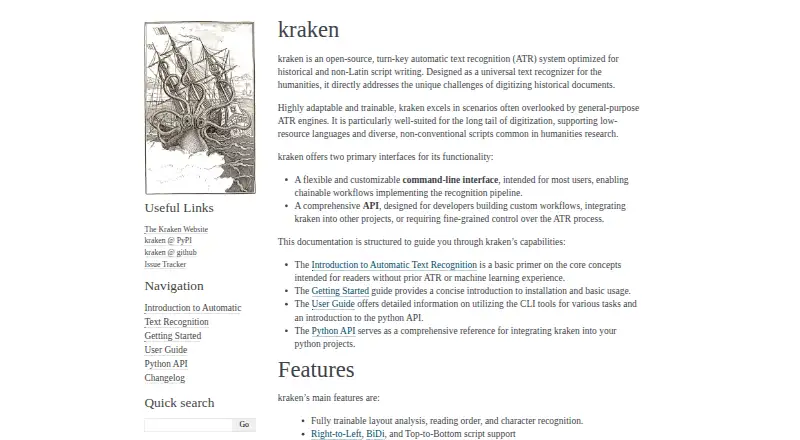
What Kraken is
Kraken is a free, open-source automatic text recognition system for historical documents and writing in non-Latin scripts. It is aimed at humanities digitization, including work with low-resource languages and diverse scripts. The system supports trainable layout analysis, reading order, and character recognition, with right-to-left, bidirectional, and top-to-bottom text directions. It can produce ALTO, PageXML, abbyyXML, and hOCR output, including word bounding boxes and character cuts. Kraken offers a customizable command-line interface and a Python API for segmentation, recognition, forced alignment, and custom workflows. A plugin system allows developers to add commands, model types, and tasks. Processing requires a model; Kraken provides a public repository of freely available models, and documentation recommends using one trained on similar material. It runs on Linux and macOS, supports Python 3.10 through 3.13, and direct PDF or multi-image TIFF/JPEG2000 input requires the PDF extras package. Listed integrations include eScriptorium, OCR4all, OCR-D, and arkindex by Teklia.
Good
- Supports right-to-left, bidirectional, and vertical scripts.
- Trainable layout analysis, reading order, and recognition.
- Outputs include ALTO, PageXML, abbyyXML, and hOCR.
- Free model repository and extensible plugin system.
Watch out
- Document processing requires a model.
- Direct PDF and multi-image input requires PDF extras.
- Listed platforms are Linux and macOS.
Who it suits
Kraken suits humanities researchers and digitization teams working with historical documents, low-resource languages, or less conventional scripts. Developers can use its Python API and plugin system to build custom workflows.
Verdict
Kraken is oriented toward document recognition projects that need support for historical material and varied writing directions. Its model requirement and optional input package are worth accounting for when setting up a workflow.
The facts
Each one read from Kraken's own pages, with the date it was checked.
What it does
- Configuration
- Kraken supports configurable recognition through a network specification language and a plugin system.checked 5 Oct 2026
- Extensibility
- Kraken’s plugin system lets developers add commands, model types, and tasks through Python entry points.checked 4 Oct 2026
- Handwriting OCR
- Yeschecked 23 Sep 2026
- Installation
- The documentation says Kraken can be installed on Linux or Mac OS X, on x64 and ARM, using pip or Anaconda.checked 5 Oct 2026
- Integrations
- The documentation lists eScriptorium, OCR4all, the OCR-D suite, and arkindex by Teklia as applications or suites integrated with Kraken.checked 5 Oct 2026
- Intended users
- Kraken is designed for humanities digitization, including work with low-resource languages and diverse, non-conventional scripts.checked 4 Oct 2026
- Interfaces
- Kraken provides a customizable command-line interface and an API for building custom workflows and integrating it into other projects.checked 5 Oct 2026
- Layout and recognition
- Kraken supports trainable layout analysis, reading order, and character recognition.checked 5 Oct 2026
- License and development
- Kraken is provided under the Apache 2.0 License and is developed at Inria and École Pratique des Hautes Études, Université PSL.checked 4 Oct 2026
- Model repository
- Kraken provides a public repository of freely available models, accessed through its command-line tools.checked 4 Oct 2026
- Model requirement
- Kraken requires a model for document processing, and the documentation says a model trained on similar material performs best.checked 4 Oct 2026
- Models
- Kraken provides a public repository of model files through HTRMoPo.checked 5 Oct 2026
- Optional input support
- Direct PDF and multi-image TIFF/JPEG2000 support requires installing the PDF extras package.checked 4 Oct 2026
- Output formats
- Kraken can output ALTO, PageXML, AbbyyXML, and hOCR.checked 5 Oct 2026
- Product
- Kraken is an open-source, turn-key automatic text recognition system optimized for historical and non-Latin-script writing.checked 5 Oct 2026
- Purpose
- Kraken is an open-source automatic text recognition system optimized for historical documents and non-Latin scripts.checked 4 Oct 2026
- Python API
- The Python API includes task-oriented classes for segmentation, recognition, and forced alignment.checked 4 Oct 2026
- Recognition details
- Kraken supports word bounding boxes and character cuts.checked 5 Oct 2026
- Script direction
- Kraken supports right-to-left, bidirectional, and top-to-bottom scripts.checked 5 Oct 2026
- Script directions
- Kraken supports right-to-left, bidirectional, and top-to-bottom scripts.checked 4 Oct 2026
- Support
- The project welcomes feedback, pull requests, bug reports, and feature suggestions through its GitHub repository.checked 5 Oct 2026
- Supported inputs
- bothchecked 23 Sep 2026
Money
- Free plan
- Yeschecked 23 Sep 2026
Where it runs
- Primary platform
- desktopchecked 23 Sep 2026
Alternatives to Kraken
- 1

Veryfi Invoices OCR API
Free planAndroidiOSWebAPI8.2From $500 a month - 2
OCR.space
Free planAndroidiOSWebAPI8.1From $30 a month - 3

Amazon Textract AnalyzeExpense
Free planWebAPISelf-hosted7.6From $0.01 a month - 4
 7.2From $8.99 a month
 - 5
Tesseract OCR
Free planAndroidiOSAPILinux7.2Free plan - 6

Taggun
WebAPI7.1From $28 a month