Modern Campus CMS
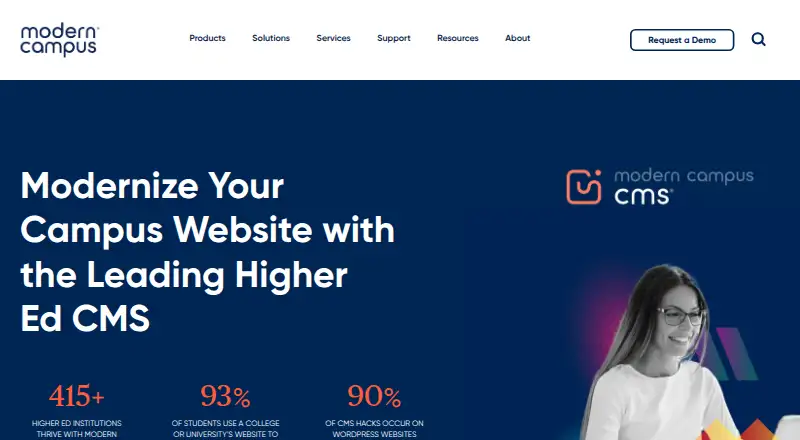
Modern Campus CMS is a hosted web content management system marketed exclusively for higher education.
What Modern Campus CMS is
Modern Campus CMS is a hosted web content management system marketed exclusively for higher education. It provides editorial workflows, custom user roles, SEO tools, a media library, and custom content types. Editors can work with WYSIWYG tools, drag-and-drop interfaces, forms, and surveys, while Layout Builder gives non-technical users low-code page creation and management tools. Publishing workflows and health checks support review before pages go live. The CMS can automatically test content accessibility against WCAG 2.2 and supports on-brand webpages and search-optimized blog posts. Modern Campus describes cloud-based operation with publishing to institution production servers; users access the CMS through a browser. Hosting includes DDoS protection, a web application firewall, and regular operating system patches. Authentication options include LDAP, CAS, Shibboleth, and SAML 2.0 SSO with several validated identity providers. Pricing is available on request. Modern Campus no longer sells its self-hosted CMS, though it continues supporting existing self-hosted customers. An August 2026 release added AI assistance for checking and improving page titles and descriptions, requiring an institution OpenAI API key.
Good
- Automated accessibility checks against WCAG 2.2
- Workflow management and page health checks before publishing
- Low-code page building for non-technical users
- Hosting includes DDoS protection and a web application firewall
- Supports LDAP, CAS, Shibboleth, and SAML 2.0 SSO
Watch out
- Pricing is available on request
- Modern Campus no longer sells the self-hosted CMS
- AI title and description assistance requires an institution OpenAI API key
Who it suits
Modern Campus CMS is for higher education institutions that need workflows, page creation tools, accessibility checks, and publishing support. It may suit teams that want cloud-based CMS operation and institution-server publishing.
Verdict
Modern Campus CMS centers on higher-education publishing, with workflow review, accessibility checks, and multiple authentication options. Institutions considering it should note that pricing requires a request and self-hosted sales have ended.
The facts
Each one read from Modern Campus CMS's own pages, with the date it was checked.
What it does
- Accessibility
- The product page says the CMS supports automated accessibility testing against WCAG 2.2.checked 30 Sep 2026
- Audience
- Modern Campus says its technology is built exclusively for higher education.checked 29 Sep 2026
- Authentication
- The CMS supports LDAP, CAS, and Shibboleth authentication, and its SAML 2.0 SSO has been validated with Shibboleth, Microsoft Azure AD, ADFS, SecureAuth, OneLogin, and Okta.checked 30 Sep 2026
- CMS modules
- The product page lists CMS Snap Connectors, CMS Modules, and Managed Services as ways to extend CMS capabilities.checked 29 Sep 2026
- Custom content types
- Yeschecked 23 Sep 2026
- Custom user roles
- Yeschecked 23 Sep 2026
- Data integrations
- Personalization data can be imported from SIS or CRM systems such as Slate, Salesforce, and Ellucian using CSV, including automated uploads over SFTP.checked 30 Sep 2026
- Developer tools
- The product page says teams can use more than 500 APIs to extend CMS functionality.checked 30 Sep 2026
- Editing
- The product page describes WYSIWYG editors, drag-and-drop interfaces, and forms and survey tools for editing content.checked 29 Sep 2026
- Editorial workflows
- Yeschecked 23 Sep 2026
- Hosting
- Modern Campus says its CMS operates as a cloud-based solution and supports publishing to institution production servers.checked 30 Sep 2026
- Hosting security
- Modern Campus Hosting includes DDoS protection, a web application firewall, and regular operating system patches.checked 29 Sep 2026
- Marketing
- It supports creating on-brand webpages and blog posts optimized for search engines.checked 29 Sep 2026
- Media library
- Yeschecked 23 Sep 2026
- Modules
- Available modules include Calendar, Emergency Alerts, Forms, Insights, Personalization Advanced, and Website Search; modules are available for purchase.checked 30 Sep 2026
- Page creation
- Layout Builder lets non-technical users create and manage web pages using low-code tools.checked 30 Sep 2026
- Personalization
- Its Personalization engine can tailor dynamic content to visitor behavior, demographics, and interests.checked 30 Sep 2026
- Publishing
- The CMS includes workflow management and health checks before pages are published.checked 30 Sep 2026
- Publishing and workflows
- It offers workflow management and health checks before pages are published.checked 29 Sep 2026
- Purpose
- Modern Campus CMS is a web content management system designed for higher education institutions.checked 30 Sep 2026
Where it runs
- Browser access
- The CMS runs in a web browser and lists support for current Microsoft Edge, Firefox, Chrome, and macOS Safari browsers.checked 30 Sep 2026
- Platform type
- hostedchecked 23 Sep 2026
The company
- Company locations
- Modern Campus lists addresses in Toronto, Ontario, and Camarillo, California.checked 30 Sep 2026
- Headquarters address
- The company lists a Toronto, Ontario address on its contact page.checked 29 Sep 2026
The full review of Modern Campus CMS
Modern Campus CMS is a browser-based content management system designed specifically for higher-education institutions. It fits campus communications, marketing, and departmental teams that share publishing responsibility, while IT teams get identity integrations and extensive extension options. The main appeal is controlled, accessible publishing at institutional scale; the main caveat is that new self-hosted deployments are no longer sold.
Overview
Modern Campus CMS combines page creation, governance, and higher-education-focused services in a hosted platform. Workflow management, approval steps, and pre-publication health checks give institutions a way to coordinate content before it reaches production servers. Custom user roles are useful when many departments contribute but should not all have identical permissions.
The system runs in a web browser and supports current Microsoft Edge, Firefox, Chrome, and macOS Safari on macOS. Modern Campus describes cloud operation with publishing to institution production servers. Hosting includes DDoS protection, a web application firewall, and regular operating-system patches, reducing infrastructure work for campus IT. Existing self-hosted customers continue to receive support, but institutions planning a new self-hosted purchase need another product.
Key features
WYSIWYG editors, drag-and-drop interfaces, forms, surveys, and the low-code Layout Builder let non-technical staff create and maintain pages without making every change a developer task. Custom content types and a media library support structured publishing, while SEO tools help teams produce search-optimized pages and blog posts with consistent institutional branding.
Automated accessibility testing checks content against WCAG 2.2 before publication, giving editors a practical checkpoint rather than leaving compliance to a final manual review. An August 2026 release added AI assistance for checking and improving page titles and descriptions. Institutions must provide their own OpenAI API key for that capability.
More than 500 APIs provide a substantial integration surface. CMS Snap Connectors, CMS Modules, and Managed Services extend the core system, with purchasable modules including Calendar, Emergency Alerts, Forms, Insights, Personalization Advanced, and Website Search. Personalization can adapt dynamic content to visitor behavior, demographics, and interests. Data can be imported from SIS or CRM systems such as Slate, Salesforce, and Ellucian through CSV, including automated SFTP uploads.
Authentication supports LDAP, CAS, and Shibboleth, along with SAML 2.0 single sign-on and several validated identity providers. Engagement analytics, automated campaigns, SMS outreach, and risk alerts broaden the platform beyond page publishing for institutions that want communications and audience response in the same environment.
Pricing
Modern Campus CMS uses paid, custom pricing; institutions must request a quote. No public seat, quota, trial, or renewal terms are provided, so buyers should budget for a sales process and confirm which modules, services, and AI-related requirements are included. Modules are purchased separately, making the final scope especially important for campuses that need Calendar, Forms, search, or advanced personalization.
Platforms
The hosted CMS is accessible through supported desktop browsers and is listed for Android, iOS, web, and API use. Modern Campus supports publishing to institution production servers. Self-hosted is not sold to new customers, although existing self-hosted installations remain supported.
Who it's for
This is a strong fit for colleges and universities coordinating content across departments, especially those needing approval workflows, WCAG 2.2 checks, campus-directory authentication, and integrations with student-information or CRM systems. Marketing and communications teams gain branded page and blog tools, while non-technical editors can work in Layout Builder. It is a poor fit for organizations outside higher education or for buyers whose priority is a newly deployable self-hosted CMS.
Pros and cons
Pros
- Higher-education focus: Workflows, identity options, support services, and SIS/CRM data paths align with campus operations.
- Governed publishing: Approval workflows, health checks, custom roles, and accessibility testing help control departmental contributions.
- Extensible platform: More than 500 APIs, custom content types, connectors, and purchasable modules accommodate varied institutional requirements.
- Secure hosted operation: DDoS protection, a web application firewall, and regular operating-system patches are included in Modern Campus Hosting.
Cons
- Custom pricing: Without a published price or plan limits, comparing total cost requires a sales conversation.
- Module costs can expand scope: Calendar, Forms, Insights, Website Search, and other modules are additional purchases.
- No new self-hosted sales: Institutions requiring a fresh self-managed installation must choose another CMS.
- AI setup requirement: Title and description assistance depends on an institution-supplied OpenAI API key.
Alternatives
For curriculum-specific planning, compare Atlas, which offers a free Standards plan, a free trial, and a $500 a year Public Atlas Site. OpenCurriculum suits smaller teams wanting a freemium web service, with free Teacher and Team plans capped by users, courses, and storage. Outcomap is another freemium option, offering a forever-free plan with one map and five AI generations or edits per month.
Choose ExamSoft when examination delivery is the priority. Ilios is worth considering for an open-source, community-based application with self-hosted support. CourseLoop provides a paid API and web offering. Kuali Curriculum Management is a paid alternative sold through a personalized demo. PeopleGrove Engagement Hub is a paid web platform with a free-plan option.
Verdict
Choose Modern Campus CMS if you are a higher-education institution that needs governed, accessible web publishing tied to campus authentication and data systems. Its workflows, WCAG 2.2 checks, extensibility, and hosted security make a coherent case for multi-department teams. Look elsewhere if you need transparent pricing, a simple freemium entry point, or a newly sold self-hosted deployment.
Alternatives to Modern Campus CMS
- 1
Enonic XP
Free planOpen sourceWebAPILinuxSelf-hosted9.0$990 usage-based - 2

CrafterCMS
Free planOpen sourceWebAPILinuxmacOS9.0Free plan - 3

Kiln
Free planOpen sourceWebAPISelf-hosted8.4From $4.99 a month - 4
Webflow CMS
Free planWebAPI8.3From $15 a month - 5
django CMS
Free planWebAPILinuxSelf-hosted8.3From $500 a year - 6

Tumblr
Free planAndroidiOSWeb8.3From $69.99 a year