OpenCurriculum
OpenCurriculum is a web-based curriculum planning tool for building lessons and units with an editor and a library of teaching materials.
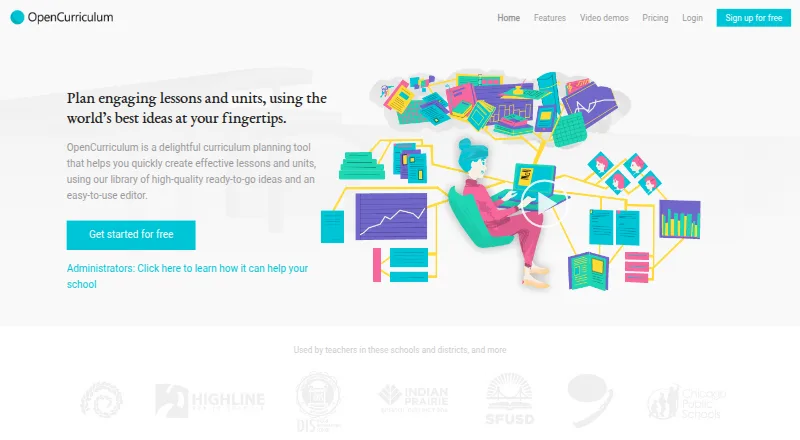
What OpenCurriculum is
OpenCurriculum is a web-based curriculum planning tool for building lessons and units with an editor and a library of teaching materials. The library contains lessons, strategies, activities, formative assessments, discussion questions, and worksheets. Courses, units, and lessons can be viewed in planner, calendar, and academic-term layouts. A standards picker supports national or state standards and school-created learning targets. Collaboration features include sharing permissions, department or PLC Groups, material Libraries, and school-wide search. The site lists Google Drive and Google Calendar integration, as well as reporting on standards, planning processes, vocabulary, learning objectives, and assessments. School leaders can use custom templates, learning outcomes, course catalogs, and activity templates. The free Teacher plan covers one user and 10 courses; the free Team plan supports up to 10 users and 50 courses. The School plan costs $5 per user per month, with a 10-user minimum and unlimited courses. Network pricing is custom. OpenCurriculum describes itself as a nonprofit and offers paid features at no cost to eligible schools serving students affected by conflict, disaster, or extreme poverty who would otherwise go unserved.
Good
- Free Teacher and Team plans are available.
- Includes a library of teaching resources.
- Supports state, national, and school-created standards.
- Offers sharing, Groups, Libraries, and school-wide search.
- Eligible schools can receive paid features at no cost.
Watch out
- Teacher plan is limited to 10 courses.
- Team plan is limited to 50 courses.
- School plan requires at least 10 users.
- Network pricing is custom.
Who it suits
It suits individual teachers or curriculum designers, and can also support departments, schools, and larger educational networks. School leaders may value its templates, course catalogs, and planning reports.
Verdict
OpenCurriculum combines planning views, standards alignment, shared materials, and reporting for educators. The free plans have course and storage limits, while the School tier starts at $5 per user per month with a 10-user minimum.
Plans and prices
From OpenCurriculum's own pricing page, checked 15 Oct 2026.
| Plan | Price | What it gives you |
|---|---|---|
| Free | Free | up to 3 courses · unlimited units per course · up to 3 libraries · fully featured planner |
| Teacher | Free | 1 user · 10-course limit · 200 MB storage |
| Team | Free | up to 10 users · 50-course limit · 1.5 GB total storage |
| School | $5 a month | 10–200 users · unlimited courses · unlimited libraries · 1 GB storage per user · per user, per month; minimum 10 users |
| Personal | $15 a month | unlimited courses and libraries · collaboration with free-tier users · 3-business-day email support · monthly |
| Bronze implementation | $500, paid once | technology and materials review · implementation roadmap · one-time; included in District plan |
| District | $1,250 a month | unlimited users · unlimited courses and libraries · custom URL · branded interface · Insights analytics · monthly |
| Silver implementation | $3,000, paid once | Bronze review · API access for self-importing · import of 200 pages and 2,000 files · one-time |
| Basic training | $5,000, paid once | 3-hour virtual or dedicated administrator training · 2-day onsite summit for up to 60 participants · one-time |
| Network | Priced on request | More than 200 users · Unlimited courses · 1 GB per user files storage · Discounted bulk pricing · Custom pricing, based on your needs |
| Gold implementation | Priced on request | custom quote |
The facts
Each one read from OpenCurriculum's own pages, with the date it was checked.
What it does
- Address
- The site lists a mailing address at 3740 Cedargate Way, Sacramento, CA 95834, USA.checked 29 Sep 2026
- Alignment insights
- Insights analyzes curriculum alignment and identifies gaps and opportunities.checked 15 Oct 2026
- API access
- API access for self-importing is sold as part of the Silver implementation option.checked 15 Oct 2026
- API roadmap
- A 2013 company post describes a planned developer API for OER objects, native content types, and external URLs, but gives no current public endpoint or SDK.checked 15 Oct 2026
- Collaboration
- The platform supports likes, replies, discussion threads, notifications, and shared curriculum communication.checked 15 Oct 2026
- Content licence
- OpenCurriculum’s terms generally license site content under Creative Commons Attribution-ShareAlike 4.0, with separately licensed material excluded.checked 15 Oct 2026
- Curriculum insights
- The site says reporting features track standards, planning processes, vocabulary, learning objectives, and assessments across plans.checked 29 Sep 2026
- Eligibility offer
- The site says all paid features are free for schools serving students in conflict-, disaster-, or extreme-poverty-affected areas who would otherwise go unserved.checked 29 Sep 2026
- Exports
- Users can download plans as Word or PDF files and export curricula in an open format.checked 15 Oct 2026
- Flow documentation
- Flow’s repository includes setup steps, environment variables, Firebase collections, emulator commands, and a development server command.checked 15 Oct 2026
- Flow extensibility
- Flow supports LTI 1.3, embeddable iframe blocks, and click-based interactive events.checked 15 Oct 2026
- Flow licence status
- The Flow repository calls itself open source but says it has not selected an open-source licence.checked 15 Oct 2026
- Imports
- OpenCurriculum describes importing Word, PDF, Excel, ZIP, and CSV curriculum materials.checked 15 Oct 2026
- Independent description
- A Carnegie Mellon recruiting PDF described OpenCurriculum as a GitHub-like system for communities to create and share K–12 curriculum materials.checked 15 Oct 2026
- Independent Flow description
- A Tools Competition report described OpenCurriculum Flow as a free, open-source learning-science experiment builder with vetted curricula, A/B testing, RCT support, code-free authoring, and shareable datasets.checked 15 Oct 2026
- Independent technical scope
- The same Carnegie Mellon document described planned Python infrastructure with concurrency management, Git-like revision control, and user profiles and feeds.checked 15 Oct 2026
- Integrations
- The plan matrix lists Google Drive and Google Calendar integration, while district pages also mention Dropbox links and LMS use.checked 15 Oct 2026
- Intended users
- The listed plans target individual teachers or curriculum designers, small schools and departments, schools and colleges, and larger school districts or university clusters.checked 29 Sep 2026
- Legal status
- The maker identifies itself as OpenCurriculum, Inc., a 501(c)(3) nonprofit organization.checked 15 Oct 2026
- Limit: review evidence
- Trustburn states that company information is unverified and that OpenCurriculum has not responded to negative reviews; the page contains no detailed negative product review.checked 15 Oct 2026
- Mission
- OpenCurriculum says its mission is to bring openness and innovation to K–12 curriculum worldwide.checked 15 Oct 2026
The company
- Company facts
- LinkedIn lists OpenCurriculum as a nonprofit founded in 2011, headquartered in Mountain View, California, with 2–10 employees.checked 15 Oct 2026
- Headquarters
- Sacramento, California, USAchecked 23 Sep 2026
Money
- Curriculum planning
- The district product supports collaborative creation of curriculum plans and maps.checked 15 Oct 2026
The full review of OpenCurriculum
OpenCurriculum is a web-based workspace for planning curriculum, aligning it to standards, and sharing teaching materials. It suits educators and school leaders who want course planning and coordination in one place. Its broad planning and reporting scope is compelling, but free-plan course caps and the School tier’s 10-user minimum affect how well it fits smaller or larger teams.
Overview
OpenCurriculum connects lesson and unit creation with standards alignment, shared materials, and curriculum reporting. Teachers can work at the lesson level, while school leaders can shape shared templates, outcomes, course catalogs, and activity templates around a school’s learning model. That range makes it relevant to institutional planning as well as individual preparation, though the free tiers may constrain a growing course catalog.
The organization describes itself as a 501(c)(3) nonprofit. Schools serving students affected by conflict, disaster, or extreme poverty who would otherwise go unserved can receive all paid features for free.
Key features
Planning and materials
Planner, calendar, and semester or academic-term views let educators follow courses, units, and lessons from different planning horizons. The library holds hundreds of lessons, strategies, activities, formative assessments, discussion questions, and worksheets contributed by teachers, researchers, and publishers. This can give educators a starting point for planning, while the editor supports building their own lessons and units.
Standards and collaboration
A standards picker supports national and state standards as well as school-created learning targets, so plans can be aligned to local priorities as well as broader frameworks. Sharing permissions, department or PLC Groups, Libraries for cataloging materials, and school-wide search support coordinated work; these features are most useful when teams need a shared curriculum rather than isolated personal plans.
Reporting and integrations
Reporting tracks standards, planning processes, vocabulary, learning objectives, and assessments across plans. That gives teams and leaders a way to review curriculum activity beyond individual lesson documents. Google Drive and Google Calendar integration are included in the plan comparison, and curriculum exports are available as PDF.
Pricing
OpenCurriculum is freemium, with free Teacher and Team plans and paid institutional tiers. The free plans are useful entry points, but their course and storage caps matter if educators plan to maintain a substantial shared catalog.
- Teacher: free for one user, with a 10-course limit and 200 MB file storage. It fits an individual teacher or curriculum designer with a modest course load.
- Team: free for up to 10 users, with a 50-course limit and 1.5 GB total file storage. It offers a no-cost way for a small school or department to collaborate, but the shared storage and course ceiling may constrain expansion.
- School: $5 a month, billed $5 / user, per month, with a 10-user minimum and capacity for up to 200 users. It includes unlimited courses and 1 GB per user of file storage, making it the paid fit for schools and colleges that need room beyond the free course caps. The minimum commitment means it is less suited to a small group needing only a few paid seats.
- Network: custom pricing based on your needs for more than 200 users, with unlimited courses, 1 GB per user of file storage, and discounted bulk pricing. It is aimed at larger school districts or university clusters.
Teacher and Team receive general inquiries support; School includes three-day business email support, and Network includes priority support.
Platforms
OpenCurriculum runs on the web. Its standards library covers both national or state standards and school-created learning targets, and the curriculum levels span all levels.
Who it's for
Individual teachers and curriculum designers can start with Teacher, while small schools and departments can share the Team plan. Schools and colleges needing unlimited courses may find School a stronger fit if they can meet its 10-user minimum. Larger districts and university clusters are the intended audience for Network. The free paid-feature offer also makes the product relevant to qualifying schools serving students affected by conflict, disaster, or extreme poverty.
Pros and cons
- Pros: Planning views, standards alignment, shared libraries, and reporting bring curriculum work into a common workspace, which is useful for teams coordinating plans across courses.
- Pros: The free tiers let individual educators and small teams get started without a subscription, and School removes the course cap for institutions that need more scale.
- Cons: Teacher is capped at 10 courses and Team at 50, so maintaining a larger catalog requires moving to a paid tier.
- Cons: School requires at least 10 users at $5 / user, per month, which may be an awkward commitment for small departments.
Alternatives
For more options, browse Curriculum Management Software.
- Atlas is a paid web option with a free trial and a free Standards plan; consider it if a trial or standards-focused free entry tier is more important than OpenCurriculum’s free multi-user planning plans.
- Outcomap has a free web plan and a $90 annual Pro plan; choose it if a low-cost mapping tool with a free entry tier is a better match.
- Modern Campus CMS is a paid alternative available on web, Android, iOS, via API, and self-hosted.
- Ilios is a paid option with no free plan; its project describes the software as open-source and community-based.
- CourseLoop is a paid curriculum option available on web and via API.
- Kuali Curriculum Management uses personalized demos for pricing rather than a stated numeric price.
- PeopleGrove Engagement Hub is a paid web option with a free plan.
- Akari is a paid web curriculum-management option with custom pricing.
Verdict
OpenCurriculum is a strong choice for educators and institutions that want planning, standards alignment, shared materials, and reporting in a single workspace. Its free tiers make it accessible to individuals and small teams, while School offers unlimited courses for organizations able to commit to at least 10 seats. Look elsewhere if that minimum is too large for your team or the free course caps are too restrictive and a paid institutional tier is not practical.
Getting started
- Visit the OpenCurriculum website.
- Choose the Teacher or Team free plan, or review School and Network options.
- Create courses, units and lessons in the editor.
- Use the standards picker to align plans.
- Connect Google Drive or Google Calendar if needed.
Limits worth knowing
Teacher is limited to 10 courses, one user and 200 MB of file storage. Team is limited to 50 courses, up to 10 users and 1.5 GB total storage; School starts at 10 users and Network has custom pricing.
Questions
Does OpenCurriculum have a free plan?
Yes. Teacher and Team are listed as free.
How much does the School plan cost?
School costs $5 per user per month and has a 10-user minimum.
How much does Network cost?
Network uses custom pricing based on needs.
What platforms does OpenCurriculum support?
It is a web-based tool.
What integrations are listed?
The plan comparison lists Google Drive and Google Calendar integration.
Who makes OpenCurriculum?
OpenCurriculum describes itself as a 501(c)(3) nonprofit organization.