ExamSoft
ExamSoft is a digital assessment platform for creating, administering, and grading exams, then producing performance reports.
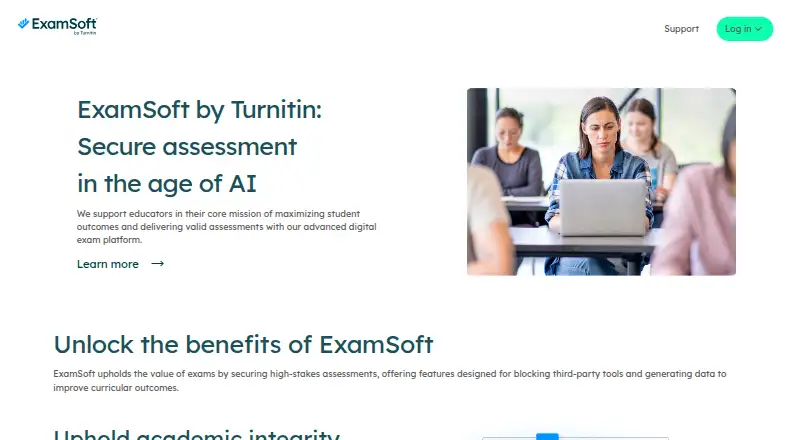
What ExamSoft is
ExamSoft is a digital assessment platform for creating, administering, and grading exams, then producing performance reports. Its Portal supports item banking, assessment authoring, scheduling, scoring, and reporting. Questions can be tagged for analysis, and reports include category and longitudinal performance views. Through Examplify, exam-takers can download assessment files ahead of time and complete exams offline. For assessments marked secure, the app restricts access to files and applications outside the assessment and deletes exam files from the device afterward. When enabled, ExamMonitor records video and audio during secure assessments for review of possible academic integrity breaches. Listed LMS integrations include Blackboard 9.1 and above, Canvas, D2L, and Moodle 2.9 and above; they can sync student and course data to ExamSoft and grades to the LMS GradeBook. ExamSoft serves higher and secondary education, including health sciences, law, business, and humanities, as well as organizations offering certification and licensure exams. Examplify is available for Windows, macOS, and iPad, but not Chromebooks, Android, or Linux. ExamSoft was founded in 1998 and acquired by Turnitin in 2020. Pricing is available on request.
Good
- Portal includes item banking, authoring, scheduling, scoring, and reporting.
- Examplify supports offline assessments after advance download.
- Reports include category and longitudinal performance views.
- Lists integrations with Blackboard, Canvas, D2L, and Moodle.
Watch out
- Examplify does not run on Chromebooks, Android, or Linux.
- Assessments cannot be downloaded on multiple devices.
- Pricing is available on request.
- Some integrations and services are add-ons.
Who it suits
ExamSoft suits schools and organizations that administer assessments, including higher and secondary education programs and certification or licensure providers. Its exam and reporting tools cover both offline assessment delivery and performance analysis.
Verdict
ExamSoft brings exam creation, delivery, grading, and reporting together, with offline delivery and optional remote proctoring. Check device compatibility and the customer order terms, since capabilities and add-ons vary.
Plans and prices
From ExamSoft's own pricing page, checked 7 Oct 2026.
| Plan | Price | What it gives you |
|---|---|---|
| ExamSoft Core Platform | Priced on request | Capabilities depend on the product and terms listed on the customer’s order form; some integrations and services are add-ons |
The facts
Each one read from ExamSoft's own pages, with the date it was checked.
What it does
- Analytics
- The portal provides item, assessment, exam-taker, category, and longitudinal reporting.checked 7 Oct 2026
- Assessment tools
- The ExamSoft Portal supports item banking, assessment authoring, scheduling, scoring, and reporting.checked 7 Oct 2026
- Audience
- ExamSoft serves programs in higher and secondary education and organizations that administer certification and licensure exams.checked 7 Oct 2026
- Biometric data
- When ExamID is used and the exam provider obtains consent, the privacy policy identifies facial-geometry data used for identity authentication as biometric data.checked 7 Oct 2026
- Core features
- The Core Platform includes an exam portal for item banking, assessment authoring, scheduling, scoring, and reporting, plus the Examplify assessment application.checked 7 Oct 2026
- Integrations
- ExamSoft lists LMS integrations with Blackboard 9.1 and above, Canvas, D2L, and Moodle 2.9 and above; these can sync student and course data to ExamSoft and grades to the LMS GradeBook.checked 7 Oct 2026
- Offline delivery
- Examplify delivers assessments offline, and secure assessments block access to other files, applications, and network access during the exam.checked 7 Oct 2026
- Offline exams
- Examplify delivers assessments offline after exam-takers download exam files before the scheduled exam.checked 7 Oct 2026
- Privacy and security
- The product privacy policy says ExamSoft uses technical, administrative, and physical safeguards and does not sell personal information.checked 7 Oct 2026
- Privacy and security practices
- ExamSoft says it uses technical, administrative, and physical safeguards, and hosts personal information in third-party data centers that use firewalls and encryption.checked 7 Oct 2026
- Purpose
- ExamSoft is a digital assessment platform for creating, administering, and grading exams and generating performance reports.checked 7 Oct 2026
- Question and reporting features
- Questions can be tagged for reporting, and the platform provides category and longitudinal performance reporting.checked 7 Oct 2026
- Remote proctoring
- When enabled, ExamMonitor records exam-takers’ video and audio during secure assessments for review of potential academic integrity breaches.checked 7 Oct 2026
- Security
- For assessments marked secure, Examplify restricts access to files and applications outside the app during the assessment, and exam files are deleted from the device after completion.checked 7 Oct 2026
- Single sign-on
- The product specifications list SSO, SAML, LDAP, and Shibboleth integrations as add-on options.checked 7 Oct 2026
- Support
- ExamSoft advertises 24/7 support for exam-makers and exam-takers, including phone support and help-center live chat.checked 7 Oct 2026
- Who it serves
- ExamSoft describes use in higher and secondary education, including health sciences, law, business, and humanities, as well as certification and licensure exams for businesses, organizations, and government entities.checked 7 Oct 2026
The company
- Company history
- ExamSoft says it was founded in 1998 by two Bar exam candidates and was acquired by Turnitin in 2020.checked 7 Oct 2026
- Founded
- ExamSoft says it was founded in 1998 by two Bar exam candidates.checked 7 Oct 2026
Where it runs
- Device and version limits
- The minimum requirements page says unsupported versions may not receive troubleshooting, and iPad version 5.4.1 is marked as retiring in October 2026.checked 7 Oct 2026
- Device constraint
- Assessments cannot be downloaded on multiple devices, according to the Examplify installation guide.checked 7 Oct 2026
- Supported devices
- Examplify is available for Windows, macOS, and iPad; the maker says it does not run on Chromebooks, Android, or Linux.checked 7 Oct 2026
The full review of ExamSoft
Overview
ExamSoft is a digital assessment platform for institutions and organizations that create and administer structured exams. It is best suited to programs that need item banking, secure offline delivery, grading, and performance analysis in a shared workflow. It is less compelling for casual quizzes or teams that need broad device coverage.
Key features
The Core Platform combines the ExamSoft Portal with Examplify. The Portal handles item banking, assessment authoring, scheduling, scoring, and reporting, with advanced question types and mixed grading modes. Tagged questions support reporting across items, assessments, exam-takers, categories, and performance over time. That range is useful for programs tracking outcomes across repeated exams, but may be more machinery than occasional testing requires.
Exam-takers download exam files before the scheduled assessment and complete it offline in Examplify. For secure assessments, the app restricts access to other files and applications, blocks network access during the exam, and deletes exam files afterward. These controls fit exams where a contained testing environment matters. The trade-off is a device-specific workflow: an assessment cannot be downloaded to multiple devices.
ExamMonitor is an optional remote-proctoring feature that records video and audio during secure assessments for review of potential academic-integrity breaches. It adds a review mechanism, but also means recorded exam sessions and, when ExamID is used with consent, facial-geometry data for identity authentication. ExamSoft says it uses technical, administrative, and physical safeguards, hosts personal information in third-party data centers using firewalls and encryption, and does not sell personal information.
ExamSoft lists LMS integrations with Blackboard 9.1 and above, Canvas, D2L, and Moodle 2.9 and above. These can sync student and course data to ExamSoft and grades to the LMS GradeBook, reducing duplicate handling for institutions already using those systems. SSO options including SAML, LDAP, and Shibboleth are add-ons rather than a guaranteed part of every order.
Pricing
ExamSoft uses paid, custom pricing. The ExamSoft Core Platform has no published numeric price; capabilities depend on the product and terms in the customer order form, and some integrations and services are add-ons. Buyers should confirm the required services and integrations in the order terms rather than assume every capability is bundled. There is no free plan or trial stated for this offering.
Platforms
The service spans iOS, macOS, web, and Windows, but Examplify support is narrower: Windows, macOS, and iPad. It does not run on Chromebooks, Android, or Linux. Unsupported versions may not receive troubleshooting, and iPad version 5.4.1 is marked for retirement in October 2026. Institutions should verify each candidate device and version before scheduling exams; the inability to download an assessment across multiple devices leaves little room for switching at the last minute.
Who it's for
ExamSoft suits higher- and secondary-education programs, including health sciences, law, business, and humanities, as well as businesses, organizations, and government entities running certification or licensure exams. Its assessment workflow and longitudinal reporting are strongest for teams managing recurring, structured examinations. Programs centered on Chromebooks, Android, or Linux, or those seeking lightweight quiz creation, should look elsewhere.
ExamSoft says it provides 24/7 global phone support, with technical help also available through its help center, live chat, and email. That support coverage can matter to institutions coordinating exams across schedules and locations.
Pros and cons
- Pros: Offline delivery and secure-exam restrictions support controlled testing when connectivity or access to other apps must be limited.
- Pros: Item banking, advanced question types, mixed grading, and multiple levels of reporting give ongoing assessment programs tools to analyze performance over time.
- Pros: Integrations with major LMS platforms can sync course and student data and return grades to the LMS GradeBook.
- Cons: No Chromebook, Android, or Linux support for Examplify narrows candidate device choice.
- Cons: Custom pricing, order-dependent capabilities, and add-on integrations make total cost and included functionality harder to assess before contracting.
- Cons: Candidates cannot move an exam download between devices, making device checks an operational requirement.
Alternatives
For broader curriculum-management needs rather than an exam-centered workflow, consider Atlas, which has a free standards library, a free trial, and a paid public-site plan. OpenCurriculum is a web-based freemium option with free Teacher and Team tiers that cap users, courses, and storage, making it worth considering for teams seeking a free curriculum tool. Outcomap offers a forever-free plan for one map with monthly AI-generation limits and a paid Pro tier, so it is an option when mapping rather than exam administration is the priority.
Modern Campus CMS is a paid alternative with Android, iOS, web, API, and self-hosted platform support. Ilios is a paid, open-source alternative with web, API, iOS, Linux, self-hosted, and Windows support. CourseLoop is a paid web and API option, while Kuali Curriculum Management offers custom pricing through a personalized demo. PeopleGrove Engagement Hub is another paid web-based option with a free plan.
Browse Curriculum Management Software, Online Proctoring Software, Lockdown Browser Software, Online Exam Software, Assessment Software, and Quiz Maker Software to compare category options.
Verdict
Choose ExamSoft if your institution or organization runs recurring, structured exams and values offline delivery, secure testing controls, and reporting across cohorts. Its main advantage is bringing exam authoring through performance analysis into one assessment workflow. Look elsewhere if your candidates need Chromebook, Android, or Linux support, or if you need predictable public pricing and guaranteed bundled integrations before contracting.
Getting started
- Open the ExamSoft website
- Review the Core Platform product terms
- Choose supported Windows, macOS, or iPad devices
- Create exams and questions in the ExamSoft Portal
- Schedule assessments and configure scoring or reporting
- Have exam-takers download files in Examplify before the exam
Limits worth knowing
Examplify assessments cannot be downloaded on multiple devices. Unsupported software versions may not receive troubleshooting, and some integrations and services are add-ons.
Questions
How much does ExamSoft cost?
ExamSoft uses paid pricing, with pricing available on request. Core Platform capabilities depend on the customer order form, and some integrations and services are add-ons.
Which devices support Examplify?
Examplify is available for Windows, macOS, and iPad. It does not run on Chromebooks, Android, or Linux.
Can exams be taken offline?
Yes. Exam-takers download exam files before the scheduled assessment, then Examplify delivers the assessment offline.
Which learning systems integrate with ExamSoft?
Listed integrations include Blackboard 9.1 and above, Canvas, D2L, and Moodle 2.9 and above.
What happens during secure assessments?
Examplify restricts access to other files, applications, and network access. Exam files are deleted from the device after completion.
Does ExamSoft offer remote proctoring?
When enabled, ExamMonitor records exam-takers’ video and audio for review of potential academic integrity breaches.
Alternatives to ExamSoft
- 1

Synap
AndroidiOSWebExtension7.4From £1,200 a year - 2
Salesforce Education Cloud
AndroidiOSWebAPI7.1From $87 a month - 3
Edsby
AndroidiOSWebAPI7.0From $2 a year - 4
Enflux
Free planWebExtension6.8Free plan - 5

Civitas Advising
AndroidiOSWebAPI6.7 - 6
HelioCampus Course Evaluations & Surveys
AndroidiOSWebAPI6.3