
ManageEngine Vulnerability Manager Plus
ManageEngine Vulnerability Manager Plus identifies and assesses network vulnerabilities, then helps teams prioritize and remediate them.
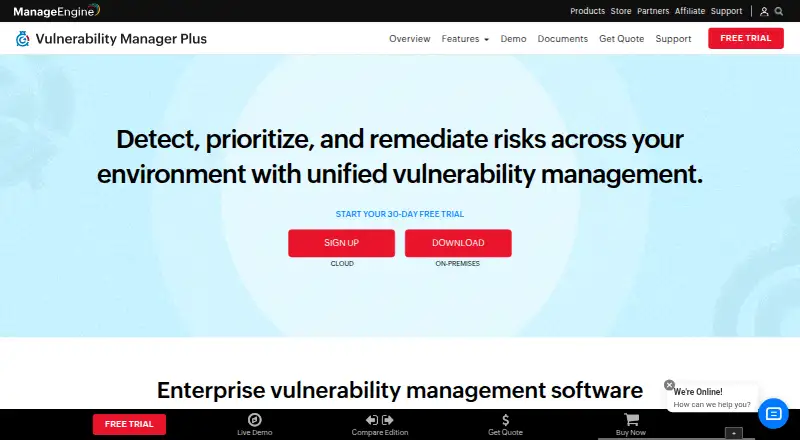
What ManageEngine Vulnerability Manager Plus is
ManageEngine Vulnerability Manager Plus identifies and assesses network vulnerabilities, then helps teams prioritize and remediate them. Its risk scoring uses AI-based scores, CVSS severity, EPSS, and active attack trends. Compliance policies cover more than 130 CIS benchmarks. Teams can download, test, and deploy patches across operating systems and more than 1,500 third-party applications; prebuilt, tested scripts are available to mitigate zero-day vulnerabilities. The product can discover network devices, scan their firmware for vulnerabilities, and remediate identified threats, but network-device management is limited to on-premises use and needs additional licenses. Vulnerability scanning supports Windows and Linux; macOS support is for patch management only. The free edition is available, and a 30-day trial includes unlimited endpoints. Cloud and Enterprise editions have separate listed prices.
Good
- Risk prioritization uses CVSS, EPSS, and attack trends.
- Includes policies for more than 130 CIS benchmarks.
- Patch support covers over 1,500 third-party applications.
- Trial includes unlimited endpoints.
- Supports authenticated scanning and remediation tracking.
Watch out
- macOS support is limited to patch management.
- Network-device management is on-premises only.
- Network-device management requires additional licenses.
Who it suits
It suits teams that need to assess vulnerabilities, prioritize remediation, and manage patches across Windows and Linux systems. Teams using macOS should note that the listed support there is limited to patch management.
Verdict
Vulnerability Manager Plus combines vulnerability assessment, risk prioritization, compliance policies, and patch deployment. Consider its platform limits and additional network-device licensing when assessing fit.
Plans and prices
From ManageEngine Vulnerability Manager Plus's own pricing page, checked 29 Sep 2026.
| Plan | Price | What it gives you |
|---|---|---|
| Free | Free | Free edition; $0.00 annual subscription price |
| Free Edition | Free | all features · 25 endpoints · 1 admin user · permanent |
| Professional Cloud (100 workstations) | $90 a month | 100 workstations · 1 technician · monthly subscription |
| Enterprise Cloud (100 workstations) | $155 a month | 100 workstations · 1 technician · monthly subscription |
| Professional On-Premises (100 workstations) | $695 a year | 100 workstations · 1 technician · annual subscription |
| Professional — On-Premises | $695 a year | 100 workstations · 1 technician · Annual subscription; 100 workstations, single technician |
| Professional Cloud (100 workstations) | $895 a year | 100 workstations · 1 technician · annual subscription |
| Professional — Cloud | $895 a year | 100 workstations · 1 technician · Cloud service available only on subscription · Annual subscription; 100 workstations, single technician |
| Enterprise — On-Premises | $1,195 a year | 100 workstations · 1 technician · Annual subscription; 100 workstations, single technician |
| Enterprise On-Premises (100 workstations) | $1,195 a year | 100 workstations · 1 technician · annual subscription |
| Enterprise Cloud (100 workstations) | $1,545 a year | 100 workstations · 1 technician · annual subscription |
| Enterprise — Cloud | $1,545 a year | 100 workstations · 1 technician · Cloud service available only on subscription · Annual subscription; 100 workstations, single technician |
| Professional On-Premises (100 workstations) | $2,085, paid once | 100 workstations · 1 technician · perpetual license |
The facts
Each one read from ManageEngine Vulnerability Manager Plus's own pages, with the date it was checked.
What it does
- AI risk prioritization
- Its risk scoring uses AI and machine-learning signals including CVSS, vulnerability age and active attack trends.checked 15 Oct 2026
- API edition limit
- The documented patch-details API is unavailable in the Professional edition.checked 15 Oct 2026
- API implementation
- The detailed-vulnerability API documents pagination with cursors, page limits up to 5,000 and sample Python requests using authorization tokens.checked 15 Oct 2026
- API vulnerability data
- Threat APIs return vulnerability, affected-system and misconfiguration data with filters for CVE, CVSS, severity, platform, exploit status and patch availability.checked 15 Oct 2026
- Audit log forwarding
- It can forward audit logs to syslog-compatible SIEM tools, including QRadar, Splunk, LogRhythm, and Elastic Security, using RFC 5424.checked 29 Sep 2026
- Compliance
- The product audits against more than 130 CIS benchmarks plus UK Cyber Essentials and NIST policies.checked 15 Oct 2026
- Compliance certification
- ManageEngine says Vulnerability Manager Plus is CIS-certified for the listed benchmark audits.checked 15 Oct 2026
- Documentation depth
- The help center covers architecture, installation, Windows/Mac/Linux agents, roaming users, cloud hosting, vulnerability remediation, patch deployment, compliance, exceptions and troubleshooting.checked 15 Oct 2026
- High-risk software audit
- Administrators can find and remove unauthorized, peer-to-peer, remote-desktop and end-of-life software.checked 15 Oct 2026
- Integrations
- The integrations page advertises endpoint-vulnerability ingestion, endpoint-management workflows and forwarding audit logs to SIEM tools.checked 15 Oct 2026
- Licence
- The EULA restricts copying, sublicensing, modification, reverse engineering and third-party access, indicating proprietary commercial software rather than open source.checked 15 Oct 2026
- Limit: G2 deployment model
- G2 reviewers report that on-premises distribution-server requirements can fit poorly with remote or hybrid businesses and that there is no MSP offering.checked 15 Oct 2026
- Limit: Gartner Peer Insights
- Gartner reviewers cite a slow, dated interface and manual patch deployment that limits immediate selection to 50 clients.checked 15 Oct 2026
- Limit: Software Advice
- Software Advice reviewers report that advanced functions need better guidance, patch approvals can be cumbersome and source-code security review is missing.checked 15 Oct 2026
- Limit: Trustpilot
- Trustpilot reviews of ManageEngine as a company include complaints about breaking patches, slow support and reports that require complex queries for drill-downs.checked 15 Oct 2026
- Patch management
- Native patching can download, test and deploy updates for Windows, macOS, Linux and more than 1,100 third-party applications.checked 15 Oct 2026
The company
- Company founded
- Gartner lists ManageEngine's founding year as 2002.checked 15 Oct 2026
- Company headquarters
- LinkedIn lists headquarters at Del Valle, Texas, United States.checked 15 Oct 2026
- Company ownership
- ManageEngine is the enterprise IT-management division of Zoho Corporation.checked 15 Oct 2026
- Company size
- LinkedIn lists ManageEngine as having 5,001–10,000 employees.checked 15 Oct 2026
- Founded
- 1996checked 23 Sep 2026
- Headquarters
- Pleasanton, California, United Stateschecked 23 Sep 2026
Where it runs
- Limit: GetApp
- GetApp reviewers mention higher-tier feature costs, vague chat-support endings and a desire for more explanatory videos and learning paths.checked 15 Oct 2026
- Network devices
- On-premises deployments can inventory network devices, scan firmware vulnerabilities and apply firmware remediation.checked 15 Oct 2026
The full review of ManageEngine Vulnerability Manager Plus
Overview
ManageEngine Vulnerability Manager Plus is network vulnerability management software for teams that need to find, prioritize, and remediate security issues. It is best suited to organizations managing Windows and Linux endpoints that want assessment, patching, and compliance work in one product. Its broad remediation toolkit is compelling, but macOS support is limited to patch management and network-device management brings extra licensing requirements.
Key features
Assessment and prioritization
The product supports authenticated scanning and agent-based assessment, then tracks remediation so teams can follow findings through to action. Its prioritization combines AI-based risk scores with CVSS severity, EPSS, and active attack trends. That mix gives security teams several signals for deciding what to address first, rather than relying on severity alone.
Patching, zero-days, and compliance
Teams can download, test, and deploy patches across operating systems and more than 1,500 third-party applications. Pre-built, tested scripts can also mitigate zero-day vulnerabilities, extending remediation beyond routine patch cycles. For compliance work, out-of-the-box policies cover more than 130 CIS benchmarks. Together, these capabilities suit teams that want vulnerability findings tied to practical remediation; they do not remove the need to assess whether its platform coverage matches the environment.
Network devices and integrations
Vulnerability Manager Plus can discover network devices, scan for firmware vulnerabilities, and remediate identified threats. That capability is on-premises only and requires additional licenses, so it is less straightforward for organizations seeking network-device coverage from a cloud deployment or within the base price. Integrations include Splunk and ServiceDesk Plus, while audit logs can be forwarded using RFC 5424 to syslog-compatible SIEM tools including QRadar, Splunk, LogRhythm, and Elastic Security.
Pricing
The Free edition costs nothing. For paid deployments, Professional — On-Premises starts at $695 a year and Professional — Cloud costs $895 a year. Both cover 100 workstations and one technician; cloud service is available only on subscription. Enterprise — On-Premises costs $1,195 a year, while Enterprise — Cloud costs $1,545 a year, with the same stated 100-workstation, single-technician scope. The plan names distinguish Professional and Enterprise, but the included-plan facts do not spell out their differences, so buyers should confirm which edition fits their requirements.
The paid prices give a clear starting point for a defined workstation and technician allowance, though teams exceeding that scope should account for their licensing needs. A 30-day free trial includes unlimited endpoints, which offers room to evaluate the product at larger scale before committing.
Platforms
Vulnerability Manager Plus supports Windows and Linux; macOS support applies to patch management alone. The platform list also includes API, web, and self-hosted options, and deployment is hybrid. Technical support is available by email for on-premises and cloud customers, with regional support phone numbers also provided.
Who it's for
This is a strong fit for IT and security teams responsible for Windows and Linux fleets that need vulnerability assessment, risk-based prioritization, patch deployment, and compliance policies together. Organizations managing network devices may value firmware scanning and remediation, provided on-premises deployment and additional licensing are acceptable. Teams that need full vulnerability-management coverage for macOS should look elsewhere.
Pros and cons
- Pros: Risk prioritization draws on AI-based scores, CVSS, EPSS, and active attack trends, giving teams multiple inputs for triage.
- Pros: Patch deployment spans operating systems and more than 1,500 third-party applications, with tested scripts for zero-day mitigation.
- Pros: Policies cover more than 130 CIS benchmarks, and audit-log forwarding supports several established SIEM tools.
- Cons: macOS is supported for patch management only, not the product’s broader vulnerability-management capabilities.
- Cons: Network-device management is limited to on-premises use and requires additional licenses.
- Cons: Paid plans specify 100 workstations and one technician, which may not suit larger teams without further licensing.
Alternatives
Consider Intruder if its free offering fits: it covers five infrastructure targets, excludes web apps, and provides weekly external scans plus one connected cloud account. Nanitor is worth comparing when a 10-asset free plan or a Standard plan at $6 a month for unlimited assets better matches your scale. For a no-cost, open-source option, OWASP DefectDojo offers a Community Edition with support through OWASP Slack and GitHub, alongside a Pay As You Go plan at 100.00 US.
Zscaler Private Access, Ivanti Neurons for Zero Trust Access, OWASP DevGuard, Tenable One Attack Surface Management, and Patchstack are other options to compare.
Browse more choices in Vulnerability Management Software, Vulnerability Scanning Software, and Network Vulnerability Scanners.
Verdict
Choose ManageEngine Vulnerability Manager Plus if your team needs a combined vulnerability-assessment and remediation workflow across Windows and Linux, especially when patch coverage and CIS policies matter. Its main advantage is connecting prioritization to extensive patching and zero-day mitigation; its main drawback is that macOS vulnerability management is out of scope and network-device coverage costs extra. Teams needing full macOS assessment or simpler network-device licensing should compare alternatives.
Getting started
- Open the ManageEngine Vulnerability Manager Plus website.
- Choose the free edition or review the listed paid plans.
- Start the 30-day trial if you want to evaluate the product with unlimited endpoints.
- Select an on-premises or cloud subscription plan, noting that network-device management is on-premises only.
- Set up scanning and assessment for supported Windows or Linux systems; use macOS for patch management.
Limits worth knowing
Professional On-Premises starts at $695 a year for 100 workstations and one technician. macOS is supported for patch management only. Network-device management is on-premises only and requires additional licenses.
Questions
Is there a free edition?
Yes. A free edition is listed as free.
Does it offer a free trial?
Yes. The 30-day trial includes unlimited endpoints.
How much does Professional cost?
Professional On-Premises costs $695 a year for 100 workstations and one technician. Professional Cloud costs $895 a year for the same listed capacity.
Which operating systems does it support?
Vulnerability Manager Plus supports Windows and Linux. macOS support is for patch management only.
Which integrations are listed?
The product lists Splunk, ServiceDesk Plus, and syslog integrations. It can forward audit logs to syslog-compatible SIEM tools, including QRadar, Splunk, LogRhythm, and Elastic Security, using RFC 5424.
Can it manage network devices?
It can discover network devices, scan for firmware vulnerabilities, and remediate identified threats. Network-device management is on-premises only and requires additional licenses.
Alternatives to ManageEngine Vulnerability Manager Plus
- 1
OWASP ZAP
Free planOpen sourceAPIExtensionLinuxmacOS7.6Free plan - 2
Grype
Free planOpen sourceLinuxmacOSSelf-hostedWindows7.4Free plan - 3

Intruder
Free planWebAPILinuxmacOS7.4Free plan - 4

OpenVAS
Free planWebAPILinuxmacOS7.2From €2,524 a year - 5

Trivy
Free planLinuxmacOSSelf-hostedWindows7.0Free plan - 6

Detectify Surface Monitoring
Free planWebAPI6.9From €2,500 a year