
Malcolm
Malcolm is a network traffic analysis suite intended for security monitoring.
What Malcolm is
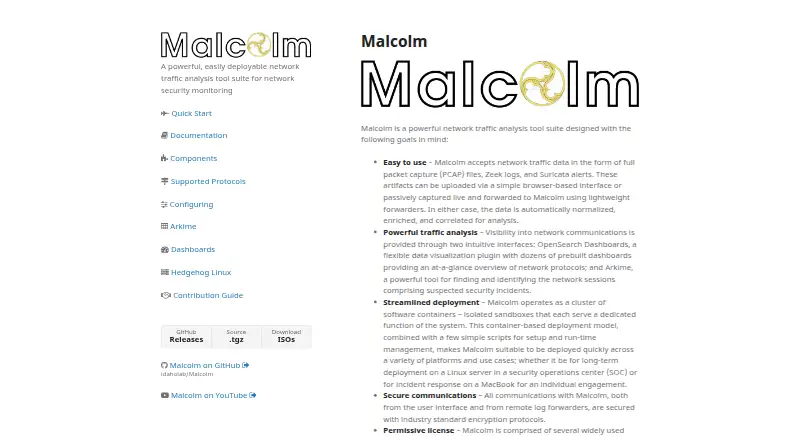
Malcolm is a network traffic analysis suite intended for security monitoring. It accepts PCAP files, Zeek logs, and Suricata alerts through a browser interface, and can receive live traffic through lightweight forwarders. Session data can be enriched with GeoIP, MAC-vendor, asset-inventory, and JA4 fingerprinting lookups. Analysts can explore data in OpenSearch Dashboards with prebuilt dashboards or search and identify sessions with Arkime. Malcolm runs as isolated containers and supports Docker, Podman, or Kubernetes deployments, including AWS Kubernetes; a standalone Debian-based installer ISO is also available. Analysis interfaces are accessed through a browser. The project provides host-configuration guidance for Linux, macOS, and Windows, and documents local accounts, LDAP, TLS certificates, and Keycloak authentication and roles. Malcolm includes a REST API and uses a range of network-analysis and security components. It is free software released under Apache License 2.0. A deployment caveat is that rootless Podman cannot capture traffic on local network interfaces, though forwarded metadata from a network sensor appliance can be accepted.
Good
- Accepts PCAP, Zeek logs, and Suricata alerts
- Supports live traffic through lightweight forwarders
- Includes OpenSearch Dashboards and Arkime
- Free under Apache License 2.0
Watch out
- Rootless Podman cannot capture local-interface traffic
- Installer ISO formats non-removable storage without warning
Who it suits
Malcolm suits security operations centers, smaller networks, home environments, and field incident-response engagements. It is aimed at users who can deploy and operate a container-based network analysis system.
Verdict
Malcolm combines traffic intake, enrichment, and browser-based analysis across several deployment options. Plan deployment carefully, particularly if using rootless Podman or the installer ISO.
The facts
Each one read from Malcolm's own pages, with the date it was checked.
What it does
- Analysis interfaces
- Enriched data is analyzed through OpenSearch Dashboards and Arkime, with prebuilt dashboards and network-session search.checked 1 Oct 2026
- API
- Malcolm provides a REST API and forwards requests to Logstash, OpenSearch, NetBox and Arkime APIs.checked 30 Sep 2026
- Authentication
- The documentation includes local accounts, LDAP authentication, TLS certificates and Keycloak-based authentication and roles.checked 30 Sep 2026
- Data enrichment
- Malcolm adds GeoIP, hardware-manufacturer, asset-inventory and JA4 fingerprinting enrichments.checked 1 Oct 2026
- Deployment
- Malcolm runs as isolated software containers and can be deployed with Docker, Podman or Kubernetes, including AWS Kubernetes deployments.checked 1 Oct 2026
- Deployment limitation
- Rootless Podman cannot capture traffic on local network interfaces, although it can accept metadata forwarded from a network sensor appliance.checked 1 Oct 2026
- Deployment model
- Malcolm runs as a cluster of containers and can also be packaged as a standalone Debian-based installer ISO.checked 30 Sep 2026
- Hardening
- The ISO-installed aggregator environment uses hardening scripts targeting CIS recommendations and adapted DISA STIG checks.checked 1 Oct 2026
- ICS focus
- Its creators are developing additional parsers for protocols used in industrial-control-system environments.checked 1 Oct 2026
- Input data
- It processes PCAP files and Zeek logs, including locally generated, locally captured and offline artifacts.checked 1 Oct 2026
- Installer warning
- The installer has no partitioning confirmations and will partition and format all non-removable storage media without warning.checked 30 Sep 2026
- Integrations
- Components include NetBox for asset-inventory enrichment, Keycloak for identity and access management, and nginx-auth-ldap for LDAP authentication.checked 1 Oct 2026
- License
- Malcolm source code is released under the Apache License, version 2.0.checked 1 Oct 2026
- Podman limitation
- With rootless Podman, Malcolm cannot capture traffic on local network interfaces, although it can accept metadata forwarded from a network sensor appliance.checked 30 Sep 2026
- Purpose
- Malcolm is an easily deployable network traffic analysis tool suite for security monitoring.checked 1 Oct 2026
- Security
- Communications between Malcolm interfaces and remote log forwarders use industry-standard encryption protocols.checked 1 Oct 2026
- Supply-chain security
- Official Malcolm container images are automatically scanned with Trivy for vulnerabilities and misconfigurations.checked 1 Oct 2026
- Support and training
- The Malcolm program team provides contact through [email protected] and lists general and technical virtual orientations.checked 1 Oct 2026
- Support contact
- The project lists [email protected] as the author contact address.checked 30 Sep 2026
- Supported hosts
- Official host-configuration documentation is provided for Linux, macOS and Windows.checked 30 Sep 2026
- Target users
- The project describes use in security operations centers, smaller networks, home environments and field incident-response engagements.checked 30 Sep 2026
- Traffic enrichment
- Malcolm enriches network session data with GeoIP, MAC-vendor, asset-inventory and JA4 fingerprinting lookups.checked 30 Sep 2026
- Use cases
- The project targets long-term SOC deployments, incident-response engagements, smaller networks and home use.checked 1 Oct 2026
- Web access
- Its analysis interfaces are accessed through a web browser from analyst workstations or SOC displays.checked 1 Oct 2026
The full review of Malcolm
Overview
Malcolm is a free, open-source network traffic analysis suite for security monitoring, with collection, enrichment and investigation tools in one deployable system. It is best suited to teams or individual responders who can manage a container-based deployment and want to analyze both live traffic and existing network records.
Its breadth is useful, but deployment choices matter: rootless Podman cannot capture directly from local interfaces, and the installer ISO can format non-removable storage without confirmation.
Key features
Collection and context
Malcolm accepts PCAP files, Zeek logs and Suricata alerts. Analysts can upload data through a browser, or capture traffic live and relay it with lightweight forwarders. That mix accommodates retrospective file analysis as well as ongoing monitoring, including deployments where a separate sensor supplies metadata.
GeoIP, hardware-manufacturer, asset-inventory and JA4 fingerprinting lookups add context to sessions. These enrichments can help analysts investigate activity without treating a packet record as an isolated event. Malcolm also incorporates tools including Zeek, Suricata, Strelka, YARA, Capa, ClamAV and MISP.
Investigation and access
OpenSearch Dashboards supplies prebuilt dashboards, while Arkime supports searching and identifying network sessions. Both are browser-based, so analysts can use workstations or SOC displays without relying on a command-line-only workflow. A REST API forwards requests to Logstash, OpenSearch, NetBox and Arkime APIs, which is useful for connecting Malcolm to surrounding systems.
Communications from the interface and remote log forwarders use standard encryption protocols. Authentication options include local accounts, LDAP, TLS certificates, and Keycloak authentication and roles. Official container images are scanned with Trivy for vulnerabilities and misconfigurations; the ISO-installed aggregator also uses hardening scripts aimed at CIS recommendations and adapted DISA STIG checks.
Deployment and limitations
The suite runs in isolated containers and supports Docker, Podman and Kubernetes, including AWS Kubernetes deployments. It is also available as a standalone Debian-based installer ISO. Official host-configuration documentation covers Linux, macOS and Windows, though Malcolm's browser interfaces are accessed from analyst workstations rather than being tied to those host operating systems.
Rootless Podman is a meaningful constraint for direct collection: it cannot capture traffic from local network interfaces. It can still accept metadata forwarded from a network sensor appliance, so this setup is more appropriate when a separate sensor is already part of the architecture. The ISO carries a sharper operational risk: it partitions and formats all non-removable storage without warning or confirmation. Use it only when that behavior is acceptable for the target machine.
Pricing
Malcolm is free, with source code released under the Apache License, Version 2.0. There are no paid tiers or seat and quota distinctions to weigh against its core capabilities. The trade-off is operational rather than subscription-based: users need to choose, configure and maintain a deployment that fits their capture and analysis requirements.
Platforms
Malcolm supports Linux, macOS and Windows hosts, and its analysis interfaces run in a web browser. Deployment options include Docker, Podman and Kubernetes, as well as the Debian-based installer ISO. It supports live capture and PCAP input, alongside Zeek logs and Suricata alerts; a command-line tool is also available.
Who it's for
Malcolm is aimed at security operations centers, smaller networks, home environments and field incident-response engagements. It is a strong fit for analysts who need a combined ingestion, enrichment and browser-based investigation environment, and who can handle container deployment or dedicate hardware to the installer. The project team offers general and technical virtual orientations and lists [email protected] as a contact.
It is less suitable for someone seeking a lightweight packet viewer or direct local-interface capture specifically under rootless Podman. Teams in industrial-control-system environments may also want to account for the fact that additional ICS protocol parsers are still being developed.
Pros and cons
- Pros: Ingests PCAP, Zeek logs and Suricata alerts, supporting both file-based review and live collection.
- Pros: Combines session enrichment, prebuilt dashboards and Arkime search instead of limiting analysis to one interface.
- Pros: Offers flexible authentication, API access and deployment across containers, Kubernetes and an installer ISO.
- Cons: Rootless Podman cannot capture directly from local network interfaces, requiring a separate sensor for forwarded metadata.
- Cons: The installer ISO formats all non-removable storage without warning, making target-machine selection consequential.
- Cons: Its breadth comes with container and deployment choices that may be excessive for users who only need a basic packet analyzer.
Alternatives
For a different browser-oriented option, consider PacketSafari. For a free Python-based tool, Scapy is another option. If an open-source command-line analyzer with audit record types is the priority, NETCAP has a free Core plan; its Pro plan is $548 a month.
NetworkMiner is a freemium alternative with a free edition, while Sniffnet is a fully free option. For focused command-line capture or protocol analysis, compare tcpdump and TShark; Wireshark is another free option. Browse the Network Packet Analyzer Software category for the wider field.
Verdict
Choose Malcolm if you need a free suite that joins live or imported network data with enrichment, dashboards and session search, and have the capacity to plan its deployment. Its main advantage is that breadth; its main reason to look elsewhere is the operational overhead and the capture and installer caveats. For simpler packet inspection, a narrower analyzer is likely the more practical choice.
Alternatives to Malcolm
- 1

NETCAP
Free planOpen sourceWebAPILinuxmacOS8.1From €49 a month - 2

PacketSafari
Free planOpen sourceWebAPILinuxmacOS7.6Free plan - 3

A-Packets
Free planWebAPILinuxSelf-hosted7.5From $99 a year - 4
Wireshark
Free planOpen sourceAPILinuxmacOSSelf-hosted7.5Free plan - 5
Colasoft Capsa
Free planWindows7.4$295 one-time - 6
PcapAI
Open sourceWebAPILinuxmacOS7.4From $114 a year