
MagiScan
MagiScan is an AI-powered 3D scanning app and creation ecosystem for capturing real objects or generating 3D models from text and photos.
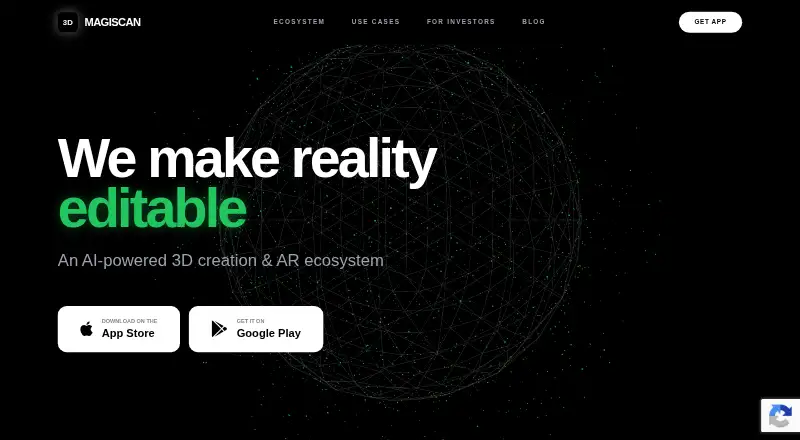
What MagiScan is
MagiScan is an AI-powered 3D scanning app and creation ecosystem for capturing real objects or generating 3D models from text and photos. Its scanning guide offers 360, Freeform, Hybrid, and Upload Photo capture modes. The maker says an iPhone or Android smartphone is required and that a smartphone camera is sufficient to get started.
Models can be exported as OBJ, STL, FBX, PLY, USDZ, GLB, and GLTF. MagiScan lists workflows or integrations with Unity, Bambu Lab, Blender, Cura, PrusaSlicer, and OrcaSlicer. MagiScan Studio lets users browse scans on a computer and open models in supported 3D applications and slicers. Its Unity plugin imports scans from a linked phone account into a Unity project, with a panel that loads the latest 500 scans. The app also includes an extension for sending scanned models to NVIDIA Omniverse. It can convert scans into Minecraft block structures; the maker describes this feature as unofficial and not endorsed by Mojang AB.
The Free scans plan costs nothing and provides a few scans for new users, without a stated exact count. The PREMIUM subscription adds 10 scans each day, which accumulate and remain available, and removes in-app pop-ups. The maker says support usually replies within one business day.
Good
- Offers four capture modes, including photo upload.
- Exports models in seven listed formats.
- Connects scanning workflows with Unity and several 3D tools.
- Includes an extension for sending scans to NVIDIA Omniverse.
- A smartphone camera is sufficient to get started.
Watch out
- The free plan provides only a few scans for new users.
- The listed capture requirements call for an iPhone or Android smartphone.
Who it suits
MagiScan suits artists, designers, and engineers who want to capture objects or create 3D models from text and photos. It is also relevant to people using 3D printing workflows or moving scans into Unity, desktop 3D applications, slicers, or NVIDIA Omniverse.
Verdict
Choose MagiScan if you want smartphone-based object scanning with multiple export formats and workflows for 3D applications or printing. Look elsewhere if a few initial scans are not enough and you do not want a subscription that adds daily scans.
Plans and prices
From MagiScan's own pricing page, checked 8 Oct 2026.
| Plan | Price | What it gives you |
|---|---|---|
| Free scans | Free | A few scans for new users; exact count not stated |
| MagiScan PREMIUM | — | 10 additional scans every day; scans accumulate and remain available; removes in-app pop-ups · Subscription; billing amount not stated |
| MagiScan PREMIUM | — | 10 additional scans every day; scans accumulate and remain available; removes in-app pop-ups · Yearly subscription; billing amount not stated |
The facts
Each one read from MagiScan's own pages, with the date it was checked.
What it does
- Capture modes
- The scanning guide lists 360, Freeform, Hybrid, and Upload Photo capture modes.checked 8 Oct 2026
- Desktop workflow
- MagiScan Studio lets users browse scans on a computer and open models in supported 3D applications and slicers.checked 8 Oct 2026
- Exports
- The app listing says models can be exported as OBJ, STL, FBX, PLY, USDZ, GLB, and GLTF.checked 8 Oct 2026
- Integrations
- The maker lists Unity, Bambu Lab, Blender, Cura, PrusaSlicer, and OrcaSlicer integrations or workflows.checked 8 Oct 2026
- Intended users
- The app listing describes the product as useful for artists, designers, and engineers, including 3D printing workflows.checked 8 Oct 2026
- Minecraft
- The app can convert scanned objects into Minecraft block structures, and the listing says it is unofficial and not endorsed by Mojang AB.checked 8 Oct 2026
- NVIDIA Omniverse
- The app listing says MagiScan includes an extension for sending scanned models to NVIDIA Omniverse.checked 8 Oct 2026
- Privacy
- The privacy policy says camera and photo-library data may be collected with permission and may be uploaded to company or service-provider servers or stored on the device.checked 8 Oct 2026
- Product
- MagiScan is an AI-powered 3D scanning app and creation ecosystem for capturing real objects or generating 3D models from text and photos.checked 8 Oct 2026
- Security
- The privacy policy says the company uses commercially acceptable protections but cannot guarantee absolute security.checked 8 Oct 2026
- Support
- The maker says support usually replies within one business day.checked 8 Oct 2026
- Unity workflow
- The Unity plugin imports scans from a linked phone account into a Unity project, and its panel loads the latest 500 scans.checked 8 Oct 2026
Where it runs
- Device requirements
- The maker’s scanning guide requires an iPhone or Android smartphone and says a smartphone camera is sufficient to get started.checked 8 Oct 2026
The company
- Headquarters
- Wilmington, Delaware, United Stateschecked 28 Sep 2026
The full review of MagiScan
MagiScan is a smartphone-based 3D scanning and model-creation app for artists, designers, engineers, and people building 3D-printing workflows.
Overview
MagiScan combines scans of real objects with 3D model generation from photos and text. It is designed to connect mobile capture with work in desktop 3D tools, slicers, game development, and other supported workflows. A smartphone camera is enough to get started, so a dedicated scanner is not required; users do still need an iPhone or Android phone for capture.
The central strength is flexibility: users can choose among several capture modes and export models in formats used by different applications. The main constraint is scan volume. New users get only a few free scans, while the premium plan adds a daily allowance, making the free tier better for a limited trial than sustained use.
Key features
Capture and model creation
The scanning guide offers 360, Freeform, Hybrid, and Upload Photo modes. MagiScan also generates models from photos and text, giving users options when a direct scan is not the best starting point. That variety suits creative experimentation and varied project needs, although the app’s scan allowance remains the practical limit for ongoing capture.
Exports and connected workflows
Models can be exported as OBJ, STL, FBX, PLY, USDZ, GLB, and GLTF. This broad selection is useful when a project moves between 3D applications, rendering workflows, or printing tools. MagiScan names Unity, Bambu Lab, Blender, Cura, PrusaSlicer, and OrcaSlicer among its integrations or workflows.
MagiScan Studio lets users browse scans on a computer and open models in supported 3D applications and slicers. The Unity plugin imports scans from a linked phone account into a Unity project, and its panel loads the latest 500 scans. The app also includes an extension for sending scanned models to NVIDIA Omniverse. These connections make MagiScan more compelling for users who already rely on those tools than for someone who only wants an occasional standalone scan.
Another option converts scanned objects into Minecraft block structures. The listing describes this as unofficial and not endorsed by Mojang AB, so it should be treated as a separate creative use rather than an official Minecraft feature.
Pricing
| Plan | Price | What it includes |
|---|---|---|
| Free scans | free | |
| MagiScan PREMIUM | Custom pricing | Subscription with 10 additional scans every day; scans accumulate and remain available; removes in-app pop-ups. |
The free plan is appropriate for trying the capture workflow or completing a small number of scans, but it is not a dependable allowance for regular projects. PREMIUM is aimed at repeat users: its daily additions accumulate and remain available, so scans are not limited to a same-day window.
Platforms
Capture requires an iPhone or Android smartphone, and the maker says the phone camera is sufficient to begin. MagiScan also lists Linux, macOS, and Windows among its platforms, with Studio providing a computer-based way to browse scans and open models in supported tools. Those desktop options complement mobile capture rather than replace the phone requirement.
The privacy policy says camera and photo-library data may be collected with permission and may be uploaded to company or service-provider servers or stored on the device. The company says it uses commercially acceptable security protections but cannot guarantee absolute security. Support usually replies within one business day.
Who it's for
MagiScan is best suited to people who want to capture objects with a phone and carry resulting models into familiar 3D software. Artists and designers can use its capture and generation options; engineers and 3D-printing users may value the export formats and slicer workflows. Unity users also have a direct route for importing scans into projects.
It is less suitable for someone who needs a large free scan quota or wants a predictable subscription cost before committing. Occasional users may find the initial scans enough to evaluate the app, but ongoing work is tied to a plan with an unstated price.
Pros and cons
- Pros: Four capture modes plus photo- and text-based model generation provide several ways to start a model.
- Pros: Seven export formats and named workflows for desktop 3D tools, slicers, Unity, and Omniverse support varied downstream work.
- Pros: A smartphone camera is sufficient to begin, avoiding the need for dedicated scanning hardware.
- Cons: The free plan offers only a few scans, with no exact count, limiting its usefulness for ongoing projects.
- Cons: PREMIUM's price is custom pricing, so users cannot assess the subscription cost from the stated terms.
- Cons: Mobile capture requires an iPhone or Android smartphone, even though desktop platforms are also supported.
Alternatives
For a different route into 3D capture or photogrammetry, consider the AI 3D Scanning Software category. Among the listed alternatives, WebODM is a free, locally run and offline option for readers who want software they can install and use without a subscription; its Starter plan is $24 a month billed yearly and includes 12 maps per 30 days. MicMac is a free, open-source photogrammetric suite for users who want that kind of software on Linux, macOS, or Windows.
OpenMVG is a free open-source library, a better direction for readers seeking a library rather than MagiScan’s phone-centered app. PIX4Dcatch offers a free Discovery license with LiDAR 3D capture, GPS georeferencing, point measurement, and GCP and mark creation, which may suit users who need those documented capture and measurement tools.
COLMAP is a free alternative for readers considering another photogrammetry tool. KIRI Engine has a free Basic plan with up to 150 photos, a 2 GB maximum per scan, unlimited scans, and free exports, making it worth comparing for users who want a defined free allowance. MetaScan gives free users up to five scans in their library and one HD reconstruction per month, a clearer cap for people whose needs fit those limits. Polycam offers a free plan with limited space, object, and AI captures, GLTF exports, and public link sharing; it may suit readers who specifically want those free-tier options.
Verdict
MagiScan is a good choice for artists, designers, engineers, and 3D-printing users who want smartphone capture with multiple export formats and routes into desktop applications, slicers, or Unity. Its strongest case is the breadth of ways to create and use a model. Look elsewhere if a few initial scans will not cover your needs and you do not want to subscribe without a stated price.
Getting started
- Visit https://magiscan.app/.
- Use an iPhone or Android smartphone with its camera.
- Choose a capture mode: 360, Freeform, Hybrid, or Upload Photo.
- Start with the few scans for new users, or choose the PREMIUM subscription for 10 additional scans each day.
- Browse scans in MagiScan Studio or use a listed workflow such as the Unity plugin.
Limits worth knowing
The Free scans plan provides a few scans for new users, with no exact count stated. PREMIUM adds 10 scans every day; scans accumulate and remain available.
Questions
Does MagiScan have a free plan?
Yes. The Free scans plan is listed as free and offers a few scans for new users.
Which devices are needed to capture scans?
The maker says an iPhone or Android smartphone is required and that its camera is sufficient to get started.
Which formats can MagiScan export?
The listed formats are OBJ, STL, FBX, PLY, USDZ, GLB, and GLTF.
Can MagiScan scans be used in Unity?
Yes. The Unity plugin imports scans from a linked phone account into a Unity project, and its panel loads the latest 500 scans.
Who is MagiScan intended for?
The app listing describes it as useful for artists, designers, and engineers, including people working with 3D printing.
Alternatives to MagiScan
- 1

WebODM
Free planOpen sourceWebAPILinuxmacOS8.3From $24 a month - 2

KIRI Engine
Free planAndroidiOSWebAPI8.1From $79.99 a year - 3
OpenMVG
Free planOpen sourceAndroidiOSAPILinux7.8Free plan - 4

Polycam
Free planAndroidiOSWeb7.5From $150 a year - 5
PIX4Dcatch
Free planAndroidiOSWindows7.4From $132.50 a month - 6
RealityScan
Free planAndroidiOSLinuxWindows7.4From $1,250 a year