
KIRI Engine
KIRI Engine is a 3D scanning application that creates models and visualizations using photogrammetry, Neural Surface Reconstruction, and 3D Gaussian Splatting.
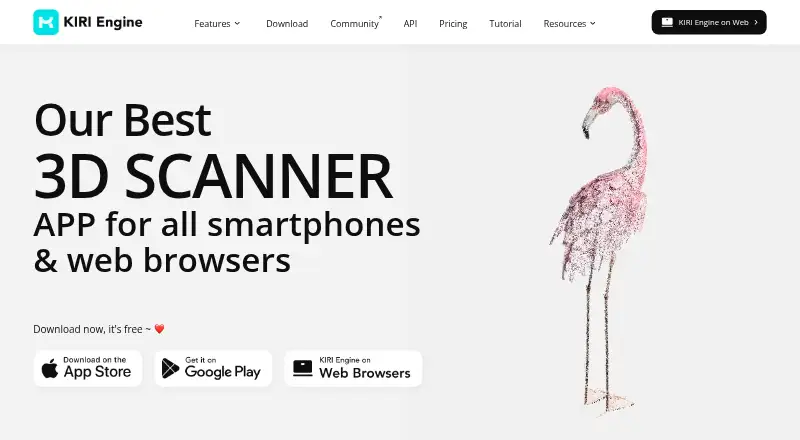
What KIRI Engine is
KIRI Engine is a 3D scanning application that creates models and visualizations using photogrammetry, Neural Surface Reconstruction, and 3D Gaussian Splatting. Photo Scan turns photos into 3D models, while LiDAR Scan supports model scans, floor plans, and quick scene visualizations on LiDAR-equipped iOS devices. Featureless Object Scan is designed for shiny, reflective, transparent, or low-texture objects. The free Basic plan allows up to 150 photos and a maximum of 2 GB per scan, with unlimited scans and free exports. Pro supports up to 500 photos and 5 GB per scan, faster queue processing, and advanced scanning and modeling features; it costs $17.99 a month or $79.99 a year. The API offers Photo Scan, Featureless Scan, and 3DGS Scan, with each call using one credit. API credits cost 1.00 USD each, with a 500-credit minimum recharge and 10 free test credits at sign-up. Other listed tools include a website model embedder, UE5 plug-in, and STL export. Uploaded photos and videos are processed on cloud servers; local PC scanning is not on the company's roadmap at the moment.
Good
- Photo Scan creates 3D models from photos.
- Featureless Scan targets reflective, transparent, and low-texture objects.
- Free Basic plan permits unlimited scans and free exports.
- STL export is listed for 3D printing.
Watch out
- Free scans are limited to 150 photos and 2 GB each.
- Pro scans allow at most 500 photos and 5 GB.
- Uploaded media is processed on cloud servers.
- Local PC scanning is not on the roadmap.
Who it suits
KIRI Engine may suit 3D printing enthusiasts, 3D artists, and scientific researchers who need to turn photos or LiDAR scans into 3D models and visualizations. Its API is also aimed at users who want scan calls in their own workflows.
Verdict
KIRI Engine offers several scanning approaches and a free plan with explicit photo and file-size limits. Pro raises those limits and adds processing and modeling features, while API use is credit-based.
Plans and prices
From KIRI Engine's own pricing page, checked 15 Oct 2026.
| Plan | Price | What it gives you |
|---|---|---|
| Basic | Free | Photo Scan · LiDAR Scan · in-app cropping/texturing · up to 150 photos · 2 GB per scan · unlimited scans and exports · web access |
| API credits | $1, paid once | Each API call uses 1 credit · sign-up includes 10 free test credits · 1 credit = $1 USD; minimum recharge of 500 credits |
| Monthly Pro Plan | $17.99 a month | Featureless Object Scan · mesh-inclusive 3DGS · PBR materials · quad mesh · auto-rig · up to 500 photos · 5 GB per scan · faster queue · unlimited exports · unlimited web features · Billed monthly |
| Yearly Pro Plan | $79.99 a year | Featureless Object Scan · mesh-inclusive 3DGS · PBR materials · quad mesh · auto-rig · up to 500 photos · 5 GB per scan · faster queue · unlimited exports · unlimited web features · Billed yearly at USD 79.99/year |
The facts
Each one read from KIRI Engine's own pages, with the date it was checked.
What it does
- 3D Gaussian Splatting
- The app captures scenes from video as Gaussian splats and can convert them to meshes.checked 15 Oct 2026
- AI-Enhanced LiDAR
- AI-Enhanced LiDAR sends Scene Scan data to cloud processing and requires Pro.checked 15 Oct 2026
- API
- The API offers Photo Scan, Featureless Scan, and 3DGS Scan, with each API call costing one credit regardless of scan method.checked 30 Sep 2026
- API authentication
- Developers create API keys and send the key in the Authorization header.checked 15 Oct 2026
- API download links
- The model download endpoint returns a zipped-model link valid for 60 minutes.checked 15 Oct 2026
- API operations
- Documentation covers photo, featureless-object and 3DGS scans, model status, zipped model downloads, balances, webhooks, retention, errors and status codes.checked 15 Oct 2026
- Auto rigging
- Pro automatically generates rigs intended for animation and motion-capture workflows.checked 15 Oct 2026
- Compliance limitation
- The end-user agreement says the application is not tailored for HIPAA or FISMA and prohibits use subject to such laws.checked 15 Oct 2026
- Content licence grant
- The agreement grants KIRI a worldwide, perpetual, royalty-free licence to use, reproduce, publish and distribute user contributions.checked 15 Oct 2026
- Data handling
- KIRI says uploaded photos and videos are processed on cloud servers to reconstruct 3D models and visualizations.checked 30 Sep 2026
- Documentation
- The API documentation includes quickstart, authentication, endpoint categories, webhooks, asset retention and error references.checked 15 Oct 2026
- Export formats
- Photo and featureless scans export as OBJ, FBX, STL, GLB, GLTF, USDZ, PLY and XYZ; LiDAR exports OBJ and USDZ.checked 15 Oct 2026
- Featureless objects
- Featureless Object Scan is designed for shiny, reflective, transparent, and low-texture objects.checked 30 Sep 2026
- Featureless Object Scan
- The NSR-based mode uses video and neural reconstruction for shiny, reflective, transparent and low-texture objects.checked 15 Oct 2026
- Funding disclosure
- Crunchbase's public profile does not show a funding total or named investors and identifies the company as private.checked 15 Oct 2026
- Integrations
- The app listing names sharing to Sketchfab, Thingiverse and GeoScan and compatibility with Blender, Unreal Engine and Autodesk Maya.checked 15 Oct 2026
- Intended users
- KIRI describes the product as useful to 3D printing enthusiasts, 3D artists, and scientific researchers.checked 30 Sep 2026
- LiDAR modes
- Room, Scene, Object and Area LiDAR modes run on LiDAR-equipped iPhone Pro, iPad Pro and later supported devices.checked 15 Oct 2026
- LiDAR scanning
- LiDAR Scan supports model scans, floor plans, and quick scene visualizations on LiDAR-equipped iOS devices.checked 30 Sep 2026
- Limit: cancellation and subscriptions
- A Google Play reviewer said subscription cancellation was hard to find, while another App Store reviewer complained about subscription prompts and cancellation handling.checked 15 Oct 2026
The company
- Company legal name
- Crunchbase lists the legal entity as KIRI Innovations Science and Technology Inc.checked 15 Oct 2026
- Company locations
- LinkedIn lists Toronto as the primary location and Shenzhen as another location.checked 15 Oct 2026
- Company profile
- LinkedIn lists KIRI Engine as privately held, founded in 2018, headquartered in Toronto and employing 11–50 people.checked 15 Oct 2026
- Headquarters
- Kowloon Bay, Hong Kongchecked 23 Sep 2026
The full review of KIRI Engine
KIRI Engine is a 3D scanning app for turning photos and supported LiDAR captures into models and visualizations. It best suits makers and 3D practitioners who need different ways to capture subjects, including reflective or low-texture objects. Its appeal is breadth; its trade-offs are cloud processing and firm per-scan caps.
Overview
KIRI combines photogrammetry, Neural Surface Reconstruction and 3D Gaussian Splatting. Photo Scan builds detailed models from photos, while Featureless Object Scan is designed for shiny, reflective, transparent and low-texture subjects that can challenge a photo-based workflow. On LiDAR-equipped iOS devices, LiDAR Scan supports model scans, floor plans and quick scene visualizations.
Uploaded photos and videos are processed on cloud servers to produce models and visualizations. KIRI says transmitted user data is encrypted and used only for notification purposes, but the capture media still leaves the device during reconstruction. That rules it out for users who require local-only processing; running the scanning algorithm locally on a PC is not on the company’s roadmap at the moment.
Key features
Capture and modeling tools
The choice of scan methods is KIRI’s clearest advantage: users can choose photos, LiDAR where supported, or a mode aimed at difficult surfaces. Pro adds PBR materials, quad mesh, automatic rig generation and mesh-inclusive 3D Gaussian Splatting scans. Those additions make the paid tier more relevant to users who need modeling options beyond reconstruction, though Basic remains limited to 150 photos and 2 GB per scan.
Exports and integrations
KIRI supports point-cloud export and free exports on both Basic and Pro. The pricing page also describes a website 3D model embedder, a UE5 plug-in for 3DGS, and STL export for 3D printing. These options make the app useful beyond viewing a scan, particularly for users placing models on websites or preparing prints.
API
The API supports Photo Scan, Featureless Scan and 3DGS Scan; each call costs one credit regardless of method. This straightforward accounting suits occasional or metered integrations, but the minimum 500-credit recharge makes API access a substantial upfront commitment. New sign-ups receive 10 free test credits.
Pricing
| Plan | Price | What it includes |
|---|---|---|
| Basic | Free | Up to 150 photos and 2 GB per scan, with unlimited scans and free exports |
| Monthly Pro Plan | USD 17.99 per month | Up to 500 photos and 5 GB per scan, faster queue processing, advanced scanning and modeling features, and unlimited free exports |
| Yearly Pro Plan | USD 79.99 per year, equivalent to USD 6.66 per month | The same Pro allowances and features as the monthly plan |
| API credits | USD 1.00 per credit, once; minimum recharge 500 credits | One credit per API call; 10 free test credits at sign-up |
Basic is a meaningful starting point for smaller captures: scans and exports are unlimited, but each scan stops at 150 photos and 2 GB. Pro raises those caps to 500 photos and 5 GB and adds faster queue processing plus advanced tools. Monthly Pro suits users who want those additions without a yearly commitment; Yearly Pro is the lower-cost option for sustained use. API credits are separate from the app plans and are better suited to integration needs than ordinary scanning.
Platforms
KIRI Engine is available on Android, iOS, web and API. LiDAR Scan is specifically for LiDAR-equipped iOS devices, so Android users should not expect that capture method. Cloud processing also means the product does not serve users seeking an offline PC scanning workflow.
Who it's for
KIRI is a strong candidate for 3D printing enthusiasts, 3D artists and scientific researchers who can work within its capture limits and send media to cloud servers. The free tier should cover smaller or exploratory projects; Pro is more appropriate when larger captures, faster queue processing or the additional modeling tools matter. Users handling sensitive capture media that must stay local should look elsewhere.
Pros and cons
- Pros: Photo, LiDAR and featureless-object scanning give users several capture routes for different subjects.
- Pros: Basic includes unlimited scans and free exports, making it practical for repeated smaller projects.
- Pros: Pro increases both photo and file-size limits and adds faster processing and modeling tools.
- Cons: Basic’s 150-photo and 2 GB per-scan caps constrain larger captures.
- Cons: Cloud reconstruction requires uploading photos or videos, and local PC processing is not on the roadmap.
- Cons: API use has a 500-credit minimum recharge even though each call costs one credit.
Alternatives
For a different mobile scanning option, Polycam has a free plan with limited space, object and AI captures, GLTF exports and public link sharing; consider it if those outputs and sharing fit your needs. If running the software locally and offline is the priority, WebODM is free to install and use and supports those workflows. RealityScan is another freemium alternative with a free plan and free trial.
3DF Zephyr offers a free personal-use Windows edition capped at 50 photos or video frames, with limited exports and editing. PIX4Dcatch is another freemium option. Agisoft Metashape is a paid alternative with a free trial and a Standard Edition priced at USD 179.00 per month. Krynth has a free web plan limited to one Quartz scan per month, with watermarked output and 14-day hosting. Artec Studio is a paid Windows option with a 30-day Pro trial that does not allow saving or exporting projects.
Verdict
Choose KIRI Engine if you want several scanning methods, especially a dedicated option for difficult surfaces, and can accept cloud reconstruction and per-scan limits. Basic is a useful low-commitment starting point, while the yearly Pro plan is the more economical route to higher caps and modeling features for regular use. Look elsewhere if your work requires local processing or unrestricted capture sizes.
Alternatives to KIRI Engine
- 1

WebODM
Free planOpen sourceWebAPILinuxmacOS8.3From $24 a month - 2
OpenMVG
Free planOpen sourceAndroidiOSAPILinux7.8Free plan - 3

Polycam
Free planAndroidiOSWeb7.5From $150 a year - 4
OpenReco
Free planOpen sourceWebAPILinuxmacOS7.4Free plan - 5
RealityScan
Free planAndroidiOSLinuxWindows7.4From $1,250 a year - 6
Scaniverse
Free planAndroidiOSWeb7.4From $20 a month