
Polycam
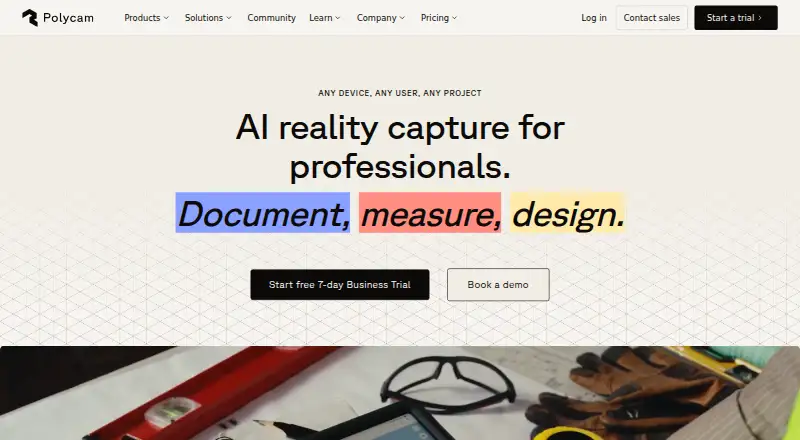
Polycam is AI reality capture software for professionals who need to document, measure, and design.
What Polycam is
Polycam is AI reality capture software for professionals who need to document, measure, and design. It uses AI-assisted photogrammetry and LiDAR to capture spaces, construction sites, facilities, products, and materials in 3D, and can create shareable 3D object models. Users can generate customizable 2D floor plans; paid plans also list instant 3D and editable 2D floor plans. Drone footage can be processed into expansive 3D models. Polycam is available on Android, iOS, and web browsers, but Space Mode scanning is limited to compatible iOS devices. Listed exports include GLTF, OBJ, FBX, DAE, STL, USDZ, point cloud formats, and DXF, with workflows named for Blender, Unity, SketchUp, and Xactimate. The free plan has limited space, object, and AI captures, plus GLTF exports and public link sharing. Basic is $150 a year, equivalent to $12.50 per month when billed yearly. A seven-day trial is offered with annual Basic and Business plans, not monthly plans or Enterprise.
Good
- Captures sites, spaces, products, and materials in 3D.
- Can create shareable 3D object models.
- Processes drone footage into 3D models.
- Lists point cloud and multiple 3D export formats.
Watch out
- Space Mode scanning requires a compatible iOS device.
- The free plan has limited captures and space.
- The seven-day trial excludes monthly plans and Enterprise.
Who it suits
Polycam suits professionals in architecture, engineering and construction, forensics, product design, manufacturing, and media who need 3D capture or floor plans.
Verdict
Polycam brings 3D capture, floor plans, and a broad set of listed exports to its cross-platform product. Check the device restriction for Space Mode and plan-specific trial terms before choosing a plan.
Plans and prices
From Polycam's own pricing page, checked 30 Sep 2026.
| Plan | Price | What it gives you |
|---|---|---|
| Free | Free | Limited space, object, and AI captures · GLTF exports · Public link sharing · Free for everyone |
| Basic | $150 a year | Unlimited object, Gaussian splat, space, and AI generated captures · 300 images per capture · Private link sharing · Billed yearly; $12.50 / month. Billed monthly; $30/month |
| Business | $400 a year | 2,000 images per capture · 2D & 3D floor plans · Advanced measure tools · Shared team library · Point cloud exports · Virtual walkthroughs · AI generated reports · Billed yearly; $33 / month per user |
| Enterprise | $1,200 a year | Content management API · Admin-controlled feature customization · Enhanced data privacy · Custom branding · Role-based folders · SSO, regional cloud storage, and custom billing are paid add-ons · Billed yearly; 3 users minimum |
The facts
Each one read from Polycam's own pages, with the date it was checked.
What it does
- API
- The Enterprise plan includes a Content Management API.checked 30 Sep 2026
- Compliance
- Polycam's Trust Center lists GDPR and SOC 2 Type 1 and Type 2, and provides access-request options for security documents.checked 30 Sep 2026
- Exports and integrations
- Plan comparison lists exports including GLTF, OBJ, FBX, DAE, STL, USDZ, point cloud formats, and DXF, and names Blender, Unity, SketchUp, and Xactimate among supported destinations or workflows.checked 30 Sep 2026
- Object capture
- The product creates shareable 3D models of objects.checked 30 Sep 2026
- Product
- Polycam describes itself as AI reality capture software for professionals to document, measure, and design.checked 30 Sep 2026
- Security
- Polycam says captures are stored with industry-standard encryption and are not shared unless users publish or share them directly.checked 30 Sep 2026
- Spatial capture
- Polycam uses AI-assisted photogrammetry and LiDAR to capture site surveys, construction sites, facilities, products, and materials in 3D.checked 30 Sep 2026
- Support
- Business plans include priority email support, while Enterprise support includes email and phone support, onboarding, training, account management, and priority technical assistance.checked 30 Sep 2026
- Who it serves
- Polycam lists architecture, engineering and construction, forensics and investigation, product design and manufacturing, and media and entertainment as business use cases.checked 30 Sep 2026
The company
- Company
- Polycam says it began as a capture app and has evolved into a cross-platform product with editing tools and drone mapping.checked 30 Sep 2026
- Founded
- 2020checked 23 Sep 2026
- Headquarters
- Berkeley, California, United Stateschecked 23 Sep 2026
Where it runs
- Drone mapping
- Users can process drone footage into expansive 3D models.checked 30 Sep 2026
- Platform limit
- Polycam is available on iOS, Android, and web browsers, while Space Mode scanning is limited to compatible iOS devices.checked 30 Sep 2026
Money
- Floor plans
- Polycam can generate customizable 2D floor plans and its paid plans list instant 3D floor plans and editable 2D floor plans.checked 30 Sep 2026
- Trial terms
- Seven-day trials are offered with annual Basic and Business plans; monthly plans and Enterprise do not include a trial.checked 30 Sep 2026
The full review of Polycam
Polycam is a reality-capture app for turning spaces, objects and drone footage into 3D models and floor plans. It suits professionals who need capture for measurement, documentation or design across mobile and web. Its range is a clear strength, but serious work quickly runs into paid-plan limits, and Space Mode scanning requires a compatible iOS device.
Overview
Polycam combines AI-assisted photogrammetry and LiDAR capture with editing tools and drone mapping. That makes it more versatile than a tool focused only on objects or rooms: architecture, engineering and construction teams can use it alongside workflows in forensics, product design and manufacturing, and media and entertainment. The trade-off is that features and export options vary substantially by plan.
Key features
Spatial capture covers site surveys, construction sites, facilities, products and materials, while object capture produces shareable 3D models. Drone footage can be processed into expansive 3D models. For building work, customizable 2D floor plans are useful for turning a capture into a practical layout; Business includes both 2D and 3D floor plans and advanced measurement tools.
Export options include GLTF, OBJ, FBX, DAE, STL, USDZ, point cloud formats and DXF, with Blender, Unity, SketchUp and Xactimate among supported destinations or workflows. That range helps users carry capture into design and production tools, but the free plan's GLTF-only export is restrictive if a project depends on another format. Business adds point cloud exports; Enterprise includes a Content Management API and administrative controls.
Polycam says captures are stored with industry-standard encryption and are not shared unless users publish or share them. Its Trust Center lists GDPR and SOC 2 Type 1 and Type 2, with access-request options for security documents. These safeguards may help organizations assessing a capture workflow, while Enterprise offers enhanced data privacy.
Pricing
The Free plan costs nothing and limits space, object and AI captures; it includes GLTF exports and public link sharing. It is a sensible way to try the workflow, but limited captures and public-only sharing make it a poor fit for sustained or private project work. The free image limit is 150 images.
Basic costs $150 a year, billed yearly at $12.50 / month, or $30/month when billed monthly. It includes unlimited object, Gaussian splat, space and AI generated captures, up to 300 images per capture, and private link sharing. Basic is the clearest upgrade for an individual who needs recurring capture and private sharing, but its 300-image ceiling and absence of the Business floor-plan and measurement features matter for larger documentation jobs.
Business costs $400 a year, billed yearly at $33 / month per user. It raises the capture limit to 2,000 images and adds 2D and 3D floor plans, advanced measurement tools, a shared team library, point cloud exports, virtual walkthroughs and AI generated reports. The per-user price and shared library suit team workflows, though a small number of users may find Basic's lower cost more appropriate if they do not need those tools. Business plans include priority email support.
Enterprise costs $1,200 a year, billed yearly, with a three-user minimum. It includes the Content Management API, admin-controlled feature customization, enhanced data privacy and custom branding. SSO, regional cloud storage and custom billing are paid add-ons; support includes email and phone, onboarding, training, account management and priority technical assistance. This tier is aimed at organizations needing administration and support beyond a shared team library; custom pricing applies where a plan has no published price.
Seven-day trials are offered with annual Basic and Business plans. Monthly plans and Enterprise do not include a trial, so the trial does not extend to the month-to-month Basic option.
Platforms
Polycam is available on Android, iOS and web browsers, giving teams options beyond a single mobile platform. Space Mode scanning is limited to compatible iOS devices, however, so Android and web availability does not mean every capture mode works across all platforms. Deployment is cloud-based.
Who it's for
Polycam is a strong fit for architecture, engineering and construction professionals who want spatial capture, floor plans and measurement in one product, especially on Business. It also suits product designers, manufacturers, investigators and media teams whose work benefits from 3D object or site capture. It is less suitable for users who need broad exports on a no-cost plan, or whose Space Mode workflow depends on a device outside compatible iOS hardware.
Pros and cons
- Pros: Capture spans spaces, objects and drone footage, so users can cover several kinds of 3D work in one product.
- Pros: Business combines 2D and 3D floor plans, advanced measurement, team sharing and point cloud exports for documentation-heavy work.
- Pros: The product works on Android, iOS and web, and its plans include options for private sharing and team administration.
- Cons: Free includes only GLTF export and public link sharing, limiting its usefulness for private or format-sensitive projects.
- Cons: Space Mode scanning requires compatible iOS hardware, narrowing that workflow for cross-platform teams.
- Cons: Business is priced per user and Enterprise requires at least three users, raising the cost for teams that need advanced features but have few seats.
Alternatives
Choose KIRI Engine if a free plan with up to 150 photos, unlimited scans and free exports is a better fit than Polycam's limited free captures and GLTF-only exports; its Basic plan also caps each scan at 2 GB. WebODM is a better choice for users who want software they can install, run locally and use offline at no cost, rather than Polycam's cloud deployment.
RealityScan is another freemium option with a free plan and trial. Consider 3DF Zephyr if Windows-only software and a perpetual free personal-use license fit better, accepting its 50-photo or video-frame limit and restricted exports and editing. PIX4Dcatch is an alternative with a free plan.
Agisoft Metashape is a paid alternative with a free trial and a Standard Edition listed at $179 a month for a node-locked license. Krynth offers a free tier limited to one Quartz scan per month, with watermarked output, 14-day hosting and no commercial rights. Artec Studio is a paid alternative with a 30-day Pro trial that does not allow project saving or export.
For more options, browse AI 3D Scanning Software, 3D Scanning Software, Photogrammetry Software and AI 3D Model Generators.
Verdict
Choose Polycam if you need a cross-platform capture workflow that extends from objects and spaces to drone mapping, and Business's floor plans, measurements and team tools match your work. Look elsewhere if you need broad exports without paying, or if Space Mode must work on non-iOS devices.
Alternatives to Polycam
- 1

WebODM
Free planOpen sourceWebAPILinuxmacOS8.3From $24 a month - 2

KIRI Engine
Free planAndroidiOSWebAPI8.1From $79.99 a year - 3
OpenMVG
Free planOpen sourceAndroidiOSAPILinux7.8Free plan - 4
OpenReco
Free planOpen sourceWebAPILinuxmacOS7.4Free plan - 5
RealityScan
Free planAndroidiOSLinuxWindows7.4From $1,250 a year - 6
Scaniverse
Free planAndroidiOSWeb7.4From $20 a month