
MacWhisper
MacWhisper transcribes audio and video files, including interviews, voice memos, lectures, and subtitle material.
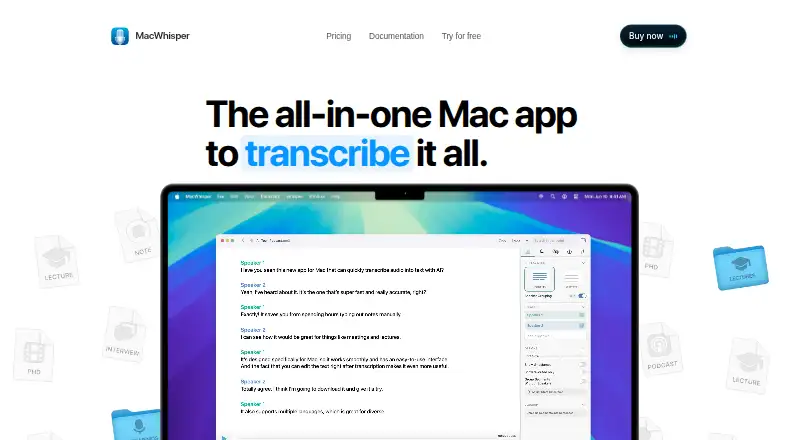
What MacWhisper is
MacWhisper transcribes audio and video files, including interviews, voice memos, lectures, and subtitle material. It supports 100 languages, speaker identification, timestamps, batch transcription, transcript cleanup, translation, and subtitle export. The Mac app can record meetings in Zoom, Teams, Webex, Skype, Chime, and Discord, with automatic detection of meeting start and end. It also offers system-wide dictation, grammar improvement, and AI prompts for dictation. Users can supply API keys for listed AI providers, connect custom OpenAI-compatible endpoints, or use local models through Ollama and LM Studio. The privacy policy says app functionality runs on-device and audio, text, and other data do not leave the device, though anonymous licensing-status analytics may be sent. Transcripts can be uploaded to services including Notion, Zapier, Obsidian, n8n, and Make.com, and the app has a CLI. The iOS version can record in-app, transcribe shared audio, create summaries, and support transcript chats. Its free plan includes transcription and subtitle export; MacWhisper Pro is listed at €64 as a one-time payment.
Good
- Transcribes in 100 languages with speaker identification and timestamps.
- Exports subtitles and several document formats.
- Records supported online meetings with automatic start and end detection.
- Supports local models and custom AI connections.
- Offers transcript uploads and CLI control.
Watch out
- iOS local models require iPhone 15 or newer.
- iOS cloud transcription has a 25 MB file limit.
- Anonymous licensing-status analytics may be sent.
Who it suits
MacWhisper suits people who need to transcribe recordings or video and work with transcripts in multiple languages. Its iOS version may suit users who want to record or transcribe audio on an iPhone, subject to its stated limits.
Verdict
MacWhisper combines transcription, dictation, meeting recording, and transcript workflows, with both Mac and iOS versions. Consider the iOS file and device limits, and note that the listed Pro price is a one-time payment.
Plans and prices
From MacWhisper's own pricing page, checked 20 Sep 2026.
| Plan | Price | What it gives you |
|---|---|---|
| Free | Free | Free forever · Transcription · Subtitle export · Free forever |
| MacWhisper Free | Free | Free plan features listed on the official site · Free forever |
| MacWhisper Pro | €64, paid once | Pro features listed on the official site · Pay Once / license · includes lifetime updates |
The facts
Each one read from MacWhisper's own pages, with the date it was checked.
What it does
- AI services
- Users can bring their own API keys for listed providers, connect custom OpenAI compatible endpoints, or use local models with Ollama and LM Studio.checked 4 Oct 2026
- Dictation
- It offers system wide dictation, grammar improvement, and AI prompts for dictation.checked 4 Oct 2026
- Export formats
- SRT,VTT,TXT,Markdown,PDF,HTML,DOTE,DOCXchecked 20 Sep 2026
- Languages
- The site says MacWhisper supports 100 languages for transcription.checked 4 Oct 2026
- Languages supported
- 100checked 20 Sep 2026
- Local and offline use
- The product site says local models can process sensitive content offline without data leaving the Mac.checked 4 Oct 2026
- Meetings
- It can record meetings in Zoom, Teams, Webex, Skype, Chime, and Discord, with automatic meeting start and end detection.checked 4 Oct 2026
- Privacy
- The privacy policy says app functionality runs on the device and audio, text, and other data do not leave the device; it also says anonymous licensing status analytics may be sent.checked 4 Oct 2026
- Speaker identification
- Yeschecked 20 Sep 2026
- Support
- The official site links to the MacWhisper user manual and lists [email protected] as a contact address.checked 4 Oct 2026
- Timestamp support
- Yeschecked 20 Sep 2026
- Transcription
- MacWhisper transcribes audio and video files, including interviews, voice memos, lectures, and subtitles.checked 4 Oct 2026
- Transcription tools
- Features include speaker recognition, batch transcription, transcript cleanup, translation, and subtitle export.checked 4 Oct 2026
- Workflow integrations
- MacWhisper can upload transcriptions to Notion, Zapier, Obsidian, n8n, Make.com, and custom webhooks, and it can be controlled through a CLI.checked 4 Oct 2026
Money
- Free plan
- Yeschecked 20 Sep 2026
The company
- Headquarters
- Netherlandschecked 28 Sep 2026
Where it runs
- iOS features
- The iOS app can record in-app, transcribe shared audio files, generate AI summaries, and let users chat with transcripts.checked 4 Oct 2026
- iOS limits
- The iOS manual says on-device local models require iPhone 15 or newer, and cloud transcription has a 25 MB file size limit.checked 4 Oct 2026
- Supported platforms
- The product is described as a Mac app, and the support manual says a MacWhisper version is available for iOS.checked 4 Oct 2026
Alternatives to MacWhisper
- 1

Superwhisper
Free planAndroidiOSAPILinux8.3From $84.99 a year - 2

Notta
Free planAndroidiOSWebExtension8.2From $8.17 a month - 3

Rev AI
Free planAndroidiOSWebAPI8.1Free plan - 4

Whisper
Free planOpen sourceAPILinuxmacOSSelf-hosted8.1$0.01 usage-based - 5

Happy Scribe
Free planAndroidiOSAPImacOS7.8From $8.50 a month - 6
Simon Says
Free planiOSWebExtensionmacOS7.7From $15 a month