LongoMatch
LongoMatch is video analysis software for planning training, reviewing matches, managing teams, and sharing feedback.
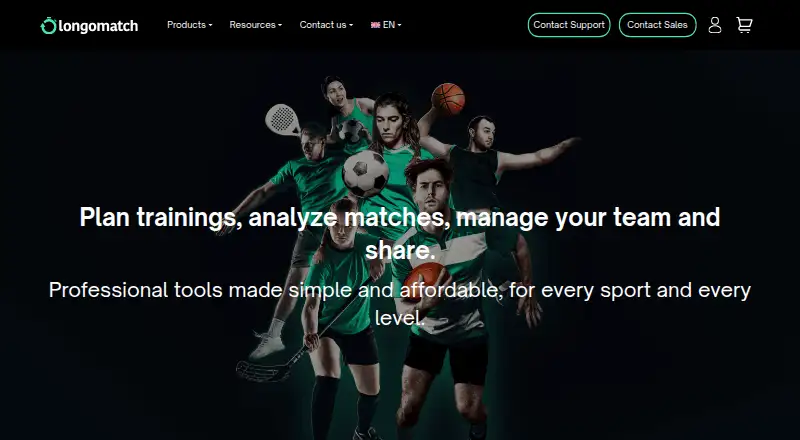
What LongoMatch is
LongoMatch is video analysis software for planning training, reviewing matches, managing teams, and sharing feedback. It can code events during live or recorded games and save drawings on footage. Users can analyze up to four videos at once and switch camera angles; statistics cover event locations, player data, possession, fouls, and assists. Longoboard adds training-session planning, tactical diagrams, and plan sharing as native files, images, video, or PDF. Longocloud supports video and software sharing, tagging, comments, shareable statistics, and team management. The listed sports include football, rugby, hockey, handball, baseball, basketball, and volleyball. A free Basic plan limits users to five projects, two teams, one dashboard, and 50 events per project, with a non-removable watermark. Paid plans include Longomatch Starter at €12.50/mo billed annually, while Pro is listed at €45.84 per month billed annually. The desktop requirements specify macOS Monterey 12 or Windows 10 version 1809 minimum. Longomatch no longer offers or maintains its Open Source version.
Good
- Codes events in live or recorded games.
- Can analyze up to four videos simultaneously.
- Statistics include player data and possession.
- Longoboard supports tactical diagrams and PDF sharing.
- Longocloud includes comments and team management.
Watch out
- Free Basic plan limits projects, teams, dashboards, and events.
- Free plan includes a non-removable watermark.
- Open Source version is no longer maintained.
- Desktop minimums are macOS Monterey 12 or Windows 10 version 1809.
Who it suits
LongoMatch suits coaches and teams that want to analyze match footage, track events, plan training, or share video feedback. Its features span a limited free plan and paid options for more extensive projects and collaboration.
Verdict
LongoMatch combines match video analysis with training planning and team collaboration options. The free plan is tightly limited, and users seeking the former Open Source version should note that it is no longer maintained.
Plans and prices
From LongoMatch's own pricing page, checked 5 Oct 2026.
| Plan | Price | What it gives you |
|---|---|---|
| Longomatch Basic | Free | 5 projects · 2 teams · 1 dashboard · 50 events per project · non-removable watermark |
| Longoboard | €1.95 a month | Unlimited teams · unlimited tasks · training sessions · PDF export · Annual payment of: 19.95€; annual price shown as 1.66€ per month |
| Longomatch Starter | €15 a month | Unlimited projects · unlimited teams · unlimited dashboards and events · live analysis with webcam, HDMI and IP camera · Annual payment of: 150€; annual price shown as 12,50€ per month |
| Longomatch Pro | €55 a month | Presentations · multicamera · Excel export · XML import/export · Longocloud compatibility · Annual payment of: 550€; annual price shown as 45,84€ per month |
| Longocloud Team | €120 a month | 1 Longomatch Pro license · 1 Longoboard license · 50 cloud users · 50 GB storage · 1 team · Annual payment of: 828€; annual price shown as 69€ per month |
| Longocloud Club | €150 a month | 1 Longomatch Pro license · 1 Longoboard license · 300–1000 cloud users · 300–1000 GB storage · unlimited teams · Annual discount shown as 41%; annual monthly price shown as 89€ |
The facts
Each one read from LongoMatch's own pages, with the date it was checked.
What it does
- Cloud collaboration
- Longocloud supports sharing Longomatch and video files, content tagging, comments, shareable statistics, and team management.checked 5 Oct 2026
- Desktop requirements
- Longomatch lists macOS Monterey 12 and Windows 10 version 1809 as minimum operating system versions.checked 5 Oct 2026
- Exports and compatibility
- The Pro plan lists Excel export and XML import/export, and says it is compatible with Longocloud.checked 5 Oct 2026
- Match analysis
- The software can code events during live or recorded games and save drawings to footage.checked 5 Oct 2026
- Mobile requirements
- Longoboard lists iPad with iOS 12.2 or later and Android 14 or later in its system requirements.checked 5 Oct 2026
- Multi-video
- Longomatch says users can analyze up to four videos at a time and switch between camera angles.checked 5 Oct 2026
- Open-source version
- Longomatch says it no longer offers or maintains the Open Source version and will not release further updates for it.checked 5 Oct 2026
- Privacy
- The GDPR page identifies Fluendo VAS S.L. as responsible for processing personal data and says it follows GDPR and Spain's Organic Law 3/2018.checked 5 Oct 2026
- Product
- Longomatch is video analysis software for planning training, analyzing matches, managing teams, and sharing feedback.checked 5 Oct 2026
- Statistics
- Its statistics include event locations, player-specific data, possession, fouls, and assists.checked 5 Oct 2026
- Support
- The pricing page lists personalized support for Basic and Starter, and remote technical assistance for Pro.checked 5 Oct 2026
- Supported sports
- The homepage lists sports including football, rugby, hockey, handball, baseball, basketball, and volleyball.checked 5 Oct 2026
The company
- Founded
- 2008checked 28 Sep 2026
- Headquarters
- Barcelona, Spainchecked 28 Sep 2026
Money
- Training planning
- Longoboard supports training session planning, tactical diagrams, and sharing plans as native files, images, video, or PDF.checked 5 Oct 2026
The full review of LongoMatch
LongoMatch is a sports video analysis and team-planning suite built around coding match events, reviewing footage and sharing feedback. It suits coaches and teams that want analysis and training plans in one workflow. Its appeal is the breadth of those tools; its main trade-off is that useful scale quickly moves beyond the tightly capped free plan.
Overview
LongoMatch combines live or recorded match analysis with team management and training preparation. Analysts can mark events during a game, draw on footage, and use statistics covering event locations, player data, possession, fouls and assists. Longoboard adds training-session planning and tactical diagrams, while Longocloud provides a place for teams to share files and feedback.
The product supports sports including football, rugby, hockey, handball, baseball, basketball and volleyball. Its desktop minimums are macOS Monterey 12 and Windows 10 version 1809. Longoboard requires iPadOS/iOS 12.2 or later on iPad and Android 14 or later. The company identifies Fluendo VAS S.L. as responsible for personal-data processing and says it follows GDPR and Spain’s Organic Law 3/2018. LongoMatch no longer offers or maintains its Open Source version, and says it will not issue further updates for it.
Key features
Match review and analysis
Event coding during live or recorded games, drawing annotations and custom labels give coaches a way to connect observations to specific moments in footage. LongoMatch says it can analyze up to four videos at once and switch between camera angles, a useful capability for teams comparing perspectives. Multicamera support is a Pro feature, so it is not part of the cheaper Starter tier.
Planning and collaboration
Longoboard supports session planning, tactical diagrams and sharing plans as native files, images, video or PDF. Longocloud adds tagging, comments, shareable statistics and team management alongside sharing video and LongoMatch files. These tools make the suite more compelling for coordinated coaching than for someone who only needs to mark up a clip.
Exports and support
Pro includes Excel export, XML import and export, presentations and Longocloud compatibility. Basic and Starter list personalized support; Pro lists remote technical assistance. Those support options matter most to teams relying on analysis in their regular workflow, though the higher tiers carry a substantial price step.
Pricing
LongoMatch is freemium, with a 15-day trial and paid plans starting at €12.50/mo (annual). The plan page gives both monthly prices and annual billing totals; annual equivalents below reflect the displayed prices.
- Longomatch Basic: free. It allows 5 projects, 2 teams, 1 dashboard and 50 events per project, and adds a non-removable watermark. It is a way to try basic workflows, but the project and event caps make it a poor fit for ongoing team analysis.
- Longoboard: €1.95 a month, with annual payment of 19.95€ and an annual price shown as 1.66€ per month. It includes unlimited teams and tasks, training sessions and PDF export. This is the focused choice for planning sessions rather than analyzing matches.
- Longomatch Starter: €15 a month, with annual payment of 150€ and an annual price shown as 12,50€ per month. It removes project, team, dashboard and event limits and adds live analysis with webcam, HDMI and IP camera. Pick it for regular analysis that does not require Pro’s listed multicamera and export features.
- Longomatch Pro: €55 a month, with annual payment of 550€ and an annual price shown as 45,84€ per month. Presentations, multicamera, Excel export, XML import/export and Longocloud compatibility target teams with more demanding review and handoff needs.
- Longocloud Team: €120 a month, with annual payment of 828€ and an annual monthly price shown as 69€. It includes one Longomatch Pro license, one Longoboard license, 50 cloud users, 50 GB storage and one team. It suits a single team needing both software licenses and shared cloud space.
- Longocloud Club: €150 a month; the annual discount is shown as 41%, with an annual monthly price of 89€. It includes one Pro and one Longoboard license, 300–1000 cloud users, 300–1000 GB storage and unlimited teams. The expanded user and storage range is aimed at clubs managing multiple teams.
Personalized support is listed for Basic and Starter, with remote technical assistance for Pro. The paid analysis tiers are a marked jump from the free plan; teams that only need session planning can avoid that cost with Longoboard.
Platforms
LongoMatch lists Android, iOS, macOS, web and Windows. Check the stated minimum operating-system requirements before choosing it, particularly for Longoboard on Android, which requires Android 14 or later.
Who it's for
LongoMatch is best suited to coaches and sports teams that need to connect match footage with event data, training plans and shared feedback. Starter fits teams wanting unlimited analysis projects and live camera input; Pro is the stronger fit when multicamera review, presentations and structured exports matter. Longoboard alone makes more sense for planning-focused users. The Basic plan is better treated as a constrained entry point than a full-time solution.
Pros and cons
- Pro: Match coding, drawing annotations, custom labels and player-focused statistics put video observations in a structured context.
- Pro: Longoboard and Longocloud extend the workflow from analysis to planning and team feedback, rather than stopping at clip annotation.
- Pro: Support for multiple named sports and up to four simultaneous videos suits varied team-review needs.
- Con: Basic caps projects, teams, dashboards and events, and its watermark cannot be removed, limiting its usefulness for sustained analysis.
- Con: Multicamera, Excel and XML features are reserved for Pro, so teams needing those tools face a considerable tier increase over Starter.
- Con: The former Open Source version is no longer maintained, so users looking for an actively supported open-source edition should look elsewhere.
Alternatives
For a broader set of options, browse Video Annotation Software.
- Onform is a freemium option with a free plan and trial across Android, iOS, web and Windows; choose it if its coach-connected free workflow for reviewing shared videos and recording personal videos fits better.
- BORIS is free and open-source under GNU GPL v.3, with Android, Linux, macOS, self-hosted and Windows platforms; choose it if an open-source alternative is the priority.
- Frame.io has a free plan with up to two members, 2GB storage, 2GB Mounted Storage and up to two projects, plus Camera to Cloud, transcription and captions; consider it when those collaboration and media features suit the job.
- FrameQuery offers a free plan with metadata search and local, Drive or NAS sharing and backup, but no monthly indexing hours; choose it when metadata search and storage workflows matter more than LongoMatch’s sports-analysis and training tools.
- Label Studio is a freemium option with a free Community Edition; consider it as an alternative if its labeling workflow is a better fit.
- InqScribe is a freemium macOS and Windows option with free and paid licenses; consider it if its transcription-focused workflow fits your needs.
- MAXQDA is a paid macOS and Windows product with a free trial; consider it for a different analysis workflow.
- Roboflow offers a free tier with 10 monthly credits, described as enough to train about 30 models or run 80,000 inferences; choose it for that model-training and inference use case rather than sports-team video review.
Verdict
Choose LongoMatch if you coach or manage a team and want match analysis, training planning and collaboration connected in one suite. Its strongest reason to buy is that combination, with Starter covering unlimited analysis and Pro adding multicamera and export tools. Look elsewhere if you need an actively maintained open-source version or only occasional, lightly capped video review; Basic’s limits and watermark are hard to ignore for regular use.
Getting started
- Visit the LongoMatch website.
- Choose Longomatch Basic to use the free plan, or review paid plan options.
- Install the desktop software on macOS Monterey 12 or later, or Windows 10 version 1809 or later.
- For mobile training planning with Longoboard, use an iPad with iOS 12.2 or later or Android 14 or later.
- Use Longoboard for training sessions and plan sharing, or Longocloud for video sharing and team management.
- Start with the 15-day trial if you want to try a paid plan.
Limits worth knowing
Longomatch Basic is limited to five projects, two teams, one dashboard, and 50 events per project, and its watermark cannot be removed.
Questions
Is LongoMatch free?
Yes. Longomatch Basic is free and includes five projects, two teams, one dashboard, and 50 events per project, with a non-removable watermark.
What do the paid plans cost?
Starter is €15.00 per month with annual payment of €150, and Pro is €55.00 per month with annual payment of €550.
Which platforms does it support?
Listed platforms are Android, iOS, macOS, web, and Windows. Longoboard requires iPad with iOS 12.2 or later or Android 14 or later; desktop minimums are macOS Monterey 12 and Windows 10 version 1809.
Is LongoMatch open source?
The Open Source version is no longer offered or maintained, and no further updates are planned for it.
What are Longoboard and Longocloud?
Longoboard supports training planning, tactical diagrams, and plan sharing. Longocloud supports sharing software and video files, tagging, comments, shareable statistics, and team management.
Who is responsible for personal data?
The GDPR page identifies Fluendo VAS S.L. as responsible for processing personal data and says it follows GDPR and Spain’s Organic Law 3/2018.
Alternatives to LongoMatch
- 1

Frame.io
Free planAndroidiOSWebAPI8.3From $15 a month - 2

Roboflow
Free planAndroidiOSWebAPI8.3From $39 a month - 3

Label Studio
Free planOpen sourceWebAPILinuxmacOS8.2From $99 a month - 4

Kollaborate
iOSWebAPIExtension7.8From $7 a month - 5
MAXQDA
Free planWebExtensionmacOSWindows7.8From $41 a month - 6

FrameQuery
Free planWebAPImacOSWindows7.7From $19 a month