LibreCAD
LibreCAD is a free, open-source 2D computer-aided design application released under the GNU General Public License version 2.
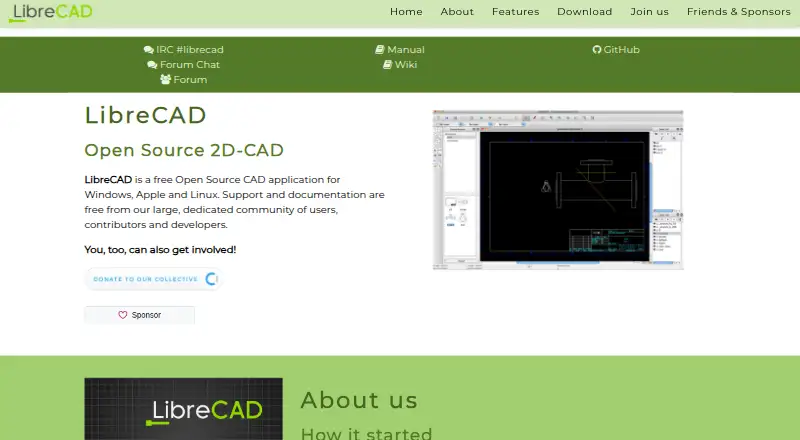
What LibreCAD is
LibreCAD is a free, open-source 2D computer-aided design application released under the GNU General Public License version 2. Its drawing tools include lines, circles, arcs, polylines, and splines, alongside entity modification, hatching, blocks, annotations, and dimensions. DXF is its main format, with import and export supported; the application can also export PDF and images and offers limited DWG import. The FAQ describes DWG support as basic and import-only, recommending conversion to DXF if import fails. LibreCAD does not support every Autodesk DXF feature and lists supported versions as R12, R14, 2000, 2004, and 2007. The interface is available in over 30 languages, and the software runs on Linux, macOS, and Windows. Community-developed plugins can help with some tasks. The project describes itself as non-profit and community-driven, with free support and documentation provided by its community. The program is distributed without warranty, including implied warranties of merchantability or fitness for a particular purpose.
Good
- Free, open-source 2D CAD application.
- Drawing tools include arcs, splines, hatching, and dimensions.
- Runs on Linux, macOS, and Windows.
- Interface available in over 30 languages.
- Community provides free support and documentation.
Watch out
- DWG support is basic and import-only.
- Not every Autodesk DXF feature is supported.
- Program is distributed without warranty.
Who it suits
LibreCAD suits users looking for free 2D CAD software on Linux, macOS, or Windows. It may fit drawing workflows that can use its supported DXF features and limited DWG import.
Verdict
LibreCAD offers a free 2D drawing toolkit with DXF as its main format and support for common desktop platforms. Check its DWG and DXF limitations against the files you need to use.
Plans and prices
From LibreCAD's own pricing page, checked 5 Oct 2026.
| Plan | Price | What it gives you |
|---|---|---|
| LibreCAD | Free | Free open-source 2D CAD · no trials, subscriptions, license costs or annual fees |
The facts
Each one read from LibreCAD's own pages, with the date it was checked.
What it does
- Drawing tools
- The project wiki lists line, circle, arc, polyline and spline drawing, plus entity modification, hatching, blocks, annotations and dimensions.checked 5 Oct 2026
- DWG limitation
- The FAQ says DWG support is basic and import only, and suggests converting DWG to DXF if import fails.checked 5 Oct 2026
- DXF limitation
- The FAQ says LibreCAD does not support every Autodesk DXF feature and lists supported DXF versions as R12, R14, 2000, 2004 and 2007.checked 5 Oct 2026
- File formats
- The wiki describes DXF import and export, partial DWG import, and PDF and image export; it identifies DXF as LibreCAD’s main format.checked 5 Oct 2026
- Help channels
- The FAQ directs users who cannot find an answer to the LibreCAD forum.checked 5 Oct 2026
- Intended use
- The project says LibreCAD began as work to add CAM capabilities to QCad Community Edition for use with a Mechmate CNC router.checked 5 Oct 2026
- Languages
- The interface is available in over 30 languages.checked 5 Oct 2026
- License
- LibreCAD is released under the GNU General Public License version 2 (GPLv2).checked 5 Oct 2026
- Parametric modeling
- Nochecked 20 Sep 2026
- Plugins
- The project wiki says plugins have been developed to ease some tasks.checked 5 Oct 2026
- Project organization
- The project describes itself as a non-profit, community-driven open-source project.checked 5 Oct 2026
- Purpose
- LibreCAD is a free, open-source 2D CAD application.checked 5 Oct 2026
- Security and warranty
- The license page states that the program is distributed without any warranty, including implied warranties of merchantability or fitness for a particular purpose.checked 5 Oct 2026
- Support
- The project says support and documentation are free and provided by its community of users, contributors and developers.checked 5 Oct 2026
Money
- Free plan
- Yeschecked 20 Sep 2026
Where it runs
- Platform downloads
- The official site links macOS DMG, Windows EXE and Linux AppImage packages, and also describes building from source for all platforms.checked 5 Oct 2026
The full review of LibreCAD
LibreCAD is a free, open-source application for 2D CAD drawing, with DXF at the center of its file workflow. It suits people who need desktop drafting tools without a license fee, particularly when their projects already use supported DXF files. Its drawing toolkit is broad for 2D work, but limited DWG and DXF compatibility makes file requirements the deciding factor.
Overview
LibreCAD brings together familiar drafting operations: drawing lines, circles, arcs, polylines and splines, then modifying entities, adding hatches and blocks, and annotating drawings with dimensions. PDF and image export extend its usefulness when a drawing needs to be shared in a format beyond CAD. DXF is its main format; this is a sensible fit for DXF-based workflows, not a guarantee that every drawing will transfer intact.
The project began with work to add CAM capabilities to QCad Community Edition for a Mechmate CNC router. That origin gives the project a practical making-and-drafting context, but LibreCAD itself is a 2D application: it has no parametric modeling, BIM authoring, construction-document tools, rendering or IFC support.
Key features
Drawing and editing
The combination of basic geometry, entity modification, hatching, blocks and dimensioning covers a useful range of 2D drafting tasks. Plugins developed by the community can ease some tasks, though the project does not promise a particular plugin capability or workflow. If a job depends on parametric modeling or rendering, LibreCAD is the wrong tool.
File compatibility
LibreCAD imports and exports DXF and exports PDF and images. DWG import is basic and import-only; if a DWG fails to open, the FAQ suggests converting it to DXF. DXF support also has boundaries: LibreCAD does not handle every Autodesk DXF feature, and its supported versions are R12, R14, 2000, 2004 and 2007. For occasional conversion or drawings built around supported features, that may be workable. For a workflow that relies on newer or specialized DWG/DXF content, verify compatibility before committing.
Language and community support
The interface is available in more than 30 languages. Documentation and support are free and community-provided, with the forum as the FAQ’s next stop when an answer is not readily found. That keeps help accessible without a paid support tier, but support comes from users, contributors and developers rather than a stated commercial service commitment. The GPLv2 license and non-profit, community-driven organization suit users who value open-source software; the license also disclaims warranties, including implied warranties of merchantability and fitness for a particular purpose.
Pricing
LibreCAD: free. The free, open-source plan has no trials, subscriptions, license costs or annual fees. That makes it a straightforward fit for individuals and teams seeking a no-cost 2D drafting tool, with no paid tier to unlock listed drawing capabilities. There is no free trial because the software is already free. Users trade a commercial support arrangement and warranty for community-based help and software distributed without warranty.
Platforms
LibreCAD supports Linux, macOS and Windows. The official site links Linux AppImage, macOS DMG and Windows EXE packages, and describes building from source for all three platforms. This desktop coverage is useful for mixed-platform environments; the listed packages and source-build option do not extend its reach to mobile devices or web browsers.
Who it's for
Choose LibreCAD when the work is 2D drafting, the budget is zero, and supported DXF files meet the project’s needs. Its language coverage and three desktop platforms broaden its appeal, while its drawing and annotation tools suit users who need more than simple geometry. Look elsewhere if the work requires parametric models, BIM, construction documents, rendering, IFC, dependable DWG exchange or guaranteed support.
Pros and cons
- Pro: No license or subscription cost, making ongoing use free rather than a time-limited trial.
- Pro: A varied 2D toolkit includes geometry, entity editing, hatching, blocks, annotations and dimensions.
- Pro: Linux, macOS and Windows support, with the interface available in more than 30 languages.
- Con: DWG is basic and import-only, so it is a poor fit for workflows that depend on direct DWG exchange.
- Con: DXF compatibility excludes some Autodesk features and is limited to specified versions, so complex or newer drawings may need conversion or checking.
- Con: Community support and a no-warranty license may not meet users who need a formal support commitment or warranty.
- Con: No parametric modeling, BIM authoring, construction-document tools, rendering or IFC support rules it out for broader design workflows.
Alternatives
For architectural design, browse Architectural Design Software; for drafting-focused comparisons, see 2D CAD Software or the broader CAD software category.
- Archicad is a paid option with a free educational license for eligible students and educators; consider it if that eligibility and its listed platform coverage fit your needs.
- usBIM.platform has a free basic configuration with 10 GB of cloud storage and free online applications, a better direction if cloud access matters more than LibreCAD’s desktop 2D workflow.
- Bonsai is free, open-source and available on Linux, macOS and Windows; consider it instead if you need its Studio and Viewer offering.
- Hypar offers web, Windows and API access, with a free Personal plan limited to 3 owned projects; choose it if that project-based option better suits your work.
- GstarCAD is a paid alternative with a free trial and listed perpetual Standard and Professional licenses; consider it if you prefer a commercial CAD product and are prepared to pay for a license.
- Snaptrude offers a free web plan with 3 projects, basic BIM and Revit export, but single-user ownership and limited presentation outputs; choose it if those BIM capabilities matter more than desktop 2D drafting.
- DIALux has a free Windows plan for core lighting design and access to member-manufacturer luminaires; consider it for lighting design rather than general 2D CAD.
- Finch has a free plan for 1 user and a 14-day trial on its 1-user Basic plan; consider it if its listed web, Windows and macOS coverage fits your needs.
Verdict
LibreCAD is a strong no-cost choice for users who need desktop 2D drafting and can keep their work within its supported DXF capabilities. Its broad drawing toolkit, open-source license and cross-platform reach are compelling without recurring fees. Choose another tool when DWG exchange, advanced file compatibility, 3D or BIM capabilities, or formal support is central to the job.
Getting started
- Open the LibreCAD website
- Download the Linux AppImage, macOS DMG, or Windows EXE
- Install the package for your platform
- Launch LibreCAD and create or open a drawing
- Import or export DXF files as needed
- Use the forum or community documentation for help
Limits worth knowing
LibreCAD has no subscription or license fees, but DWG support is basic and import-only. DXF support excludes some Autodesk features and is limited to listed versions.
Questions
How much does LibreCAD cost?
The LibreCAD plan costs nothing. There are no trials, subscriptions, license costs, or annual fees.
Which platforms are supported?
LibreCAD runs on Linux, macOS, and Windows. Official packages are provided as AppImage, DMG, and EXE downloads.
Is LibreCAD open source?
Yes. It is released under the GNU General Public License version 2 and described as a non-profit, community-driven project.
What file formats does it support?
DXF is the main format, with import and export. LibreCAD also offers PDF and image export and basic DWG import.
Does LibreCAD support parametric or BIM design?
No parametric modeling, BIM authoring, construction documents, rendering tools, or IFC support are provided.
Where can users get help?
Support and documentation are free from the community. The project directs unanswered questions to its forum.
Alternatives to LibreCAD
- 1

RoomSketcher
Free planAndroidiOSWebAPI8.3From $12 a month - 2
AutoCAD
AndroidiOSWebmacOS7.5 - 3
GstarCAD
AndroidiOSWebAPI7.3From $239 a year - 4
ProfiCAD
Free planAndroidmacOSWindows7.1$277 one-time - 5
Solid Edge
AndroidiOSWebWindows7.1 - 6
ZWCAD Professional
AndroidiOSWindows7.1