ProfiCAD
ProfiCAD is desktop software for creating electrical and electronic diagrams, schematics, control circuits, and technical drawings such as pneumatic and hydr…
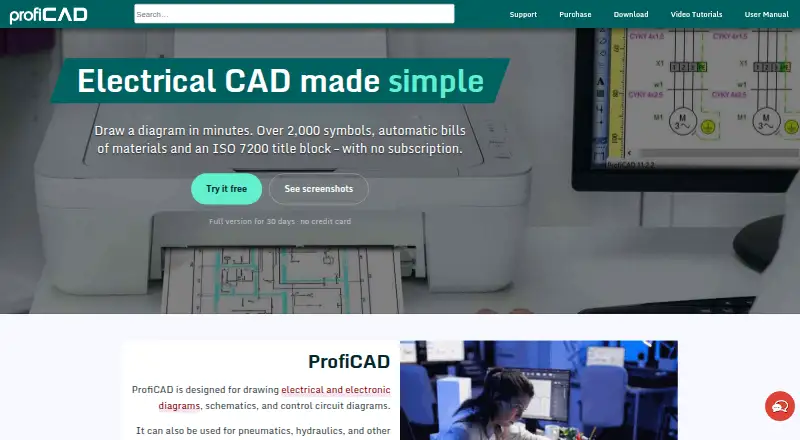
What ProfiCAD is
ProfiCAD is desktop software for creating electrical and electronic diagrams, schematics, control circuits, and technical drawings such as pneumatic and hydraulic diagrams. It can generate bills of materials, wire lists, terminal lists, and cable lists. The program includes over 2,000 symbols, an editor for custom symbols, and tools for numbering, searching, and inserting symbols automatically. It also provides cross-references between wires and component symbols, plus adaptable ISO 7200 title blocks. The desktop program is for Windows; its maker says it can run on Mac with Parallels. ProfiCAD Viewer lets Android users view drawings, but does not display cross-references. ProfiCAD works offline, and drawings stay on the user's computer. The Home edition is free for non-commercial use and allows up to three pages; commercial creation or modification requires a paid license. A full-feature trial lasts 30 days without a credit card.
Good
- Generates bills of materials and wire lists
- Includes over 2,000 symbols
- Works offline with drawings kept on the computer
- 30-day full-feature trial without a credit card
Watch out
- Free Home edition is limited to three pages
- Commercial creation or modification requires a paid license
- Android Viewer does not display cross-references
- Not intended for PCB layout or 3D modeling
Who it suits
ProfiCAD is aimed at electrical engineers, electricians, panel builders, technicians, schools, hobbyists, and small or medium teams. It suits users making technical diagrams rather than PCB layouts, 3D models, or complex CAD work.
Verdict
ProfiCAD provides specialized tools for electrical and related technical diagrams, including symbol management and parts lists. Check the three-page Home edition limit and the product's stated exclusions before choosing it.
Plans and prices
From ProfiCAD's own pricing page, checked 4 Oct 2026.
| Plan | Price | What it gives you |
|---|---|---|
| 30-day trial | Free | Full features · no credit card · Full version free for 30 days |
| Home license | Free | Home and hobby use · maximum 3 pages · commercial creation or modification requires paid license · Free for non-commercial use |
| School License | $277, paid once | Install on all school computers and students’ and employees’ private computers · $277 · all prices exclude tax |
| Single User License | $277, paid once | One computer at work and one at home within purchasing organization · permanent license · $277 · all prices exclude tax |
| Site License | $827, paid once | Install on all company computers, including employees’ private computers · $827 · all prices exclude tax |
The facts
Each one read from ProfiCAD's own pages, with the date it was checked.
The company
- Company history and audience
- The maker says Vaclav Jedlicka has developed ProfiCAD since 1997, and identifies electrical engineers, electricians, panel builders, technicians, small and medium teams, schools, and hobbyists as users.checked 4 Oct 2026
- Founded
- 1997checked 28 Sep 2026
What it does
- Drawing features
- Features include automatic symbol numbering, symbol search, automatic symbol insertion, and cross-references between wires and component symbols.checked 4 Oct 2026
- File sharing
- The maker describes using Dropbox, OneDrive, Google Drive, or email to transfer drawings to the Android viewer.checked 4 Oct 2026
- Limitations
- The maker says ProfiCAD is not intended for PCB layout, 3D modeling, complex CAD, or full-featured DWG/DXF editing.checked 4 Oct 2026
- Mobile viewer
- ProfiCAD Viewer lets users view ProfiCAD drawings on Android, but the viewer has limitations such as not displaying cross-references.checked 4 Oct 2026
- Offline use
- The maker says ProfiCAD works offline and drawings stay on the user's computer.checked 4 Oct 2026
- Operating systems
- The desktop program is for Windows; the maker says it can run on Mac using Parallels software.checked 4 Oct 2026
- Purpose
- ProfiCAD creates electrical and electronic diagrams, schematics, control circuit diagrams, and other technical diagrams such as pneumatic and hydraulic diagrams.checked 4 Oct 2026
- Reports
- It generates bills of materials, wire lists, terminal lists, and cable lists.checked 4 Oct 2026
- Security and privacy
- The privacy policy says the maker encrypts all computers and performs regular data backups; it also says the website uses Google Analytics and cookies.checked 4 Oct 2026
- Support
- Users can get technical support through the site chatbot, email, FAQ, and user manual; the maker says questions are answered by the developer.checked 4 Oct 2026
- Symbols
- The program includes over 2,000 symbols and provides an editor for creating custom symbols.checked 4 Oct 2026
- Title blocks
- It supports ISO 7200 title blocks that users can adapt or create themselves.checked 4 Oct 2026
Money
- Free edition limit
- The Home edition permits up to three pages; its commercial use is limited to opening, viewing, and printing third-party documents.checked 4 Oct 2026
The full review of ProfiCAD
Overview
ProfiCAD is a Windows desktop application for electrical, electronic, control-circuit, pneumatic, hydraulic, and related technical diagrams. It is best suited to electrical professionals, schools, small teams, and hobbyists who need focused schematic documentation rather than a broad CAD workspace. Its specialized symbols and generated parts lists are compelling, but the three-page Home cap and narrow remit make the license choice important.
Key features
More than 2,000 built-in symbols, a custom-symbol editor, and symbol search give users a substantial foundation for technical drawings. Automatic symbol insertion and numbering, along with cross-references between wires and component symbols, help keep schematics organized. ProfiCAD can also generate bills of materials, wire lists, terminal lists, and cable lists, turning drawings into useful project documentation. Adaptable ISO 7200 title blocks support formalized drawing layouts.
The application works offline and keeps drawings on the user's computer. It supports DXF and batch printing, but not native DWG or PDF underlays. The maker says it is not intended for PCB layout, 3D modeling, complex CAD, or full-featured DWG/DXF editing; readers with those needs should look elsewhere. On Mac, the desktop program can run using Parallels. The Android ProfiCAD Viewer can display drawings transferred by cloud storage or email, but it omits cross-references, so it is a viewing companion rather than a complete mobile workflow.
Pricing
The 30-day trial costs nothing and provides full features without requiring a credit card. It is a useful way to assess the workflow before buying. The Home license is also free, for non-commercial use and up to three pages. Commercial use is limited to opening, viewing, and printing third-party documents; creating or modifying commercial drawings requires a paid license. That restriction makes Home appropriate for hobby use, not routine paid work.
The Single User License costs $277, paid once, with prices excluding tax. It is a permanent license for one computer at work and one at home within the purchasing organization, making it the direct fit for an individual professional. The School License costs $277, paid once and permits installation on all school computers and students' and employees' private computers. The Site License costs $827, paid once and covers all company computers, including employees' private computers. These broader installation rights suit institutions and organizations; the single-user option is the more focused purchase.
Platforms
ProfiCAD is primarily desktop software for Windows. Mac users can run it through Parallels rather than a native Mac desktop version. The Android viewer is useful for consulting drawings away from the desktop, though its missing cross-references limit how much detail it can convey. Offline use and local drawing storage favor users who prefer working without a cloud-dependent design workflow.
Who it's for
ProfiCAD is a strong match for electricians, electrical engineers, panel builders, technicians, schools, and hobbyists producing electrical or related technical diagrams. Its symbols, cross-references, and generated lists are particularly relevant when drawings need accompanying component and wiring documentation. It is a poor fit for PCB design, 3D work, complex general CAD, or substantial DWG editing.
Pros and cons
- Pros: More than 2,000 symbols, custom-symbol creation, and search support specialized diagram work without building a library from scratch.
- Pros: Automatic numbering, cross-references, and generated parts and wiring lists help connect the drawing to practical documentation.
- Pros: Offline operation, local drawing storage, DXF support, and batch printing serve users who need an independent desktop workflow.
- Cons: The free Home edition is capped at three pages and cannot be used to create or modify commercial drawings.
- Cons: No native DWG support or PDF underlay, and the product is not intended for PCB layout, 3D modeling, complex CAD, or full-featured DWG/DXF editing.
- Cons: Mac use depends on Parallels, while the Android viewer does not display cross-references.
Alternatives
Electrical Design Software is a useful category for comparing tools aimed at electrical work. For a broader drafting shortlist, see 2D CAD Software.
Choose QElectroTech if a zero-cost, GNU/GPL option is the priority. LibreCAD is another free choice, with an open-source 2D CAD focus and no trial, subscription, license cost, or annual fee. LiberoDraft may suit users who prefer free browser-based 2D CAD with drawings saved locally, though registration is required to unlock its start link.
CMS IntelliCAD is worth considering when DWG, DXF, and DWF viewing across Android and Windows is central; its ETOOLBOX CAD Viewer is free per seat, while other plans are paid. AutoCAD is a paid alternative with a free trial and apps for desktop, web, and mobile. For floor planning rather than electrical schematics, RoomSketcher offers a free tier with 2D and 3D floor plans and 3D snapshots. Floorplanner is another option for floor-planning work, with a free account and up to five free projects on its pricing page. OpenPlan3D is a free option with an editor open sourced under the MIT License.
Verdict
Choose ProfiCAD if you produce electrical or related technical diagrams and want specialized symbols, cross-references, and generated lists in an offline desktop tool. The free edition is useful for non-commercial projects of no more than three pages, while commercial drawing work requires a paid license. Look elsewhere if your work depends on PCB layout, 3D modeling, broader CAD capabilities, or native DWG support.
Getting started
- Visit the ProfiCAD website.
- Use the 30-day full-feature trial without a credit card, or choose the free Home edition for non-commercial use.
- For paid use, choose a single-user, school, or site license.
- Install the desktop program on Windows; the maker says it can run on Mac using Parallels.
- To view drawings on Android, transfer them to ProfiCAD Viewer using Dropbox, OneDrive, Google Drive, or email.
Limits worth knowing
The free Home edition allows up to three pages and limits commercial use to opening, viewing, and printing third-party documents. Commercial creation or modification requires a paid license. The Android viewer does not display cross-references.
Questions
Is ProfiCAD free?
A free Home edition is available for non-commercial use and allows up to three pages. A full-feature trial lasts 30 days and does not require a credit card.
How much do paid licenses cost?
The single-user license costs $277 once, excluding tax. A school license is $277 once and a site license is $827 once; those prices also exclude tax.
Which platforms does ProfiCAD support?
The desktop program is for Windows. The maker says it can run on Mac using Parallels, and ProfiCAD Viewer lets users view drawings on Android.
Does ProfiCAD work offline?
Yes. The maker says the software works offline and drawings stay on the user's computer.
Can ProfiCAD create custom symbols and reports?
Yes. It includes over 2,000 symbols and an editor for custom symbols, and it generates bills of materials, wire lists, terminal lists, and cable lists.
What is ProfiCAD not intended for?
It is not intended for PCB layout, 3D modeling, complex CAD, or full-featured DWG/DXF editing.
Alternatives to ProfiCAD
- 1

RoomSketcher
Free planAndroidiOSWebAPI8.3From $12 a month - 2
AutoCAD
AndroidiOSWebmacOS7.5 - 3
GstarCAD
AndroidiOSWebAPI7.3From $239 a year - 4
Solid Edge
AndroidiOSWebWindows7.1 - 5
ZWCAD Professional
AndroidiOSWindows7.1 - 6
CMS IntelliCAD
Free planAndroidmacOSWindows7.0From $249.95 a year