AutoCAD
AutoCAD is drafting, design, and modeling software for precise 2D and 3D work.
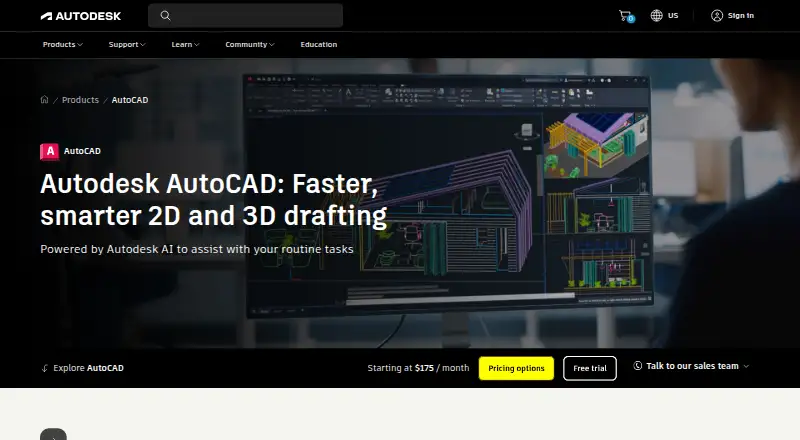
What AutoCAD is
AutoCAD is drafting, design, and modeling software for precise 2D and 3D work. It uses DWG as its primary file format and offers seven specialized toolsets for architecture, mechanical, MEP, electrical, plant, mapping, and raster design. Teams can share DWG files, work in parallel, and add markups together. AI capabilities include markup assistance, block replacement suggestions, and contextual productivity tips. AutoCAD runs on Windows, macOS, web, iOS, and Android, with web and mobile access included in each subscription. A subscription is assigned to one named user and may be installed on up to three devices, with use on one at a time. Standalone subscriptions include Forma Data Management Essentials. A 15-day free trial is available. Eligible students and educators can receive renewable one-year access while eligible.
Good
- Precise 2D and 3D drafting, design, and modeling
- Seven specialized industry toolsets
- Shared DWG files and multi-user markups
- Web and mobile access included with subscriptions
Watch out
- No free plan
- Monthly subscription is $260 a month
- One named user per subscription
- One-device-at-a-time use
Who it suits
AutoCAD suits people who need precise 2D or 3D drafting and modeling, including teams collaborating on DWG files. Its specialized toolsets address several design fields, and eligible students and educators can use renewable education access.
Verdict
AutoCAD combines drafting and modeling with specialized toolsets and collaboration features. Consider its paid subscription structure and named-user, one-device-at-a-time access when choosing it.
Plans and prices
From AutoCAD's own pricing page, checked 20 Sep 2026.
| Plan | Price | What it gives you |
|---|---|---|
| AutoCAD Monthly | Priced on request | 1 user |
| AutoCAD Monthly | — | 1 user |
| AutoCAD Annual | Priced on request | 1 user |
| AutoCAD Annual | — | 1 user |
| AutoCAD 3-Year | Priced on request | 1 user |
| AutoCAD 3-Year | — | 1 user |
| Monthly subscription | $260 a month | AutoCAD subscription · billed monthly |
| Annual subscription | $2,095 a year | 1 user · pay annually |
| Three-year subscription | $6,285 a year | 3-year term for 1 user · pay annually |
| Free trial | Free | 15 days |
| Education access | Free | Eligible students and educators; renewable while eligible |
The facts
Each one read from AutoCAD's own pages, with the date it was checked.
What it does
- AI capabilities
- Markup assistance, block replacement suggestions, and contextual productivity tipschecked 27 Sep 2026
- Collaboration features
- Shared DWG files, parallel work, and multi-user markupschecked 27 Sep 2026
- Data management
- Forma Data Management Essentials is included with standalone AutoCAD subscriptionschecked 27 Sep 2026
- Design capabilities
- Precise 2D and 3D drafting, design, and modelingchecked 27 Sep 2026
- Industry toolsets
- Seven specialized toolsets for architecture, mechanical, MEP, electrical, plant, mapping, and raster designchecked 27 Sep 2026
- Mobile systems
- iOS, Android, and Windowschecked 27 Sep 2026
- Previous versions
- Current version plus three previous versionschecked 27 Sep 2026
- Primary file format
- DWGchecked 27 Sep 2026
- Refund policy
- 30-day return for annual and multi-year subscriptions; 15-day return for monthly subscriptionschecked 27 Sep 2026
- Seat access
- Each subscription is assigned to one named userchecked 27 Sep 2026
- Support availability
- 24x7 online support options and resourceschecked 27 Sep 2026
- Web mobile access
- Every subscription includes AutoCAD on the web and mobilechecked 27 Sep 2026
Money
- Annual price
- $2,095 per yearchecked 27 Sep 2026
- Free education
- One-year renewable access for eligible students and educatorschecked 27 Sep 2026
- Free plan
- Nochecked 20 Sep 2026
- Monthly price
- $260 per monthchecked 27 Sep 2026
- Starting price
- Starting at $175 per monthchecked 27 Sep 2026
- Trial length
- 15 dayschecked 27 Sep 2026
Where it runs
- Device installation
- Up to three devices, with use on one device at a timechecked 27 Sep 2026
- Supported platforms
- Windows, macOS, web, iOS, Android, and Windows mobilechecked 27 Sep 2026
The company
- Founded
- 1982checked 23 Sep 2026
- Headquarters
- San Francisco, Californiachecked 23 Sep 2026
The full review of AutoCAD
Overview
AutoCAD is computer-aided design software for precise 2D drafting and 3D modeling, suited to designers and teams whose work depends on detailed drawings. Its breadth of specialized toolsets and collaboration options is a strong fit for varied design workflows, but its paid, named-user subscription is a substantial commitment for occasional or shared-seat use.
DWG is its primary file format, and each subscription includes access to AutoCAD on the web and mobile as well as desktop platforms. That reach makes it practical to work across devices, though each named user can use the software on only one device at a time.
AutoCAD comes from Autodesk, founded in 1982 and headquartered in San Francisco. It supports offline use, and subscriptions provide the current version plus three previous versions.
Key features
- 2D and 3D design: Precise drafting, design, and modeling in both dimensions make AutoCAD relevant to projects that move beyond flat drawings. Parametric constraints, batch printing, native DWG and DXF support, and PDF underlays add practical drafting and output capabilities.
- Specialized toolsets: Seven toolsets cover architecture, mechanical, MEP, electrical, plant, mapping, and raster design. This range gives users in those fields more focused options than a general-purpose drafting workflow alone.
- Collaboration: Shared DWG files, parallel work, and multi-user markups help teams coordinate on drawings. Cloud collaboration is supported, while Forma Data Management Essentials is included with standalone subscriptions.
- AI assistance: Markup assistance, block replacement suggestions, and contextual productivity tips can help with common drawing tasks, though the listed capabilities do not promise a replacement for design judgment.
- Support and access: 24x7 online support options and resources are available. Installation is allowed on up to three devices, but the subscription belongs to one named user and permits use on just one device at a time.
Pricing
AutoCAD has no free plan. The 15-day free trial is a short evaluation window; eligible students and educators can instead get one-year renewable access while they remain eligible.
- Monthly subscription: $260 a month, billed monthly, for one user. It suits users who need a short commitment, but costs more over time than annual billing.
- Annual subscription: $2,095 a year, billed annually, for one user. This is the more suitable standard term for ongoing individual use. Annual subscriptions have a 30-day return period; monthly subscriptions have a 15-day return period.
- Three-year subscription: $6,285 a year, billed annually, for one user on a three-year term. It suits a user prepared to commit long-term, but locks in a longer term than the monthly or annual option.
Custom pricing applies where no price is provided. The starting price is $175 per month, while the monthly subscription is also priced at $260 a month; these are distinct stated price points, so buyers should compare the applicable offer before committing.
Platforms
AutoCAD supports Windows, macOS, web, iOS, Android, and Windows mobile. Every subscription includes web and mobile access, and offline mode is supported. The multiple-device installation allowance is useful for moving between workstations and mobile devices, but it does not create multiple simultaneous seats.
Who it's for
AutoCAD is best suited to individual professionals and design teams that need precise 2D and 3D work, DWG-based collaboration, and a toolset aligned with architecture, engineering, plant, mapping, or raster design. It is less suitable for buyers seeking a free ongoing plan, several users sharing one subscription, or a low-cost option for occasional drafting.
Pros and cons
- Pro: Seven industry toolsets cover a broad range of design disciplines, reducing the need to rely on a single generic workflow.
- Pro: DWG sharing, parallel work, multi-user markups, and included web and mobile access support drawing work across a team and devices.
- Pro: Offline mode and access to three previous versions alongside the current one provide flexibility for work that cannot always depend on connectivity or the newest release.
- Con: There is no free plan, and the 15-day trial offers only a brief evaluation period.
- Con: Each subscription is assigned to one named user and allows use on one device at a time, limiting its value as a shared team seat.
- Con: The annual and three-year options require substantial upfront commitment, while the monthly option is expensive for sustained use.
Alternatives
For a wider comparison, browse CAD software, Electrical Design Software, 2D CAD Software, and Architecture Software.
Choose Onshape if you want a free plan on Android, iOS, or web and can accept its non-commercial-use and public-document terms. SOLIDWORKS is another freemium option with a free plan and trial, though its listed Design Standard with Cloud Services plan costs $2,820 a year. Consider Creo if you want a paid alternative available on desktop, web, and mobile platforms. FreeCAD is a free option for Linux, macOS, and Windows users. Rhino 3D is another option for Windows and macOS, with a free plan and trial. Autodesk Inventor is a paid Windows alternative with a free trial. Solid Edge offers a free plan on web and Windows. CATIA is a paid alternative for web and Windows.
Verdict
Choose AutoCAD if your work calls for precise 2D and 3D design, discipline-specific toolsets, and coordinated DWG workflows across desktop and mobile. Its range and collaboration features make it compelling for ongoing professional use; look elsewhere if you need a free plan, shared-seat access, or a lighter financial commitment.
Getting started
- Visit the AutoCAD website.
- Choose a monthly, annual, or three-year subscription, or start the 15-day free trial.
- Install AutoCAD on Windows, macOS, iOS, or Android, or use it on the web.
- Sign in as the named user assigned to the subscription.
- Eligible students and educators can apply for renewable one-year education access while eligible.
Limits worth knowing
There is no free plan. The free trial lasts 15 days; subscriptions are for one named user and allow installation on up to three devices, with use on one device at a time.
Questions
How much does AutoCAD cost?
Listed options include $260 a month, billed monthly, $2,095 a year, billed annually, and $6,285 a year for a three-year term.
Is there a free plan or trial?
There is no free plan. A 15-day free trial is available.
Which platforms does AutoCAD support?
AutoCAD is available on Windows, macOS, the web, iOS, and Android. Each subscription includes web and mobile access.
What file formats does it support?
DWG is the primary file format; AutoCAD also supports DXF and PDF underlays.
Can students and educators use AutoCAD for free?
Eligible students and educators can receive renewable one-year access while eligible.
How many devices can use one subscription?
A subscription is assigned to one named user and can be installed on up to three devices, with use on one device at a time.
Alternatives to AutoCAD
- 1
SOLIDWORKS
WebmacOSWindows7.5From $48 a year - 2
LabVIEW
Free planWebLinuxmacOSWindows7.3Free plan - 3
LibrePCB
Free planOpen sourceAPILinuxmacOSSelf-hosted7.3Free plan - 4
ProfiCAD
Free planAndroidmacOSWindows7.1$277 one-time - 5
SKM Power*Tools
AndroidiOSWindows7.1From $299 a year - 6

ETAP
AndroidiOSWebAPI7.0