usBIM.platform
usBIM.platform is ACCA’s cloud workspace for bringing BIM models, project documents and related data together across construction project stages.
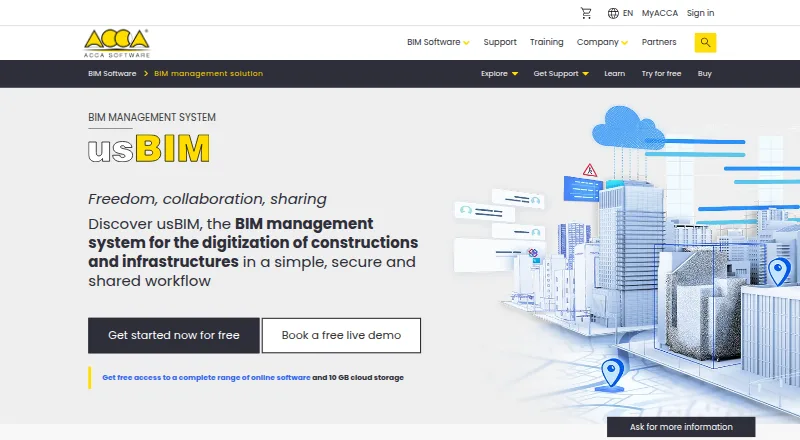
What usBIM.platform is
usBIM.platform is ACCA’s cloud workspace for bringing BIM models, project documents and related data together across construction project stages. Presented as a Common Data Environment aligned with EN ISO 19650 and openBIM, it combines file viewing with tools for coordinating work. Its browser viewer supports IFC, BCF, DWG, DXF, PDF, OBJ, SKP, 3DS and RVT files. Teams can discuss work through live chat, view documents together, mark up issues and receive synchronization feedback. Access roles, revision and action tracking, and configurable review or validation gates provide controls for project workflows.
The free basic configuration includes 10 GB of cloud storage and online applications for model and point-cloud viewing, federation, chat, meetings, GIS, BCF management, writing and calendar use. ACCA also lists integrations with Edificius, PriMus, CerTus, EdiLus and TerMus. The maker describes automatic backups and disaster recovery, and says the platform has Cloud Security Alliance STAR registration and follows GDPR and the CISPE Code of Conduct. A 30-day trial is listed, while paid pricing starts at €799 per year. Additional applications and storage are selected through the online store. ACCA links technical support and training resources from its product pages.
Good
- Free configuration includes 10 GB of cloud storage.
- Browser viewer supports IFC, BCF, DWG, DXF, PDF and more.
- Includes chat, shared viewing, issue markup and synchronization feedback.
- Teams can set roles and review or validation gates.
- ACCA lists integrations with five of its applications.
Watch out
- Paid pricing starts at €799 per year.
- Additional applications and storage are chosen through the online store.
- Mobile access is described as viewer access.
Who it suits
It suits growing companies adopting BIM and larger organizations that need to demonstrate EN ISO 19650 project compliance. Construction teams that need shared model and document viewing, role controls, revision tracking and review workflows may find its CDE approach useful.
Verdict
Choose usBIM.platform if your construction team needs a cloud CDE with model viewing, collaboration and workflow controls, especially for EN ISO 19650 compliance work. The free configuration offers a route to start with 10 GB and online applications. Look elsewhere if you need a stated price for each added application or storage option before choosing.
Plans and prices
From usBIM.platform's own pricing page, checked 14 Oct 2026.
| Plan | Price | What it gives you |
|---|---|---|
| Free | Free | 10 GB cloud storage · free online applications |
| usBIM free basic configuration | Free | 10 GB cloud storage · free online applications |
| usBIM subscriptions | Priced on request | Choose additional applications and cloud storage through the online store; specific prices are not stated on the opened page |
The facts
Each one read from usBIM.platform's own pages, with the date it was checked.
What it does
- API extensibility
- The user manual describes creating API connections that link model objects with external products or services such as live camera feeds.checked 14 Oct 2026
- BCF issue management
- usBIM.bcf manages BIM Collaboration Format issues.checked 14 Oct 2026
- BIM viewer
- usBIM.browser provides browser-based viewing and navigation of BIM models and documents.checked 14 Oct 2026
- Clash detection
- usBIM.clash checks geometric interferences and can export results in BCF and several report formats.checked 14 Oct 2026
- Collaboration
- The CDE includes live chat, shared document viewing, issue and markup tools, and synchronization feedback for updates.checked 29 Sep 2026
- CSA STAR
- ACCA says usBIM.platform is registered in the Cloud Security Alliance STAR program.checked 14 Oct 2026
- Data recovery
- The platform describes automatic backups and disaster recovery for data loss events.checked 29 Sep 2026
- Documentation
- ACCA publishes application manuals for browser viewing, BCF, chat, checker, clash and federation, with listed editions and revision dates.checked 14 Oct 2026
- File formats
- The browser supports viewing files including IFC, BCF, DWG, DXF, PDF, OBJ, SKP, 3DS, and RVT.checked 29 Sep 2026
- GIS
- usBIM.gis provides BIM-GIS capabilities for geographic data and models.checked 14 Oct 2026
- Integrations
- The maker lists ACCA applications including Edificius, PriMus, CerTus, EdiLus, and TerMus, and says cost estimate and health and safety plan integrations are available soon.checked 29 Sep 2026
- Intended users
- The maker describes usBIM.platform as suited to growing companies adopting BIM and large organizations needing to demonstrate EN ISO 19650 project compliance.checked 29 Sep 2026
- ISO security
- The same manual states compliance with ISO 27001 for information security.checked 14 Oct 2026
- Limit: integration feedback
- A GetApp reviewer rates the Edificius integration low and says it provided limited benefit in their experience.checked 14 Oct 2026
Where it runs
- Browser access
- The services are available from computers, tablets or smartphones through common browsers including Chrome, Firefox and Edge.checked 14 Oct 2026
- Limit: GetApp mobile score
- GetApp lists mobile access at 3.0 out of 5 based on 2 ratings.checked 14 Oct 2026
- Limit: GetApp support score
- GetApp lists customer support at 2.5 out of 5 based on 3 ratings.checked 14 Oct 2026
The company
- Company founding
- ACCA says it was founded in 1989.checked 14 Oct 2026
- Company headquarters and size
- LinkedIn lists headquarters in Bagnoli Irpino, Italy, and a company size of 201–500 employees.checked 14 Oct 2026
- Company legal name
- The platform manual identifies the supplier as ACCA software S.p.A.checked 14 Oct 2026
- Founded
- 1989checked 28 Sep 2026
- Headquarters
- Bagnoli Irpino, Italychecked 28 Sep 2026
Money
- Free access
- ACCA provides free online applications with 10 GB of cloud storage.checked 14 Oct 2026
- Free applications
- The free usBIM configuration includes applications such as the browser viewer, point cloud viewer, federation, chat, meetings, GIS, BCF management, writer, and calendar.checked 29 Sep 2026
The full review of usBIM.platform
Overview
usBIM.platform is a cloud Common Data Environment for construction teams coordinating BIM models, documents, and project data. It is best suited to organizations that need shared model review and controlled project workflows, particularly as they adopt BIM or work to demonstrate EN ISO 19650 compliance. Its main trade-off is that extra applications and storage are chosen separately, with custom pricing rather than a clear bundle cost.
Key features
The browser viewer handles IFC, BCF, DWG, DXF, PDF, OBJ, SKP, 3DS, and RVT files. That breadth helps teams review varied project material in one place, though the stated capability is viewing, not editing every format. Live chat, shared document viewing, issue and markup tools, plus feedback on synchronization, give collaborators ways to discuss changes in context.
Access roles, revision and action tracking, and configurable workflows with review or validation gates make the platform more than a shared file space. These controls are useful when teams need accountability for updates and approvals; they also require a team to follow the defined process. The service is presented as aligned with EN ISO 19650 and openBIM. ACCA states that it has Cloud Security Alliance STAR registration and follows GDPR and the CISPE Code of Conduct, and describes automatic backups and disaster recovery for data-loss events.
The free configuration includes online applications such as a browser viewer, point cloud viewer, federation, chat, meetings, GIS, BCF management, writer, and calendar. ACCA also lists integrations with Edificius, PriMus, CerTus, EdiLus, and TerMus. Cost-estimate and health-and-safety-plan integrations are described as coming soon, so teams relying on those connections should not treat them as current capabilities.
Pricing
The usBIM free basic configuration costs nothing and includes 10 GB of cloud storage and free online applications. It is a practical entry point for a team evaluating the shared environment or starting with a modest project footprint, but the storage cap matters as model and document volumes grow.
usBIM subscriptions use custom pricing: customers select additional applications and cloud storage through the online store. That flexibility can suit teams that want to assemble a specific configuration, but buyers cannot readily compare the cost of added capacity or tools before selecting them. The overall pricing model is paid, with a stated starting price of €799/yr and a 30-day trial; the free configuration remains a separate option. Support and training resources are linked by ACCA from its product pages.
Platforms
The platform is available on web and Windows, with Android and iOS access. Mobile access is described as viewer access, so teams needing full mobile authoring should look elsewhere. The software also covers BIM authoring, parametric modeling, construction documents, rendering, IFC, clash detection, quantity takeoff, 2D and 3D measurement, critical path, Gantt charts, and resource planning. Its drawing formats include DWG, DXF, PDF, BMP, and JPG; exports include DWG, XLS, DOC, XML, XPWE, and PWE. API access is supported.
Who it's for
Growing companies bringing BIM into their work can use the free configuration to begin centralizing project information, while larger organizations may value the access, revision, and approval controls for compliance-oriented work. It is less compelling for buyers who need a firm total cost for a specific combination of applications and storage before committing.
Pros and cons
- Pro: Broad browser viewing support makes it easier to coordinate mixed model and document formats.
- Pro: Roles, revision histories, action tracking, and review gates support controlled, traceable project processes.
- Pro: A 10 GB free configuration provides a no-cost starting point with multiple online applications.
- Con: Additional applications and storage are priced through the online store, making configuration costs harder to establish up front.
- Con: Mobile access is viewer-only, limiting its fit for teams seeking mobile authoring.
Alternatives
For teams prioritizing schedule planning over a BIM CDE, Open Planner Studio is free and open source, with Gantt charts, critical-path analysis, and resource planning and no per-seat licence fees. Trimble Quadri offers a free read-only viewer for model viewing, commenting, and distance or area measurement; choose it when that narrower review role is sufficient.
Mastt Schedule has a free first project and a Professional plan at $165 a month, making it a schedule-focused option for project-based use. Asta Powerproject is an alternative for buyers seeking a single-user Windows scheduling subscription, priced at £695 a year excluding VAT.
LookAhead is another paid alternative. Nialli Visual Planner provides a 30-day full-access trial and a single-plan subscription at $1,400 a year. Oracle Primavera Cloud offers hosted named-user services, including a progress service at $12 a month and task management at $55 a month. TeamGantt has a free plan and a Basic plan at $24 a month; consider it when its project and task limits suit your planning needs.
Browse BIM software for more model-focused options, construction scheduling software for planning tools, and construction takeoff software for quantity-focused alternatives. For design needs, see architectural design software and 3D landscape design software; for church property operations, see church facility management software.
Verdict
Choose usBIM.platform when your construction team needs a cloud CDE that combines broad model viewing with collaboration, traceable revisions, and workflow controls, especially for EN ISO 19650-aligned work. The 10 GB free configuration lowers the barrier to getting started. Look elsewhere if mobile authoring or transparent upfront prices for added applications and storage are priorities.
Getting started
- Open the usBIM website.
- Start with the free basic configuration, which includes 10 GB of storage and online applications.
- Use the listed 30-day trial if evaluating a paid subscription.
- Choose additional applications and cloud storage through the online store.
- Use ACCA's linked technical support and training resources as needed.
Limits worth knowing
The free basic configuration includes 10 GB of cloud storage. Additional applications and storage are selected through the online store, and the listed paid starting price is €799 per year.
Questions
Is there a free plan?
Yes. The free basic configuration costs nothing and includes 10 GB of cloud storage and free online applications.
What does it cost to move to paid use?
Pricing is listed from €799 per year, and a 30-day trial is noted. Further applications and storage are selected in the online store.
Which platforms does it support?
The listed platforms are Android, iOS, web and Windows. Mobile access is described as viewer access.
What files can its browser viewer open?
Supported viewing formats include IFC, BCF, DWG, DXF, PDF, OBJ, SKP, 3DS and RVT.
What integrations are listed?
ACCA lists Edificius, PriMus, CerTus, EdiLus and TerMus integrations.
Who makes usBIM.platform?
It is made by ACCA, founded in 1989 and headquartered in Bagnoli Irpino, Avellino, Italy.
Alternatives to usBIM.platform
- 1

Configurix
WebAPI6.0 - 2
ARCAT BIM
AndroidiOSWeb5.2 - 3
ProdLib
WebmacOSWindows4.9 - 44.8
- 5
BIMcontent.com
WebWindows4.7 - 6
HyperBIM
WebWindows4.7