
Asta Powerproject
Asta Powerproject is construction planning software for projects from small extensions to megaprojects.
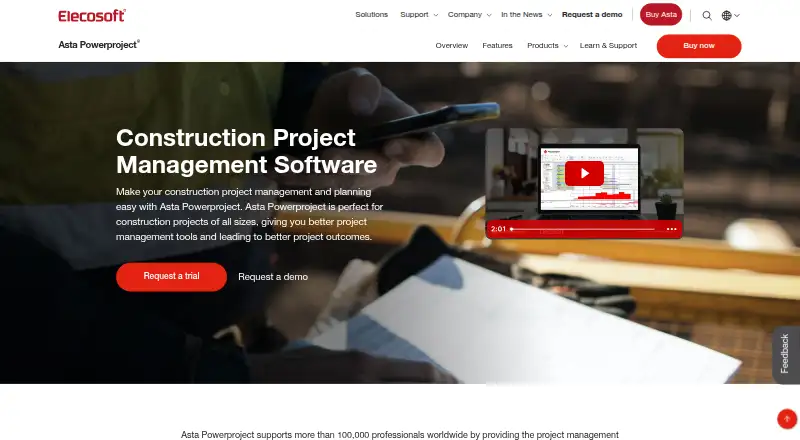
What Asta Powerproject is
Asta Powerproject is construction planning software for projects from small extensions to megaprojects. Teams can create Gantt chart schedules using task pools and code libraries, link tasks for critical-path analysis, and assign calendars, resources, and costs. Scenario planning supports comparisons between construction methods or ways to accelerate delivery. The software models budgeted, planned, and actual costs over time and helps plan people, plant, and materials. Risk analysis assesses potential delays and cost overruns, while Schedule Quality Check can use custom parameters or preconfigured DCMA and CIOB metrics. It works with Microsoft Project and Oracle Primavera files and integrates with Bidcon estimating applications, ERP systems, and BIM tools. The standard desktop client runs only on Microsoft Windows; the hosted SaaS version is accessible on Windows and macOS computers with internet access, but lacks macros and the Developers' Toolkit. A free Project Viewer can view, navigate, and print plans from Asta Powerproject, Microsoft Project, or Oracle Primavera. A single-user subscription costs £695 a year, excludes VAT, and is for one user on a single Windows PC.
Good
- Supports critical-path scheduling and task dependencies.
- Models costs and plans people, plant, and materials.
- Includes risk analysis and schedule quality checks.
- Free Project Viewer can view and print plans.
Watch out
- Single-user subscription costs £695 a year, excluding VAT.
- Standard desktop client runs only on Windows.
- SaaS lacks macros and the Developers' Toolkit.
Who it suits
Asta Powerproject suits construction teams that need project schedules, critical-path analysis, cost modelling, and resource planning. Its scenario and risk tools may also suit planners comparing delivery approaches.
Verdict
Asta Powerproject combines construction scheduling with cost, resource, scenario, and risk planning. Choose between the Windows desktop client and SaaS with its stated feature limits in mind.
Plans and prices
From Asta Powerproject's own pricing page, checked 7 Oct 2026.
| Plan | Price | What it gives you |
|---|---|---|
| Single user subscription | £695 a year | One user · Installed on a single Windows PC · £695 per annum, excludes VAT |
| Concurrent licence | Priced on request | Users share licences · Email the team for pricing |
| Enterprise | Priced on request | Shared real-time project access · Shared project resources · Business-system integration · Email the team for pricing |
| SaaS licence | Priced on request | Single-user licences · SaaS/cloud-hosted · Access from multiple platforms · Contact the team for pricing |
| Single education licence | Priced on request | For educational establishments · An authorised education officer can register interest |
The facts
Each one read from Asta Powerproject's own pages, with the date it was checked.
The company
- Company
- Elecosoft says it was founded in 1895 and operates centres of excellence in the UK, Sweden, Germany, the Netherlands, and the USA.checked 7 Oct 2026
Money
- Cost and resource management
- It models budgeted, planned, and actual costs against time and supports resource planning for people, plant, and materials.checked 7 Oct 2026
- Scenario planning
- The software supports multiple what-if scenarios to compare construction methods or explore ways to accelerate delivery.checked 7 Oct 2026
Where it runs
- Desktop platform
- The standard Asta Powerproject client runs only on Microsoft Windows; its published system requirements specify Professional or Enterprise editions.checked 7 Oct 2026
- SaaS platforms and limits
- The hosted web-based SaaS version is accessible on Windows and macOS computers with an internet connection, but macros and the Developers' Toolkit are examples of features unavailable in SaaS.checked 7 Oct 2026
What it does
- Integrations
- Asta Powerproject works with Microsoft Project and Oracle Primavera files and integrates with Bidcon estimating applications, ERP systems, and BIM tools.checked 7 Oct 2026
- Privacy
- Eleco plc says its privacy policy covers personal information collected through its website and software, and promises not to sell users' data.checked 7 Oct 2026
- Project sharing
- The free Project Viewer lets recipients view, navigate, and print plans created in Asta Powerproject, Microsoft Project, or Oracle Primavera.checked 7 Oct 2026
- Purpose
- Asta Powerproject is construction planning software for projects ranging from single-storey extensions to megaprojects.checked 7 Oct 2026
- Risk and schedule checks
- A built-in risk analysis tool assesses delay and cost-overrun risks, while Schedule Quality Check can use custom parameters or preconfigured DCMA and CIOB metrics.checked 7 Oct 2026
- Scheduling
- Users can build schedules in a Gantt chart using task pools and code libraries, link tasks for critical-path analysis, and assign calendars, resources, and costs.checked 7 Oct 2026
- Security
- Project access can be controlled with security groups, users, access rights, and passwords; the help documentation warns that projects without a password may be accessible to anyone who knows a user's name.checked 7 Oct 2026
- Support
- Supported customers can access an online portal with a knowledgebase, current-version downloads, an add-on library, and product information; the maker also offers technical support, training, webinars, and implementation services.checked 7 Oct 2026
The full review of Asta Powerproject
Asta Powerproject is construction planning software for jobs from small extensions to megaprojects. It is best for teams that need one schedule tied to cost, labour, equipment, materials and delivery risk. The Windows client is the fullest option; SaaS is more flexible for mixed-device access but omits some desktop capabilities.
Overview
Powerproject builds Gantt schedules from task pools and code libraries, linking activities for critical-path analysis. Calendars, resources, costs, milestones and baselines can all be attached to the plan, so managers can compare actual progress with the intended sequence rather than maintain a timetable in isolation.
Scenario planning lets teams compare construction methods or test ways to bring completion forward. Built-in risk analysis addresses delay and cost-overrun exposure, while Schedule Quality Check can use custom parameters or established DCMA and CIOB metrics. That combination is valuable on programmes where schedule quality is governed formally; it is more machinery than a small, straightforward job needs.
Key features
- Construction scheduling: Dependencies and critical-path analysis expose the activities driving completion. Milestones provide clear checkpoints, and baseline tracking shows variance against the approved plan.
- Cost and resource control: Budgeted, planned and actual costs are modeled against time. Resource planning covers people, plant and materials, with workload views to reveal demand that a date-only schedule would miss.
- What-if planning: Multiple scenarios support comparisons between methods and acceleration strategies, helping planners evaluate consequences before changing the live programme.
- Risk and quality checks: Delay and cost-overrun risks can be assessed, and schedule reviews can follow custom rules or DCMA/CIOB measures. This suits organisations with repeatable governance standards.
- Interoperability: Microsoft Project and Oracle Primavera files can be used alongside integrations for Bidcon estimating, ERP systems and BIM tools, reducing friction when Powerproject sits in a mixed software environment.
- Controlled sharing: The free Project Viewer allows recipients to view, navigate and print Powerproject, Microsoft Project or Primavera plans. Security groups, user rights and passwords control project access, although an unpassworded project may be reachable by anyone who knows a user's name.
Pricing
The entry subscription is £695.00 per user per year, billed annually and excluding VAT. The Single user subscription covers one user installed on one Windows PC, making it the clearest fit for an individual planner who does not need shared licensing or cloud access.
A Concurrent licence has custom pricing and lets users share licences, which is better for organisations with rotating users than buying a seat for everyone. The Single education licence is also custom priced and is intended for an authorised education officer at an educational establishment.
The SaaS licence requires contacting the team for pricing. It provides single-user, cloud-hosted access from multiple platforms, but SaaS does not include macros or the Developers' Toolkit. Enterprise pricing is custom and adds shared real-time project access, shared project resources and business-system integration. There is no free plan, so occasional users and small firms must justify the annual commitment or seek a lighter tool.
Platforms
The standard desktop client runs only on Microsoft Windows and requires Professional or Enterprise editions. The hosted SaaS service works through an internet connection on Windows and macOS computers, making it the practical route for teams that do not standardise on Windows. Asta lists Android, iOS, macOS, web and Windows support overall, but the desktop feature set should not be assumed on every platform.
Who it's for
Powerproject is aimed at contractors, project controls teams and owners managing programmes where sequence, resources, cost and risk must be reviewed together. It is particularly suitable when Microsoft Project or Primavera files, estimating systems, ERP data or BIM workflows are already part of the organisation. A single Windows-based planner can use the entry licence effectively; distributed teams should examine SaaS omissions and Enterprise sharing requirements before committing. A small project needing only a basic timeline will likely find the governance and modelling depth unnecessary.
Pros and cons
Pros
- Construction-specific depth: Critical paths, calendars, cost curves, resource categories and workload views connect schedule decisions to delivery constraints.
- Serious schedule governance: Risk analysis and DCMA/CIOB or custom quality checks support formal review processes.
- Scenario comparison: What-if plans let teams test methods and acceleration without disturbing the baseline programme.
- Mixed-system compatibility: Project and Primavera file support plus estimating, ERP and BIM integrations help it fit established project ecosystems.
Cons
- Windows dependence for the full client: Professional or Enterprise Windows is required, excluding macOS-only desktop users from the standard application.
- SaaS feature gaps: Macros and the Developers' Toolkit are unavailable in the hosted version, so automation-heavy workflows may need the desktop client.
- No free tier: The £695 annual minimum is a substantial commitment for occasional planners or small projects.
- Security requires care: Projects without passwords may be accessible to anyone who knows a user's name, so administrators must configure access deliberately.
Alternatives
Consider usBIM.platform if a free basic configuration with 10 GB of cloud storage and online applications is more important than Powerproject's construction scheduling depth.
Open Planner Studio is the better choice when you want free, open-source software with Gantt charts, critical-path analysis and resource planning across Linux, macOS, Windows and the web.
Trimble Quadri suits teams that primarily need model viewing and commenting: its free Viewer includes read-only views, measurements and comments.
Choose Mastt Schedule for a web-only, freemium approach with a free first project and no credit card required on its Starter plan.
LookAhead is an alternative paid planning product with Android, iOS and web support.
Nialli Visual Planner is worth considering if a 30-day full-access trial and cross-platform availability are priorities.
Oracle Primavera Cloud is the natural alternative for organisations already standardised on Oracle's cloud services, with named-user options from $12 per month.
TeamGantt fits lighter collaborative planning, offering a free capped Personal plan and a Basic tier at $24 per month.
For broader comparisons, see Construction Scheduling Software and Gantt Chart Software.
Verdict
Choose Asta Powerproject when construction control demands a schedule linked to resources, costs, scenarios and formal risk checks, especially in a Windows-centred organisation. Look elsewhere if you need a free or low-commitment planner, a fully featured macOS desktop experience, or SaaS automation through macros and the Developers' Toolkit.
Alternatives to Asta Powerproject
- 1
ConstructionOnline
Free planAndroidiOSWebAPI8.3From $300 a year - 2

Oracle Primavera Cloud
AndroidiOSWebAPI7.6 - 3

Buildlr
AndroidiOSWeb7.4 - 4

Autodesk Forma Schedule
AndroidiOSWebAPI7.3From $800 a year - 5

Mastt Schedule
Free planWeb7.3From $165 a month - 6
Nialli Visual Planner
AndroidiOSWebmacOS6.9From $1,400 a year