Kubernetes
Kubernetes is an open-source system for deploying and managing applications packaged in containers.
What Kubernetes is
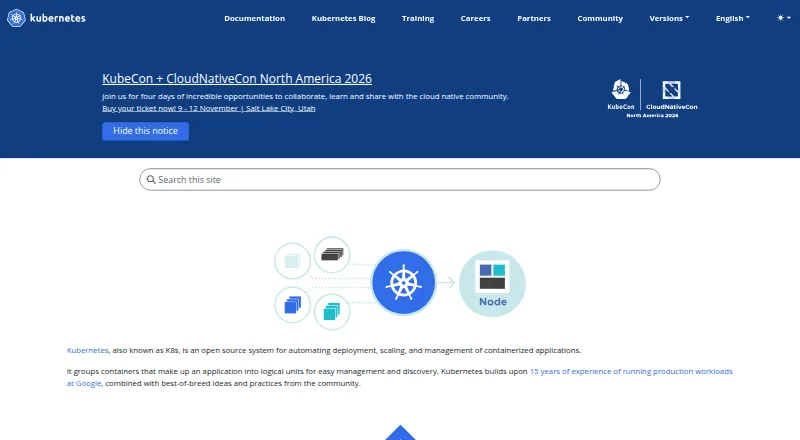
Kubernetes is an open-source system for deploying and managing applications packaged in containers. It supports stateless, stateful, and data-processing workloads, and can run on a local machine, in the cloud, or in a datacenter. Teams can manage their own clusters or choose a managed service. Kubernetes coordinates gradual software updates while checking application health, with an option to revert a change if problems arise. It provides network addresses and shared DNS names for groups of Pods, and can distribute traffic among them. Storage can be mounted from local, cloud, or network systems. Configuration and Secrets can be updated without rebuilding an application image. Scaling can be manual or based automatically on CPU use, while resource requests and limits can be tuned to observed patterns. Logging, monitoring, and alerting tools can be integrated, and security mechanisms include network policies, audit logging, and encryption for control-plane data at rest. Kubernetes is free and self-hosted; its built-in scope does not include application services such as databases, caches, or message buses.
Good
- Supports stateless, stateful, and data-processing workloads.
- Rollouts monitor health and can be rolled back.
- Manual and CPU-based automatic scaling are available.
- Can mount local, cloud, or network storage.
- Free, open-source platform with managed-service options.
Watch out
- Does not include databases, caches, or message buses.
- Does not provide cluster storage systems as built-in services.
- Operating a cluster is the self-hosted deployment model.
Who it suits
Kubernetes suits teams that need to automate container deployment, scaling, and management across local, cloud, or datacenter environments. It can also fit teams that want cluster management without operating a cluster themselves by choosing a managed service.
Verdict
Kubernetes brings container deployment, scaling, networking, and updates under a common management system. Teams should account for the fact that application-level services such as databases and caches are not included as built-in services.
Plans and prices
From Kubernetes's own pricing page, checked 29 Sep 2026.
| Plan | Price | What it gives you |
|---|---|---|
| Kubernetes | Free | Open source platform; no price stated |
The facts
Each one read from Kubernetes's own pages, with the date it was checked.
What it does
- Deployment options
- Kubernetes can be deployed on a local machine, in the cloud, or in a datacenter, and users can choose a managed service if they do not want to operate a cluster themselves.checked 29 Sep 2026
- Downloads
- Kubernetes publishes component binaries and container images; kubectl is installable on Linux, macOS, and Windows.checked 29 Sep 2026
- Integrations
- Kubernetes lets users integrate logging, monitoring, and alerting solutions, and its defaults are optional and pluggable.checked 29 Sep 2026
- Limitations
- Kubernetes does not provide application-level services such as databases, message buses, caches, or cluster storage systems as built-in services.checked 29 Sep 2026
- Networking
- It gives Pods IP addresses and a shared DNS name for a set of Pods, and can load-balance across them.checked 29 Sep 2026
- Project status
- Kubernetes is a CNCF graduated project.checked 29 Sep 2026
- Purpose
- Kubernetes is an open source system for automating deployment, scaling, and management of containerized applications.checked 29 Sep 2026
- Rollouts
- Kubernetes progressively rolls out changes while monitoring application health and can roll back a change if something goes wrong.checked 29 Sep 2026
- Scaling
- Applications can be scaled manually or automatically based on CPU usage, and resource requests and limits can be adjusted based on usage patterns.checked 29 Sep 2026
- Secrets
- Secrets and application configuration can be deployed and updated without rebuilding the image.checked 29 Sep 2026
- Security
- Kubernetes expects TLS for control-plane traffic and supports encryption at rest for data stored in the control plane.checked 29 Sep 2026
- Security controls
- Security mechanisms include Secrets, Pod security standards, RuntimeClasses, network policies, admission controllers, and audit logging.checked 29 Sep 2026
- Storage
- Kubernetes can automatically mount storage from local systems, public cloud providers, or network storage systems such as iSCSI or NFS.checked 29 Sep 2026
- Support
- The Kubernetes project says Kubernetes services, support, and tools are widely available.checked 29 Sep 2026
- Workloads
- It supports stateless, stateful, and data-processing workloads that can run in containers.checked 29 Sep 2026
The company
- Founded
- 2014checked 23 Sep 2026
The full review of Kubernetes
Overview
Kubernetes is an open-source platform for running and managing containerized applications across local machines, cloud environments, or datacenters. It suits teams that need to coordinate deployments and scaling across workloads, and can choose a managed service rather than operate a cluster themselves.
Its strength is a broad set of controls for application rollouts, networking, storage, and scaling; its trade-off is that teams must supply application-level services such as databases and caches separately.
Key features
Kubernetes supports stateless, stateful, and data-processing workloads in containers. It can progressively roll out changes while checking application health, then roll back a change if problems arise. That makes updates more controlled than a simple replace-and-hope approach, though teams still need to decide how to monitor and respond to application health.
For networking, it assigns IP addresses to Pods, gives groups of Pods a shared DNS name, and can balance traffic across them. It can mount storage from local systems, public cloud providers, and network storage such as iSCSI or NFS. Secrets and application configuration can be deployed or updated without rebuilding container images, which helps separate configuration changes from image creation.
Scaling can be manual or automatic based on CPU usage. Resource requests and limits can also be adjusted to reflect usage patterns, giving teams ways to manage capacity rather than treating every workload as fixed. Logging, monitoring, and alerting integrations are pluggable, and defaults are optional; that flexibility is useful for teams with existing tooling, but leaves them responsible for selecting and integrating it.
Security mechanisms include Secrets, Pod security standards, RuntimeClasses, network policies, admission controllers, and audit logging. Kubernetes expects TLS for control-plane traffic and supports encryption at rest for data stored in the control plane. These are meaningful building blocks, not a substitute for configuring and operating security controls appropriately.
Kubernetes can run locally, in a cloud, or in a datacenter, and users can opt for a managed service instead of operating the cluster. The project publishes component binaries and container images; kubectl can be installed on Linux, macOS, and Windows. The project says services, support, and tools for Kubernetes are widely available. It is a CNCF graduated project.
Pricing
Kubernetes is free and open source. Its Kubernetes plan is free; there is no free trial because the platform itself is free. This suits teams able to provide the infrastructure and operational work their deployment requires. Free licensing does not include built-in application-level databases, message buses, caches, or cluster storage systems, so those services must be addressed separately.
Platforms
Kubernetes supports API, Linux, macOS, self-hosted, and Windows environments. Its self-hosted deployment model leaves teams in control of where a cluster runs, while managed services offer an alternative for those who do not want to operate one themselves.
Who it's for
Kubernetes is a strong fit for teams running containerized applications that need repeatable rollouts, workload scaling, shared service discovery, and options across local, cloud, or datacenter environments. Its breadth is most useful when a team can manage cluster operations or deliberately selects a managed service. It is a poorer fit for readers seeking a turnkey application platform with databases, queues, caches, and storage included as built-in services.
Pros and cons
- Pros: Health-aware progressive rollouts can be rolled back when something goes wrong, giving teams a practical safeguard during changes.
- Pros: Scaling, DNS-based Pod grouping, load balancing, and several storage integration options cover core deployment needs across different environments.
- Pros: Pluggable monitoring and security controls let teams adapt the platform to their chosen integrations and policies.
- Cons: Databases, message buses, caches, and cluster storage systems are not built-in services, so teams must provide them separately.
- Cons: Optional defaults and pluggable integrations offer flexibility but require teams to make and maintain their own tooling and configuration choices.
Alternatives
For a different Kubernetes platform, Kubermatic Kubernetes Platform has a free Community Edition and a paid Enterprise Edition with consumption-based subscription billing. Rancher is another option, with a free open-source plan and a Rancher Prime plan. Consider Google Kubernetes Engine when a paid service with a free tier and trial is a better fit.
KubeSphere offers a free Community Edition described as an enterprise-grade open-source Kubernetes container platform. Amazon Elastic Kubernetes Service is a freemium alternative with standard Kubernetes version support priced at $0.10 a month, billed at $0.10 per cluster per hour. HashiCorp Nomad is another workload orchestration option. MicroK8s is a free option with no license fees, while Charmed Kubernetes is a freemium alternative.
Readers comparing products can also browse Container Orchestration Software, Container Management Software, and Cloud Orchestration Software.
Verdict
Choose Kubernetes if your team needs a flexible system for deploying, scaling, and managing containerized workloads across environments, and can operate the cluster or use a managed service. Its coordinated rollout and scaling controls are the central reason to choose it; look elsewhere if you need application services such as databases, caches, or messaging included as part of the platform.
Alternatives to Kubernetes
- 1
OpenFaaS
Free planWebAPILinuxmacOS7.1From $1,250 a month - 2

Azure Monitor
WebAPILinuxmacOS7.0 - 3

Amazon Elastic Container Service
Free planWebAPILinuxSelf-hosted6.8From $0.01 a month - 4

Fly.io
WebAPILinux6.6From $29 a month - 5

Amazon Elastic Kubernetes Service
WebAPILinuxmacOS6.5From $0.10 a month - 6
Knative
Free planAPILinuxmacOSSelf-hosted6.4Free plan