KODAK Capture Pro Software
KODAK Capture Pro Software converts large volumes of scanned paper documents into information for business processes.
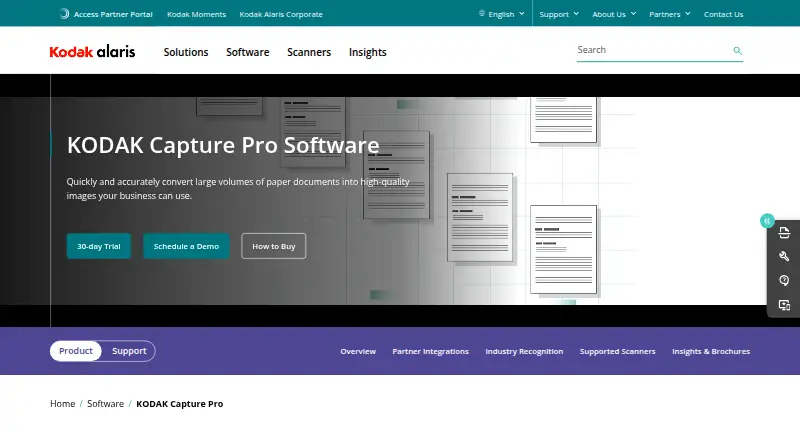
What KODAK Capture Pro Software is
KODAK Capture Pro Software converts large volumes of scanned paper documents into information for business processes. It can separate documents automatically and switch jobs and profiles during large-batch scanning. Intelligent Exception Processing identifies missing information, while Intelligent Quality Control flags questionable information for review. The full version is described as supporting speeds up to 210 pages per minute. Capture Pro can route information to ECM systems, SharePoint, and Secure FTP, with output in formats including TIFF, PDF, searchable PDF, and PNG. APIs extend indexing and output capabilities and allow customization of the end-user experience. Listed partner integrations include DocFinity, SoftExpert Excellence Suite, and UiPath Orchestrator. The software supports scanners from other manufacturers using ISIS and scanners certified with VRS 4.1 or higher. It can run on local workstations without an internet connection. Workstation software is certified for 64-bit Windows 10 and Windows 11 Professional or Enterprise, and supported server versions include Windows Server 2016, 2019, 2022, and 2025. A free Limited Edition is included with many Kodak Alaris scanners and supports single-batch scanning; full-version pricing is available on request.
Good
- Separates documents and switches profiles during scanning
- Validation tools flag missing or questionable information
- Routes output to ECM, SharePoint, and Secure FTP
- Runs on local workstations without internet access
Watch out
- Full-version pricing is available on request
- Limited Edition supports single-batch scanning
- Workstation software is certified for specified Windows editions
Who it suits
It suits businesses processing high volumes of scanned paper documents, particularly those routing output to business systems. The software is for Windows environments and can run locally without an internet connection.
Verdict
Capture Pro is aimed at document-processing operations that need batch handling, validation, and multiple output routes. Check the Limited Edition constraints and request full-version pricing for your needs.
Plans and prices
From KODAK Capture Pro Software's own pricing page, checked 8 Oct 2026.
| Plan | Price | What it gives you |
|---|---|---|
| KODAK Capture Pro Software Limited Edition | Free | Included with many Kodak Alaris scanners · single-batch scanning · full version available as an upgrade |
| KODAK Capture Pro Software (full version) | Priced on request | High-volume operations · subscription service not available for Auto Import Edition · Available as a 1-year subscription or perpetual license; pricing not stated |
The facts
Each one read from KODAK Capture Pro Software's own pages, with the date it was checked.
What it does
- APIs
- The software includes APIs to extend indexing and output capabilities and customize the end-user experience.checked 8 Oct 2026
- Capture validation
- Intelligent Exception Processing identifies missing information, and Intelligent Quality Control flags questionable information for review.checked 8 Oct 2026
- Destinations
- It can route information to ECM systems, SharePoint, and Secure FTP, and output to industry-standard formats.checked 8 Oct 2026
- Document handling
- The software can automatically separate documents and switch jobs and profiles while scanning large batches.checked 8 Oct 2026
- Integrations
- Maker-listed partner integrations include DocFinity, SoftExpert Excellence Suite, and UiPath Orchestrator.checked 8 Oct 2026
- Offline use
- The software can run on local workstations without an internet connection.checked 8 Oct 2026
- Operating systems
- The workstation software is certified for 64-bit Windows 10 and Windows 11 Professional or Enterprise; supported server versions include Windows Server 2016, 2019, 2022, and 2025.checked 8 Oct 2026
- Output module limits
- Most system output modules are available at no charge, but third-party vendors may set their own prices; system outputs generally do not work with Limited Edition except SharePoint output.checked 8 Oct 2026
- Purpose
- The software converts high volumes of scanned paper documents into usable information for business processes.checked 8 Oct 2026
- Scanner compatibility
- Capture Pro supports scanners from other manufacturers using ISIS and supports scanners certified with VRS 4.1 or higher.checked 8 Oct 2026
- Scanning throughput
- The full version is described as supporting scanning speeds up to 210 pages per minute.checked 8 Oct 2026
- Support and upgrades
- Customers with an active Service and Support Contract can upgrade to the latest release as part of Software Assurance at no additional charge.checked 8 Oct 2026
- System requirements
- Kodak recommends an i5 Gen 12 or newer processor, 16 GB RAM, 10 GB free disk space or more for higher volumes, and an SSD for workstation/client use.checked 8 Oct 2026
The company
- Founded
- 2013checked 28 Sep 2026
- Headquarters
- Hemel Hempstead, Hertfordshire, United Kingdomchecked 28 Sep 2026
The full review of KODAK Capture Pro Software
KODAK Capture Pro Software turns large document-scanning jobs into information for business processes. It is best suited to organizations that need batch control, validation, and several output routes; occasional scanning is a weaker fit.
Overview
Capture Pro is built to convert high volumes of scanned paper into usable business information. It can separate documents and switch jobs or profiles within large batches, then route information to ECM systems, SharePoint, or Secure FTP in industry-standard formats. That makes it a stronger choice for structured capture operations than for simple scan-and-save tasks.
Its central trade-off is clear: the full version supports substantial throughput and business-oriented controls, but requires a paid license with custom pricing. The Limited Edition offers a way to start at no charge, though its single-batch restriction and narrow output support make it a limited substitute for full production use.
Key features
Batch handling and validation
Automatic document separation and job or profile switching help keep mixed scanning runs organized without treating every document as a separate task. Intelligent Exception Processing identifies missing information, while Intelligent Quality Control flags questionable information for review. Those checks help operators focus attention, but they do not eliminate the need to resolve flagged records.
The full version is described as supporting speeds up to 210 pages per minute, a meaningful ceiling for high-volume environments. Actual suitability still depends on the scanners and workstation setup. Kodak recommends an i5 Gen 12 or newer processor, 16 GB RAM, at least 10 GB of free disk space—with more for higher volumes—and an SSD for workstation or client use.
Output and extension
Capture Pro exports TIFF, PDF, searchable PDF, and PNG, and can route information to ECM systems, SharePoint, and Secure FTP. Maker-listed partner integrations include DocFinity, SoftExpert Excellence Suite, and UiPath Orchestrator. APIs allow organizations to extend indexing and output capabilities and customize the end-user experience, which is useful when standard capture workflows need adapting.
Most system output modules are available at no charge, but third-party vendors may charge separately. System outputs generally do not work with Limited Edition; SharePoint output is the exception. That distinction matters if an organization is evaluating the free edition as a route into an existing content workflow.
Scanner and operating environment
Capture Pro supports scanners from other manufacturers through ISIS and scanners certified with VRS 4.1 or higher. Workstation software is certified for 64-bit Windows 10 and Windows 11 Professional or Enterprise; supported server versions are Windows Server 2016, 2019, 2022, and 2025. It can run on local workstations without an internet connection, which suits deployments that need local operation. The listed platforms also include API and self-hosted, but the workstation software is Windows-based.
Pricing
There is no free plan, though a Limited Edition is included with many Kodak Alaris scanners. The full version is available either as a one-year subscription or a perpetual license; both have custom pricing. The subscription service is not available for Auto Import Edition, so buyers of that edition should not assume the subscription route applies.
| Plan | Price and terms | Best fit and limits |
|---|---|---|
| KODAK Capture Pro Software Limited Edition | free | Included with many Kodak Alaris scanners; single-batch scanning. Full version is available as an upgrade. Most system output modules do not work with this edition, except SharePoint output. |
| KODAK Capture Pro Software (full version) | Custom pricing; available as a 1-year subscription or perpetual license | For high-volume operations that need the full feature set. Subscription service is not available for Auto Import Edition. |
Customers with an active Service and Support Contract can upgrade to the latest release through Software Assurance at no additional charge. That benefit is tied to the contract, rather than being a general free upgrade entitlement.
Platforms
Capture Pro supports Windows, API, and self-hosted deployments. The workstation certification covers 64-bit Windows 10 and Windows 11 Professional or Enterprise, with Windows Server 2016, 2019, 2022, and 2025 supported for server use. Its offline operation on local workstations is useful where internet access is unavailable or undesirable.
Who it's for
Capture Pro makes sense for organizations scanning large volumes of records that need document separation, in-process checks, and routing to enterprise destinations. It is particularly relevant when scanner compatibility through ISIS or qualifying VRS certification and API customization matter. Smaller teams with occasional scanning, or buyers who need a known full-version price before evaluating fit, have a weaker case for it.
Pros and cons
- Pro: Automatic separation and job or profile switching are designed for large, mixed batches, reducing the need to manage each job as a standalone scan.
- Pro: Missing-information detection and quality flags give operators targeted records to review during capture.
- Pro: Multiple output routes, formats, integrations, and APIs support downstream business workflows.
- Pro: Local offline operation and support for some non-Kodak scanners provide deployment flexibility.
- Con: Full-version pricing is custom, so buyers cannot compare the license cost from a published price.
- Con: Limited Edition is restricted to single-batch scanning and generally cannot use system output modules, limiting its value for production workflows.
- Con: The certified workstation environment is Windows-only, and the recommended hardware is more than a casual scanning setup typically requires.
Alternatives
For a different kind of label-making task, Brother P-touch Editor is free software for Windows 6.0 that works with select Brother P-touch and QL models; it is not a direct replacement for high-volume document capture.
NAPS2 is a free option for individuals and businesses with no ads or restrictions, across Linux, macOS, and Windows. Choose it when those broad desktop platforms and an unrestricted free license matter more than Capture Pro’s stated business batch controls and routing.
GNOME Remote Desktop is free software for Linux and self-hosted environments, with RDP and VNC backends; not all operating modes work with both backends.
OCRFeeder is free software under GPL version 3 or later for Linux.
PaperScan offers a free edition with 10-page batch TWAIN/WIA scanning or import, and a Home Edition at $79, paid once for unlimited batch TWAIN/WIA scanning or import. It is worth considering when that scanning scope and a one-time price are a closer match than Capture Pro’s custom-priced full version.
PaperStream Capture is a free download for current fi Series scanners and requires PaperStream IP TWAIN or ISIS drivers. It is a practical alternative when that scanner compatibility and free access meet the need.
Q-Dir is free for company, business, and private use on Windows.
scanservjs is free and open-source, self-hosted software requiring a SANE-compatible scanner and Linux host or VM; it suits buyers whose deployment can meet those prerequisites.
Compare more options in Document Scanning Software and Scanner Software.
Verdict
Choose KODAK Capture Pro Software for a document operation that needs high-volume batch handling, validation, and controlled output to business systems. Its strongest reason to buy is the combination of capture controls and extensible routing; its strongest reason to look elsewhere is custom full-version pricing, compounded by the Limited Edition’s single-batch and output constraints.
Alternatives to KODAK Capture Pro Software
- 1
Dynamic Web TWAIN
AndroidiOSWebAPI7.7$1,249 usage-based - 2

EzeScan
Free planWebAPISelf-hostedWindows7.6$500 usage-based - 3
NAPS2
Free planOpen sourceAPILinuxmacOSWindows7.4Free plan - 4

PaperScan
Free planWindows7.4$79 one-time - 5
Avidemux
Free planOpen sourceWebLinuxmacOSWindows7.3Free plan - 6
Readiris PDF
macOSWindows6.6$99 one-time