
KACE Systems Management Appliance
KACE Systems Management Appliance automates endpoint management tasks including application deployment, patching, asset management, reporting, and Service De…
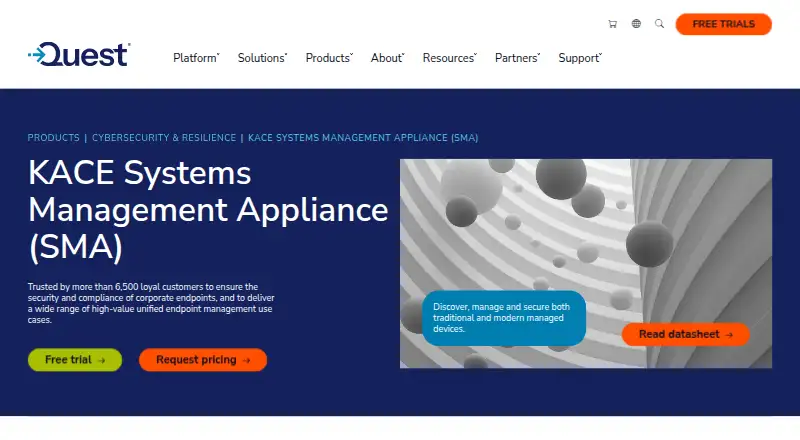
What KACE Systems Management Appliance is
KACE Systems Management Appliance automates endpoint management tasks including application deployment, patching, asset management, reporting, and Service Desk ticket management. It patches Windows, Linux, and Mac systems, including potentially vulnerable third-party applications, and supports vulnerability scanning and security policy enforcement. Its inventory discovery covers computers, servers, mobile devices, printers, routers, and other connected devices. Software can be distributed and upgraded on Windows, Mac, and Linux, with Active Directory or LDAP integration. Deployment options are an on-premises virtual appliance for VMware or Microsoft Hyper-V, or hosted KACE as a Service. The hosted service provides each organization a dedicated virtual appliance instance, keeping its data separate from other organizations’ data. Quest offers a free 14-day trial with no obligation to buy. The appliance also integrates with the Dell Updates Catalog. Pricing is on request, and the product license sets limits for managed and monitored computers, Chromebooks, network devices, and remote-control computers. Quest positions it for organizations managing and securing endpoints across complex infrastructures.
Good
- Automates Windows, Linux, and Mac patching.
- Discovers hardware and software across varied device types.
- Available on-premises or as hosted KACE as a Service.
- Quest offers a free 14-day trial.
Watch out
- Pricing is available on request.
- The product license sets limits for managed device categories.
Who it suits
KACE Systems Management Appliance suits organizations managing and securing endpoints across complex infrastructures. It offers on-premises and hosted deployment options.
Verdict
KACE combines endpoint patching, deployment, inventory, and Service Desk management, with on-premises and hosted options. Check license limits and deployment fit before choosing it.
Plans and prices
From KACE Systems Management Appliance's own pricing page, checked 29 Sep 2026.
| Plan | Price | What it gives you |
|---|---|---|
| KACE Systems Management Appliance | Priced on request | Pricing by request; on-premises virtual appliance or hosted SaaS |
The facts
Each one read from KACE Systems Management Appliance's own pages, with the date it was checked.
What it does
- API and mobile access
- The administrator guide says enabling API access is required for mobile device access and integrations that use the appliance’s API endpoints.checked 29 Sep 2026
- Asset inventory
- It discovers hardware and software across computers, servers, mobile devices, printers, routers, and other connected devices.checked 29 Sep 2026
- Deployment options
- The appliance is available as an on-premises virtual appliance for VMware or Microsoft Hyper-V, or as hosted KACE as a Service.checked 29 Sep 2026
- Hosted isolation
- KACE as a Service gives each organization a dedicated virtual appliance instance so its data is not intermingled with other organizations’ data.checked 29 Sep 2026
- Integrations
- The appliance integrates with the Dell Updates Catalog to apply Dell update packages.checked 29 Sep 2026
- Intended users
- Quest presents the appliance as unified endpoint management for organizations managing and securing endpoints across complex infrastructures.checked 29 Sep 2026
- Licensing limit
- The product license specifies limits for managed computers, monitored computers, Chromebooks and network devices, and remote control computers.checked 29 Sep 2026
- Patch management
- It automates patching for Windows, Linux, and Mac, including potentially vulnerable third-party applications.checked 29 Sep 2026
- Purpose
- The appliance automates endpoint management, application deployment, patching, asset management, reporting, and Service Desk ticket management.checked 29 Sep 2026
- Security
- It supports vulnerability scanning and security policy enforcement, including firewall, browser, and registry settings.checked 29 Sep 2026
- Software deployment
- It distributes and upgrades software on Windows, Mac, and Linux and integrates with Active Directory or LDAP.checked 29 Sep 2026
- Support
- Quest provides self-service tools to install, configure, and troubleshoot the product, and offers support offerings for different organizational needs.checked 29 Sep 2026
The company
- Founded
- 1987checked 28 Sep 2026
- Headquarters
- Austin, Texas, United Stateschecked 28 Sep 2026
Where it runs
- Supported platforms
- Quest describes inventory support for Windows, Mac OS X, Linux, UNIX, Chrome, iOS, and Android.checked 29 Sep 2026
Money
- Trial
- Quest offers a free 14-day trial with no obligation to buy.checked 29 Sep 2026
Alternatives to KACE Systems Management Appliance
- 1

GLPI
Open sourceAndroidiOSWebAPI9.1From €19 a month - 2
Lansweeper
Free planWebAPILinuxmacOS8.8Free plan - 3

Freshservice
AndroidiOSWebAPI8.6From $19 a month - 4

Reftab
Free planAndroidiOSWeb8.6From $9 a year - 5

LICENSEWARE
Free planWebAPILinuxmacOS8.6From $3.36 a year - 6
i-doit
Open sourceAndroidiOSWebAPI8.5From €48.65 a month