iCopy - Free Photocopier
iCopy - Free Photocopier is a Windows application that combines a scanner and printer for making copies or saving scans as image or PDF files.
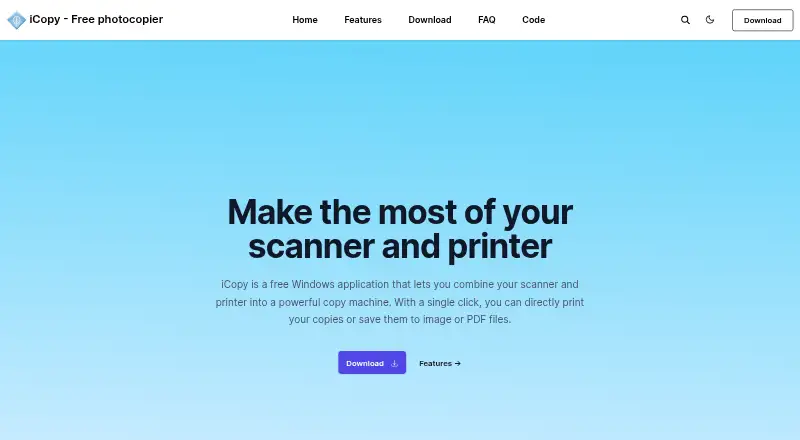
What iCopy - Free Photocopier is
iCopy - Free Photocopier is a Windows application that combines a scanner and printer for making copies or saving scans as image or PDF files. It supports color, grayscale, and black-and-white scanning, with settings for scaling, resolution, brightness, and contrast. Users can preview a page before printing and adjust printer options such as copy count. An automatic document feeder can handle multiple pages, and the app can scan several pages before printing. Scans can be saved as PDF without other software; listed output formats also include JPG, BMP, GIF, and PNG. The application can be started with the scanner's button or run from the command line. Its maker describes iCopy as small and requiring no installation, and provides a portable ZIP download. It is free and open source under the GNU General Public License v3. The listed version is 1.7.0, released 1 August 2020, and it requires .NET Framework. The listed language options are Bulgarian, English, French, German, Italian, Japanese, Slovak, and Spanish.
Good
- Free and open source under GNU GPL v3.
- Saves scans as PDF without other software.
- Supports automatic document feeders.
- Can preview pages before printing.
Watch out
- Windows is the only listed platform.
- Requires .NET Framework.
- The listed release is from 1 August 2020.
Who it suits
It suits Windows users who want to copy documents or save scanner output as images or PDFs. Automatic feeder support and multi-page scanning may be useful for handling several pages at once.
Verdict
iCopy provides scanner-to-printer copying and common image and PDF output options in a free Windows application. Note its .NET Framework requirement and listed release date when considering it.
Plans and prices
From iCopy - Free Photocopier's own pricing page, checked 3 Oct 2026.
| Plan | Price | What it gives you |
|---|---|---|
| iCopy - Free Photocopier | Free | Free Windows application · GNU GPL v3 |
The facts
Each one read from iCopy - Free Photocopier's own pages, with the date it was checked.
What it does
- Additional functions
- The SourceForge project page lists scanning multiple pages before printing and command-line operation among its features.checked 3 Oct 2026
- Automatic feeders
- iCopy supports automatic document feeders for copying multiple pages automatically.checked 3 Oct 2026
- Download and requirement
- The site lists version 1.7.0, released 1 August 2020, and says it requires .NET Framework.checked 3 Oct 2026
- Image settings
- Image settings include scaling, resolution, brightness, and contrast.checked 3 Oct 2026
- Languages
- The SourceForge project page lists Bulgarian, English, French, German, Italian, Japanese, Slovak, and Spanish.checked 3 Oct 2026
- License
- iCopy is open source and licensed under GNU General Public License v3.checked 3 Oct 2026
- PDF output
- iCopy can save acquired pages to PDF without other software.checked 3 Oct 2026
- Portable use
- The maker says iCopy is small and requires no installation, and links to a portable ZIP download.checked 3 Oct 2026
- Preview
- Users can preview an acquired page before printing.checked 3 Oct 2026
- Privacy
- The maker's privacy page contains placeholder text: “Add your company privacy policy here…”checked 3 Oct 2026
- Purpose
- iCopy combines a scanner and printer so users can print copies or save scans as image or PDF files.checked 3 Oct 2026
- Scan modes
- It supports color, grayscale, and black-and-white scanning.checked 3 Oct 2026
- Scanner button
- iCopy can run by pressing the scanner's button.checked 3 Oct 2026
- Scanner controls
- The interface lets users adjust scanner and printer options such as brightness, contrast, and number of copies.checked 3 Oct 2026
The full review of iCopy - Free Photocopier
iCopy - Free Photocopier is a compact Windows utility that connects a scanner directly to a printer or to common image and PDF files. It suits home users and small offices handling routine copies, especially where open-source, portable software is preferred. Its focused workflow is useful, but Windows dependence and an older release limit its long-term appeal.
For occasional copying, iCopy keeps the process in one place: adjust the scan, preview it, then print or save. It is a sensible fit for a scanner-printer desk setup, rather than a full document-management system.
Overview
The application combines scanner and printer controls so a scan can become a paper copy without a separate imaging program. Brightness, contrast, scaling, resolution, and copy count are adjustable, allowing users to compensate for faint originals or fit content to the desired output. Color, grayscale, and black-and-white modes cover the usual document and image jobs.
iCopy is open source under the GNU GPL v3. The maker describes it as small and installation-free, with a portable ZIP download. That makes it convenient on a shared or temporary Windows computer, although the software requires .NET Framework. Version 1.7.0 is dated 1 August 2020, so buyers wanting a recently updated tool should weigh that age carefully.
Key features
Copying and multi-page work
A preview of the acquired page appears before printing, giving users a chance to catch poor framing or unsuitable contrast before wasting paper. Automatic document feeder support, duplex scanning, and the ability to acquire multiple pages before printing make iCopy more practical for batches than a single-sheet utility. These capabilities depend on compatible scanner hardware, but they give small offices a straightforward route through short multi-page jobs.
Output and operation
Pages can be saved as JPG, BMP, GIF, PNG, or PDF. Native PDF creation is valuable when the goal is an archive or an email attachment, because another conversion application is unnecessary. The scanner's physical button can trigger the workflow, and command-line operation offers a route for scripted or shortcut-based use. Those conveniences extend the basic copier role without turning iCopy into a document-management suite.
Languages and privacy
The SourceForge project lists Bulgarian, English, French, German, Italian, Japanese, Slovak, and Spanish. The maker's privacy page currently displays placeholder wording rather than a substantive policy, which may matter to organizations with formal software-governance requirements.
Pricing
iCopy - Free Photocopier costs nothing. The plan is a free Windows application licensed under GNU GPL v3, with no trial period because the product is already free. There are no paid tiers, seat charges, renewal terms, or usage quotas to evaluate. It is a good match for individuals, schools, and small offices that need basic copying without a software budget; organizations seeking vendor-backed commercial terms may prefer a supported alternative.
Platforms
iCopy supports Windows only. A .NET Framework requirement applies. The portable ZIP option avoids a conventional installation, which is useful on machines where users lack installation privileges, but it does not broaden platform coverage.
Who it's for
Choose iCopy for a Windows workstation paired with a scanner and printer when the priority is direct copying, quick previews, and saving scans to standard image formats or PDF. ADF and duplex support make it a reasonable choice for short multi-page batches, while command-line and scanner-button operation suit repeatable desk routines.
Look elsewhere if you need Linux, macOS, Android, or iOS support, a newer release cadence, or a broader records and workflow system. The Windows-only design and dated 1.7.0 release make it less suitable for mixed-device environments or teams that require contemporary vendor maintenance.
Pros and cons
- Pro: Scanner-to-printer copying, preview, and adjustable image controls keep routine jobs in one workflow.
- Pro: ADF, duplex scanning, and multi-page acquisition support more than one-sheet copying.
- Pro: PDF plus JPG, BMP, GIF, and PNG output avoids extra conversion software.
- Pro: Portable, GPL v3 software can run without a conventional installation.
- Con: Windows and .NET Framework requirements exclude other desktop platforms and add a dependency.
- Con: The 1 August 2020 release date signals an older codebase for users prioritizing current maintenance.
- Con: The maker's privacy page contains placeholder text, a poor fit for organizations needing clear privacy documentation.
Alternatives
Brother iPrint&Scan is the better pick when you own a supported Brother machine and need Android, iOS, macOS, or Windows coverage; printing and scanning features vary by model.
Epson Scan 2 suits owners of Epson scanners or multifunction printers who need Linux, macOS, or Windows support, with features dependent on the scanner.
XSane is preferable on Linux or when a SANE-compatible scanner is central to the setup.
NAPS2 is the stronger general-purpose free choice across Linux, macOS, and Windows, with no ads or restrictions.
bcWebCam is an alternative Windows freemium utility.
KODAK Capture Pro Software is aimed at Kodak Alaris scanner owners who need a limited edition or an upgrade path to the full product.
PaperScan fits Windows users who may outgrow a 10-page free batch limit and want paid unlimited batch options.
GNOME Document Scanner is a Linux desktop alternative.
For a broader comparison, see Scanner Software.
Verdict
iCopy is a worthwhile choice for Windows users who want free, open-source scanner-to-printer copying with PDF and image export, especially with an ADF or duplex-capable device. Choose it for a simple portable desk tool; look elsewhere for cross-platform support, current development, or a documented privacy policy.
Alternatives to iCopy - Free Photocopier
- 1
Dynamic Web TWAIN
AndroidiOSWebAPI7.7$1,249 usage-based - 2
Brother iPrint&Scan
Free planAndroidiOSmacOSWindows7.4Free plan - 3

NAPS2
Free planOpen sourceAPILinuxmacOSWindows7.4Free plan - 4

PaperScan
Free planWindows7.4$79 one-time - 5
Avidemux
Free planOpen sourceWebLinuxmacOSWindows7.3Free plan - 6

bcWebCam
Free planWindows7.2€4,989 one-time