HiveDesk Contact Center WFM
HiveDesk Contact Center WFM is cloud software for scheduling and tracking contact center work.
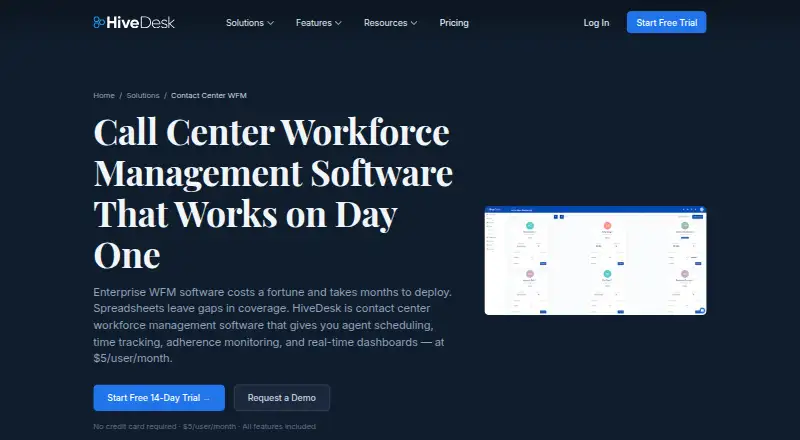
What HiveDesk Contact Center WFM is
HiveDesk Contact Center WFM is cloud software for scheduling and tracking contact center work. Managers can set shifts with start and end times, recurring rotations, and assignments to queues, projects, or client accounts. Adherence reporting compares clock-in and clock-out records with planned shifts and identifies late starts, early departures, and absences. The service also provides activity monitoring, periodic screenshots configurable by an administrator, and real-time dashboards. Screenshots are not available on mobile. Timesheets use tracked hours, support manager approval, and can be exported as PDF or Excel. Asana is its listed integration for syncing tasks to time tracking; REST API access and webhooks support custom integrations. HiveDesk does not directly connect to ACD or omnichannel routing platforms. HiveDesk says it encrypts data at rest and in transit, hosts on AWS, and is GDPR compliant, but does not hold SOC 2, ISO 27001, HIPAA, or PCI DSS certifications.
Good
- Recurring shifts can be assigned to queues, projects, or clients.
- Adherence reports flag late starts, early departures, and absences.
- Timesheets support manager approval and PDF or Excel export.
- REST API and webhooks support custom integrations.
Watch out
- No direct ACD or omnichannel routing integration.
- Screenshots are unavailable on mobile.
- It lacks SOC 2, ISO 27001, HIPAA, and PCI DSS certifications.
Who it suits
It suits inbound call centers, BPO operations, and remote or hybrid contact center teams that need shift scheduling and adherence tracking. Teams needing direct ACD or omnichannel routing integration should note that it is not provided.
Verdict
HiveDesk brings scheduling, time tracking, adherence reports, monitoring, and timesheets together for contact center operations. Its lack of direct ACD or omnichannel integration and unavailable mobile screenshots may matter to some teams.
Plans and prices
From HiveDesk Contact Center WFM's own pricing page, checked 4 Oct 2026.
| Plan | Price | What it gives you |
|---|---|---|
| HiveDesk | $5 a month | per user · all features included · no minimum users · volume pricing by contacting sales · $5/user/month; month-to-month, cancel anytime; annual option says “Annual (save 20%)” |
| Monthly | $5 a month | all features · minimum 3 users ($15/month) · no tiers or add-ons · $5/user/month |
| Annual example (10 users) | $600 a year | 20% annual saving · 10-user example · $50/month · $600/year |
The facts
Each one read from HiveDesk Contact Center WFM's own pages, with the date it was checked.
What it does
- ACD limitation
- HiveDesk says it does not directly integrate with ACD or omnichannel routing platforms.checked 4 Oct 2026
- Activity monitoring
- Desktop and Chrome clients capture periodic screenshots and keyboard and mouse activity levels while a timer runs.checked 15 Oct 2026
- Adherence
- The system compares clock-in and clock-out times with scheduled shifts and reports late starts, early departures, and absences.checked 4 Oct 2026
- Agent scheduling
- Managers can create recurring shifts, assign agents to queues or projects and adjust schedules intraday.checked 15 Oct 2026
- API documentation
- The support site has an API section containing two help articles, rather than a large public reference or SDK catalog.checked 15 Oct 2026
- Attendance and leave
- Agents can submit time-off requests for manager approval, with approved leave reflected in schedules.checked 15 Oct 2026
- Audience
- HiveDesk describes its contact center WFM offering for inbound call centers, BPO operations, remote and hybrid contact centers, and multichannel support teams.checked 4 Oct 2026
- Certification limits
- HiveDesk says it does not hold SOC 2, ISO 27001, HIPAA, or PCI DSS certifications; payment processing is handled by PCI DSS compliant Chargebee.checked 4 Oct 2026
- Dashboards
- Real-time dashboards show who is working, idle or available and provide reporting by agent, queue and shift.checked 15 Oct 2026
- Documentation and support
- HiveDesk provides getting-started, billing, best-practice, API and other help articles through its support center and knowledge base.checked 15 Oct 2026
- Exports
- Timesheet and report data can be exported to Excel and PDF for payroll, accounting or invoicing workflows.checked 15 Oct 2026
- Integration
- The listed native integration is Asana, allowing time tracking against Asana tasks.checked 15 Oct 2026
- Integrations
- The listed integration is Asana; HiveDesk says it syncs Asana tasks for time tracking, and offers a REST API and webhooks for custom integrations.checked 4 Oct 2026
- Limit: analytics
- A Software Advice reviewer says the product lacked the analytics they needed and customer service was not helpful.checked 15 Oct 2026
- Limit: installation
- A reviewer says new installations often require a Java update.checked 15 Oct 2026
- Limit: reports
- Reviewers report slow report generation, admin reports needing improvement and at least one desired report missing.checked 15 Oct 2026
- Limit: support channels
- A reviewer wanted live support or a customer-service telephone number instead of messaging-only support.checked 15 Oct 2026
- Mobile limit
- Screenshots are unavailable on mobile, which HiveDesk attributes to platform limitations.checked 4 Oct 2026
The company
- Company founding date
- LinkedIn lists the company as founded in 2010, while HiveDesk's own history says the product was founded in 2011.checked 15 Oct 2026
- Company headquarters
- LinkedIn lists headquarters at 9931 Corporate Campus Dr., Suite 1400, Louisville, Kentucky 40223, United States.checked 15 Oct 2026
- Company legal name
- The privacy policy identifies the operator as Scalable Ventures, LLC.checked 15 Oct 2026
- Company size
- LinkedIn lists HiveDesk as a privately held company with 11–50 employees.checked 15 Oct 2026
- Founded
- 2011checked 28 Sep 2026
- Headquarters
- Louisville, Kentucky, United Stateschecked 28 Sep 2026
The full review of HiveDesk Contact Center WFM
Overview
HiveDesk Contact Center WFM is cloud software for planning contact-center shifts, tracking hours, checking adherence, and reviewing agent activity. It fits inbound centers, BPOs, and remote or hybrid teams that want workforce controls and approved timesheets in one service. The clear per-user subscription is attractive for smaller operations, while teams dependent on live ACD or omnichannel-routing data should look elsewhere.
Key features
Managers can build shifts with defined start and end times, recurring rotations, and assignments to queues, projects, or client accounts. Skills-based scheduling, intraday management, and agent self-service make it suitable for varied workloads rather than simple fixed rosters. It remains a planning layer, however, because HiveDesk does not directly connect to ACD or omnichannel-routing platforms.
Adherence compares clock-in and clock-out records with scheduled shifts, identifying late starts, early departures, and absences. That gives supervisors a focused way to find coverage problems and coach attendance, although every exception still needs operational context.
Periodic screenshots plus keyboard and mouse activity levels offer visibility during work sessions. Administrators set the screenshot interval, so organizations can choose a lighter or more intensive monitoring policy. This is useful for distributed teams but may be unsuitable for workplaces with strict privacy expectations; mobile screenshots are unavailable because of platform limitations.
Tracked hours flow into timesheets with manager approval, and approved records can be exported as PDF or Excel. That creates a practical payroll or client-billing handoff without requiring a separate timesheet workflow.
Asana synchronization brings tasks into time tracking. A REST API and webhooks support custom connections, which helps technical teams bridge other systems, but those options require implementation work rather than an out-of-the-box ACD link. Real-time dashboards provide an operational view of current activity.
HiveDesk states that data is encrypted at rest with AES-256 and in transit with TLS 1.2+, hosted on AWS, and protected by role-based access controls under GDPR compliance. It does not hold SOC 2, ISO 27001, HIPAA, or PCI DSS certifications; payment processing is handled by PCI DSS-compliant Chargebee. Those limits can rule it out for regulated buyers with formal certification requirements.
Pricing
The HiveDesk plan costs $5 per user per month, billed monthly, with no minimum users and cancellation at any time. Every feature is included, so the entry price does not force smaller teams to give up scheduling, adherence, monitoring, or timesheets. An annual option advertises 20% savings, and volume pricing is available through sales.
A 14-day trial lets a team evaluate the full plan before paying. There is no free plan, so ongoing use requires a paid seat for each user. Month-to-month billing suits teams with changing headcount; annual billing is the better fit when staffing is stable and the discount outweighs the commitment.
Platforms
HiveDesk is delivered through the web, with apps or support for Windows, macOS, Linux, iOS, an extension, and an API. The broad desktop coverage suits distributed agents, while the lack of mobile screenshots limits monitoring parity on phones and tablets.
Who it's for
Choose HiveDesk for inbound call centers, BPO operations, remote or hybrid contact centers, and multichannel support teams that need scheduling, attendance control, activity oversight, and exportable timesheets at a predictable per-user rate. It is less suitable for organizations that require native ACD or omnichannel integration, mobile screenshot capture, or the named security certifications.
Pros and cons
- Pros: all features are included at $5 per user per month, with no minimum seats.
- Pros: recurring, skills-based and intraday scheduling covers complex staffing patterns.
- Pros: adherence exceptions, configurable screenshots, activity levels, approvals, and PDF/Excel exports connect supervision to records.
- Pros: REST API, webhooks, and Asana sync provide integration paths beyond the standard interface.
- Cons: no direct ACD or omnichannel-routing integration means teams must reconcile live routing data elsewhere.
- Cons: mobile screenshots are unavailable, reducing monitoring coverage for mobile work.
- Cons: missing SOC 2, ISO 27001, HIPAA, and PCI DSS certifications may conflict with procurement requirements.
Alternatives
For a broader directory of comparable products, see Call Center Workforce Management Software and Employee Time Tracking Software.
Daktela WFM is worth choosing when Android support and a free tier for unscheduled users matter; its paid Agent plan is priced separately.
Dialpad WFM suits Dialpad customers who want WFM added to an existing plan or purchased standalone, with pricing handled by a Customer Success Manager.
GetWFM is the better starting point for a forever-free team plan, though its free Team tier is limited to three teams, one timezone, and one month of history.
Turnella fits buyers seeking a free web and API service with no trial period or expiry.
CommunityWFM offers separate Essentials and Enterprise editions for single-site teams under 100 agents or larger multi-site operations.
Pipkins Vantage Point is an alternative for teams prepared to obtain pricing and availability through sales.
CCsuite is another paid option with Android and iOS applications.
QStory Workforce Management is a paid alternative whose plans are discussed directly with QStory.
Verdict
HiveDesk is a strong fit for contact centers that want one affordable, cloud-based workspace for schedules, adherence, monitoring, and approved timesheets, especially when a $5 per-user price and flexible seat count matter. Look elsewhere if direct ACD or omnichannel data, mobile screenshot capture, or formal security certifications are non-negotiable.
Alternatives to HiveDesk Contact Center WFM
- 1

Daktela WFM
Free planAndroidiOSWebAPI8.2From €12 a month - 2

Aspect Workforce
AndroidiOSWebAPI7.4From $1 a month - 3
CommunityWFM
AndroidiOSWebAPI7.1From $20 a month - 4
 6.9From $119 a month
 - 5

GetWFM
Free planWebAPI6.9Free plan - 6
Naumen Workforce Management
AndroidiOSWebSelf-hosted6.8From 30,000 RUB a month