Hard Disk Sentinel
Hard Disk Sentinel monitors, diagnoses, tests, and reports on storage health, performance decline, and failures.
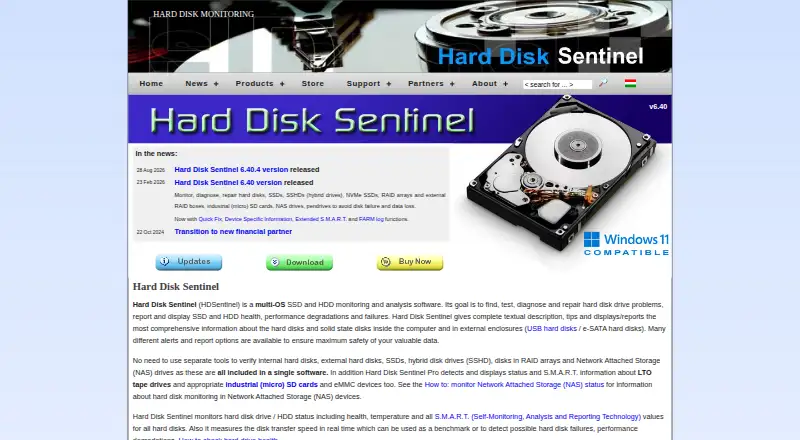
What Hard Disk Sentinel is
Hard Disk Sentinel monitors, diagnoses, tests, and reports on storage health, performance decline, and failures. It checks HDDs, SSDs, hybrid drives, RAID arrays, external drives, and NAS drives; Professional also covers LTO tape drives and certain industrial memory devices. Monitoring includes drive health, temperature, S.M.A.R.T. values, and real-time transfer speed. Standard, Professional, and Enterprise editions provide configurable alerts and daily status reports. Professional adds full surface analysis and repair, health and temperature thresholds, scheduled disk tests, Quick Fix, device-specific information, and scheduled or failure-triggered backup projects. Enterprise Server centralizes client drive health, temperature, free-space, and system information, with remote tests and alerts. Professional can expose drive status through WMI or XML, while Professional and Enterprise support FTP or email file transfer. Windows releases include Standard, Professional, and Enterprise; free Linux and DOS versions are also offered. A limited trial evaluates functionality and hardware compatibility.
Good
- Monitors HDD, SSD, hybrid, RAID, external, and NAS storage
- Tracks health, temperature, S.M.A.R.T. values, and transfer speed
- Paid editions provide configurable alerts and daily reports
- Professional adds surface repair, scheduled tests, and backups
- Enterprise centralizes remote drive and system information
- Windows, Linux, and DOS releases are available
Watch out
- Drive details can be limited by controllers, enclosures, drivers, or some SSDs
- Standard’s $22 license covers one computer at a time
- The trial is limited, with no duration stated
Who it suits
It suits home users, server administrators, small and large companies, and civil organizations that need storage monitoring. Professional and Enterprise are aimed at users needing surface repair, backups, integrations, or network-wide management.
Verdict
Choose Hard Disk Sentinel for broad drive-health monitoring with alerting and diagnostic depth that scales to professional or enterprise use. Standard fits a single computer, while Professional adds repair and backup capabilities. Consider another tool if your hardware blocks health detection or you need coverage beyond the listed Windows, Linux, and DOS platforms.
Plans and prices
From Hard Disk Sentinel's own pricing page, checked 30 Sep 2026.
| Plan | Price | What it gives you |
|---|---|---|
| Trial | Free | Limited trial version · Free trial; duration not stated |
| Linux | Free | Linux version 0.20 · Free |
| DOS | Free | DOS version · Free |
| Standard | $22, paid once | Single PC license · each license may be installed on one computer at a time · Lifetime license; USD $22 |
| Professional | $33, paid once | Single PC license · includes portable version · each license may be installed on one computer at a time · Lifetime license; USD $33 |
| Professional Family | $59, paid once | Protects up to 5 computers · Lifetime license; USD 59 |
| Enterprise | $219.50, paid once | Remote monitoring and management over a network · price starts at USD $219.50 · From USD $219.50 |
The facts
Each one read from Hard Disk Sentinel's own pages, with the date it was checked.
What it does
- Alerts and reports
- Paid Standard, Professional, and Enterprise editions include configurable alert options and daily status reports.checked 30 Sep 2026
- Backup
- Professional supports scheduled backup projects and panic backups triggered by a failure or problem.checked 30 Sep 2026
- Drive support
- The software supports HDD, SSD, hybrid drives, RAID arrays, external drives, NAS drives, and, in Professional, LTO tape drives and certain industrial memory devices.checked 30 Sep 2026
- Enterprise management
- Enterprise Server centralizes client drive health, temperature, free-space, and system information and supports remote tests and alerts.checked 30 Sep 2026
- Hardware limitation
- Drive-health details may be unavailable or limited when a controller, enclosure, or driver blocks detection, and some SSDs or removable drives report limited data.checked 30 Sep 2026
- Integrations
- Professional can provide drive status to developers through WMI or XML, while Professional and Enterprise support file transfer by FTP or email.checked 30 Sep 2026
- Intended users
- The maker describes serving home users, server administrators, small and large companies, and civil organizations.checked 30 Sep 2026
- License coverage
- The maker says purchased licenses provide lifetime use and free updates to future versions of the same license type.checked 30 Sep 2026
- Monitoring
- It monitors drive health, temperature, and S.M.A.R.T. values and measures transfer speed in real time.checked 30 Sep 2026
- Privacy
- The maker says it does not sell, rent, or lease personal information and uses voluntary hardware reports to improve software and services without disclosing them to third parties.checked 30 Sep 2026
- Professional tools
- Professional includes full surface analysis and repair, configurable health and temperature thresholds, scheduled disk tests, Quick Fix, and device-specific information.checked 30 Sep 2026
- Purpose
- Hard Disk Sentinel monitors, diagnoses, tests, and reports on hard disk and SSD health, performance degradation, and failures.checked 30 Sep 2026
- Support
- Registration includes free life-of-product technical support and help.checked 30 Sep 2026
Where it runs
- Platform availability
- The download page lists Windows Professional, Standard, and Enterprise releases, plus free DOS and Linux versions.checked 30 Sep 2026
Money
- Trial limitation
- The trial is offered to evaluate functionality and hardware compatibility, but the maker does not state a trial duration on the pages reviewed.checked 30 Sep 2026
The full review of Hard Disk Sentinel
Hard Disk Sentinel is a drive-health monitor and diagnostic suite for HDDs, SSDs, RAID, NAS, external, and hybrid storage. It suits home users, administrators, and organizations that need continuous condition tracking rather than an occasional benchmark. The main trade-off is that its most useful response and management tools sit in paid editions, while hardware that hides drive data can reduce what it reports.
Overview
Hard Disk Sentinel combines health, temperature, S.M.A.R.T., wear, speed, testing, and failure-warning functions in one product. Standard is aimed at a single computer needing ongoing monitoring; Professional is the stronger fit when testing, repair, backup, or developer integration matters. Enterprise Server extends the product to centralized oversight across networked clients.
Key features
Monitoring covers HDDs, SSDs, hybrid drives, RAID arrays, external drives, and NAS drives. Professional additionally supports LTO tape drives and certain industrial memory devices. Real-time transfer-speed measurement complements health and temperature readings, while SSD wear tracking gives flash-storage owners a practical indication of remaining endurance.
Paid Standard, Professional, and Enterprise editions provide configurable alerts and daily status reports. That makes them suitable for unattended systems where a warning must arrive before a failure becomes downtime. The free Linux and DOS releases are useful no-cost options, but they do not include those stated paid alert and reporting capabilities.
Professional adds full surface analysis and repair, adjustable health and temperature thresholds, scheduled disk tests, Quick Fix, and device-specific information. It also supports scheduled backup projects and panic backups triggered by a drive problem. These additions justify the upgrade for users who want remediation and data-protection workflows alongside monitoring; Standard remains the sensible choice when warning and diagnosis are enough.
Professional can expose drive status through WMI or XML for developer workflows. Professional and Enterprise also support file transfer by FTP or email. Enterprise Server centralizes client health, temperature, free-space, and system information and allows remote tests and alerts, making it the relevant tier for distributed fleets rather than a personal workstation.
Pricing
| Plan | Price | What it suits |
|---|---|---|
| Trial | Free | Functionality and hardware-compatibility evaluation; limited trial version |
| Linux | Free | Linux version 0.20 |
| DOS | Free | DOS version |
| Standard | $22 once | One computer; monitoring-focused use |
| Professional | $33 once | One computer, with portable version, repair, tests, and backup |
| Professional Family | $59 once | Up to five computers |
| Enterprise | From $219.50 once | Remote monitoring and network management |
Standard and Professional are single-PC licenses, and each license may be installed on one computer at a time. Professional Family is the practical household or small-office option when five systems need coverage. Enterprise pricing starts at $219.50 and targets managed networks. Purchased licenses provide lifetime use, free updates to future versions of the same license type, and free life-of-product technical support after registration. The trial has no stated duration, so treat it as a compatibility check rather than a guaranteed time-limited evaluation.
Platforms
Windows downloads include Professional, Standard, and Enterprise releases. Free Linux and DOS versions are also offered. Drive-health information can be limited or unavailable when a controller, enclosure, or driver blocks detection, and some SSDs or removable drives expose only partial data.
Who it's for
Choose it for home storage monitoring, server administration, small businesses, large companies, or civil organizations that need warnings and reports. Professional fits users who want repair, scheduled tests, and backup automation in the same tool. Enterprise is for administrators managing multiple clients remotely. Look elsewhere if your hardware consistently withholds S.M.A.R.T. or health data, or if you need a platform beyond Windows, Linux, and DOS.
Pros and cons
Pros
- Broad coverage across internal, external, RAID, NAS, hybrid, and (Professional) specialized storage.
- Configurable alerts and daily reports in all paid editions support proactive maintenance.
- Professional combines surface repair, scheduled testing, thresholds, and panic backups.
- Lifetime licensing and same-license future updates avoid recurring subscription charges.
- Enterprise centralizes remote health, capacity, system information, tests, and alerts.
Cons
- Single-PC limits on Standard and Professional require additional licenses for multiple machines.
- Enterprise costs substantially more because it targets network management.
- Free Linux and DOS editions lack the stated paid alert and reporting features.
- Blocked detection paths can leave health readings incomplete or absent.
Alternatives
GSmartControl is a free GPLv3 desktop inspection tool for Linux, macOS, and Windows when basic drive-health checking matters more than Hard Disk Sentinel's paid monitoring and response features.
smartmontools is a free, open-source choice built around the smartctl and smartd utilities on Linux, macOS, and Windows.
DiskMaster is a free cross-platform single-purpose desktop tool.
DRevitalize offers a free older DOS version for Windows users seeking that specific legacy option.
Active@ Hard Disk Monitor provides freeware for personal use and a professional tier with remote monitoring for up to three PCs.
CrystalDiskMark is a free Windows benchmark, with a $9.99 Microsoft Store edition, when transfer-performance measurement is the priority.
HDAT2 is free DOS-style freeware for one or more machines, supplied as-is without warranty.
nvm is a free open-source Node.js version manager, not a drive-monitoring replacement.
For broader browsing, see the Disk Diagnostic Software, Disk Health Monitoring Software, and Hardware Diagnostic Software lists.
Verdict
Hard Disk Sentinel is the right choice for anyone who wants detailed, ongoing drive-health visibility with configurable warnings, and for administrators who need Professional repair and backup tools or Enterprise remote management. Its lifetime licenses and unusually broad storage support strengthen the case. Choose another utility when free inspection is sufficient, when you need macOS support, or when your controller or enclosure prevents reliable health detection.
Getting started
- Visit https://www.hdsentinel.com/
- Choose a Windows, Linux, or DOS release
- Select the trial or a paid edition
- Install or run the selected version on supported storage systems
- Configure monitoring, alerts, tests, backups, or remote management according to the edition
Limits worth knowing
The trial is a limited version for evaluating functionality and hardware compatibility. The $22 Standard license is for one computer at a time; Professional and higher editions are required for added tools or network management.
Questions
What does Hard Disk Sentinel cost?
Paid licenses start with Standard at $22.00 USD as a one-time lifetime license.
Which platforms are supported?
Releases are available for Windows, Linux, and DOS. Windows editions include Standard, Professional, and Enterprise.
What does Professional add?
Professional includes full surface analysis and repair, configurable thresholds, scheduled tests, Quick Fix, device information, scheduled backups, and panic backups.
Does it support remote monitoring?
Enterprise Server centralizes client drive and system information and supports remote tests and alerts.
Can hardware limit the information shown?
Yes. Controllers, enclosures, drivers, some SSDs, and removable drives may restrict available health data.
Alternatives to Hard Disk Sentinel
- 1
MemTest86
Free planLinuxmacOSSelf-hostedWindows7.5From $76 a year - 2
smartmontools
Free planLinuxmacOSWindows6.8Free plan - 3

GSmartControl
Free planLinuxmacOSWindows6.7Free plan - 4

Speccy
Free planWindows6.6$19.95 one-time - 5
Intel VTune Profiler
Free planLinuxSelf-hostedWindows6.5Free plan - 6
HD Tune Pro
Windows6.4