nvm
nvm is a free, MIT-licensed command-line tool for installing and using different Node.js versions.
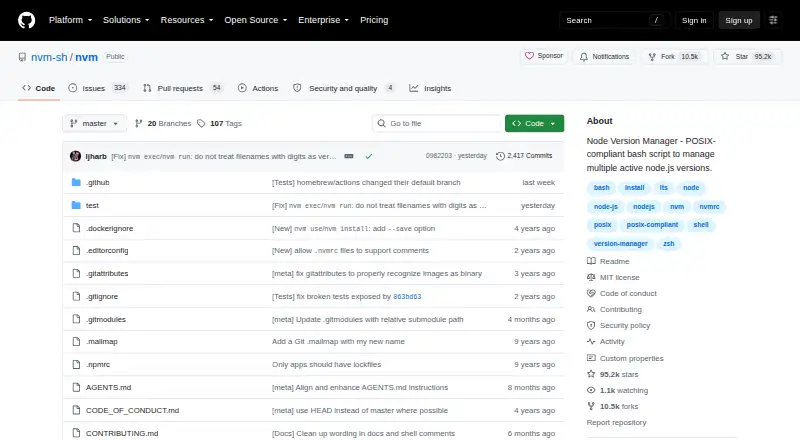
What nvm is
nvm is a free, MIT-licensed command-line tool for installing and using different Node.js versions. It is installed per user and invoked per shell, and works in POSIX-compliant shells including sh, dash, ksh, zsh, and bash. Users can install versions, switch between them, set aliases such as a default, and select long-term support releases with LTS aliases and commands. Projects can specify a version in an .nvmrc file, with documented shell snippets for automatic switching. nvm can also reinstall global npm packages from another installed Node.js version, or install a previously downloaded version offline with the --offline flag. The project documents Docker and CI/CD use. On Windows, it can work through WSL and may work with Git Bash or Cygwin depending on the environment. Fish shell is not supported, and the project says only the latest nvm version is supported.
Good
- Free and MIT licensed.
- Supports version aliases and LTS releases.
- Project versions can be specified with .nvmrc.
- Can install cached versions offline.
Watch out
- Fish shell is not supported.
- Windows use depends on WSL or other environments.
- Only the latest nvm version is supported.
Who it suits
nvm suits developers who need to manage Node.js versions from the command line, including per-project version selection and CI/CD use. It is intended for per-user, per-shell installation.
Verdict
nvm provides command-line Node.js version management, including project configuration and offline installation from a cache. Check its shell support and Windows environment requirements before choosing it.
Plans and prices
From nvm's own pricing page, checked 15 Oct 2026.
| Plan | Price | What it gives you |
|---|---|---|
| nvm | Free | Node.js version installation · version switching · aliases · .nvmrc project selection · shell integration |
The facts
Each one read from nvm's own pages, with the date it was checked.
What it does
- Aliases
- Users can create aliases such as default or custom names for Node versions.checked 15 Oct 2026
- API and SDKs
- The README documents a sourced shell command interface and environment variables; it does not describe a hosted HTTP API or SDK.checked 15 Oct 2026
- Automatic switching
- Automatic directory switching is documented as user-added bash or zsh hooks rather than built into the core command.checked 15 Oct 2026
- Core installation
- Users can install the latest Node release, a specific version, or source builds with nvm install.checked 15 Oct 2026
- Docker and CI
- The documentation provides Dockerfile patterns using BASH_ENV and a separate CI/CD container example.checked 15 Oct 2026
- Documentation depth
- The README includes installation, Docker, CI/CD, shell hooks, mirrors, offline mode, environment variables, testing, troubleshooting and uninstall guidance.checked 15 Oct 2026
- Execution helpers
- nvm run and nvm exec run commands with a selected Node version without permanently changing the surrounding shell.checked 15 Oct 2026
- Extensibility
- Mirror URLs, authorization headers and several NVM_* environment variables can customize downloads and installation behavior.checked 15 Oct 2026
- Fish limitation
- The project does not natively support Fish and suggests wrappers or alternative managers.checked 15 Oct 2026
- Independent mirror status
- SourceForge identifies its nvm page as an exact mirror and states it is not affiliated with the project.checked 15 Oct 2026
- Independent project snapshot
- Hysen Labs recorded 95,544 GitHub stars, 10,530 forks, Shell as the main language and MIT licensing on October 15, 2026.checked 15 Oct 2026
- Installation model
- It is designed to be installed per user and invoked per shell.checked 29 Sep 2026
- Integrations
- Documented integrations include Docker, Ansible, zsh plugins, bash completion and optional nvshim shims.checked 15 Oct 2026
- Latest release
- The release page lists v0.40.7 as a signed release adding concurrent-install serialization and safer download handling.checked 15 Oct 2026
- License
- nvm is distributed under the MIT License, permitting use, modification, distribution and sale subject to retaining notices.checked 15 Oct 2026
- Limit: Fish shell
- A Stack Overflow answer explains that nvm.sh cannot be sourced directly by Fish because Fish is not POSIX-compatible.checked 15 Oct 2026
- Limit: shell startup speed
- Marco Orta measured about 405 ms to load nvm and about 1,003 ms to switch versions in his six-version WSL2 test.checked 15 Oct 2026
- LTS support
- The command set includes aliases and workflows for installing and selecting Node.js long-term-support releases.checked 15 Oct 2026
- Offline installation
- Recent releases add nvm install --offline to install a version from the local cache without network access.checked 15 Oct 2026
- Offline use
- It can install a previously downloaded or cached Node.js version without network access using the --offline flag.checked 29 Sep 2026
- Package migration
- Installation can migrate global npm packages from another installed Node version.checked 15 Oct 2026
Where it runs
- Limit: native Windows
- Independent comparison coverage says the original nvm does not work natively on Windows and requires the separate nvm-windows project.checked 15 Oct 2026
- Limit: shared machines
- Microsoft warns that per-user symbolic-link behavior can make nvm unsuitable for shared developer boxes and multi-agent build servers.checked 15 Oct 2026
- Platform limitation
- The project does not support the Fish shell and points users to community alternatives.checked 29 Sep 2026
The full review of nvm
nvm is a free command-line manager for installing and selecting Node.js versions. It suits developers who need different runtimes across projects, especially those working in compatible shells. Its focused project and LTS controls are useful, but its shell requirements and indirect Windows support narrow the fit.
Overview
Installed for an individual user and invoked in each shell, nvm keeps Node.js version management close to a developer’s command-line workflow. You can install specific releases, switch between them, and set an alias for a preferred default. That is a practical fit for people maintaining projects with different runtime needs, but nvm manages Node.js rather than several languages.
A project’s .nvmrc can identify the Node.js version it expects. Documented shell snippets can make switching automatic, but that behavior depends on configuring the shell; the project file alone does not eliminate setup. nvm can also reinstall global npm packages from another installed Node.js version during installation, which can ease a version change for users who rely on global tools.
Key features
- Version selection and aliases: Install particular Node.js versions, switch when needed, and set a default. This gives developers a direct way to maintain separate runtime choices without relying on a system-wide Node.js version.
- LTS management: Commands and aliases let users install, use, and list long-term support releases. That is helpful for developers who prefer LTS versions, while still leaving them free to select specific releases.
- Project pinning and automatic switching: An .nvmrc identifies the intended version for a project, and documented shell snippets can automate switching. The trade-off is that automatic behavior requires shell configuration.
- Offline installation: The --offline flag can install a previously downloaded or cached Node.js version without network access. This helps when connectivity is unavailable, but only for versions already in the cache.
- Docker and CI: The project documents Docker use, including an example for CI/CD jobs, making nvm a candidate for teams that want to apply its Node.js version workflow in those environments.
Pricing
nvm is open-source software under the MIT license, with a single free plan: free. There is no paid tier to unlock its version management features, so it suits individual developers and teams comfortable using a command-line tool. The free plan does not add paid support terms; the project supports only its latest nvm version, so users should keep current if they want supported releases.
Platforms
nvm supports Linux and macOS, as well as self-hosted environments. It works on POSIX-compliant shells including sh, dash, ksh, zsh, and bash, but not Fish; Fish users should look to community alternatives. Windows use is through WSL, and it may work with Git Bash or Cygwin depending on the environment, so it is a less straightforward choice for people who need native Windows support.
Who it's for
Choose nvm if you work on Node.js projects that require different versions, want project-level version pinning, or prefer LTS aliases and commands. It is also a sensible fit when offline installation from a cache or documented Docker and CI workflows matter. Look elsewhere if you need multi-language runtime management, use Fish, or want Windows support without relying on WSL or an environment-dependent shell setup.
Pros and cons
- Pro — Project-specific versions: An .nvmrc can record the Node.js version a project expects, while configured shell snippets can automate switching.
- Pro — Useful version coverage: Specific releases, default aliases, LTS commands, and migration of global npm packages address several common version-change needs.
- Pro — Cached offline installs: The --offline option can install versions already downloaded, even without network access.
- Con — Narrow language scope: nvm handles Node.js versions, not several languages, so it is not the right manager for a mixed-language toolchain.
- Con — Shell constraints: Fish is unsupported, and automatic project switching requires shell configuration.
- Con — Windows qualification: Windows use depends on WSL or may work through Git Bash or Cygwin depending on the environment, rather than being a uniform native workflow.
Alternatives
For another Node.js version manager, compare fnm, which is free and supports Linux, macOS, and Windows, or nodenv, a free Node.js manager for Linux and macOS. Consider mise if you want a free, MIT-licensed option described as available for macOS, Linux, and Windows. For other languages, rustup is a free option for Linux, macOS, and Windows; elan offers free Lean version management under Apache-2.0 and MIT licenses; GVM is free Go version management for Linux and macOS; PHPBrew is a free option for PHP on Linux, macOS, and self-hosted systems, though building PHP requires development packages and unsupported older PHP versions may fail; and plenv is a free Perl binary manager for Linux and macOS. Browse Runtime Version Managers or Development Environment Managers for the broader category.
Verdict
Choose nvm if Node.js is your focus and you want free, per-user version control with project pinning, LTS support, and cached offline installs. Its main advantage is a workflow centered on the shell and project version; look elsewhere if Fish compatibility, broader language coverage, or more direct Windows support matters more.