elan
elan manages installations of the Lean theorem prover on Linux, macOS, and Windows.
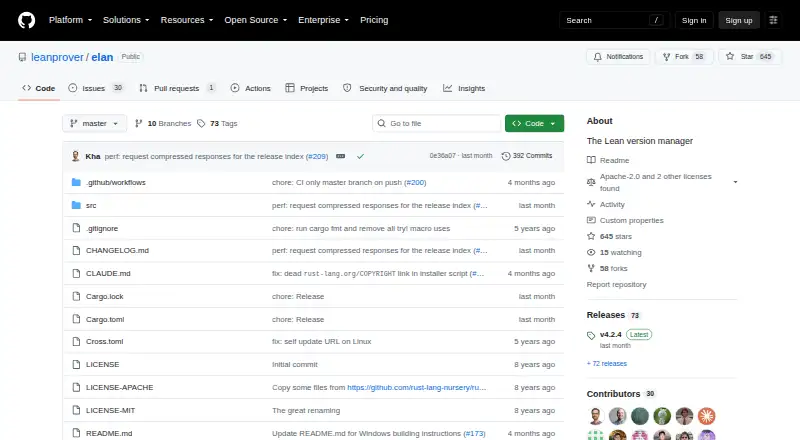
What elan is
elan manages installations of the Lean theorem prover on Linux, macOS, and Windows. Its `lean` and `lake` commands can read a project’s `lean-toolchain` file, select the specified Lean version, and download it when needed. For manual management, the `elan` command can install, select, run, and uninstall Lean versions. The project supports version pinning, lockfiles, automatic switching, shell integration, and CI/CD use, helping keep a project’s toolchain aligned with its configuration. Installation options include shell instructions for Linux and macOS, a PowerShell method for Windows, and release downloads for supported platforms. On NixOS, the README recommends using the Nixpkgs version because toolchains downloaded by elan require patching there. Lake needs git to download dependencies. elan is free under Apache-2.0 and MIT licenses; the listed latest release is v4.2.4. The project describes itself as an adaptation of rustup for Lean infrastructure.
Good
- Selects Lean versions from a project’s toolchain file.
- Can install, select, run, and uninstall Lean versions manually.
- Supports Linux, macOS, and Windows.
- Supports version pinning, lockfiles, and automatic switching.
- Free under Apache-2.0 and MIT licenses.
Watch out
- Lake needs git to download dependencies.
- NixOS users are advised to install the Nixpkgs version.
- Downloaded toolchains require patching on NixOS.
Who it suits
elan suits Lean developers who want project-specific toolchain selection or manual control over installed Lean versions. It also fits workflows using version pinning, shell integration, or CI/CD.
Verdict
elan provides automatic and manual Lean version management across the listed operating systems. NixOS users should follow the project’s Nixpkgs recommendation, and Lake dependency downloads require git.
Plans and prices
From elan's own pricing page, checked 28 Sep 2026.
| Plan | Price | What it gives you |
|---|---|---|
| elan | Free | Lean version management · Apache-2.0 and MIT licenses |
The facts
Each one read from elan's own pages, with the date it was checked.
What it does
- Automatic toolchain selection
- Its lean and lake binaries select and, when necessary, download the Lean version specified in a project's lean-toolchain file.checked 28 Sep 2026
- Dependency
- The README says git is needed for Lake to download dependencies.checked 28 Sep 2026
- Install methods
- The README provides shell installation for Linux and macOS, PowerShell installation for Windows, and release downloads for supported platforms.checked 28 Sep 2026
- Latest release
- The GitHub releases page identifies v4.2.4 as the latest release.checked 28 Sep 2026
- License
- The repository lists Apache-2.0 and MIT licenses.checked 28 Sep 2026
- Manual toolchain management
- The elan executable can install, select, run, and uninstall Lean versions manually.checked 28 Sep 2026
- Project lineage
- The README describes elan as basically a fork of rustup adapted for Lean infrastructure.checked 28 Sep 2026
- Purpose
- elan manages installations of the Lean theorem prover.checked 28 Sep 2026
- Uninstallation
- The README says elan self uninstall should remove elan and revert the shell configuration changes made during installation.checked 28 Sep 2026
Where it runs
- NixOS
- The README recommends installing the Nixpkgs version because elan-downloaded toolchains require patching on NixOS.checked 28 Sep 2026
The full review of elan
elan manages Lean toolchains for developers who want each project to use its declared Lean version, while retaining direct control over installed versions. Its focused scope makes it a practical choice for Lean work; NixOS users should use the Nixpkgs package instead.
Overview
When a project includes a lean-toolchain file, elan’s lean and lake commands select the specified Lean version and download it if needed. That keeps the compiler choice tied to the project, which is useful when switching between repositories or running projects in CI/CD.
The elan command also lets users install, select, run, and uninstall Lean versions manually. This pairing suits developers who need both project-specific switching and direct toolchain control, but elan is a language and SDK manager rather than a general development environment manager. The project describes its lineage as a fork of rustup adapted for Lean.
Key features
Project selection and manual management
Automatic selection reduces the need to maintain a single global Lean version when projects require different toolchains. Project version pinning, lockfile support, shell integration, and CI/CD usage support that workflow. Manual commands provide an alternative when a user wants to choose or run a version directly rather than rely on a project file.
Installation and dependencies
Installation guidance covers shell setup on Linux and macOS, PowerShell on Windows, and release downloads for supported platforms. Lake requires git to download dependencies, so a working elan installation alone is not enough for that part of a project workflow. On NixOS, the project recommends installing the Nixpkgs version because toolchains downloaded through elan require patching.
The repository lists Apache-2.0 and MIT licenses. For removal, elan’s self-uninstall command is intended to remove elan and revert shell configuration changes made during installation.
Pricing
elan is free: its plan costs nothing and includes Lean version management under Apache-2.0 and MIT licenses. There is no free trial because no paid plan is involved. A free plan makes it suitable for individual Lean developers and teams alike; no seat or usage quota is stated.
Platforms
elan supports Linux, macOS, and Windows. The installation routes differ by platform, and NixOS users should follow the Nixpkgs recommendation rather than rely on downloaded toolchains without patching. The latest release is v4.2.4.
Who it's for
Choose elan if Lean is your language and projects need their own pinned toolchains, especially when you want automatic selection alongside manual version management. Its CI/CD support also makes it a fit for keeping automated project work aligned with declared versions. Look elsewhere if you need one manager for a broader set of languages or development environments.
Pros and cons
- Project-specific automatic selection: lean and lake follow the project’s toolchain file and download the required Lean version when necessary.
- Manual control: elan can install, select, run, and uninstall versions, giving users a direct route beyond automatic switching.
- Free with cross-platform support: the plan costs nothing and supports Linux, macOS, and Windows.
- NixOS caveat: downloaded toolchains require patching, so the recommended Nixpkgs version is the more appropriate route for those users.
- Lake dependency prerequisite: users need git for Lake to download dependencies.
Alternatives
For another free tool focused on Haskell toolchain installation and management, consider GHCup. If you want a free manager for Rust, rustup is the language-specific alternative most closely aligned with elan’s stated lineage. For other language-specific options, fnm manages versions on Linux, macOS, and Windows, while nvm is an open-source Node.js version manager and nodenv is a free Node.js manager for Unix-like systems. Go developers can consider GVM, a free, MIT-licensed option for Linux and macOS. mise is another free option for macOS, Linux, and Windows. axe-playwright is a free alternative with a Playwright peer dependency.
For broader browsing, see Runtime Version Managers or Development Environment Managers.
Verdict
Lean developers who need project-pinned versions with automatic switching and manual control should choose elan: it keeps toolchain selection close to each project at no cost. NixOS users should take the Nixpkgs route, and anyone seeking a general-purpose environment manager should look elsewhere.