
mise
mise is an open-source tool for managing development tools, environment variables, and project tasks through a project configuration file.
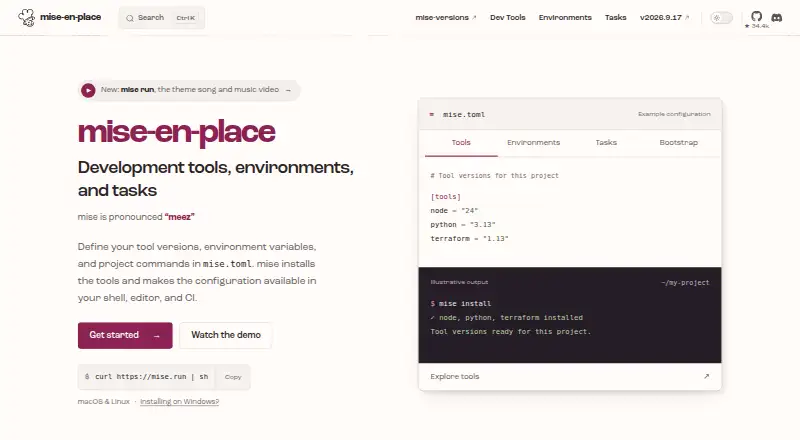
What mise is
mise is an open-source tool for managing development tools, environment variables, and project tasks through a project configuration file. It installs runtimes and command-line tools, selects versions for each project, and can share those choices with teams and CI. Its registry contains more than 1,000 tools. Configuration can load variables from dotenv files, secrets, and shell commands; tasks can define build, test, lint, and other commands with dependencies and arguments.
For machine setup, mise bootstrap can declare packages, dotfiles, repositories, and services. Shell hooks are listed for bash, zsh, fish, nushell, PowerShell, and other shells. Documentation describes CI use with GitHub Actions, GitLab CI, and Xcode Cloud. Community editor plugins are listed for Emacs, IntelliJ, Neovim, and VSCode, though support depends on the editor, extension, and language. Security controls include configuration trust, safe and paranoid modes, and verification options such as checksums, signatures, provenance, and artifact attestations. Safe mode can restrict project configuration behavior, including tasks, plugin installation, and hooks. mise is MIT licensed, free, and runs on macOS, Linux, and Windows.
Good
- Registry contains more than 1,000 tools.
- Supports macOS, Linux, and Windows.
- Tasks can define dependencies and arguments.
- Includes configuration trust and verification controls.
- Documents integrations with three CI platforms.
Watch out
- Editor plugin support varies by editor, extension, and language.
- Safe mode can restrict project configuration behavior.
Who it suits
mise suits developers who want project-specific tool versions, environment variables, and task definitions in one configuration. Its listed shell hooks and CI integrations may also suit teams standardizing development or build environments.
Verdict
mise brings tool version management, environment configuration, and project tasks together, with options for machine setup and CI use. Its security controls and platform coverage are useful considerations for teams adopting shared project configuration.
Plans and prices
From mise's own pricing page, checked 7 Oct 2026.
| Plan | Price | What it gives you |
|---|---|---|
| Open source | Free | MIT licensed · macOS, Linux, and Windows |
The facts
Each one read from mise's own pages, with the date it was checked.
What it does
- CI integration
- The documentation describes using mise in CI, including GitHub Actions, GitLab CI, and Xcode Cloud.checked 7 Oct 2026
- Editor integrations
- The IDE guide lists community plugins for Emacs, IntelliJ, Neovim, and VSCode, and says support depends on the editor, extension, and language.checked 7 Oct 2026
- Environments
- It can load environment variables from configuration, dotenv files, secrets, and shell commands.checked 7 Oct 2026
- License
- The project is open source and MIT licensed.checked 7 Oct 2026
- Purpose
- mise manages development tools, environment variables, and project tasks through a project configuration file.checked 7 Oct 2026
- Security controls
- The security documentation describes configuration trust, safe and paranoid modes, and verification options including checksums, signatures, provenance, and artifact attestations.checked 7 Oct 2026
- Shell support
- Shell hooks are listed for bash, zsh, fish, nushell, PowerShell, and other shells.checked 7 Oct 2026
- Support
- The project directs questions to GitHub Discussions, bug reports to GitHub Issues, and security reports to the private process in SECURITY.md.checked 7 Oct 2026
- Tasks
- Tasks can define build, test, lint, and other commands with dependencies and arguments.checked 7 Oct 2026
- Tool registry
- The homepage says the tool registry contains more than 1,000 tools.checked 7 Oct 2026
- Tool versions
- It installs runtimes and command-line tools, selects versions per project, and shares those choices with teams and CI.checked 7 Oct 2026
- Untrusted configurations
- Safe mode can restrict project configuration behavior, including tasks, template execution, plugin installation, project environment settings, and hooks.checked 7 Oct 2026
Where it runs
- Machine setup
- mise bootstrap can declare packages, dotfiles, repositories, and services for machine setup.checked 7 Oct 2026