Jabba
Jabba is a free, open-source Java version manager written in Go for installing and switching between JDK versions on macOS, Linux, and Windows.
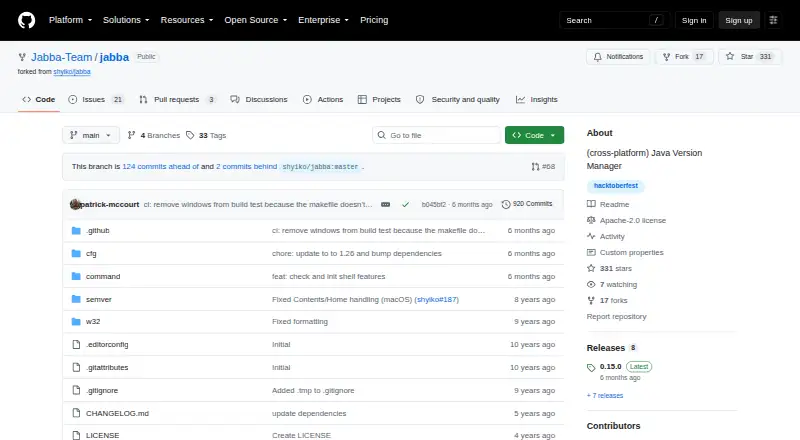
What Jabba is
Jabba is a free, open-source Java version manager written in Go for installing and switching between JDK versions on macOS, Linux, and Windows. Its JDK index, powered by DiscoAPI, lists options for the user's operating system and architecture. Supported distributions include Oracle, Adopt OpenJDK, Zulu, IBM SDK, GraalVM, OpenJDK, Liberica, and Amazon Corretto. Users can browse remote versions, filter them with semantic version ranges, install JDKs, and switch among those installed. A `.jabbarc` file can select a version for a project, and a default alias can set the version used in new terminals. Jabba can link an existing system JDK and coexist with another Java installation. The README documents shell integration for bash, zsh, and fish, and installation through Homebrew, shell scripts, PowerShell, Scoop, or Docker. A project wrapper can use Jabba without a global installation. Jabba does not switch Java globally by itself; its repository provides manual platform-specific snippets instead.
Good
- Supports macOS, Linux, and Windows.
- Lists JDKs from multiple named distributions.
- Project version selection is available through `.jabbarc`.
- Shell integration covers bash, zsh, and fish.
- Apache-2.0 licensed and free.
Watch out
- Does not switch Java globally by itself.
- The project is described as work in progress.
- Some README instructions may be outdated.
Who it suits
Jabba suits developers who need to install and select JDK versions across macOS, Linux, or Windows. It can also help teams pin a project to a chosen JDK with `.jabbarc`.
Verdict
Jabba offers a cross-platform way to install JDKs and select versions for projects or terminals. Note that global switching requires manual platform-specific setup, and the repository warns that instructions may be outdated.
Plans and prices
From Jabba's own pricing page, checked 9 Oct 2026.
| Plan | Price | What it gives you |
|---|---|---|
| Jabba | Free | Java version management tool · Apache License 2.0 |
The facts
Each one read from Jabba's own pages, with the date it was checked.
What it does
- Custom downloads
- Jabba can install JDK distributions from custom URLs using formats including zip, tgz, tgx, dmg, bin, and exe.checked 9 Oct 2026
- Data location
- Jabba stores its files under ~/.jabba on Linux and macOS and %USERPROFILE%/.jabba on Windows.checked 9 Oct 2026
- Docker
- The README shows using Jabba in a Docker build to install a JDK and then remove the Jabba binary.checked 9 Oct 2026
- Existing JDKs
- Jabba can link a system JDK, and the README says it can coexist with an already installed Java version.checked 9 Oct 2026
- Global Java setting
- Jabba does not include built-in functionality to switch Java globally; the README gives manual platform-specific snippets instead.checked 9 Oct 2026
- Goal
- The project aims to provide a unified way to install and switch JDK versions across macOS, Linux, and Windows.checked 9 Oct 2026
- Index integration
- The JDK index is powered by DiscoAPI.checked 9 Oct 2026
- Install and switch JDKs
- Jabba is intended to install and switch between JDK versions across macOS, Linux, and Windows.checked 9 Oct 2026
- Install methods
- The README documents Homebrew, shell scripts, PowerShell, Scoop, and Docker-based installation or use.checked 9 Oct 2026
- JDK catalog
- Its JDK index is powered by DiscoAPI and lists JDKs for the user's OS and architecture.checked 9 Oct 2026
- JDK sources
- The README lists Oracle JDK, Adopt OpenJDK, Zulu OpenJDK, IBM SDK, GraalVM CE, OpenJDK, Liberica JDK, and Amazon Corretto among supported distributions.checked 9 Oct 2026
- License
- The repository is licensed under Apache License 2.0.checked 9 Oct 2026
- License and disclaimer
- The repository identifies the software as Apache-2.0 licensed and says it is for educational purposes and used at the user's own risk.checked 9 Oct 2026
- Project configuration
- A `.jabbarc` file can specify a JDK version for Jabba to use, and a default alias can select the version used in new terminals.checked 9 Oct 2026
- Project status
- The repository describes Jabba as a community fork that is a work in progress and warns that some README instructions may be outdated.checked 9 Oct 2026
- Purpose
- Jabba is a Java version manager inspired by nvm and written in Go.checked 9 Oct 2026
- Security
- GitHub reports that the project has no SECURITY.md policy and no published security advisories.checked 9 Oct 2026
- Shells and installation
- The README documents shell integration for bash, zsh, and fish, with installation instructions for macOS, Linux, and Windows.checked 9 Oct 2026
- Shell support
- The README gives shell integration instructions for bash, zsh, and fish.checked 9 Oct 2026
- Supported distributions
- The README lists Oracle, Adopt OpenJDK, Zulu, IBM SDK, GraalVM, OpenJDK, Liberica, and Amazon Corretto among supported JDKs.checked 9 Oct 2026
- Version selection
- Users can list remote JDKs, filter versions with semantic version ranges, install versions, and switch among installed versions.checked 9 Oct 2026
- Version switching
- Users can install JDKs, switch among installed versions, set a default version, and select a project version through a .jabbarc file.checked 9 Oct 2026
Where it runs
- Platforms
- The README documents installation for macOS, Linux, and Windows 10, with OS and architecture support described as macOS, Linux x86/x86_64/ARMv7+, and Windows x86_64.checked 9 Oct 2026
- Project wrapper
- The jabba-wrapper scripts let a project use Jabba without installing it globally and select a JDK version through .jabbarc.checked 9 Oct 2026
The full review of Jabba
Jabba is a free, cross-platform Java version manager for developers who need different JDKs across projects. Its wide distribution support and project-level version selection are useful; its work-in-progress status and manual global setup call for care.
Overview
Inspired by nvm and written in Go, Jabba brings JDK installation and version selection to Linux, macOS, and Windows. It can manage downloaded JDKs, switch among installed versions, or link a system JDK, so projects can use a chosen Java release without displacing an existing installation.
The project is a community fork that describes itself as a work in progress and cautions that some README instructions may be outdated. It is licensed under Apache-2.0 and carries an educational-purpose, use-at-your-own-risk disclaimer. GitHub reports no security policy file and no published security advisories, a consideration for teams that require formal security guidance.
Key features
JDK catalog and custom downloads
Jabba's DiscoAPI-powered index lists JDKs for the user's operating system and architecture. Named distributions include Oracle, Adopt OpenJDK, Zulu, IBM SDK, GraalVM, OpenJDK, Liberica, and Amazon Corretto. Users can also install from custom URLs in formats such as zip, tgz, tgx, dmg, bin, and exe. This breadth helps when a project depends on a particular vendor or packaging source, though it leaves users responsible for choosing the right build.
Version selection by terminal or project
Users can browse remote JDKs, filter versions with semantic version ranges, install them, and switch among installed versions. A default alias sets the version for new terminals, while a .jabbarc file selects a project version. The project wrapper scripts can let a project use Jabba without a global installation. These options make project-specific Java requirements manageable, but automatic switching is not supported: users need the documented shell integration and project setup.
Shells, existing JDKs, and containers
The README documents integration with bash, zsh, and fish, and installation through Homebrew, shell scripts, PowerShell, or Scoop. Jabba can link a system JDK and coexist with an existing Java installation. Docker instructions show installing a JDK during a build and then removing the Jabba binary, which suits image-building workflows where the manager need not remain in the finished image.
Jabba does not provide built-in global Java switching. Setting Java globally instead means following manual, platform-specific snippets, adding setup work for anyone who expects one command to change the system-wide version. Its files live under ~/.jabba on Linux and macOS, and %USERPROFILE%/.jabba on Windows.
Pricing
Jabba is open source and free: the Jabba plan costs nothing and is licensed under Apache License 2.0. There are no paid tiers, seat limits, quotas, or trial terms to weigh.
Platforms
Jabba supports Linux, macOS, and Windows. Its JDK catalog is tailored to the user's operating system and architecture, and installation guidance covers all three platforms. Shell integration is documented for bash, zsh, and fish; Windows users also have PowerShell and Scoop installation methods.
Who it's for
Jabba fits developers who work on Java projects with different JDK requirements, want to choose among several distributions, or need a shell-based manager across Linux, macOS, and Windows. It is also a practical candidate for Docker builds and for users who want to keep an existing system JDK while managing project versions separately.
Look elsewhere if you need automatic project switching, a built-in global Java switch, or a project whose documentation and maintenance status provide stronger assurances. Jabba's manual global setup and work-in-progress warning are material trade-offs, especially for teams with formal security requirements.
Pros and cons
- Broad JDK choice: The DiscoAPI index and custom URL support cover multiple named distributions and package formats.
- Project-specific versions: A .jabbarc file and wrapper scripts can tie a project to its intended JDK.
- Cross-platform workflow: Linux, macOS, and Windows support helps teams use one manager across operating systems.
- No automatic switching: Project selection depends on shell integration and setup rather than switching automatically.
- Global changes take manual work: Platform-specific snippets are required to change Java globally.
- Maintenance caveat: The community fork is a work in progress, and some README instructions may be outdated.
Alternatives
For toolchains beyond Java, Runtime Version Managers is a broader category to explore; for managing development environments, see Development Environment Managers.
GHCup is a free option for Haskell toolchain installation and management, while rustup is free and available across Linux, macOS, and Windows. fnm is another free, cross-platform version manager, and nvm is a free, open-source Node.js version manager. elan offers free Lean version management, and GVM provides free Go version management for Linux and macOS. mise is a free, MIT-licensed option for Linux, macOS, and Windows. axe-playwright is also free and supports Linux and web.
Verdict
Choose Jabba if you need a free, cross-platform way to manage multiple JDK distributions and assign versions to projects. Its catalog, existing-JDK support, and project configuration make it a useful fit for shell-oriented Java development. Look elsewhere if automatic switching, built-in global control, or a more assured maintenance posture is essential.
Getting started
- Open the Jabba GitHub repository
- Install Jabba with Homebrew, a shell script, PowerShell or Scoop
- Follow the documented shell integration for bash, zsh or fish
- List remote JDKs and filter versions with semantic version ranges
- Install a selected JDK distribution
- Set a default alias or add a `.jabbarc` file for a project
Limits worth knowing
Jabba has no automatic switching and does not include built-in global Java switching. The project is described as a work in progress, and some README instructions may be outdated.
Questions
What does Jabba cost?
Jabba is free and open source under the Apache License 2.0.
Which operating systems are supported?
Jabba supports macOS, Linux and Windows.
Which JDK distributions can it manage?
The README lists Oracle, Adopt OpenJDK, Zulu, IBM SDK, GraalVM, OpenJDK, Liberica and Amazon Corretto.
Can a project pin its JDK version?
Yes. A `.jabbarc` file can specify the JDK version for a project, and jabba-wrapper can use that selection without a global installation.
Does Jabba switch Java automatically?
No. It does not automatically switch versions, and global Java switching requires manual platform-specific snippets.
How can Jabba be installed?
Documented methods include Homebrew, shell scripts, PowerShell, Scoop and Docker.