fnm
fnm is a free Node.js version manager built in Rust for developers who manage versions from a command line or shell.
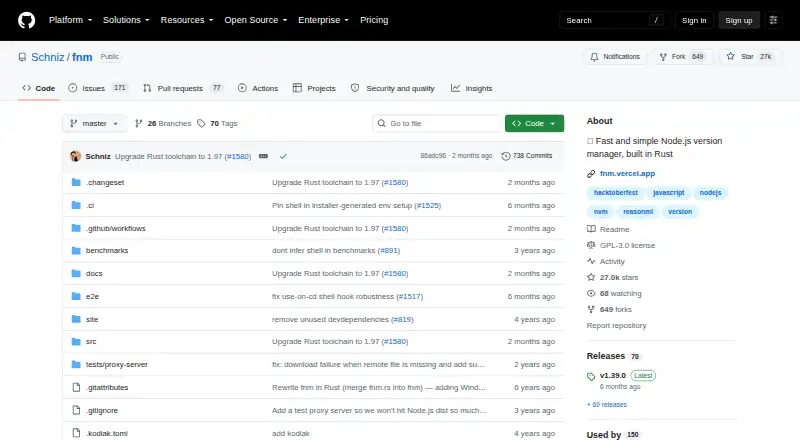
What fnm is
fnm is a free Node.js version manager built in Rust for developers who manage versions from a command line or shell. It supports macOS, Windows, and Linux, and is distributed as a single file through installation scripts, package managers, Cargo, or release binaries. It can use `.node-version` and `.nvmrc` files, and shell setup can switch Node.js versions automatically when changing directories. The project provides shell setup instructions for Bash, Zsh, Fish, PowerShell, Windows Command Prompt, and Cmder. The binary includes completions for Bash, Zsh, Fish, and PowerShell. The macOS and Linux installation script requires `curl` and `unzip`. The project identifies its license as GPL-3.0 and invites contributions through pull requests, with issues available for project interaction. Its project page reports no published security advisories, while noting that a SECURITY.md file has not been set up. No paid plans are listed.
Good
- Supports macOS, Windows, and Linux
- Works with `.node-version` and `.nvmrc` files
- Can switch versions automatically by directory
- Includes completions for four shells
Watch out
- macOS and Linux install script requires `curl` and `unzip`
- Project has no SECURITY.md file
Who it suits
fnm suits developers who want to manage Node.js versions from a supported operating system’s command line or shell. Its project-file and shell integrations are relevant to those switching versions by directory.
Verdict
fnm provides project-file support and shell integration across the three listed operating systems, with no paid plans listed. Users of the macOS or Linux installation script need `curl` and `unzip`.
Plans and prices
From fnm's own pricing page, checked 30 Sep 2026.
| Plan | Price | What it gives you |
|---|---|---|
| fnm | Free | No paid plans listed |
The facts
Each one read from fnm's own pages, with the date it was checked.
What it does
- Automatic switching
- Shell setup can enable automatic Node.js version switching when changing directories.checked 30 Sep 2026
- Completions
- The binary includes completions for Bash, Zsh, Fish, and PowerShell.checked 30 Sep 2026
- Installation
- fnm is distributed as a single file and supports installation scripts, package managers, Cargo, and release binaries.checked 30 Sep 2026
- Install prerequisites
- The macOS and Linux installation script requires `curl` and `unzip` to be installed.checked 30 Sep 2026
- License
- The repository identifies its license as GPL-3.0.checked 30 Sep 2026
- Purpose
- fnm is a fast and simple Node.js version manager built in Rust.checked 30 Sep 2026
- Security advisories
- The project page reports that there are no published security advisories.checked 30 Sep 2026
- Security policy
- GitHub reports that the project has not set up a SECURITY.md file.checked 30 Sep 2026
- Shell integrations
- The README provides setup instructions for Bash, Zsh, Fish, PowerShell, Windows Command Prompt, and Cmder.checked 30 Sep 2026
- Support and contributions
- The README invites pull requests and links to issues for project interaction.checked 30 Sep 2026
- Version files
- fnm works with `.node-version` and `.nvmrc` files.checked 30 Sep 2026
- Who it is for
- Its documented features and integrations are aimed at developers managing Node.js versions from their command line and shell.checked 30 Sep 2026
Where it runs
- Cross-platform
- The project lists support for macOS, Windows, and Linux.checked 30 Sep 2026
The full review of fnm
Overview
fnm is a Node.js version manager built in Rust for developers who manage Node versions from the command line. Its project-file support and shell integrations make it a strong fit for switching versions across projects; it is less suited to anyone seeking a manager for multiple languages.
Key features
fnm can use .node-version and .nvmrc files to pin a project’s Node.js version. With shell setup enabled, it can switch versions automatically as you move between directories, sparing developers from having to select the right version manually for each project.
Shell integration instructions cover Bash, Zsh, Fish, PowerShell, Windows Command Prompt, and Cmder. The binary also includes completions for Bash, Zsh, Fish, and PowerShell. That breadth is useful for teams and individuals working across different shells, though Command Prompt and Cmder are not among the shells with listed completions.
fnm is distributed as a single file, with installation options including scripts, package managers, Cargo, and release binaries. The macOS and Linux installation script requires curl and unzip; users without those utilities can choose another distribution method.
Pricing
fnm is free, at no cost, with no paid plans. There is no trial to evaluate because the free plan has no stated end date. That removes a subscription decision for individual developers, but does not imply paid support or other commercial terms.
Platforms
fnm supports macOS, Windows, and Linux. Its cross-platform reach is a practical advantage for developers moving among those systems, while the installation-script prerequisite applies specifically to macOS and Linux script installs.
Who it's for
Choose fnm if you work with Node.js projects that pin versions in `.node-version` or `.nvmrc` files and want shell-based automatic switching. Its scope is a single language, so developers who need one tool to manage versions across several languages should look at a broader environment manager instead.
Pros and cons
- Pros: Project-file support and automatic directory-based switching help keep the active Node.js version aligned with each project.
- Pros: macOS, Windows, and Linux support, plus integrations for several shells, suit varied developer setups.
- Pros: Free with no paid plans, and distributed through several installation routes.
- Cons: It manages Node.js rather than multiple language runtimes, limiting its usefulness as a general development environment manager.
- Cons: The macOS and Linux installation script depends on `curl` and `unzip`.
- Cons: The project has no SECURITY.md file, even though its page reports no published security advisories; teams that require a documented security policy may prefer a project with one.
Alternatives
For a similar free Node.js version manager, consider nvm, which supports Linux, macOS, Windows, and self-hosted use. Choose a cross-language tool if managing more than Node.js is the priority: asdf is a free open-source tool version manager, while Development Environment Managers is a broader category to compare.
For a runtime other than Node.js, rustup is a free option supporting Linux, macOS, and Windows; elan is a free Lean version manager. Go developers can consider GVM, which supports Linux and macOS, or goenv, a free Go version manager for those platforms. PHPBrew is a free option for PHP on Linux and macOS, but building PHP requires development packages and unsupported older PHP versions may fail to build. RVM is another alternative.
Browse Runtime Version Managers for more options.
Verdict
For Node.js developers who want project-pinned versions and automatic shell switching across macOS, Windows, and Linux, fnm is a compelling free choice. Look elsewhere if you need one manager for several languages or require a project with a published security policy.