DRevitalize
DRevitalize is Windows software for diagnosing and repairing physical damage to magnetic media, including hard drives and some floppy drives.
What DRevitalize is
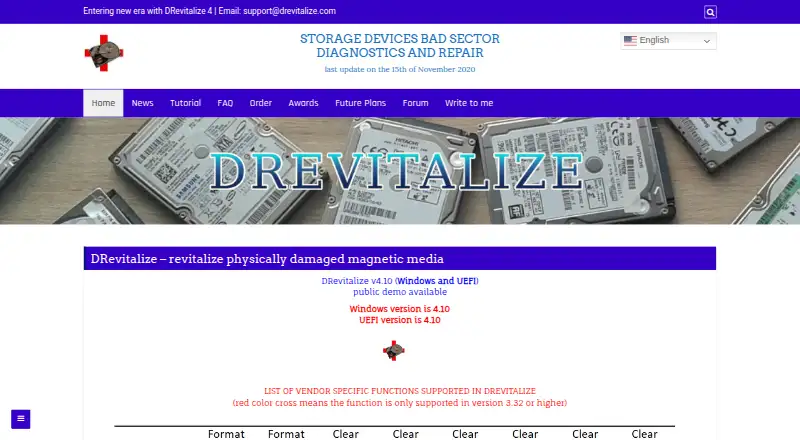
DRevitalize is Windows software for diagnosing and repairing physical damage to magnetic media, including hard drives and some floppy drives. It tries to repair bad sectors by generating special sequences of high and low signals around damaged areas. The site lists version 4.10 for Windows and UEFI, with public demo downloads for Windows, UEFI and DOS. Its scan modes include scan-only, scan-and-repair read tests and scan-and-repair write tests. Other options include SMART analysis, raw-data copying, secure erase, Format Unit, ATA security functions and Device Configuration Overlay controls. The software is intended for minor surface damage, typically a few bad sectors, rather than hundreds or thousands. It can check and modify SSD parameters, but cannot truly repair a defective SSD sector; it can reallocate that sector. The UEFI version requires a 64-bit system and recent BIOS. Windows support information says it is designed for Windows 10, while version 4.0 requires at least Windows Vista and .NET Framework 4.6. License ordering is no longer available and the project is on hold.
Good
- Offers scan-only and scan-and-repair modes.
- Includes SMART analysis and raw-data copying.
- Demo downloads are offered for Windows, UEFI and DOS.
- Can reallocate a defective SSD sector.
Watch out
- Designed for minor damage, not hundreds of bad sectors.
- Cannot truly repair a defective SSD sector.
- License ordering is no longer available.
- The project is on hold.
Who it suits
DRevitalize may suit Windows users investigating minor surface damage on magnetic drives. Its listed functions also include drive analysis and testing, but it is not a true repair option for defective SSD sectors.
Verdict
DRevitalize provides several drive checks and repair modes, but its stated use case is minor surface damage. With license ordering unavailable and the project on hold, readers should weigh those limits before relying on it.
Plans and prices
From DRevitalize's own pricing page, checked 1 Oct 2026.
| Plan | Price | What it gives you |
|---|---|---|
| DRevitalize 1.2 Light/DOS freeware | Free | older version · DOS |
| DRevitalize Light/DOS 1.2 | Free | freeware · DOS edition |
| Company/business use license | Priced on request | unlimited compatible company computers · unlimited company employees · no redistribution |
| Single-site use license | Priced on request | one computer at a time · no network or simultaneous multi-computer use · no redistribution |
The facts
Each one read from DRevitalize's own pages, with the date it was checked.
What it does
- ATA security
- The tool can lock and unlock drives, set a master password, and show ATA security state.checked 15 Oct 2026
- Availability
- License ordering is no longer available and the project is on hold.checked 1 Oct 2026
- Current version
- The home page identifies DRevitalize 4.10 for Windows and UEFI.checked 15 Oct 2026
- Data collection
- The documentation says registered Windows versions collect no serial numbers or internet IPs when checking for updates.checked 1 Oct 2026
- Data-recovery estimate
- The maker states that DRevitalize has about a 40% chance of recovering previously unreadable data caused by bad-sector surface defects.checked 15 Oct 2026
- Demo availability
- Public demos are offered for Windows, UEFI boot media, and DOS.checked 15 Oct 2026
- Documentation
- The maker publishes a long tutorial covering operation modes, repair procedures, SMART, ATA security, secure erase, formatting, USB bridges, and recovery workflow.checked 15 Oct 2026
- Drive controls
- Its features menu exposes cache settings, host protected area, secure erase, format unit, acoustic management, SMART controls, ATA security, and defect-reassignment functions.checked 15 Oct 2026
- Drive functions
- Its options include SMART analysis, raw-data copying, secure erase, Format Unit, ATA security functions and Device Configuration Overlay controls.checked 1 Oct 2026
- Executable signing
- The maker says its executables are signed with a personal Authenticode certificate and warns users against unsigned copies from unknown sources.checked 15 Oct 2026
- Intended defect scale
- The FAQ says the product targets minor surface damage, typically a few bad sectors and perhaps up to 10, rather than hundreds or thousands.checked 15 Oct 2026
- Licence type
- The proprietary licence forbids reverse engineering, resale, rental, leasing, and redistribution; the software is provided as-is without update obligations.checked 15 Oct 2026
- License
- The single-site license permits use on one computer at a time, while a company/business license permits unlimited compatible company computers and employees.checked 1 Oct 2026
- Limit: antivirus detections
- Software Informer reported that two of 75 antivirus engines detected threats in a scanned DRevitalize 4.0 download on February 6, 2025.checked 15 Oct 2026
- Limit: demo delay
- Software Informer says the demo imposes a time penalty after each repair.checked 15 Oct 2026
- Limit: older-drive focus
- Softpedia warns that DRevitalize Light may not work properly with modern hard drives that use their own error-management systems.checked 15 Oct 2026
- Limit: reported failure on a heavily damaged disk
- A Linux Mint forum user reported that DRevitalize did not help a disk with more than 2,000 reallocated sectors and that the scan rate suggested roughly 10 days.checked 15 Oct 2026
- Network behavior
- The FAQ says the registered program only checks a remote version number at startup and does not send user information or drive data elsewhere.checked 15 Oct 2026
- Praise: emergency recovery usefulness
- Softpedia describes DRevitalize Light as potentially useful for salvaging a damaged hard disk when other approaches have failed.checked 15 Oct 2026
- Project status
- The ordering page states that licence ordering is no longer available and the project is on hold.checked 15 Oct 2026
- Purpose
- DRevitalize diagnoses and repairs physically damaged magnetic media, including hard drives and some floppy drives.checked 1 Oct 2026
- Rating on Softpedia
- 3.3 out of 5 from 52 voteschecked 15 Oct 2026
Where it runs
- DOS effectiveness
- The maker says the DOS edition is generally more effective than Windows because Windows background activity can interfere with recovery.checked 15 Oct 2026
The company
- Founded
- 2004checked 28 Sep 2026
The full review of DRevitalize
DRevitalize is a specialist Windows utility for examining and attempting repairs on physically damaged magnetic drives. It suits experienced users facing a handful of bad sectors who can distinguish safe diagnostics from destructive operations. Its focused repair approach is useful in that narrow situation, while its aging, on-hold status makes it a poor foundation for a new purchasing decision.
Overview
Founded in 2004, DRevitalize targets hard disks and some floppy drives rather than general file recovery. It works around damaged areas by issuing carefully arranged high- and low-signal sequences, attempting to make marginal sectors readable again. That is a more specific mission than ordinary drive-health software, but the stated scope matters: minor surface damage and typically a few bad sectors, not a disk reporting hundreds or thousands.
The current release is DRevitalize v4.10 for Windows and UEFI, with public demonstration downloads also offered for DOS. The project is on hold and license ordering is no longer available. That combination may still be worthwhile for an existing user who needs its particular repair method, but it weakens the case for organisations seeking a supported product they can procure and maintain.
Key features
Three testing paths cover scan-only operation, scan-and-repair read tests, and scan-and-repair write tests. Scan-only is the prudent first pass on a data-bearing disk; write testing changes the medium and should be reserved for a controlled repair attempt with appropriate backups. Read repair offers an intermediate option for users who want intervention without choosing the explicit write-test mode.
Repair is only one part of the toolkit. SMART analysis helps inspect drive health, while raw-data copying, secure erase, Format Unit, ATA security functions and Device Configuration Overlay controls serve administration and recovery workflows. These controls add practical range, though they also demand technical judgment: erase, formatting and security operations are not casual maintenance tasks.
Clear defect reassign works with Western Digital, Samsung, Fujitsu and Toshiba drives. USB-attached ATA/SATA disks work best through bridges that support SATL and ATA pass-through commands, so an incompatible enclosure can limit what the program can do. SSDs are a clear boundary: DRevitalize can inspect and modify SSD parameters and reallocate a sector, but it cannot genuinely repair a defective SSD sector.
Pricing
The listed free option is DRevitalize 1.2 Light/DOS freeware, priced at free. It is an older DOS release and includes bad-sector scanning, read/write testing, surface scanning, bootable media and SMART tests. It is the practical route for users who need a no-cost, legacy diagnostic environment, but it does not represent the current v4.10 Windows and UEFI build.
License ordering for the paid product is unavailable. Where licensing applies, a single-site license allows use on one computer at a time; a company or business license allows unlimited compatible company computers and employees. Those terms matter to teams, but they do not create a purchase path while the project remains on hold.
Platforms
DRevitalize is designed for Windows 10. Version 4.0 requires at least Windows Vista and .NET Framework 4.6. The UEFI edition needs a 64-bit system and a recent BIOS, while demo downloads cover Windows, UEFI and DOS. Registered Windows versions do not send serial numbers or internet IP addresses when checking for updates, according to the documentation. The maker also says installers and executables are checked with several anti-spyware and antivirus engines.
Who it's for
This is for technically confident Windows users working on a magnetic disk with a small, localized bad-sector problem, especially when SMART data and low-level controls are useful. It can also suit administrators who need bootable or UEFI access and who understand the implications of reassigning defects, formatting or erasing.
It is not the right choice for a badly deteriorated disk, a defective SSD, or anyone seeking an actively maintained product with a straightforward license purchase. USB users should verify SATL and ATA pass-through support before depending on the utility.
Pros and cons
Pros
- Targeted magnetic-media repair: signal-sequence repair addresses a small number of surface-related bad sectors rather than offering only health reporting.
- Flexible test modes: scan-only, read-repair and write-repair paths let cautious users separate diagnosis from intervention.
- Deep drive controls: SMART, raw copying, secure erase, Format Unit, ATA security and DCO functions cover more than surface scanning.
- Legacy access: Windows, UEFI and DOS downloads include bootable and older-system scenarios.
Cons
- Narrow repair envelope: the intended workload is a few bad sectors; widespread damage calls for replacement or another recovery strategy.
- No true SSD repair: SSD sectors can be reallocated but not physically restored.
- Project on hold: unavailable license ordering makes it unsuitable for buyers who require an active commercial roadmap.
- Hardware dependency: USB bridges without SATL and ATA pass-through can prevent expected ATA/SATA access.
Alternatives
For a broader shortlist, see Disk Diagnostic Software.
GSmartControl is the better pick for free, cross-platform desktop drive-health inspection on Linux, macOS or Windows. smartmontools suits command-line users who want the GPL smartctl and smartd utilities across those same platforms.
Choose Hard Disk Sentinel when you prefer a trial-based product with Linux and Windows support. DiskMaster is a free, single-purpose desktop alternative for users who do not need DRevitalize's low-level repair scope.
Active@ Hard Disk Monitor is a Windows option with a personal-use freeware tier and a business professional tier. CrystalDiskMark is the straightforward choice for Windows storage benchmarking rather than bad-sector repair. HDAT2 provides free Windows freeware for one or more machines, supplied as-is without warranty.
Verdict
Choose DRevitalize if you have a Windows-based magnetic drive with a small number of bad sectors and need its unusual low-level repair and drive-management controls. Look elsewhere for SSD recovery, extensive media damage, a modern purchasing process or an actively maintained product; the on-hold project and unavailable licensing are decisive drawbacks for most new deployments.
Alternatives to DRevitalize
- 1
nvm
Free planOpen sourceLinuxmacOSSelf-hostedWindows7.4Free plan - 2
Active@ Hard Disk Monitor
Free planWindows7.3$49.95 one-time - 3
Avidemux
Free planOpen sourceWebLinuxmacOSWindows7.3Free plan - 4
Hard Disk Sentinel
Free planLinuxWindows6.9$22 one-time - 5
smartmontools
Free planLinuxmacOSWindows6.8Free plan - 6

GSmartControl
Free planLinuxmacOSWindows6.7Free plan