Active@ Hard Disk Monitor
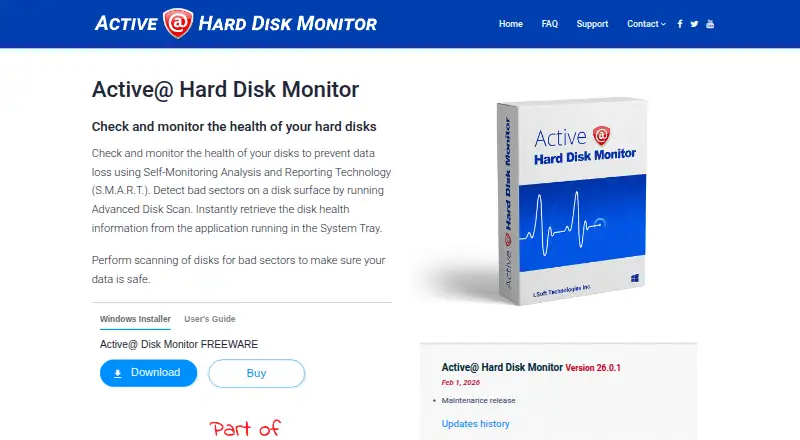
The facts below are what the maker publishes about Active@ Hard Disk Monitor, checked and dated. Our editors have not written about it yet.
Plans and prices
From Active@ Hard Disk Monitor's own pricing page, checked 15 Oct 2026.
| Plan | Price | What it gives you |
|---|---|---|
| Freeware | Free | Personal use only |
| Professional - General license | $49.95, paid once | Business use · Remote monitoring for up to 3 PCs |
| Professional - Enterprise license | $899, paid once | Company-wide use at offices and branches |
| Professional | — | For business purposes · Can monitor up to 3 PCs remotely · General license for personal and commercial use · Enterprise license for use at company offices and branches worldwide |
The facts
Each one read from Active@ Hard Disk Monitor's own pages, with the date it was checked.
What it does
- Administrator rights
- The user guide says the application requires an administrator account or Administrators-group membership.checked 15 Oct 2026
- Alerts
- Warning or critical conditions can trigger popup notifications or email messages.checked 15 Oct 2026
- API and SDK
- The opened product pages and user guide document desktop and network-administrator workflows but do not describe a public API or SDK.checked 15 Oct 2026
- Background monitoring
- Monitors disk performance and state in the background, including when launched at Windows startup.checked 4 Oct 2026
- Bad-sector scanning
- Its disk scanner checks blocks and sectors and reports bad blocks down to sector-level detail.checked 15 Oct 2026
- Changelog
- The history page records Windows 11 support and Qt 5.12.5 upgrades in version 23.0.0, plus later maintenance releases.checked 15 Oct 2026
- Current version
- The vendor lists version 26.0.1 as a maintenance release dated February 1, 2026.checked 15 Oct 2026
- Disk information
- The interface exposes model, serial number, cylinders and other disk details.checked 15 Oct 2026
- Documentation
- LSoft publishes a 27-page PDF user guide covering installation, configuration, SMART viewing, scans, event logs and administrator functions.checked 15 Oct 2026
- Editor rating on Softpedia
- 5.0 out of 5 from one Softpedia editor review; the reviewer praised easy installation, organized interface and low resource use.checked 15 Oct 2026
- Event reports
- It creates event logs and S.M.A.R.T. reports containing disk activity over time.checked 15 Oct 2026
- Integrations
- The documented external connections are SMTP email notifications and network-host monitoring; no third-party integration catalog is listed.checked 15 Oct 2026
- License model
- The EULA says the software is licensed rather than sold and remains LSoft intellectual property.checked 15 Oct 2026
- Limit: controller coverage
- ZipDo cautions that monitoring coverage depends on whether storage controllers expose usable drive data.checked 15 Oct 2026
- Limit: not a recovery tool
- ZipDo characterizes the product as diagnostic monitoring rather than an imaging-first disk-repair or deep-recovery utility.checked 15 Oct 2026
- Limit: Professional-only functions
- Softpedia says extended temperature history, remote administration and local-service monitoring require the Professional upgrade.checked 15 Oct 2026
The company
- Company
- LSoft Technologies Inc. describes itself as a privately owned North American software company founded in 1999.checked 4 Oct 2026
- Company headquarters
- LinkedIn gives the headquarters as Mississauga, Ontario, Canada, at 7177 Danton Promenade.checked 15 Oct 2026
- Company size and founding
- LinkedIn lists LSoft Technologies Inc. as privately held, founded in 1999, with 2-10 employees.checked 15 Oct 2026
- Headquarters
- The company lists its address as 7177 Danton Promenade, Mississauga, Ontario, Canada.checked 4 Oct 2026
- Maker status
- LSoft Technologies describes itself as a privately owned North American software company.checked 15 Oct 2026
Money
- Limit: free edition licensing
- Softpedia lists personal-use-only restrictions for the unregistered edition.checked 15 Oct 2026
Where it runs
- Limit: Windows only
- Independent listings identify Windows as the supported platform and do not list macOS, Linux, iOS or Android versions.checked 15 Oct 2026
- Platform
- The product page provides a Windows Installer and describes automatic launch at Windows startup.checked 4 Oct 2026
Alternatives to Active@ Hard Disk Monitor
- 1
SMART Sniffer
Free planOpen sourceWebAPILinuxmacOS7.5Free plan - 2
DA Drive Analyzer
Free planWebmacOSSelf-hostedWindows7.0From $5 a year - 3
Hard Disk Sentinel
Free planLinuxWindows6.9$22 one-time - 4

HDDlife
Windows6.8$19 one-time - 5
smartmontools
Free planLinuxmacOSWindows6.8Free plan - 6

GSmartControl
Free planLinuxmacOSWindows6.7Free plan