Grip Onsite
Grip Onsite is a suite of products and services for delivering an event's on-site experience.
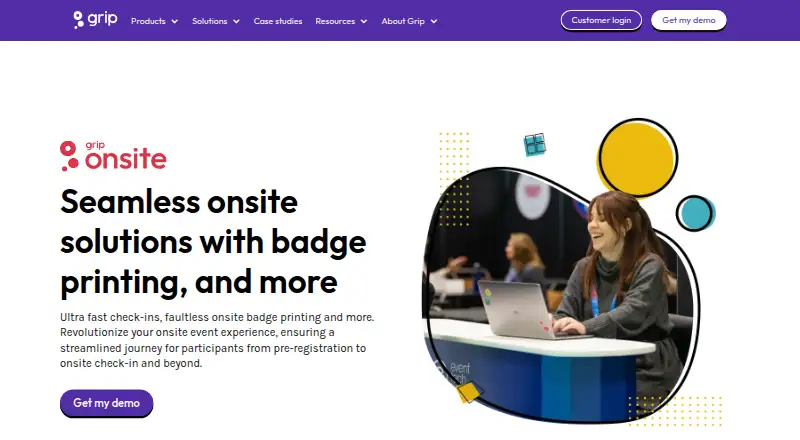
What Grip Onsite is
Grip Onsite is a suite of products and services for delivering an event's on-site experience. Attendees can check in at self-service kiosks for printed badges, or use printed tickets, badges, or the event app. Organizers receive real-time attendance reports and can track session check-ins. Badge scans can control entry to exclusive areas, and sponsored-session scans can provide leads to sponsors. Bluetooth Smart Badges let participants exchange contact details with a button press; location tracking provides heat maps and information about booth and session visits, including duration. Badge choices include laminated or paper formats, customizable size and orientation, and an optional RFID sticker. Grip Onsite can be used alone, with Grip Engage or Manage, or with a third-party registration system. Equipment is delivered, installed, and tested by onsite support staff or trained technicians, with support during the event. Events with fewer than four terminals can choose self-managed setup. Onsite badging setup typically takes 2–6 hours and is usually completed the day before opening. Pricing is on request.
Good
- Supports kiosk check-in and instant badge printing.
- Reports attendance in real time.
- Tracks session attendance and booth visits.
- Can operate with third-party registration systems.
- Onsite support is available during events.
Watch out
- Pricing is available on request.
- Self-managed setup is limited to events with fewer than four terminals.
- Branded event apps require Android 10 or iOS 17.
Who it suits
Grip Onsite suits event organizers needing check-in, badge printing, attendance tracking, or controlled access. Its session and location tools can also serve sponsors and exhibitors seeking attendee engagement information.
Verdict
Grip Onsite combines check-in, printed badges, session tracking, and event-floor insights. Consider its setup approach and the stated mobile app version requirements when assessing the event experience.
The facts
Each one read from Grip Onsite's own pages, with the date it was checked.
What it does
- Access control
- Badge scanning can be used to control access to exclusive areas.checked 30 Sep 2026
- Attendance reporting
- Real-time attendance reporting shows who arrived and when.checked 30 Sep 2026
- Badge options
- Badge options include laminated or paper badges, with customizable size, orientation, and lanyard-hole options, plus an optional RFID sticker.checked 30 Sep 2026
- Badge printing
- Attendees can check in at self-service kiosks and have badges printed on arrival.checked 30 Sep 2026
- Check-in and badges
- Its badge-printing service offers self-service check-in and instant badge printing.checked 30 Sep 2026
- Entrance scanning
- Participants can check in using printed tickets, badges, or the event app.checked 30 Sep 2026
- Integration options
- Grip Onsite can be used with Grip Engage or Manage, as a standalone solution, or with a third-party registration system.checked 30 Sep 2026
- Integrations
- Grip’s integration directory describes connections for registration and badging, floor-plan management, and exhibitor management.checked 30 Sep 2026
- Location insights
- Location Tracking provides heat maps and information about which participants visited booths and sessions and for how long.checked 30 Sep 2026
- Onsite check-in
- Yeschecked 21 Sep 2026
- On-site setup
- The product FAQ says equipment is delivered, installed, and tested by an on-site support team or trained technicians, with a self-managed option for events with fewer than four terminals.checked 30 Sep 2026
- Product
- Grip Onsite is a suite of products and services for delivering an on-site event experience.checked 30 Sep 2026
- Security
- Grip says its cloud service uses Amazon AWS hosting, encrypts data at rest and in transit, and follows GDPR, CCPA, and other privacy and security regulations.checked 30 Sep 2026
- Security and privacy
- Grip says it encrypts data at rest and in transit, uses AWS hosting, and follows GDPR and CCPA; its security page also notes AWS certifications and Cyber Essentials certification.checked 30 Sep 2026
- Session check-in
- Session check-in tracks which attendees attended sessions, and organizers can provide sponsored-session badge scans to sponsors as leads.checked 30 Sep 2026
- Session tracking
- Seminar check-in tracks which sessions attendees attended and can provide badge scans to sponsors as leads.checked 30 Sep 2026
- Setup and support
- Hardware is delivered, installed, and tested by onsite support staff or trained technicians, with support during the event; self-managed setup is available for events with fewer than four terminals.checked 30 Sep 2026
- Setup time
- Onsite badging setup typically takes 2–6 hours and is usually completed the day before the event opens.checked 30 Sep 2026
- Smart Badges
- Bluetooth Smart Badges let participants exchange contact information with a button press and can provide heat maps and session tracking insights.checked 30 Sep 2026
- Standalone use
- Grip Onsite can be used as a standalone solution or purchased with Grip’s other products.checked 30 Sep 2026
- Support
- Grip’s contact page says product support is available 24/7.checked 30 Sep 2026
The company
- Founded
- 2016checked 28 Sep 2026
- Headquarters
- London, United Kingdomchecked 28 Sep 2026
Where it runs
- Mobile app requirements
- Grip's branded event apps are published through the App Store and Google Play; the stated minimum versions are Android 10 and iOS 17.checked 30 Sep 2026
The full review of Grip Onsite
Grip Onsite is an on-site event service for organizers coordinating arrival, printed credentials, and attendance across sessions and restricted areas. It is best suited to events that need those workflows alongside equipment and event-day support. The integrated approach is a strength; custom pricing and a setup that typically takes 2–6 hours call for advance planning.
Overview
Grip Onsite combines event-floor hardware and software, and can be used on its own, with Grip Engage or Manage, or with a third-party registration system. That flexibility helps organizers keep an existing registration setup while adding on-site check-in and attendance tools. It is less compelling for teams seeking a quick, software-only purchase: equipment must be delivered and installed, and typical badging setup is completed the day before the event opens.
Key features
Self-service kiosks let attendees check in and print badges on arrival. Entrance scanning also accepts printed tickets, badges, or the event app, while real-time attendance reporting shows who arrived and when. Badge formats include laminated or paper stock, with customizable size, orientation, and lanyard-hole options, plus an optional RFID sticker. This breadth suits varied event formats, though organizers need to plan the badge and terminal setup in advance.
Session check-in records which attendees attended sessions, and organizers can share sponsored-session badge scans with sponsors as leads. Bluetooth Smart Badges let participants exchange contact information with a button press and can provide heat maps and session-tracking insights. Location Tracking adds information about which participants visited booths and sessions and for how long. These tools can give event teams and sponsors a more detailed view than an arrival count alone; their value depends on having a practical use for the attendance and location signals.
Badge scanning can control access to exclusive areas, extending the same credential workflow beyond general entry. Grip also supports badge scanning, offline capture, lead qualification and enrichment, CRM sync, custom app branding, push notifications, interactive maps, sponsor features, and matchmaking. Those capabilities make the suite relevant to broader event operations, but they also mean it is best considered as part of a coordinated event setup rather than a narrow badge-printing utility.
Pricing
Grip Onsite is paid, with custom pricing. There is no published plan breakdown to compare, so organizers should request a quote for their event rather than assume a fixed per-seat or per-event cost. That makes it harder to judge the budget before discussing requirements, particularly if the event needs multiple terminals, customized badges, or support.
Platforms
Grip Onsite is available on Android, iOS, and web. Grip's branded event apps are distributed through the App Store and Google Play and require Android 10 or iOS 17 at minimum. Organizers should account for those minimum versions when attendees are expected to use the event app for check-in or other event activities.
Who it's for
Grip Onsite is aimed at event organizers, exhibitors, sponsors, and visitors across in-person, hybrid, and virtual events. Its strongest fit is an organizer who needs kiosks, printed badges, session attendance, and sponsor lead workflows to work together, and who values on-site installation and support. For events with fewer than four terminals, self-managed setup is available; larger setups can be delivered, installed, and tested by on-site support staff or trained technicians, with support during the event. Grip says product support is available 24/7.
Grip says its cloud service uses AWS hosting, encrypts data at rest and in transit, and follows GDPR and CCPA. Those measures may matter to teams handling attendee data, though organizers should still assess their own privacy and security requirements.
Pros and cons
- Pros: One service covers kiosk check-in, badge printing, entrance scanning, session attendance, and access control, reducing the need to stitch together those on-site workflows.
- Pros: Smart Badges and Location Tracking can provide contact exchanges, booth and session visits, and attendance insights for organizers and sponsors.
- Pros: Installation and event-day support are available, while smaller events with fewer than four terminals can manage setup themselves.
- Cons: Custom pricing means teams cannot compare a fixed public price before requesting a quote.
- Cons: Typical setup takes 2–6 hours and is usually completed the day before opening, so it requires advance coordination.
- Cons: The branded app requires Android 10 or iOS 17, which may exclude attendees using older devices.
Alternatives
Amego is worth considering when a free starting point matters: its Spark plan is free, billed annually, with 1,000 AI credits and unlimited attendees, and is aimed at events with 50 attendees or fewer. HEPCon has a free Core plan for programmes under 50 contributions, with an offline-first agenda, source sync, and personal schedule; it is a more relevant option when those programme tools are the priority.
Cvent offers a registration product that can be tried for free, making it a candidate for teams wanting to evaluate registration before committing. Navon Event Mobile App is another paid Android, iOS, and web option for event mobile apps.
PheedLoop has a Core Event Dashboard plan at $950 a month for 100–499 users, which gives buyers a public price point to compare. Webex Events Onsite may suit organizations whose Webex Suite Enterprise Agreement includes access to it; its stated scope includes in-person check-in, badge printing, registration, and a mobile app.
Eventee is a paid, pay-per-event option with plans covering one event and specified attendee or team limits, a useful alternative for buyers comparing event-based packaging. Fivras offers a one-time Essential plan at 599.00 EUR for up to 150 attendees, with a branded web and app, agenda and directory, basic networking, and email support; it may fit smaller events that prefer a stated one-off price.
For broader category comparisons, see Event Mobile App Software, Event Lead Capture Software, Event Badge Printing Software, and Event Management Software.
Verdict
Choose Grip Onsite if your event needs a connected arrival, badge, session, and sponsor workflow, and you value event-day equipment support. Look elsewhere if you need transparent pricing or a lightweight setup that can be purchased and deployed without advance coordination.
Getting started
- Open the Grip Onsite website
- Choose standalone use, Grip Engage or Manage, or a third-party registration integration
- Arrange equipment delivery and onsite installation, or select self-managed setup for fewer than four terminals
- Prepare badges and configure check-in, scanning, and session tracking
- Complete the usual 2–6 hour setup before the event opens
- Publish the branded event app through the App Store or Google Play when used
Questions
How much does Grip Onsite cost?
Grip Onsite is paid, with pricing available on request.
Which platforms are supported?
It supports Android, iOS, and web. Grip’s branded apps state minimum versions of Android 10 and iOS 17.
Can it work with another registration system?
Yes. It can operate standalone, with Grip Engage or Manage, or integrated with a third-party registration system.
What badge formats are available?
Laminated and paper badges are supported, with customizable size, orientation, and lanyard-hole options. An optional RFID sticker is available.
Does Grip provide setup and support?
Onsite staff or trained technicians can deliver, install, and test equipment, with event support. Grip’s contact page says product support is available 24/7.
Alternatives to Grip Onsite
- 1

Eventbrite
Free planAndroidiOSWebAPI8.2From $15 a month - 2

EventTitans Abstract Management
Free planAndroidiOSWebAPI8.2From $99,999 a month - 3

Eventzilla
Free planAndroidiOSWebAPI8.2From $49 a month - 4

Zoho Backstage
Free planAndroidiOSWebAPI8.2From ₹7,900 a month - 5

Accelevents
AndroidiOSWebAPI7.9From $13,500 a year - 6
InEvent
AndroidiOSWebAPI7.9From $9,990 a year