
Eventbrite
Eventbrite is an event platform for organizers to create event pages, sell tickets, promote events, manage attendees, and review results.
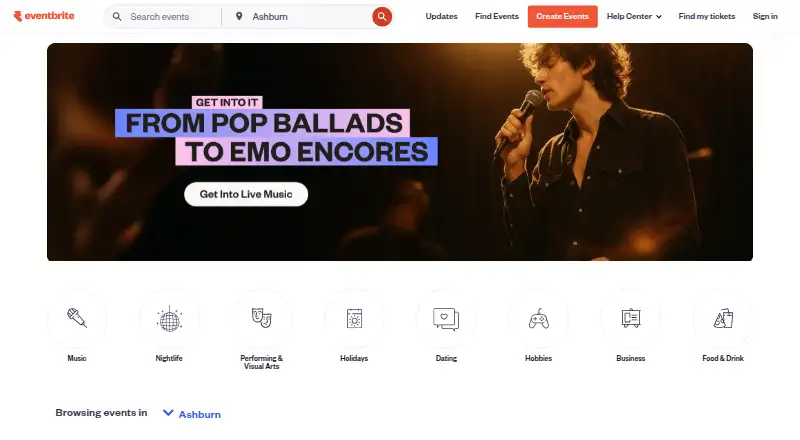
What Eventbrite is
Eventbrite is an event platform for organizers to create event pages, sell tickets, promote events, manage attendees, and review results. Its promotion tools include marketplace visibility, email campaigns, Facebook and Instagram ad tools, promo codes, smart audiences, and reporting. Organizers can use AI event creation, while attendee apps for iPhone and Android support event discovery, registration, and ticket access. The Organizer app adds QR ticket scanning, attendee check-in, and on-site ticket sales on iOS and Android. Eventbrite lists more than 100 apps in its marketplace, with documented Mailchimp and Zoom integrations. The Zoom integration is limited to online, non-recurring events and excludes government Zoom accounts. Free event publishing is unlimited, and free tickets have no ticketing fees. Eventbrite Premium costs $69 per month or $708 per year, with availability varying by country. US paid ticket fees are 3.7% plus $1.79 per ticket and 2.9% per order for payment processing; buyers pay by default, or organizers can absorb the fees.
Good
- Unlimited free event publishing.
- No ticketing fees on free tickets.
- Organizer app supports QR scanning and check-in.
- Marketplace lists more than 100 apps.
- Organizers can enable authenticator-app multi-factor authentication.
Watch out
- US paid tickets incur listed service and processing fees.
- Zoom integration excludes government accounts.
- Premium availability varies by country.
- Pro is no longer available to new subscribers.
Who it suits
Eventbrite suits organizers running events from classes to concerts and festivals, as well as attendees who want to discover events and access tickets on a phone. Its organizer app also fits teams handling check-in or on-site ticket sales.
Verdict
Eventbrite covers event publishing, promotion, ticketing, attendee access, and on-site check-in, with free publishing available. Organizers should account for paid-ticket fees and the specific limitations on Zoom and Pro access.
Plans and prices
From Eventbrite's own pricing page, checked 29 Sep 2026.
| Plan | Price | What it gives you |
|---|---|---|
| Free event publishing | Free | Unlimited free events; fees apply to paid tickets |
| Free events | Free | Unlimited free events · no ticketing fees |
| Eventbrite Pro | $15 a month | Up to 10,000 marketing emails daily at the highest stated tier · Starting at $15/month |
| Eventbrite Premium | $69 a month | Paid social promotion · Premium badge · $20 monthly Eventbrite Ads credit · up to 2,000 marketing emails daily · newsletter placements · priority support · 50% off instant payout fees · $69 per month or $708 per year in the United States |
| Paid ticketing | — | Fees paid by attendees by default · organizers may absorb fees · 3.7% + $1.79 service fee per paid ticket · 2.9% payment processing fee per order |
The facts
Each one read from Eventbrite's own pages, with the date it was checked.
What it does
- Account protection
- Organizers can enable multi-factor authentication using an authenticator app.checked 29 Sep 2026
- AI event creation
- The organizer pricing page lists AI event creation among its ticketing tools.checked 29 Sep 2026
- API
- Developers can request an Eventbrite API key from account settings and use OAuth redirect URIs for third-party applications.checked 20 Oct 2026
- Check-in
- The Organizer app scans QR-code tickets, supports manual lookup, validates or checks out attendees and shows live attendance information.checked 20 Oct 2026
- Documentation
- The API help article directs developers to comprehensive v3 documentation covering endpoint spelling, parameters and common integration issues.checked 20 Oct 2026
- Event promotion
- Its listed promotion tools include marketplace visibility, email campaigns, Facebook and Instagram ad tools, promo codes, smart audiences, and reporting.checked 29 Sep 2026
- Hosting model
- Eventbrite is delivered as a hosted cloud service; TrustRadius reviewers specifically describe its cloud-based access and collaboration model.checked 20 Oct 2026
- Integration limits
- The Zoom integration requires an online, non-recurring event and does not support government Zoom accounts.checked 29 Sep 2026
- Integrations
- The Zapier integration connects Eventbrite attendee data to more than 4,000 apps, including Mailchimp, Salesforce, HubSpot, Google Sheets, Slack and Asana.checked 20 Oct 2026
- Intended users
- Eventbrite serves event organizers and attendees, with event categories ranging from classes to concerts and festivals.checked 29 Sep 2026
- JavaScript SDK
- The JavaScript SDK works in browsers and Node, offers ESM, CommonJS and UMD builds, and is distributed through npm and Yarn.checked 20 Oct 2026
- Legal entity
- SEC filings identify the maker as Eventbrite, Inc., a Delaware corporation with principal offices at 95 Third Street, San Francisco.checked 20 Oct 2026
- Limit: customization
- Capterra, GetApp and Software Advice reviews cite limited customization, especially for registration layouts and reporting outputs.checked 20 Oct 2026
- Limit: fees
- Reviewers on Capterra, Software Advice and the App Store repeatedly complain that ticketing and payment fees reduce organizer or attendee value.checked 20 Oct 2026
- Limit: support and performance
- Software Advice and Trustpilot reviewers report slow support at busy times, occasional login or timeout problems and confusing forms.checked 20 Oct 2026
- Mailchimp integration
- The Mailchimp connector maps Eventbrite organizations, events, ticket classes, orders and opted-in buyers into Mailchimp commerce and audience records.checked 20 Oct 2026
- Marketing
- Built-in promotion includes marketplace discovery, email campaigns, promo codes, smart audiences, Facebook and Instagram tools, Eventbrite Ads and AI-generated campaign copy.checked 20 Oct 2026
Where it runs
- App data handling
- Google Play says the Organizer app encrypts data in transit, lets users request deletion and may collect location, personal information and other data types.checked 20 Oct 2026
- Browser requirements
- Eventbrite recommends current Google Chrome or Mozilla Firefox and no longer supports Internet Explorer 11 or earlier.checked 20 Oct 2026
- Limit: Organizer app
- Google Play reviewers say the Android Organizer app has fewer capabilities than the website, awkward navigation and intermittent bugs.checked 20 Oct 2026
The company
- Company size
- LinkedIn lists Eventbrite as a 501–1,000 employee software-development company headquartered in San Francisco.checked 20 Oct 2026
- Founded
- Eventbrite's own 2006 launch announcement identifies Kevin Hartz, Julia Hartz and Renaud Visage as its founders.checked 20 Oct 2026
- Headquarters
- San Francisco, California, United Stateschecked 28 Sep 2026
Money
- Free plan
- Yeschecked 20 Sep 2026
The full review of Eventbrite
Overview
Eventbrite is an event publishing and ticketing service for organizers and attendees, with tools for promoting events and managing attendance. It is best suited to organizers who want public event discovery alongside ticket sales and check-in. Free events are particularly compelling; paid-ticket fees are the main cost to weigh.
Its scope spans classes, concerts and festivals, while attendees can discover events, register and access tickets in a separate mobile app. Organizers can also use reporting to review event results.
Key features
Publishing and promotion
Event pages bring event information and ticket sales together. Organizers can seek visibility in Eventbrite’s marketplace, run email campaigns, use Facebook and Instagram ad tools, and distribute promo codes. Smart audiences and reporting add tools for targeting and reviewing promotion. AI event creation is also among the ticketing tools. Advanced form customization may suit organizers with more involved registration needs.
Attendee access and on-site operations
The attendee app offers discovery, registration and ticket access on iPhone and Android. On the organizer side, the iOS and Android app scans QR tickets, checks in attendees and supports on-site ticket sales. Check-in and badge printing are supported, making Eventbrite a broader option than a ticket checkout alone.
Integrations, security and support
The app marketplace includes more than 100 apps, and documented integrations include Mailchimp and Zoom. Zoom is a qualified fit: the integration requires an online, non-recurring event and excludes government Zoom accounts. Eventbrite states that it complies with PCI DSS 4.0.1 Level 1 as both merchant and service provider; organizers can also enable authenticator-app multi-factor authentication. Support includes a Help Center and email, with 24/7 chat for paid events.
Pricing
Free event publishing
The free publishing plan costs nothing. It allows unlimited event publishing, free tickets without ticketing fees, and free events of any size. That is a strong fit for organizers whose events do not charge admission; it does not remove the fees on paid tickets.
Premium and Pro
Eventbrite Premium costs $69 a month, billed $69 per month or $708 per year (save $120). It is an optional subscription with up to 2,000 marketing emails per day and $20/month in EB Ads credits; availability varies by country. It suits organizers who can use the added email capacity and ad credits, but it is a recurring cost on top of paid-ticket fees.
Eventbrite Pro is $15 a month, starting at $15/month, and is no longer available to new subscribers. Existing subscribers keep their plan and email limits; the pricing page describes up to 10,000 daily marketing emails. It is therefore relevant to current subscribers, not a lower-cost entry point for new customers.
Paid ticket fees
Paid ticketing has no listed subscription price, but US fees are 3.7% plus $1.79 per paid ticket and 2.9% per order for payment processing. Fees apply only to paid tickets. Buyers pay by default, or organizers can absorb the charges; organizers should account for the per-ticket component as well as the order fee when setting prices.
Platforms
Eventbrite is available on web, Android and iOS, and offers an API. The attendee and organizer apps extend the service to mobile event discovery and on-site operations.
Who it's for
Eventbrite suits organizers who want event pages, marketplace promotion, ticket sales and mobile check-in in one service, especially those running free events or varied public events. It is less attractive when paid-ticket fees are a priority to minimize, or when an organizer needs Zoom integration for a recurring event or a government account.
Pros and cons
- Pros: Unlimited free event publishing and no fees on free tickets make it practical for events without paid admission.
- Pros: Promotion tools, attendee ticket access and organizer QR check-in cover several stages of running an event.
- Pros: More than 100 marketplace apps and documented Mailchimp and Zoom integrations give organizers options to connect workflows.
- Cons: Paid tickets incur both a per-ticket service charge and an order processing fee, even when the organizer chooses to pass them to buyers.
- Cons: Premium adds a monthly or annual subscription cost, and its availability varies by country.
- Cons: Zoom support excludes recurring events and government Zoom accounts.
- Cons: Pro is closed to new subscribers, so new organizers cannot choose its higher stated email limit at the starting price.
Alternatives
- Humanitix is worth comparing for organizers weighing per-ticket charges: its free events have no ticket fee, while its Standard plan is $0.99 a month per paid ticket with a 2.1% booking fee.
- Zoho Backstage may suit smaller events that can work within its free caps of 100 attendees, 300 RSVP invites, three sessions, three speakers and one event day per event; it also offers a free trial.
- AlignMint is aimed at eligible organizations with up to $100K in annual donations, with a free plan limited to one user and 10 GB of storage.
- Kindest Events offers a free Kickstart plan with three admin seats and a 5% platform fee, waived for the first $50K of the first year.
- RunSignup is another event registration option with a free event tier and no processing fee for a $0 cart.
- RegFox has a $0/month Standard plan with a $0.99 plus 1% fee per paid registration, capped at $4.99 per registrant; free events carry a $0.99 fee.
- Zeffy is a free service spanning event ticketing and fundraising, alongside donation forms, donor management and email tools.
- Enthuse offers a Mass Participation plan at £0.00/month with a 0% platform fee, plus a 1.9% + 30p payment provider fee and 5% Gift Aid fee.
For broader comparisons, see nonprofit event management software, event management software, event registration software, event website builders and event badge printing software.
Verdict
Choose Eventbrite if you want event publishing, promotion, ticketing and mobile check-in under one roof, particularly for free events or public events that benefit from marketplace visibility. Its strongest case is the combination of free publishing and operational coverage; look elsewhere if paid-ticket charges undermine your pricing or your Zoom setup falls outside its supported use.
Getting started
- Visit eventbrite.com
- Choose free event publishing or review the optional Premium plan
- Create an event page and publish it
- Use web, iOS or Android to manage the event
- Use the attendee app for discovery, registration and ticket access, or the Organizer app for check-in and on-site sales
Limits worth knowing
Free publishing covers free tickets, which have no ticketing fees; paid tickets incur listed fees. Premium includes up to 2,000 marketing emails per day, and availability varies by country.
Questions
Is there a free plan?
Yes. Free event publishing is unlimited, free tickets have no ticketing fees, and free events can be any size.
How much does Eventbrite cost?
Eventbrite Premium is $69 per month or $708 per year. US paid tickets have a 3.7% plus $1.79 service fee per ticket and a 2.9% payment processing fee per order.
Which platforms does Eventbrite support?
The listed platforms are web, iOS, Android and API. The attendee and Organizer apps are available for iPhone or Android and iOS or Android, respectively.
What integrations are available?
Eventbrite's app marketplace lists more than 100 apps. Its help pages document integrations with Mailchimp and Zoom; Zoom requires an online, non-recurring event and does not support government Zoom accounts.
Can I still subscribe to Eventbrite Pro?
No. Pro plans are no longer available to new subscribers. Existing subscribers keep their current plan and email limits.
What security and support options are listed?
Eventbrite states it complies with PCI DSS 4.0.1 Level 1 as a merchant and service provider. Organizers can enable authenticator app-based multi-factor authentication; listed support includes a Help Center and email, with 24/7 chat support for paid events.
Alternatives to Eventbrite
- 1

Zoho Backstage
Free planAndroidiOSWebAPI9.0From ₹7,900 a month - 2

Humanitix
Free planAndroidiOSWebAPI8.9$1 one-time - 3

Eventzilla
Free planAndroidiOSWebAPI8.9From $49 a month - 4

EventCreate
Free planAndroidiOSWeb8.9From $5 a month - 5

RegFox
Free planAndroidiOSWebAPI8.9From $499 a month - 6
Eventleaf
Free planAndroidiOSWebAPI8.8From $1 a year