Gradia
Gradia is a free, open-source Linux desktop app for preparing screenshots and code snippets for sharing.
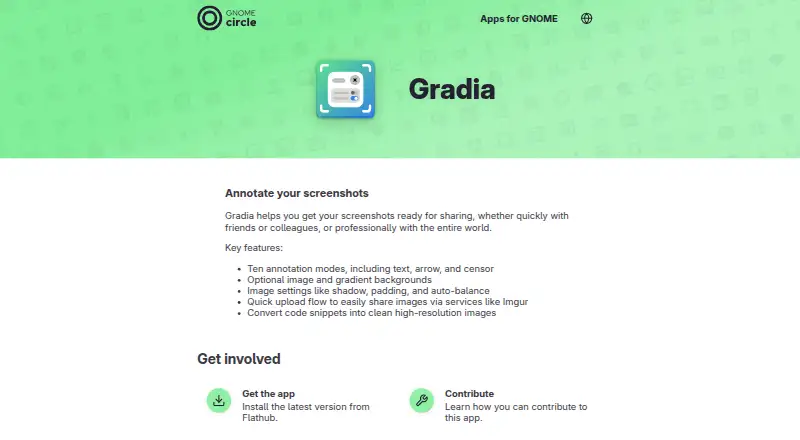
What Gradia is
Gradia is a free, open-source Linux desktop app for preparing screenshots and code snippets for sharing. It provides ten annotation modes, including text, arrows, and censoring, helping users explain or conceal image areas. Screenshots can use optional image or gradient backgrounds, with settings for shadow, padding, and auto-balance. Gradia also converts code snippets into clean, high-resolution images. A quick upload flow supports services such as Imgur. Users can choose predefined upload providers or create custom ones with a command that receives an image path and outputs a URL. Gradia is licensed under GPLv3, and the GNOME Apps page directs users to install the latest version from Flathub. That page names Alexander Vanhee as maintainer, lists Belgium, and links to the issue tracker for feedback and bug reports. Some commands or functions may be unavailable by default in Flatpak or Snap packages and may require permission changes. The listed plan costs nothing.
Good
- Free and open-source under GPLv3
- Ten annotation modes
- Supports image and gradient backgrounds
- Converts code into high-resolution images
- Custom upload providers supported
Watch out
- Linux only
- No team collaboration
- No browser extension
- Some package functions may need permissions
Who it suits
Gradia suits Linux users preparing annotated screenshots or polished code images for sharing. It is useful when open-source licensing and customizable upload providers matter.
Verdict
Gradia offers focused screenshot annotation, code-image creation, and upload workflows on Linux. Check package permissions if using Flatpak or Snap distributions.
Plans and prices
From Gradia's own pricing page, checked 10 Oct 2026.
| Plan | Price | What it gives you |
|---|---|---|
| Gradia | Free | Free and open-source software · Linux desktop app |
The facts
Each one read from Gradia's own pages, with the date it was checked.
What it does
- Annotations
- It includes ten annotation modes, including text, arrow, and censor.checked 10 Oct 2026
- Backgrounds
- Images can use optional image or gradient backgrounds.checked 10 Oct 2026
- Code snippets
- Gradia can convert code snippets into clean, high-resolution images.checked 10 Oct 2026
- Distribution
- The GNOME Apps page directs users to install the latest version from Flathub.checked 10 Oct 2026
- Image settings
- Image settings include shadow, padding, and auto-balance.checked 10 Oct 2026
- License
- Gradia is free and open-source software licensed under GPLv3.checked 10 Oct 2026
- Maintainer
- The GNOME Apps page names Alexander Vanhee as maintainer and lists Belgium.checked 10 Oct 2026
- Packaging caveat
- Some commands or functions may not be available by default in the Flatpak or Snap packages and may require permission changes.checked 10 Oct 2026
- Purpose
- Gradia helps prepare screenshots for sharing with friends, colleagues, or a wider audience.checked 10 Oct 2026
- Redaction tools
- Yeschecked 24 Sep 2026
- Support
- The GNOME Apps page links to the app’s issue tracker for feedback and bug reports.checked 10 Oct 2026
- Upload providers
- Users can choose predefined upload providers or create custom ones using a command that receives an image path and outputs a URL.checked 10 Oct 2026
- Uploads
- Gradia has a quick upload flow for sharing images through services such as Imgur.checked 10 Oct 2026
Where it runs
- Browser extension
- Nochecked 24 Sep 2026
Money
- Free plan
- Yeschecked 24 Sep 2026
The company
- Team collaboration
- Nochecked 24 Sep 2026
Alternatives to Gradia
- 1

Awesome Screenshot
Free planiOSWebExtensionmacOS8.3From $5 a month - 2

Monosnap
Free planWebExtensionLinuxmacOS8.1From $2.50 a month - 3
Usersnap
AndroidiOSWebAPI7.9From €49 a month - 4

Greenshot
Free planWindows7.8$1.99 one-time - 5
ShareX
Free planOpen sourceWindows7.6Free plan - 6
Markup Hero
Free planExtensionmacOSWindows7.6From $3 a month