
GovClerk Minutes
GovClerk Minutes turns meeting recordings into draft minutes, motions, votes, and action items for review and adoption.
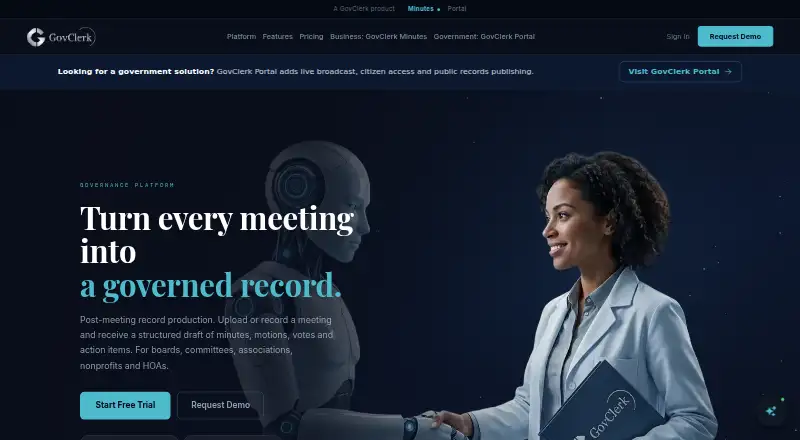
What GovClerk Minutes is
GovClerk Minutes turns meeting recordings into draft minutes, motions, votes, and action items for review and adoption. Users can record meetings in the service or upload audio and video. It creates a searchable transcript with speaker attribution and keeps the recording, transcript, draft, approvals, and final minutes together through the review process. Timestamped records track edits, approvals, and publication, including timestamp verification and access trails. Organization-type and jurisdiction-matched templates, decision and resolution archives, named approvers, and policy-based retention support records management. Plans include Word and PDF export, and the free plan permits downloads in both formats. The service supports six languages, bilingual minutes, and automatic language detection. Its homepage says transcripts and minutes are encrypted with AES-256-GCM; its privacy policy describes AWS storage, encryption at rest and in transit, access controls, and regular security assessments.
Good
- Creates searchable transcripts with speaker attribution.
- Tracks edits, approvals, and publication with timestamps.
- Free plan includes Word and PDF downloads.
- Supports templates matched to organization type and jurisdiction.
Watch out
- Free plan is limited to one meeting.
- Free plan includes one seat.
Who it suits
It suits boards, committees, associations, nonprofits, HOAs, companies, and public bodies that need a reviewable record of meetings. The free plan includes one meeting up to 240 minutes and one seat.
Verdict
GovClerk Minutes brings recording, transcription, drafting, and approval into one minutes workflow. Its free plan offers a limited starting point, while paid plans add capacity and review features.
Plans and prices
From GovClerk Minutes's own pricing page, checked 15 Oct 2026.
| Plan | Price | What it gives you |
|---|---|---|
| Free | Free | 1 meeting · up to 240 minutes · 1 seat · Word & PDF export · no card · No time limit |
| One-off | $10, paid once | 240 minutes · No subscription |
| Essential | $59 a month | 8 meetings/month · 2 seats · transcription download · regenerate minutes · review sharing · email sharing · template library · $49.17/mo billed annually |
| Professional | $149 a month | 15 meetings/month · 5 seats · bilingual minutes · cross-meeting speaker recognition · branding · mobile PWA · AI summaries · auto language detection · $124.17/mo billed annually |
| Elite | $299 a month | 40 meetings/month · 15 seats · white-label minutes · bulk export · advanced analytics · priority chat support · $249.17/mo billed annually |
| Premium | Priced on request | Unlimited meetings · unlimited seats · Google/Microsoft calendar sync · dedicated account manager · SLA · custom integrations · onboarding · API access · Annual billing available |
The facts
Each one read from GovClerk Minutes's own pages, with the date it was checked.
What it does
- Accessibility
- GovClerk Portal claims WCAG 2.1 AA accessibility for public records.checked 15 Oct 2026
- API
- API access is listed for the Premium plan, but the public site does not provide API reference or SDK details.checked 15 Oct 2026
- Audience
- The product is described for boards, committees, associations, nonprofits, HOAs, companies, and public bodies.checked 11 Oct 2026
- Audit trail
- The service records timestamped edits, approvals, publications, timestamp verification and access events.checked 15 Oct 2026
- Decision tracking
- Generated records include decisions, motions, resolutions, votes and action items linked to the meeting record.checked 15 Oct 2026
- Deployment
- The Portal page says there is no on-premise infrastructure to maintain and setup can be completed in less than a day.checked 15 Oct 2026
- Documentation
- The contact page advertises documentation, API references and integration documentation, but the linked documentation page was unavailable when checked.checked 15 Oct 2026
- Editing
- Users can edit speaker labels, transcript text and formatting after generation.checked 15 Oct 2026
- Encryption
- GovClerk states that transcripts and minutes documents use AES-256-GCM encryption.checked 15 Oct 2026
- Exports
- All plans include Word and PDF export; Premium also lists SRT and text export.checked 15 Oct 2026
- File formats
- The template page says MP3, MP4, WAV and M4A files are supported.checked 15 Oct 2026
- Independent capability comparison
- CivicPorch describes GovClerk as producing minutes, motions, votes and action items from recordings for clerk review and approval.checked 15 Oct 2026
- Integrations
- Google Calendar and Microsoft calendar synchronization are listed as Premium integrations.checked 15 Oct 2026
- Languages
- The product advertises six languages on its main page, while its template page says output supports more than 96 languages.checked 15 Oct 2026
- Limit: premium pricing
- Premium pricing is not published and requires contacting the vendor.checked 15 Oct 2026
- Limit: recurring volume
- The Essential tier is capped at eight meetings per month and two seats.checked 15 Oct 2026
- Mobile access
- Professional includes a mobile web app implemented as a progressive web app.checked 15 Oct 2026
- Portal security
- The related GovClerk Portal says audio is stored in private AWS S3, administrative access uses allowlisted permissions, and connections use HTTPS/TLS.checked 15 Oct 2026
- Praise: accuracy and usefulness
- Customer comments on the template page repeatedly describe the minutes as accurate, coherent and useful for chaotic meetings.checked 15 Oct 2026
- Praise: time savings
- Customer comments reproduced on the template page repeatedly praise completing minutes in minutes or under an hour instead of spending several hours.checked 15 Oct 2026
Where it runs
- Approval workflow
- Draft minutes move through named review and approval steps while the recording, transcript and final document remain together.checked 15 Oct 2026
Money
- Independent price comparison
- CivicPorch lists GovClerk Minutes at $590 per year for a small-town comparison, based on its published $59 monthly Essential price.checked 15 Oct 2026
- Limit: free tier capacity
- The free tier is limited to one meeting, one seat and 240 minutes.checked 15 Oct 2026
The company
- Maker
- The site identifies the legal maker as GovClerk, Inc. and names Cliff as founder and director.checked 15 Oct 2026
The full review of GovClerk Minutes
GovClerk Minutes is a meeting-record and approval workflow for turning discussions into draft minutes, decisions, votes, and action items. It best suits boards and other groups that need an accountable path from recording to adopted minutes. Its governance controls are the draw; teams wanting only informal summaries may find the workflow heavier than they need.
Overview
Meetings can be recorded in the service or supplied as audio or video uploads. GovClerk Minutes produces a searchable working transcript with speaker attribution and keeps the recording, transcript, draft, approvals, and final minutes together. That continuity is useful when reviewers need to follow a decision from discussion through approval, rather than reconstructing it from separate files.
A timestamped audit trail covers edits, approvals, and publication, with timestamp verification and access-trail records. Organization- and jurisdiction-matched templates, named approvers, policy-based retention, and decision and resolution archiving support repeatable governance. Those controls are valuable for formal records, but unnecessary overhead for teams that simply want quick notes.
Key features
Agenda templates, decision tracking, and action-item tracking link meeting records to follow-up. Essential adds AI summaries and key points, transcription downloads, regenerated minutes, and sending minutes for review. These are practical aids for teams that need a reviewable draft, though the core purpose remains producing formal minutes rather than broad meeting collaboration.
The service supports six languages, with bilingual minutes and automatic language detection. Professional adds bilingual minutes and cross-meeting speaker recognition, alongside document branding and the ability to create a template from an example. That tier is a more natural fit for organizations handling recurring meetings across languages or needing consistent branded records.
GovClerk says transcripts and minutes are encrypted with AES-256-GCM. Its privacy policy describes AWS storage, encryption at rest and in transit, Clerk access controls, regular security assessments, and practices aligned with SOC 2 compliant standards. This is a relevant foundation for sensitive meeting records, though organizations should still assess it against their own policies.
Pricing
The free plan costs nothing and allows one meeting of up to 240 minutes, one seat, audio upload or recording, and Word and PDF downloads, with no time limit. It is a useful way for a solo user to handle an occasional meeting, but the single-meeting allowance limits its use as an ongoing archive.
One-off costs $10, paid once, with no subscription required and a 240-minute allowance. It suits a user who needs to process a single longer meeting without committing to a recurring plan.
Essential costs $59 a month, or $49.17/mo billed annually. It covers eight meetings per month and two seats, adding transcription downloads, regenerated minutes, review and email sharing, AI summaries and key points, a template library, and priority support. The annual rate lowers the monthly price, while the meeting and seat limits make this a better fit for a small, regular group than a larger board.
Professional costs $149 a month, or $124.17/mo billed annually. Its 15 monthly meetings and five seats accompany bilingual minutes, cross-meeting speaker recognition, document branding, a mobile web app, and template creation from an example. It is the stronger fit for a busier organization with language or branding needs, but costs substantially more than Essential.
Elite costs $299 a month, or $249.17/mo billed annually. It raises capacity to 40 meetings per month and 15 seats, and adds white-label minutes, bulk export, advanced analytics, and priority plus chat support. Those additions target larger teams managing high meeting volume; smaller groups may not need the extra capacity or publishing controls.
Premium has custom pricing and includes unlimited meetings and seats, Google and Microsoft calendar sync, custom integrations, API access, an account manager, SLA, and onboarding assistance. It is the option for organizations that need integrations or scale beyond Elite’s caps, with the trade-off that pricing requires an inquiry.
Platforms
GovClerk Minutes is available on Android, iOS, and the web. Professional includes a mobile web app, while the service’s listed platform support also includes Android and iOS.
Who it's for
Boards, committees, associations, nonprofits, HOAs, companies, and public bodies are the clearest audience, particularly when they need named approvers, retained decisions, and a traceable publication record. Solo users can start with the free plan, while recurring groups should compare their meeting volume and seat count with Essential, Professional, and Elite caps before choosing.
Pros and cons
- Pro: Recording, transcript, draft, approvals, and final minutes stay in one workflow, making decision review more coherent.
- Pro: Timestamped audit records, named approvers, policy-based retention, and resolution archiving suit organizations with formal recordkeeping needs.
- Pro: A no-time-limit free plan and a one-off purchase give occasional users alternatives to a subscription.
- Con: The free plan is limited to one meeting and one seat, so it is not a practical recurring option for a group.
- Con: Essential and higher tiers impose monthly meeting and seat caps, requiring larger teams to pay for expanded capacity.
- Con: Premium uses custom pricing, so organizations needing unlimited capacity or integrations cannot compare its cost upfront.
Alternatives
For a broader shortlist, see Meeting Management Software. Choose Fellow instead if you want a wider range of platform support and its free plan’s five lifetime AI notes per user. AgreeDo is another freemium meeting option; its Basic plan allows four meetings per month, three participants per meeting, and one attachment per meeting.
Decisions may suit users who prefer a per-user price: its Free plan includes 100 AI credits per month, while Basic is $8 a month billed annually per user with 200 AI credits per month. For a free option whose page states no specific usage limits, consider MeetingNotes by SmartKit.
Geekbot is an alternative for teams considering a standup-focused tool, with a Starter plan for 10 users and a Basic — Standups plan priced at $2.50 a month on annual billing per participant. Parabol may appeal to teams prioritizing open-source software; it says its code is scrutinized by a developer community. For a free, open-source, self-hosted option under the MIT License, consider 4Minitz. BoardPAC is another option, with subscription fees based on annual periods and number of end users, priced by inquiry.
Verdict
GovClerk Minutes is a strong choice for boards and organizations that need a traceable approval process and a durable record linking discussion to adopted minutes. Its connected workflow and governance controls justify choosing it over a simple note-taking tool. Look elsewhere if you only need lightweight summaries, or if the meeting and seat caps do not fit your regular workload.
Getting started
- Open the GovClerk Minutes website
- Choose the free plan, one-off option, or a paid subscription
- Use the web app or install the Android or iOS app
- Record a meeting in GovClerk or upload audio or video
- Generate the transcript and draft minutes for review
- Export approved minutes as Word or PDF
Limits worth knowing
The Free plan includes one meeting up to 240 minutes, one seat, audio upload and recording, and Word/PDF export. Essential allows eight meetings per month and two seats; higher plans raise those quotas, while Premium lists unlimited meetings and seats.
Questions
Does GovClerk Minutes have a free plan?
Yes. The Free plan costs nothing and has no time limit, with one meeting up to 240 minutes and one seat.
Which platforms does it support?
GovClerk Minutes is available on Android, iOS, and the web.
What are the paid prices?
One-off costs $10, paid once. Essential is $59 a month or 49.17 USD monthly when billed annually; Professional is 149.00 USD monthly or $124.17 a month when billed annually; Elite is 299.00 USD monthly or $249.17 a month when billed annually. Premium has no listed price.
Can it export minutes?
Yes. Word and PDF export are included, and the Free plan allows downloads in both formats.
Does it integrate with calendars or APIs?
Premium lists Google and Microsoft calendar sync, custom integrations, and API access.
How many languages are supported?
The service says it supports six languages, including bilingual minutes and automatic language detection.
Alternatives to GovClerk Minutes
- 1

Fellow
Free planAndroidiOSWebAPI8.3From $7 a month - 2
Standup Alice
Free planAndroidiOSWeb8.1From $19.99 a year - 3
AgreeDo
Free planAndroidiOSWebExtension8.0From $7.90 a month - 4

Decisions
Free planAndroidiOSWeb7.9From $8 a month - 5

Boardable
AndroidiOSWebLinux7.8From $20.99 a month - 6

Geekbot
Free planWebAPI7.6From $0.75 a month